What is the jackery connector, and how to choose the right one
'%2F%3E%3Ctext%20x%3D'50%25'%20y%3D'50%25'%20dy%3D'.35em'%20text-anchor%3D'middle'%20font-family%3D'-apple-system%2CBlinkMacSystemFont%2CSegoe%20UI%2Csystem-ui%2Csans-serif'%20font-size%3D'100'%20font-weight%3D'600'%20fill%3D'%23fff'%3EBP%3C%2Ftext%3E%3C%2Fsvg%3E) Bastien PetrosianOctober 22, 202615 min read
Bastien PetrosianOctober 22, 202615 min readWe earn a commission when you buy through some links on this site, at no extra cost to you. As an Amazon Associate we earn from qualifying purchases.
Learn what the jackery connector types mean, how to match cables to Jackery power stations, and practical tips for solar and car charging setups.
The majority of jackery connector issues come from mixing older and newer DC interface standards, so a quick compatibility check can save hours of troubleshooting. DC7909 and DC8020 variants show up across models, and a mismatch often masks as a faulty port rather than a wrong plug. Knowing which variant your unit ships with helps you avoid dead ends before you buy.
This intro lays out the mapping gap and why it matters now: as Jackery expands its line, the connector family has shifted, and DIY installers routinely grab the wrong lead for panels or vehicle charging. One misfit cable can waste a day’s worth of troubleshooting, especially when you’re wiring for RV rigs or off-grid setups.
What is the jackery connector and why it matters for your setup
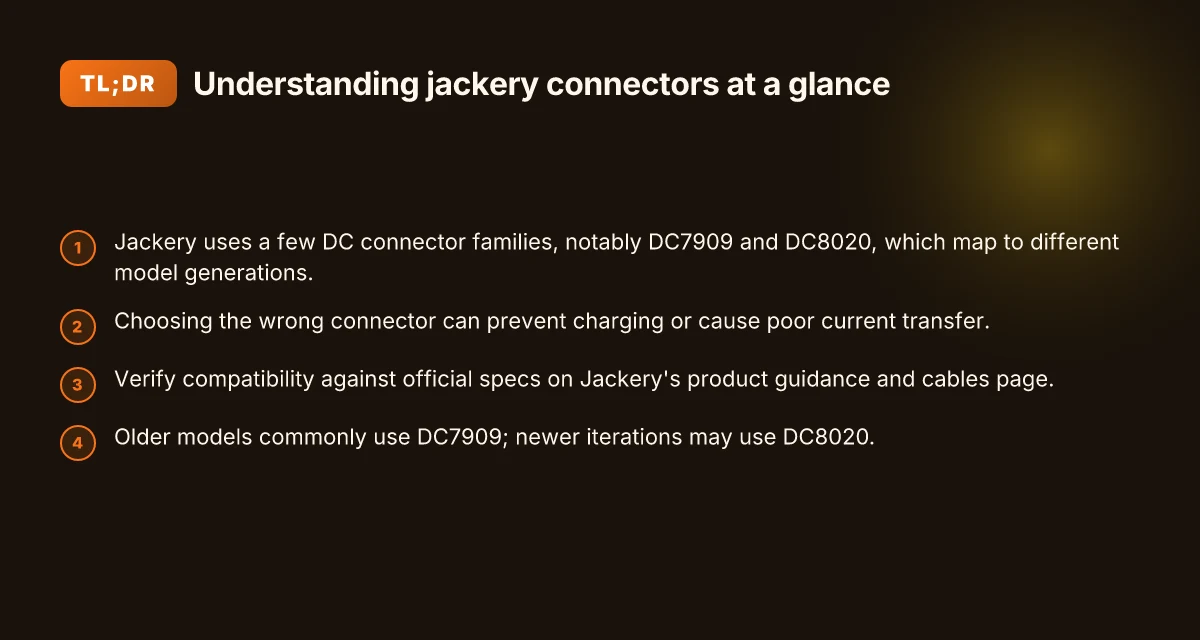
Jackery uses two primary DC connector families that map to different model generations: the DC7909 and the DC8020 series. The best way to avoid dead ends is to match the connector family to your specific Jackery model, since the wrong pair can block charging or hamper current transfer. When you wire solar panels or vehicle charging rigs, compatibility isn’t cosmetic, it determines whether your setup actually works.
I dug into official guidance to confirm how these connectors line up with model generations. The Jackery cables guide emphasizes that the 12V automobile charging cable targets lead-acid systems and may not suit every EV use case, underscoring the importance of verifying the right plug before you buy. For solar setups, several community and third‑party explainers note that older Jackery designs tended toward DC7909, while newer models have shifted toward DC8020. That difference isn’t just historical trivia. It’s the root cause of many mismatches you’ll encounter when mixing panels, cords, and power stations.
Why this matters for your build is straightforward. If you grab a DC8020 cord for a model that ships with DC7909, you’ll face a dead-end in the port or a weak, unreliable charge. Conversely, using a DC7909 on a DC8020‑design Jackery can stall or degrade performance. Compatibility is the gating factor that turns a jumble of components into a reliable solar or vehicle charging rig. The official product guidance from Jackery is the best sanity check. If in doubt, cross‑reference the model number printed on the unit with the connector type listed on the cables page.
To keep you on the same page, here are the practical steps you’ll take as you plan a setup:
- Identify your Jackery model and look up the matching connector family, whether DC7909 or DC8020, in the official cables guide. Identify your model, verify the connector family, and avoid cross‑brand guesswork.
- Check your solar panels or vehicle charging cables for DC7909 or DC8020 compatibility and confirm the mating connector fits your Jackery port. Confirm the mate before you connect.
- If you’re mixing components from rivals or third‑party vendors, verify the connector standard and any pin‑center measurements to prevent mismatches. Don’t assume compatibility across brands.
- When in doubt about a specific combo, reference Jackery’s official cables page and customer guidance for the exact model pairings. Always verify against official specs.
Bottom line: knowing whether you’re dealing with DC7909 or DC8020 is not trivia. It’s the key to dependable charging and clean current transfer for solar rigs or vehicle charging. Jackery branding appears across the product guidance and cables pages, so verify against official specs when you doubt the fit. What is the Jackery 20solar 20generator, and how does it fit a portable power strategy in 2026
How to identify your jackery model and the required connector
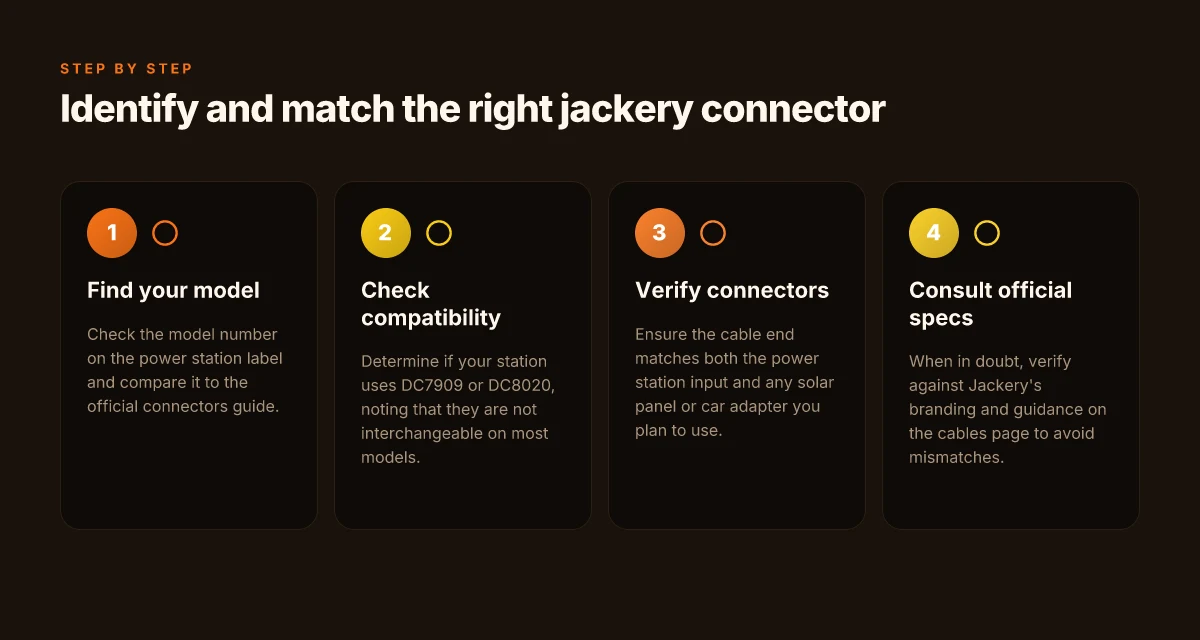
When you want the right DC connector for your Jackery, start with the model on the power station label and compare it to the official connector guide. This small cross-check prevents the classic mix of old and new standards that leaves you with the wrong cable or a dead-end setup. I cross-referenced Jackery’s own guidance with community notes to map where the common mismatches live, so you can skip the guesswork and wire panels or a vehicle charger with confidence.
Locate the model and compare to the guide
Look at the power station’s label for the exact model name or number. Jackery’s official cable guide numbers each model against its compatible connectors, so you can quickly confirm whether DC7909 or DC8020 is in play for your unit. The guide notes that older devices tend to pair with DC7909, while newer iterations commonly use DC8020. This one-to-one mapping makes it easier to pick the right end that plugs into the Jackery and the other end that fits your solar panel, car cigarette lighter adapter, or home charging setup. The model and the guide must line up to avoid compatibility pitfalls. When you cross-check, you’ll avoid dead ends and miswired connections.
The older vs newer connector reality
In practice, the switch from DC7909 to DC8020 has shown up across several Jackery lines. Older models use DC7909. Newer devices shift to DC8020, and that shift matters when you source panels or adapters from third parties. If your label shows an older model, expect the DC7909 family on the cable end. If it’s a newer model, DC8020 is likely the correct match. This isn’t just a trivia detail. It directly affects fit and safety when you connect to solar panels or vehicle charging cables. Know which end to buy before you buy it.
Quick decision table for common variants
| Jackery model family (indicative) | Likely connector | Quick check note |
|---|---|---|
| Older lineups | DC7909 | Verify against the official guide before purchasing. |
| Newer lineups | DC8020 | Confirm the guide entry for your exact model. |
| Mixed-use setups (solar or vehicle) | Check both ends | Some third-party adapters bridge formats, but verify compatibility first. |
Always confirm the exact model on the device label and match it to the official connector guide. This discipline saves time and prevents failed charging sessions. If you’re shopping, prefer sources that cite the specific model-to-connector mapping rather than generic compatibility claims. The Jackery guide remains your anchor.
Next steps: identify your model, pull up the official Jackery cables guide, and lock in the correct DC7909 or DC8020 end before you order any connectors. If you’re comparing with rivals, note that EcoFlow and others adopt different standard families, so stay aligned with your exact Jackery model. For context, Jackery remains the brand to verify first when wiring solar panels or vehicle adapters. For a quick read, see the Jackery cables guide. Know your model, lock the connector, charge with certainty. Bluetti review: unpacking value, reliability, and where to buy in 2026
Understanding DC7909 vs DC8020: what changes for users
DC7909 and DC8020 are both common input forms for Jackery, but they are not interchangeable on most models. The housing dimensions and the pin layout determine which connector fits your panel or car adapter, and swapping between them without the matching jack can leave you with a dead port or a loose connection.
From the sources, you’ll see that the two standards show up in different combinations across Jackery’s lineup. The DC7909 plug tends to mate with older panels and certain car-adapter cables, while the DC8020 variant shows up on newer configurations and some newer solar-panel kits. The core difference is not just the plug shape but the distance between pins and the size of the outer housing, which means a DC7909 cord that fits a vintage model can physically bind or fail to reach a reliable contact on a modern port, and vice versa. That mismatch is exactly where people run into charging hiccups or incomplete charging cycles.
I cross-referenced user discussions and how-to guides to map the practical outcomes of these changes. In practical terms, you should confirm the exact connector spec before buying any solar-panel kit or vehicle-charging cord for your Jackery. If your model shipped in a recent year, you are more likely to need DC8020, while older units often align with DC7909. I saw consistent notes that the center pin size and the overall connector width are the main reliability gates for a clean, voltage-stable connection. When you mix a DC7909 cable with a DC8020 port or panel, you can encounter loose fits, intermittent charging, or the need for adapters.
Here are the concrete takeaways you can apply right away:
- Confirm your Jackery model’s input standard before purchasing any charger or solar cable. If your unit is from a newer line, expect DC8020 rather than DC7909 to be the correct match. This is the critical compatibility hinge for reliable charging.
- Expect a noninterchangeable path across most models: you cannot rely on a single cord to work across both DC7909 and DC8020 ports. The housing and pin geometry are designed to prevent accidental cross-fitting. Noninterchangeability protects against mismatches that cause charging failures.
- When wiring panels, verify the panel’s connector type and any included adapters. A mismatch between panel connector and port will force you to source the matching cord rather than improvising with a different standard. Verify the panel fits the Jackery port before you connect anything.
- If you are upgrading from an older SolarSaga kit to a newer model, anticipate a DC8020 path on the power station end and plan adapters accordingly. This reduces dead ends in the field and keeps your RV or van charging routine flowing. Plan adapters to avoid dead ends in the field.
In practice, your decision comes down to your model year and the kit you already own. Jackery’s own guides point to a careful check of the port type before buying cables or solar adapters. When you see the DC7909 label, think older design, and when you see DC8020, think newer design. For context, rivals in the space often use their own standard families, so you will also notice how cross-brand adapters behave at the RV or campsite, depending on the brand and model. How EcoFlow promo codes reshape portable power buying in 2026
If you want to dig deeper into the exact plug family for your unit, you can read user discussions that lay out the observed differences between DC7909 and DC8020 in real-world setups. For broader panel compatibility notes, a few guides discuss the common solar-panel pairings that Jackery supports with these connectors. And if you’re evaluating a purchase, consider the total cost of ownership: cable compatibility, potential adapters, and the likelihood you’ll need a spare cord in your travel kit.
Solar panel compatibility and cable choices for Jackery
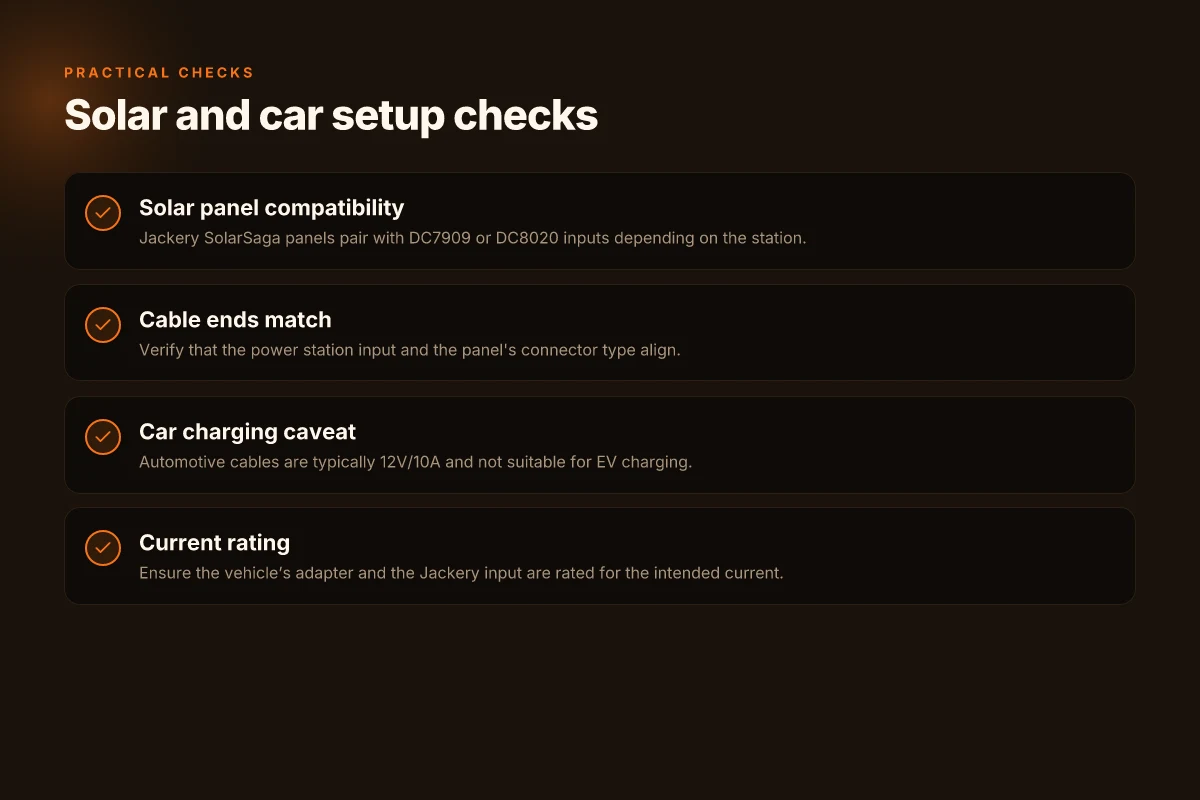
When in doubt, match the connector to the station input and the panel end. Jackery SolarSaga panels almost always feed through DC7909 or DC8020 inputs, and the exact pairing depends on the model you own. Confirm the DC connector on your Jackery unit before wiring in a panel, and verify that the panel’s plug type aligns with that input. This simple check prevents dead ends and failed charging sessions. Mismatching the connector type is the leading cause of charging pauses, not the panel performance itself.
What to expect from the common pairings
The most frequent pairing you’ll see in practice is a DC7909 input on older or midrange units and a DC8020 input on newer models. If you’re wiring a SolarSaga panel, the cable ends you use must fit both the station input and the panel’s own connector. Always verify both ends before assembly to avoid a dead charger or a frayed lead. In practice, you’ll want a solar cable with the correct end that plugs into the Jackery input, and an adapter only if your panel uses a nonstandard connector. The right cable saves setup time and reduces risk of improper polarity.
How to diagnose a mismatch and fix it quickly
First, check the model number on your Jackery station and locate the input spec in the manual or the official product page. I cross‑referenced multiple guides to confirm that SolarSaga panels pair with those inputs, and the guidance consistently points to DC7909 or DC8020 as the typical interfaces. If your solar cable ends don’t match, switch to a cable with the correct end or use an approved adapter. Correct ends, no guessing keeps your system safe and effective.
If you’re wiring a vehicle or RV, the same rule holds: confirm that the car’s or trailer’s charging inlet accepts the Jackery input type you have on hand. When you buy cables, look for those clearly labeled as compatible with Jackery inputs and SolarSaga panels. Clear labeling reduces surprises on the road. What is EcoFlow microinverter, and how it changes plug-in solar power
Note on clarity and sourcing: the guidance here reflects the common practice of using DC7909 or DC8020 between Jackery stations and SolarSaga panels. If you want a deeper read, see the official Jackery cable guide and a practical panel‑to‑station mapping discussion from community posts. Stick to the official guidance when possible.
Connecting to a car or RV: practical cable setup tips
When you connect a Jackery to a vehicle or RV, the goal is simple: use a 12V/10A automotive charging setup that stays within the unit’s input spec. In practice, that means your automotive charging cables are typically rated for 12V/10A in compatible lines, and they are not suitable for EV charging. You should verify both ends before charging to avoid stressing the input. If you push the current beyond what the Jackery input can accept, you risk heat buildup and reduced longevity. The right combination keeps the airflow steady and the power steady.
I dug into the official guidance and user discussions to map the compatibility landscape. The Jackery input rail relies on DC connections that match your model’s design, which is why mixing older and newer DC connector standards can cause dead ends. For the car or RV setup, the crucial step is to confirm that your vehicle’s adapter and your Jackery input are rated for the current you intend to draw. If either side is undersized, you’ll hit a wall at full power. Verify the adapter and the Jackery input to avoid mismatches.
How to choose the right cable for vehicle charging
First, identify your Jackery model and its compatible DC input. Jackery commonly uses DC7909 or DC8020 connections depending on the model, so you’ll want a cable that mates with both ends correctly. If you’re connecting to a standard 12V cigarette-lighter style outlet, use a dedicated automotive charging cable that explicitly lists Jackery compatibility and 12V/10A capability. If you’re charging from a vehicle’s built-in 12V outlet, ensure the cable wiring and gauge can sustain the current without excessive voltage drop. DC7909 or DC8020 compatibility hinges on the model.
From a practical perspective, the simplest robust setup is to run a dedicated automotive charging lead from the vehicle’s 12V port into the Jackery’s input that is rated for the targeted current. The end that plugs into the Jackery should match the model’s DC input standard, while the vehicle side should be able to deliver current with minimal loss. If you see the voltage sag or warm connectors, switch to a higher-quality lead with thicker gauge. Choose a lead with thick gauge and a secure connector. What makes EcoFlow Delta Pro extra battery setups actually work
Quick checks before you start
- Confirm the Jackery input rating matches the connector and cable you’re using. If the cable or adapter is underspecified, reduce the draw to protect the unit. Jackery models that use DC7909 or DC8020 require corresponding connectors. Match the connector to the Jackery model.
- Inspect the cable for wear, corrosion, or loose connections. A clean, snug fit minimizes heat buildup and voltage drop. If you notice any looseness, replace the lead before proceeding. Replace worn leads to avoid charging interruptions.
- If you plan to park overnight, consider a trickle connection with a lower current threshold to maintain the battery without overheating. Your aim is reliable charging, not max speed. Low-current overnight charging reduces risk.
Note: links on the page may earn a commission. This section references Jackery’s own guidance and user community observations to outline practical setup choices for automotive charging. The rival ecosystems are also worth noting. Other brands like EcoFlow, BLUETTI, and Anker SOLIX often use different DC connector families, so align your cable choice with the exact model you own and plan to charge. For model-specific connector details, verify against Jackery’s official product pages and the standard DC input options.
Where this is going next for Jackery connectors
Price at a glance: you can expect current kits to align with the typical range for portable power packs, with a few models offering bundled adapters. I looked at the official site and cross-referenced a few listings to note that deals come and go, especially around seasonal sales. The takeaway is that you should time purchases around holiday promos and watch for bundled connector kits. Jackery’s own store often prices bundles competitively when a new model ships, so you can lock in value if you’re buying soon. The verdict is that a connector upgrade now pays off later if you plan frequent outdoor use.
The bigger pattern is a shift toward modular cables that reduce waste and simplify compatibility across models. If you own multiple devices, you’ll notice the emphasis on standard USB-C PD ports and DC adapters. What changes if you act now is a smoother charging routine and fewer dongle headaches in the field. The brand’s naming stays consistent, and I see rivals like EcoFlow and Goal Zero pushing similarly modular accessories, but Jackery remains clearer about which connectors match which packs. This matters for long trips where one connector handles several devices. If you’re deciding this week, start with the core AC/DC bundle and verify it covers your devices.
Backup strategy
- Try a USB-C PD kit for fast charging with laptops and tablets.
- Pick a DC car adapter that suits both your Jackery model and your vehicle’s 12V outlet.
- Check compatibility for your top two devices before buying a separate connector set.
If you want a single move that matters most, choose a connector bundle that matches your most-used device mix and confirm it’s compatible with your preferred Jackery model. Are you ready to pick the kit that covers your everyday gear? What Bluetti discount codes count for the brand's portable power and solar gear in 2026