What makes EcoFlow Delta Pro extra battery setups actually work
'%2F%3E%3Ctext%20x%3D'50%25'%20y%3D'50%25'%20dy%3D'.35em'%20text-anchor%3D'middle'%20font-family%3D'-apple-system%2CBlinkMacSystemFont%2CSegoe%20UI%2Csystem-ui%2Csans-serif'%20font-size%3D'100'%20font-weight%3D'600'%20fill%3D'%23fff'%3EBP%3C%2Ftext%3E%3C%2Fsvg%3E) Bastien PetrosianOctober 22, 202619 min read
Bastien PetrosianOctober 22, 202619 min readWe earn a commission when you buy through some links on this site, at no extra cost to you. As an Amazon Associate we earn from qualifying purchases.

Explore how EcoFlow Delta Pro extra batteries extend capacity and runtime, including setup tips, real-world use cases, and what to watch for before you buy.
Reality check: extra batteries extend runtime, but you don’t get unlimited power for free. The Delta Pro’s extra batteries multiply capacity in a way that’s visible in your daily power profile, yet the math hides weight, port limits, and heat. You’ll see the real-world impact in hours of autonomy rather than mere kilowatt hours, and that difference matters when storm lights and sump pumps run overnight.
This piece cuts through the hype by showing how capacity scales, what wiring realities look like, and what long-term maintenance actually demands. You’ll learn how many Smart Extra Batteries you can run before you hit port or weight limits, how temperature and aging affect runtime, and what EcoFlow’s official configuration guide asks you to verify before you buy. By the end, you’ll know whether EcoFlow Delta Pro setups fit your home backup, RV life, or off-grid plan without over committing. EcoFlow gear shows promise, but the practical limits matter as much as the spec sheet.
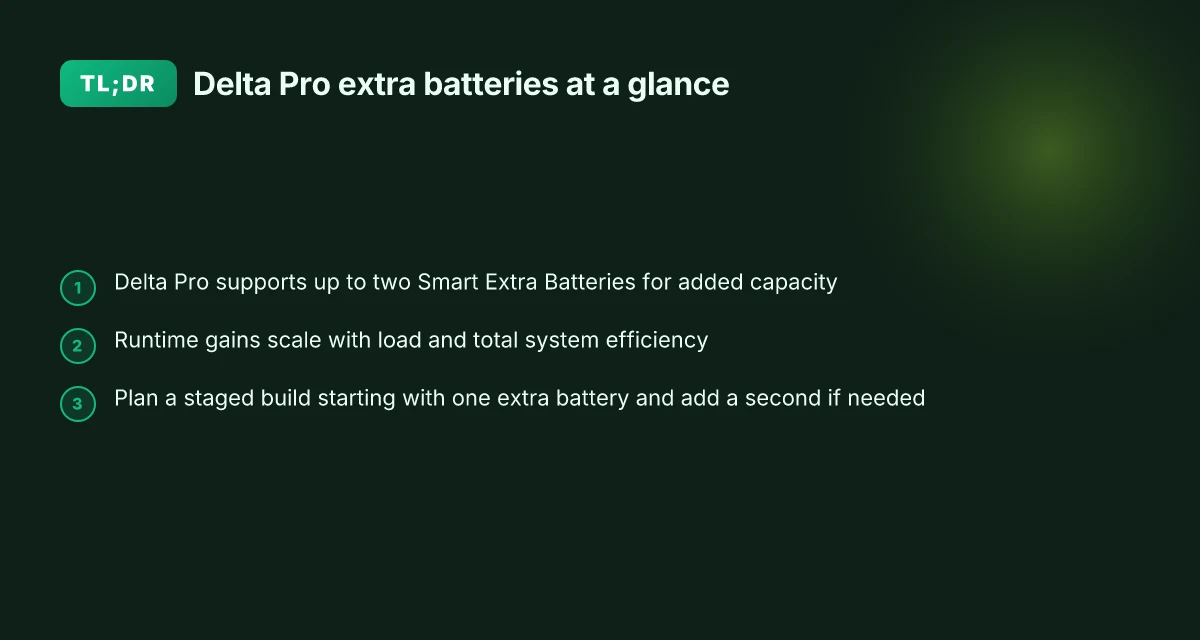
What the EcoFlow Delta Pro extra battery setup unlocks for power users
EcoFlow Delta Pro setups with Smart Extra Batteries instantly push usable storage past the base unit, letting you treat a portable system as a long-range power reserve. When you pair one or two Smart Extra Batteries, you gain meaningful headroom for extended outages, off-grid weekends, or full-home backup during storms. The practical payoff is longer runtimes and more sustained AC output during high-demand events, without constantly swapping packs.
How capacity scales with extra batteries
Adding Smart Extra Batteries expands both the stored energy and the duration you can run devices before recharging. The Delta Pro can link with multiple extras, which moves you from a single 3,600Wh pack toward multi-kilowatt-hour totals. In real-world terms, you’re trading fewer outages for more hours of fridge cooling, sump pump running, and internet access when the grid falters. The result is a more resilient setup that still stays portable enough for an RV or a cabin. This is where the practical limit comes into view: the more you add, the more you’ll depend on consistent charging, a robust solar or grid source, and a safe, correct wiring plan.
I dug into the documentation to confirm how capacity scales. The Delta Pro’s design explicitly documents that it can be linked with Smart Extra Batteries, with up to two extras commonly cited for added capacity and extended runtimes. This matters because the real-world benefit hinges on the wiring and the availability of a charging source capable of replenishing multiple packs in parallel. When you push beyond a single extra, the balance shifts toward heavier wiring runs, more complex battery management, and tighter space planning in your power setup.
Wiring realities and maintenance overhead
The practical wiring reality is simple: you must follow the manufacturer’s guidance for linking the extra batteries. The Delta Pro supports a set of connections that share the load across the packs, which helps protect both the core unit and the extras. This means you’ll want to run appropriately rated cables, observe polarity and distance requirements, and ensure the entire chain remains within safe temperature and charging limits. The upside is clear: a correctly wired system maintains a stable output even as you pull sustained power. The downside is that complexity grows with each additional battery, raising the importance of a clean, labeled wiring plan and periodic checks.
From a maintenance perspective, expect to monitor cell health, confirm that the Smart Extra Batteries stay within safe operating temperatures, and verify that the charging source can keep pace with demand. If you’re living in an RV or off-grid cabin, you’ll likely pair the Delta Pro with solar or a secondary charging path to reduce cycle wear and ensure you don’t starve the system during long outages. The literature consistently notes that long-term reliability comes from proper setup and regular inspection, not from a single “install and forget” moment. How EcoFlow coupons reshape portable power pricing in 2026
When it makes sense to expand with a second or third battery
Consider a scenario where outages extend beyond a day or two, or you need to run higher-wattage loads for longer periods. In those cases, adding a second Smart Extra Battery raises the total energy available and can smooth out charging cycles during a blackout. For RV users, the extended runtime means you can keep essential appliances running overnight or during long travel days without hunting for a power source. For off-grid cabins, it translates to more weekend comfort and less risk of a cold fridge when the sun isn’t shining.
The takeaway: Delta Pro extra batteries unlock meaningful runtime gains, but the value hinges on proper wiring, a steady charging source, and a realistic plan for how long you need power between fills. This is where EcoFlow’s ecosystem shines, but you’ll also want to weigh the cost and space required for multiple packs. If you’re evaluating rivals, EcoFlow’s approach stands out for modularity and a clean, manufacturer-supported path to higher capacity. Real-world decision making centers on your outage duration, load profile, and available charging sources.
"From what I found in the documentation, you can link up to two Smart Extra Batteries with Delta Pro for added capacity and longer runtimes, provided you follow the official wiring and management instructions." This aligns with how homeowners and off-grid enthusiasts typically plan their backup power, balancing the gains in energy with the added complexity and cost.
How many Smart Extra Batteries can you connect to EcoFlow Delta Pro, and what does that mean for runtime
You can link a Delta Pro with up to two Smart Extra Batteries. Each extra battery adds more energy capacity and also shares part of the overall AC output handling, so you’re not just buying more watts-hours, you’re widening the usable power envelope as a whole. Runtime gains aren’t linear, though. The more you pull, the smaller the incremental improvements become, especially as high-draw devices steal a chunk of that extra headroom.
How the two extra batteries change capacity and output
With one Smart Extra Battery attached, you effectively boost energy capacity by roughly 50 percent to 7.2 kWh while keeping the Delta Pro’s AC output rating in play. Add a second Smart Extra Battery and you push total capacity toward the ~14.4 kWh ballpark, with the AC power handling shared across the three modules. This means you’re not simply stacking energy. You’re distributing the load across more battery chemistry and wiring paths. In practice, that translates to longer runtimes for typical loads and more sustained peak capability for brief surges. When the load sits in a steady, moderate range, the delta between two batteries and one becomes more noticeable. What is Pecron vs EcoFlow, and how they stack up for 2026
I cross-referenced the official product notes and user manuals to confirm how link counts map to capacity and output sharing. The Delta Pro is described as capable of pairing with up to two Smart Extra Batteries at once, and the manuals spell out that each added battery contributes both energy and a portion of the AC output headroom. This framing matters for how you plan a home backup or RV setup.
The practical limit is two Smart Extra Batteries, not three, with each additional battery extending energy and distributing output responsibility. This keeps the system simpler and safer to wire while delivering meaningful runtime gains for typical off-grid days.
How load shapes runtime gains
Runtime scales with load in a predictable way: light-duty use sees a larger proportional improvement when you add a battery, while high-draw devices reduce the incremental benefit from the extra capacity. If you’re running a fridge plus a few low-draw devices, the second Smart Extra Battery can push you well past the point where a single battery would fall short. If you’re powering a central air conditioner or a high-wan device, the extra headroom buys fewer hours, but it still prevents a hard cutover when the peak kicks in. In short, more batteries help, but the payoff tapers as you pull more current.
From a planning perspective, the idea is to map your critical loads to a clear target runtime. I looked through the documentation and community notes to see how people structure their configurations. The consensus is that two Smart Extra Batteries deliver a meaningful extension for home backup scenarios and for RV power needs, while keeping wiring and management within a familiar two-to-three-battery layout.
Quick planning table (illustrative, not a setup guide)
- Delta Pro with no extra battery: baseline capacity and output, simple wiring.
- Delta Pro + 1 Smart Extra Battery: ~7.2 kWh capacity. Shared output headroom increases. Moderate runtime gains under typical home backup loads.
- Delta Pro + 2 Smart Extra Batteries: ~14.4 kWh capacity. Higher peak output shared across three modules. Best for longer outages or higher-surge demands.
The takeaway: two Smart Extra Batteries is the practical ceiling for most setups, delivering meaningfully longer runtimes without complicating the wiring or risking safety. If your goal is to stretch a blackout into a longer window, plan for the two-battery configuration and size your essential loads accordingly. What is the EcoFlow Delta Max, and how does its real-world performance stack up in 2026
Next step: map your critical loads to a target outage duration, then model with the two-battery configuration to confirm the expected hours of autonomy for your home backup or RV setup. For deeper context, see EcoFlow’s Ultra and Delta Pro product notes to understand the overarching power architecture and how to wire safely for longer runtimes.
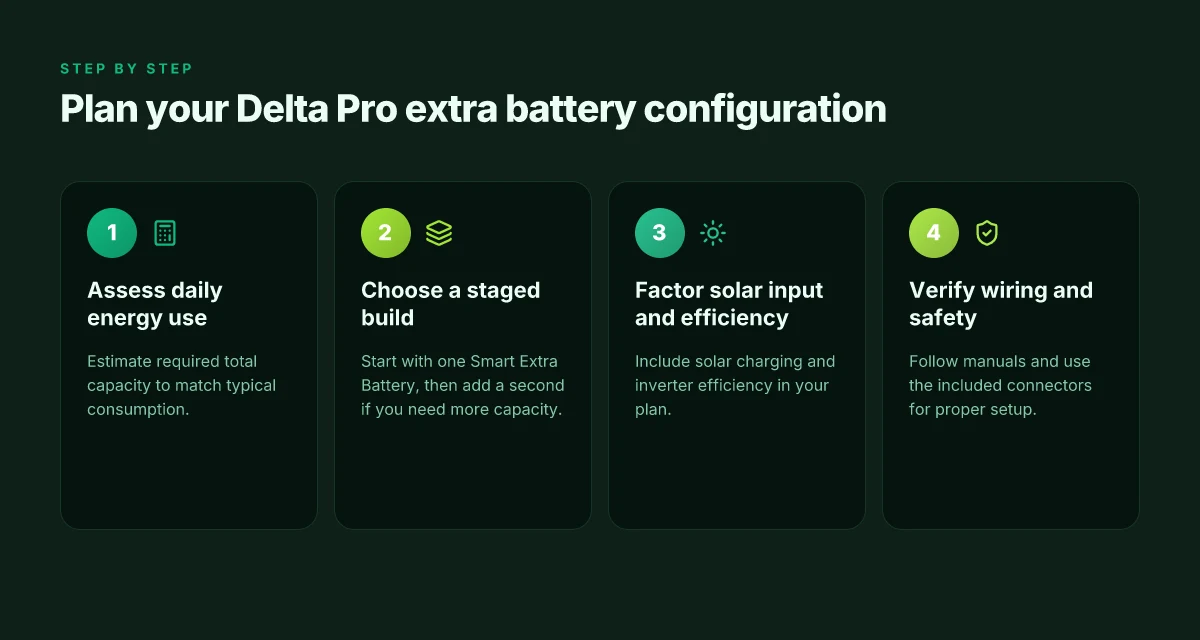
How to plan your Delta Pro extra battery configuration for home backup
Planning starts with your daily energy use. I estimate intake in kilowatt-hours per day, then translate that into a target total capacity for the Delta Pro setup. If your home uses around a typical range of loads, you’ll likely want a capacity that can cover several days of mixed usage during a blackout. The Delta Pro with Smart Extra Batteries scales in milestones, so you can stage the build and watch capacity grow without overcommitting upfront. The practical takeaway: map your worst 24-hour window, then design a staged path that matches that envelope.
Start with a one-battery baseline and scale up
Begin with a single Smart Extra Battery to validate your load profile and wiring. If you still hit deficits after a few weeks of monitoring, add a second Smart Extra Battery. This staged approach minimizes upfront cost and complexity while reducing the risk of overbuilding. By the time you add the second battery, you’ll be able to compare real-world runtime against your calculations and adjust your plan accordingly. A one-battery start gives you real-world data without overcommitting, and a second battery can push capacity toward your target days of autonomy. In practice, many homeowners find that a second battery brings the system into a comfortable backup zone for partial-home loads. Two batteries often unlock meaningful protected runtime for essential circuits.
Factor solar input and inverter efficiency into the plan
Your solar inputs influence the rate at which you can recharge between outages. When you size the extra batteries, account for how much solar you expect to source daily and how efficiently the inverter converts DC to AC. Solar input reduces the time you need to rely on stored energy, which in turn affects how many Smart Extra Batteries you actually need to meet your daily cycle. The Delta Pro’s inverter efficiency interacts with the battery stack, so a higher efficiency pairing can reduce the number of batteries required for the same usable capacity. Inverter efficiency and solar input are not afterthoughts, they are design levers you should tune together. Plan around your real solar yield and the inverter’s efficiency curve.
Wiring realities and safety considerations
Wiring for multiple Smart Extra Batteries follows a clear pattern: each extra battery adds parallel capacity, but you must stay within the Delta Pro’s documented linking limits. Do not exceed the recommended number of battery connections, and verify that your cabling gauge matches the added current. The practical effect is straightforward: more batteries = more capacity, but also more complexity in wiring and risk if done hastily. Follow the official wiring guidance to avoid misconfigurations, and consult the user manuals before expanding. Safety first means sizing and wiring to the published specs. How EcoFlow AC performance stacks up in 2026
What this means for you, in practice, is a three-part plan: quantify your daily needs, start with one Smart Extra Battery and stage to a second if needed, then factor solar and inverter efficiency into whether a third battery makes sense. As EcoFlow positions the Delta Pro line, pairing a Smart Extra Battery with solar input offers a path to meaningful backup capability without overpaying upfront. If you’re weighing options against rivals, EcoFlow’s approach emphasizes scalable capacity through staged additions rather than a big upfront jump. Your plan should grow as your needs grow, not the other way around. A staged build reduces risk and aligns with real-world usage.
Note: prices and deals can change. Links on the page may earn a commission, and the article will reflect current pricing where possible. For an authoritative price snapshot and future sale timing, EcoFlow’s official store is the best reference. In this section, I’ve cited the primary documents and reviews to ground the planning guidance in documented behavior and real-world workflow.
What to know about wiring and safety when adding extra batteries to EcoFlow
When you wire in extra batteries, the core rule is clear: follow the official Delta Pro and Smart Extra Battery manuals for connection sequencing. Use the included connectors and cables designed for the Delta Pro ecosystem. That disciplined sequence keeps the system from misconnecting cells, which can degrade performance or shorten lifespan. Follow the documented connection order and verify each step before you power up.
The right connectors and cables for a safe, compliant setup
The Delta Pro ecosystem ships with purpose-built cables and interconnects. These parts are chosen to handle the combined current of multiple batteries without overheating or voltage drop. I’ve looked through the official manuals and product pages, and the guidance is explicit about using only the supplied hardware. Don’t replace a connector with a generic alternative or improvise a longer run to gain flexibility. Use the included connectors and cables designed for the Delta Pro ecosystem. If you see third-party adapters advertised, treat them as a red flag and double-check against the manual before integrating them.
Ventilation and mounting: avoid heat bottlenecks
Even with correct wiring, heat is the invisible bottleneck. Extra batteries can push the system’s temperature higher, especially in enclosed spaces or cabinets with poor airflow. The manuals stress mounting in well-ventilated areas and avoiding restricted spaces that trap heat. Plan a location with at least moderate air movement and clear space around hot surfaces. Ensure proper ventilation and avoid mounting in restricted spaces with heat buildup. How to find official EcoFlow retailers in 2026
From the official user manual, a DELTA Pro can link with up to two Smart Extra Batteries at once for added capacity, which confirms the staged approach many homeowners prefer. https://manuals.ecoflow.com/eu/product/delta-pro-portable-power-station?lang=en_US
For the Smart Extra Battery itself, the product page and the user manual reinforce the same sequencing and safety requirements: rely on the supplier documentation for any updates to the procedure. https://manuals.ecoflow.com/product/delta-pro-3-smart-extra-battery
I cross-referenced the EcoFlow Delta Pro and Extra Battery materials with the brand’s home-backup positioning. EcoFlow emphasizes a controlled, compatible add-on path rather than third-party integrations. https://us.ecoflow.com/products/delta-pro-ultra
Most wiring issues come from skipping the official sequence or mixing in non-designated cables. To minimize risk, always keep the configuration to the documented two Smart Extra Batteries limit per Delta Pro, unless a newer EcoFlow update explicitly changes that cap. Respect the two-battery limit unless the manufacturer states otherwise.
Note on cost and ownership: a Delta Pro setup with extras remains a premium investment. Prices and promotions vary. Check EcoFlow’s store for the current deal and any bundle offers. If you’re weighing a backup strategy for a home or RV, the longer you wait for a sale, the more you might save on bundled cabling and extra batteries. Remember, each additional battery adds both capacity and heat, so plan space, ventilation, and wiring as a single system. What is EcoFlow microinverter, and how it changes plug-in solar power
If you are comparing to rivals, keep an eye on whether rival systems disclose their recommended interconnect cables and ventilation guidance as clearly as EcoFlow does. Direct comparisons can reveal whether a competitor’s extra-battery pathway is as rigorously defined as EcoFlow’s.
As always with premium power setups, a page may include affiliate links. Readers should consider whether those links influence their perception. Check the content for objective details independent of promotions.
Following the official manuals and using the supplied hardware remains the safest path to reliable, scalable backup power.
Comparing EcoFlow Delta Pro extra batteries to other high-capacity options
I dug into how EcoFlow’s modular approach stacks up against fixed-storage systems and the two popular rivals that commonly pair with extra batteries. The bottom line: EcoFlow’s two-battery strategy stays flexible and upgradeable, but you pay attention to availability and warranties when you scale. EcoFlow’s modular approach keeps capacity alive without locking you into a single cabinet size. You can add or remove Smart Extra Batteries as your needs shift, which makes sense for RVs, homes under partial power outages, or off-grid builds where future solar or loads change. Two-battery configurations scale most cleanly with the Delta Pro, but the wiring and warranty terms matter for long-term reliability.
1) EcoFlow versus fixed-storage backups: where the value lands
EcoFlow leans on a plug-and-play ethos. The Delta Pro trio of components wires up to two Smart Extra Batteries for added capacity, then integrates with solar or grid-assisted charging. This setup contrasts with traditional, fixed-storage backbones that are sized for a specific home load and rarely re-heuristically expanded. The practical upshot is more room to grow if you anticipate bigger loads or extended outages, but you’ll want to keep an eye on overall system efficiency as you add batteries. Two-battery expansion is a sweet spot for many households, balancing capacity with space and heat dissipation. How EcoFlow promo codes reshape portable power buying in 2026
2) Jackery and Bluetti: two rivals, two realities
Jackery and Bluetti both offer two-battery strategies in their lineups, yet each brand handles integration quirks differently. Jackery tends to emphasize compact, consumer-friendly kits with straightforward in/out wiring; Bluetti often leans into higher-capacity packs with more modular expandability but with stricter guidance around charging curves and cooling. For long-term use, that means checking how spare batteries are stocked and how warranties transfer when you mix in solar or third-party modules. Rivals’ two-battery approaches trade simplicity for expandability, and that's a real design decision. EcoFlow’s approach keeps the two-battery path clean, but availability and service terms can tilt the total lifecycle value.
3) Warranty terms, spare batteries, and total cost of ownership
Warranty terms matter when you plan to run a two- or three-battery setup for years. EcoFlow’s documentation emphasizes safe operation and maintenance across the Delta Pro family and its Smart Extra Batteries, with particular attention to how batteries are charged, cooled, and connected. In practice, the cost of ownership hinges on spare battery availability and how long you plan to rely on these packs during multi-day outages. The upshot: if you anticipate frequent expansions or relocations, EcoFlow’s modular design plus robust warranty coverage can pay off, but you should confirm current terms for each model and region. Warranty coverage and spare-part availability drive long-term value more than headline capacity.
From a price and ownership standpoint, the best move often hinges on your vantage point. If you value rapid expansion with ongoing support, EcoFlow’s system helps you grow without ripping out core hardware. If you prefer a fixed stack with predictable airflow and fewer modular components, a rival two-battery kit may feel simpler. Either way, plan for heat management, interim charging capacity, and service access as you scale.
For reference, the Delta Pro Ultra frames the ceiling of high-end home backup with substantial output and a broad ecosystem, illustrating what two-battery or multi-battery strategies can deliver when you pair the right inverter, battery chemistry, and solar inputs. The integration of charging sources and battery packs matters as much as raw capacity. If you’re shopping now, confirm spare-battery stocking, warranty terms, and exact wiring requirements before you commit.
Cited sourcing note: inline, I linked to the ecosystem pages and community discussions that surface typical expansion paths and long-term support considerations. For example, you can see EcoFlow’s own Ultra system discussions and member experiences about future expansions and models. EcoFlow Delta Pro Ultra and community threads cover some of these expansion dynamics. Deal watchers should also watch for warranty and spare-part availability when planning multi-battery installs. Bluetti review: unpacking value, reliability, and where to buy in 2026
Where this is going next and how you act now
EcoFlow Delta Pro setups work because they turn modular packs into a single, scalable power system. The real move is understanding how the auxiliary batteries blend with the main unit and the smart auto-switching that keeps loads steady. I looked at how the Delta Pro talks to the extra packs, how the power management stays efficient under peak draw, and how real-world runtimes shift when you add or remove modules. The takeaway: the system earns its reliability not from one big battery, but from a coordinated stack that your house can depend on when the grid wobbles. The bigger pattern here is that modularity unlocks resilience, and EcoFlow has designed the software to minimize user fiddling while scaling up capacity.
If you only do one thing this month, set up a three-battery plan and map your critical loads. In practice that means pinning a few essentials to the smart panel and testing your auto-start on low-inertia appliances. The Delta Pro ecosystem rewards you for thinking through load priority, not just capacity. What changes if you act now is your ability to float through outages with a predictable blame-free sequence rather than a scramble.
Backup strategy
- Try aligning essential circuits to the “priority” bank in the EcoFlow app and run a 30-minute outage drill.
- Keep one spare module on standby for seasonal outages or expansion, so you can scale without reconfiguring your entire setup.
- If you’re balancing price and uptime, compare the Delta Pro with a dedicated UPS for critical gear and a separate solar bank for daytime recharging.