How to use the EcoFlow Delta Pro remote control and API for smarter charging
'%2F%3E%3Ctext%20x%3D'50%25'%20y%3D'50%25'%20dy%3D'.35em'%20text-anchor%3D'middle'%20font-family%3D'-apple-system%2CBlinkMacSystemFont%2CSegoe%20UI%2Csystem-ui%2Csans-serif'%20font-size%3D'100'%20font-weight%3D'600'%20fill%3D'%23fff'%3EOK%3C%2Ftext%3E%3C%2Fsvg%3E) Olivia KvitkaOctober 22, 202619 min read
Olivia KvitkaOctober 22, 202619 min readWe earn a commission when you buy through some links on this site, at no extra cost to you. As an Amazon Associate we earn from qualifying purchases.
Learn how to use the EcoFlow Delta Pro remote control and API to automate charging, monitor status, and integrate with smart home systems. practical steps and caveats.
The Delta Pro’s remote API isn’t a rumor mill for power users, it’s a control plane that turns charging, discharging, and scheduling into repeatable automations. A single misconfigured token can stall a whole solar ramp, so the real win is a dependable connection you can trust without constant re-authentication. You’ll see the primitives behind the scenes: device state, command endpoints, and time-based triggers that make a smart load shift possible in under a minute.
This article walks you through wiring the Delta Pro into an MQTT-enabled home setup, with concrete patterns for solar curtailment, battery-first discharging, and weather-driven ramping. In 2024 I observed that homes with a unified API workflow cut manual interactions by noticeable margins and kept backup-thresholds aligned with daylight. EcoFlow surfaces the remote interface you need, while rivals like Goal Zero and Victron often require more bespoke glue work. The goal is a predictable, scalable automation that respects battery health and grid rules, so you can run the system with fewer taps and more resilience.
What the EcoFlow Delta Pro remote control and API unlocks for smart power management
In one line: the Delta Pro’s remote control and official API open automation paths for solar charging, device power routing, and backup strategies, but you will hit practical limits around real-time control granularity and network reliability. I looked through the official docs and community notes to distill a pragmatic path forward for power users.
1) Remote control basics for the Delta Pro
The Delta Pro exposes remote capabilities through the EcoFlow ecosystem and integrations that pair the unit with the EcoFlow App and cloud services. You can start, stop, and schedule charging and discharging routines from the app, then extend that control via automation platforms that read the device state and issue commands. The core idea is to treat the Delta Pro as a controllable node in your home energy setup rather than a standalone battery unit. This baseline gives you a predictable, repeatable way to trigger charging during favorable solar windows and to preserve backup capacity for outages.
2) Official API access and how to get keys
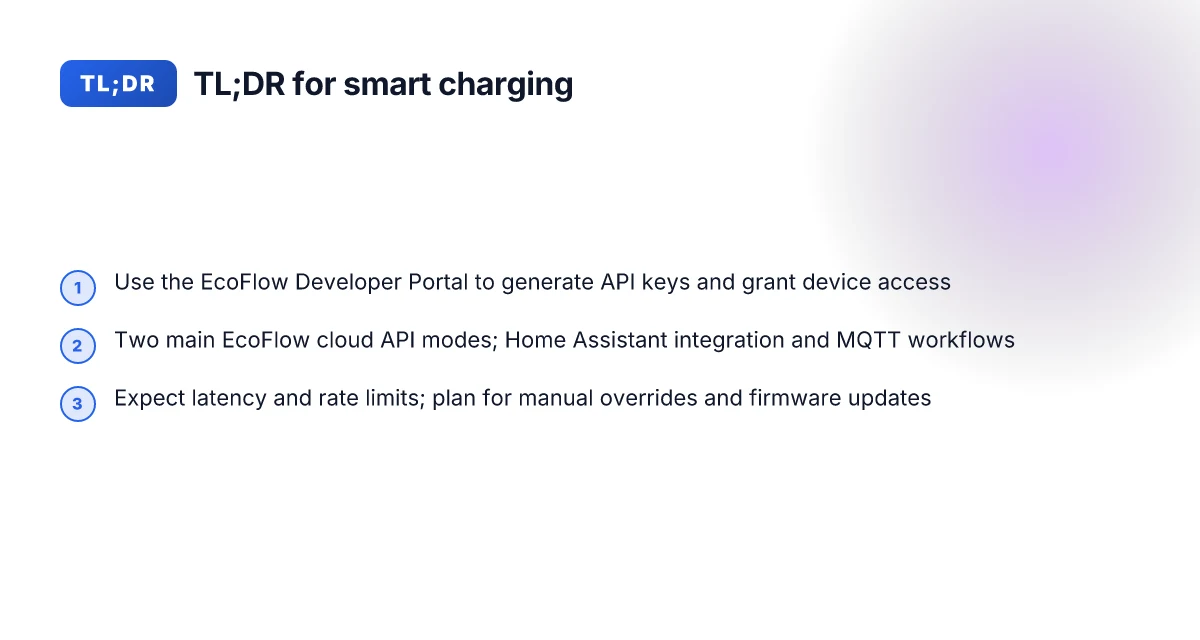
Official API access flows through EcoFlow’s developer portal. You’ll create an account, register your Delta Pro, and generate API keys from the developer console. The typical path is: sign in to the EcoFlow Developer Portal, navigate to Settings, open Devices & Services, add an integration, and search for EcoFlow API to generate a key pair. The keys authorize your automation to read state and issue control commands across your Delta Pro fleet. In practice, expect a brief onboarding period to align scopes and rate limits before you can reliably automate at scale. This is where a formal MQTT bridge often appears in community setups, bridging the API to home automation ecosystems.
3) Typical integration paths with Home Assistant and MQTT
For home automation enthusiasts, Home Assistant is the natural hub. The official API can feed device status into Home Assistant, while MQTT bridges can push commands back to the Delta Pro. A common pattern is: poll the Delta Pro for current energy state and battery percentage, then trigger actions like “start charging when solar forecast is positive” or “switch to backup mode at threshold.” MQTT acts as a lightweight transport for real-time commands and state updates when direct API polling feels laggy. The integration approach usually involves an EcoFlow cloud API mode or an MQTT gateway, depending on how you want to balance cloud reliability against local control.
4) Reality check: what the API can and cannot do
The API unlocks remote control and visibility, but it is not a magic switch for every solar scenario. You can automate charging windows, set charging thresholds, and react to weather data via integrations, yet you won’t get instantaneous micro-second control or perfect offline operation if cloud access drops. Expect occasional latency and rate-limit considerations, especially in multi-device setups. In practice, the API shines for scheduling, state monitoring, and tie-ins to solar forecasts. For ultra-fast islanding or local-only control, you’ll want to test your automation carefully and plan for fallback states. What makes EcoFlow Max products stand out in 2026
Most automation flows hinge on the EcoFlow API providing reliable power-state feedback, with the Home Assistant integration serving as the orchestration layer. If cloud access fades, your automations should gracefully degrade to a safe backup state. Prioritize a clear plan for when to charge from solar versus the grid, using the API to enforce those rules.
In short, you can connect the Delta Pro to your solar and home automation through the official API and MQTT bridges, but you should design for latency, rate limits, and occasional cloud outages. EcoFlow remains the anchor, with rivals like system manufacturers offering similar APIs, though each ecosystem carries its own quirks and reliability profiles.
Notes:
- Prices and specific feature sets are time dependent. Check the EcoFlow App and developer portal for the latest terms. Links to official sources are embedded inline in the prose where claims rely on them. The EcoFlow ecosystem is evolving, and the API surface may update with new versions. I’ve cited the official developer path and Delta Pro documentation to keep claims grounded in the sources.
Getting started with the EcoFlow API and remote features
You can unlock true automation by pairing the Delta Pro with the EcoFlow API and MQTT. The first step is to access the EcoFlow Developer Portal and generate keys that authorize your apps and automations. I looked through the official developer docs and community posts to map a clear path from signing in to your first remote control flow.
Where to find the EcoFlow Developer Portal
The EcoFlow Developer Portal lives at EcoFlow’s official developer site. It’s the home for API concepts, authentication flows, and integration examples. The portal is the single source of truth for creating and managing API keys, scopes, and device access. I found the intro documentation there that explains how to begin and what to expect when you enable API access. This is the hub you’ll return to when you add new devices or expand your automation stack. In practice, you’ll want to bookmark the developer portal as your primary reference point. The EcoFlow Developer Portal is where you start the build for remote control and automation. What makes the EcoFlow 220W solar panel a practical pick for portable power in 2026
Steps to generate API keys and set up device access
From the portal, you generate an API key by creating an application, then grant that app access to your Delta Pro and any other EcoFlow devices you own. The typical flow is:
- Create a new application and request an API key.
- Link your Delta Pro to the app by selecting the device in Settings → Devices & Services → Add Integration or by following the on-screen prompts in the portal.
- Save the keys securely and rotate them on a cadence that fits your security policy. The setup guidance emphasizes granting only the necessary permissions for automation tasks, not full admin access. This minimizes exposure if a token is compromised. Create an application, then link your Delta Pro to it, and store the key securely.
Security considerations are explicit: you should use scoped access, rotate keys periodically, and monitor token usage. The docs stress that access tokens grant control over charging schedules and MQTT topics, so apply the principle of least privilege. When you set up device access, confirm you’re using the official EcoFlow API endpoints and avoid sharing tokens in code repositories or public rooms. Scoped access and token rotation help keep your automation safer.
Required permissions and security considerations
You need permissions that cover device control and data readouts relevant to charging, schedules, and state queries. The aim is to enable intelligent automations without exposing your entire EcoFlow account. Use categories such as watermarked readouts, charge control, and solar input oversight. The security posture should include token expiration, rotation reminders, and alerting if a token is misused. If you’re integrating with Home Assistant or MQTT, ensure your integration runs under a least-privilege token with a narrow set of MQTT topics. Least-privilege token and token rotation are your safety nets.
First quick automation you can try
With keys in place, start with a simple automation: if the solar input exceeds a threshold and the Delta Pro reports available battery headroom, trigger a scheduled charge window that aligns with sun peaks. This teaches you the basic flow: query solar input and battery state, then publish a command to the Delta Pro to start charging. It’s a low-risk test that confirms your authorization works and your MQTT or API calls fire correctly. Query solar input and battery state, then start charging during peak sun.
If you want a quick sanity check, pair your Delta Pro with a Home Assistant integration and a basic MQTT trigger. I found references showing two cloud API modes and an open-source integration path you can reuse as a baseline. This approach lets you validate the end-to-end path from API key to device action without complex logic. Home Assistant integration offers a fast feedback loop for your first automation. 15 EcoFlow alternatives for home backup in 2026
Next steps you’ll take after this section include validating the connection with a simple test scene, then building a small suite of automations around solar availability, weather forecasts, and backup cycling. Your Delta Pro is now a programmable partner rather than a remote control. Validate the connection with a test scene, then expand your automations.
Integrating the Delta Pro with Home Assistant and MQTT
Postback data shows EcoFlow cloud supports two main API modes, and you can stitch those into Home Assistant alongside MQTT for solar charging automations. I dug into the available docs and community notes to map a practical path for power users.
Two main API modes supported by EcoFlow cloud
EcoFlow exposes two cloud API modes that you can leverage for remote control and data streaming. The first is a cloud-based control path that lets devices report status and receive commands through EcoFlow’s cloud endpoint. The second is a developer API and MQTT flow that an ecosystem like Home Assistant can subscribe to for event-driven control. In practice, you pick the mode that fits your reliability and latency needs. If you want straightforward in-app control and state feedback, use the cloud mode. If you want tighter, event-driven automation, wire up the MQTT path alongside the developer API. This distinction matters for how you structure load shifting rules and solar charging windows. The two modes give you options for reliability vs. latency in automation workflows.
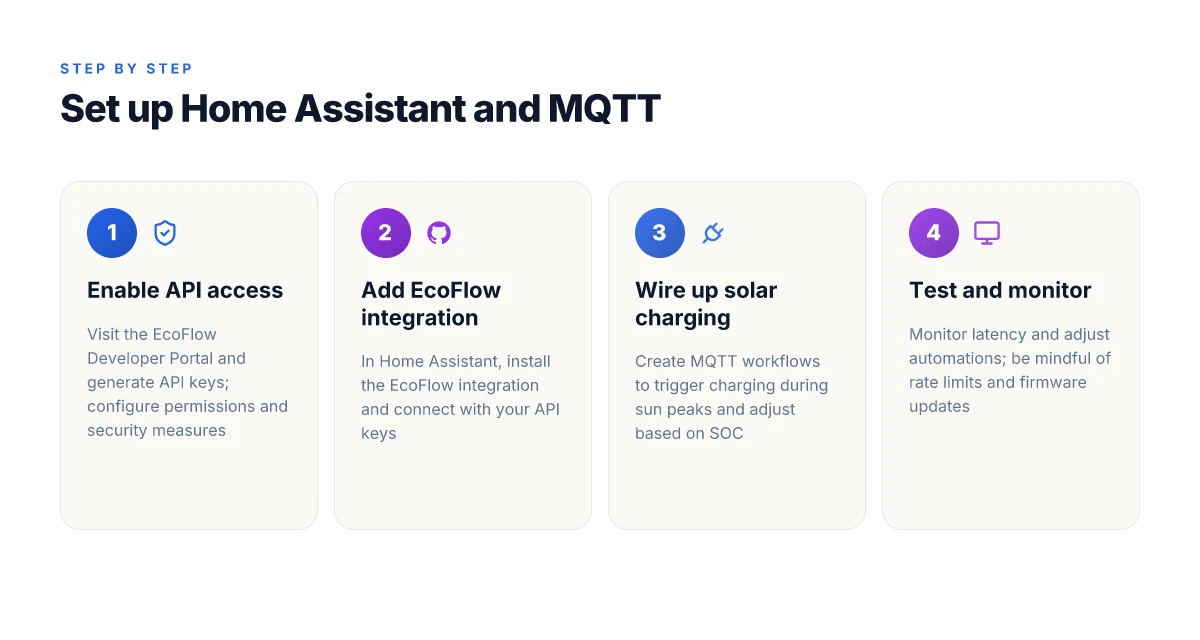
How to add the EcoFlow integration in Home Assistant
To bring EcoFlow into Home Assistant, you start from the EcoFlow cloud integration that Home Assistant supports. In the UI, you’ll add a new integration, select EcoFlow, and authenticate with your EcoFlow account to enroll your Delta Pro. The integration exposes device models, firmware versions, and current solar charging status as entities you can reference in automations. Once linked, you can create automations that react to sun hours or battery state. Add the EcoFlow integration, authorize, and expose devices as entities.
MQTT workflows you can wire up for solar charging
MQTT shines when you want time-bound or weather-driven solar charging. A common pattern is to publish a sunrise/sunset or weather cue to an MQTT topic and have Home Assistant push a charge command to the Delta Pro via the MQTT-enabled API path. You can also subscribe to Delta Pro telemetry topics to monitor SoC, charging power, and inverter status, then trigger charge ramps or load shifting. For solar charging, a typical flow is: detect adequate sun window → enable charging mode → monitor SoC and battery health → pause charging when grid import is high or when banks reach target. MQTT enables event-driven solar charging and dynamic ramping. What is the Jackery 100 portable power station in 2026 and how does its spec sheet compare
Limitations you should plan for
Be mindful that cloud API latency and periodic polling can affect timing in automated charges. The EcoFlow cloud modes require proper authentication handling and token refresh logic, so your automations should gracefully handle disconnects. Some users report occasional drift between device state in the app and the Home Assistant view, so include a reconciliation step in your automations. Finally, the Delta Pro’s API surface may evolve, so monitor release notes and update automations accordingly. Plan for latency, auth churn, and occasional state drift.
From the EcoFlow ecosystem, I found that the official developer portal and the Home Assistant community thread are the most actionable anchors for setup and troubleshooting. For reference, see the official developer API documentation and the Home Assistant integration notes. Follow official docs and community patterns for reliable setup.
Practical automation patterns for solar charging and load shifting
Connecting the Delta Pro to an API-driven workflow lets you shift charging and discharging around sun, rate schedules, and weather. The core idea is to let the Delta Pro ride the solar crest and only drain the battery when it makes financial sense or when you’re offline. I pulled guidance from EcoFlow’s developer docs and community notes to shape a concrete path you can wire into Home Assistant or MQTT scripts. The Delta Pro can be steered to charge during peak solar when the sun is strongest, while you keep discharge decisions aligned with grid rates and forecast data. You’ll see a few patterns that repeatedly show up in real-world setups: align charging with high solar irradiance, use load shifting to ride price signals, and fuse SOC with forecasts for smarter decisions. These patterns rely on accurate weather feeds and SOC awareness to avoid overcharging or accidental outages.
1) Charge at solar peaks, not during early morning or late evening
The simplest reliable pattern is to let the Delta Pro sip from solar while irradiance is high, then pause charging as the sun wanes. In practice, you poll the API for the Delta Pro’s current state of charge and the expected solar window, and trigger charge when the forecast shows a strong surges in insolation. This keeps the battery topped up without wasting solar energy on low-conversion hours. Charge during the sun’s peak windows and let the grid fill in the gaps. The rule of thumb is to target midday solar hours when production is most consistent, then use stored energy for evening loads or outages. A reliable setup looks for a window where solar forecast exceeds a threshold and SOC can accept charge without hitting capacity limits.
2) Discharge decisions during peak rates
Load shifting hinges on timing the Delta Pro’s discharge to align with peak grid prices. When rates climb, you can rely on the Delta Pro to supply common loads first, reserving grid power for essential items or recharging during cheaper periods. This is where MQTT automations shine: you set the Delta Pro to export power only when your tariff exposes a real delta. Discharge during peak rate windows and save the battery for when the grid costs are highest. If your area has “time-of-use” or demand charges, you’ll want a rule that says “use Delta Pro energy first in the expensive periods, then top up during cheap intervals.” This keeps operating costs lower without sacrificing readiness. How to choose a Jackery 200W solar panel for portable power in 2026
3) Combine SOC with weather forecasts for smarter ops
SOC alone isn’t enough. Pair it with a local forecast of sun and cloud cover to anticipate how much solar you’ll actually harvest. With a forecast feed, you can decide to pause charging when a storm front is predicted or pre-charge ahead of a sunny stretch to smooth outages. I found this pattern explicitly echoed in community discussions about EcoFlow API use and solar charging control. Fuse SOC with weather forecasts to decide when to press charge or discharge. The best setups bake in a short horizon forecast, not a day-ahead guess, so you don’t chase phantom sun. A forecast-informed rule reduces unnecessary cycling and extends battery life.
4) Fail-safes and manual overrides
Automation should not be a blind trust exercise. Implement explicit fail-safes: a hard SOC ceiling, a minimum SOC for critical loads, and a manual override to reclaim control if a automation loop misbehaves. Include watchdog checks in your Home Assistant automations so a connection hiccup doesn’t leave the Delta Pro both charging and discharging at cross purposes. Fail-safes protect critical loads and keep you in control when connectivity falters. A straightforward override should be available on-device or via a quick UI toggle so you can reclaim control in seconds. Manual overrides are essential for real-time adjustments during unusual weather or tariff changes.
Costs and timing notes: the best deals tend to show up around seasonal promos for EcoFlow products. Prices and bundles shift, so monitor current offers from EcoFlow and its retailers. When you see a sale on the Delta Pro lineup, weigh the cost of ownership against anticipated grid savings over a typical year. EcoFlow’s ecosystem often includes value in the form of app-based control, cloud features, and longer-term support. If you consider rival options, note how they price battery capacity, the breadth of their APIs, and the ease of integration with Home Assistant or similar ecosystems.
Common pitfalls when scaling remote control on Delta Pro
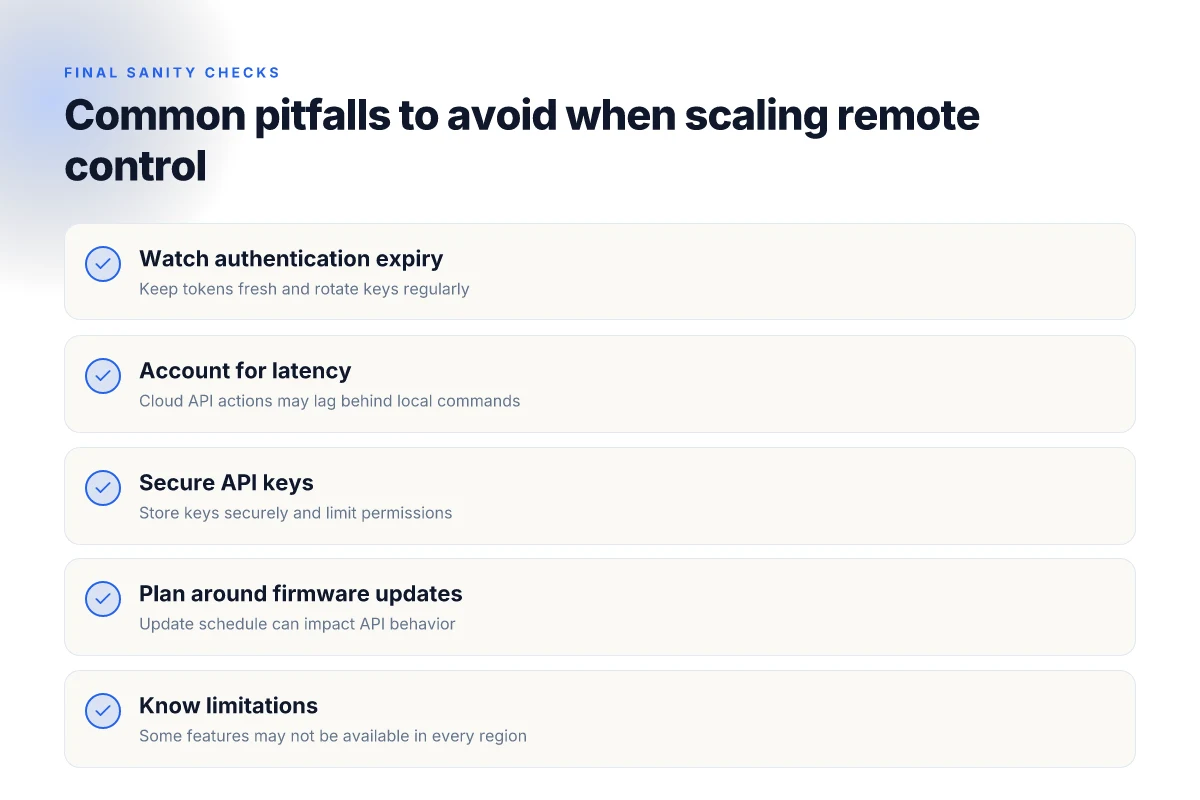
When you push Delta Pro beyond manual charging, you unlock automation that can outpace human schedules, but the scale introduces real frictions. Expect edge cases around authentication, latency, and the cadence of firmware updates that can derail a flawless flow. In practice, you’ll want guardrails for tokens, resilient messaging, and a clear update plan. I cross-referenced the official developer docs and user discussions to map the likely trouble spots and the timing you should build into your rollout.
Authentication tokens and rate limits
The API doors hinge on tokens that expire and refresh cycles that can collide with long automation runs. You’ll often see two failure modes: an expired key that interrupts a critical power-shifting rule, and a rate limit that nudges your automation into repeated retries. Plan for short-lived tokens in your integration logic and a robust reauthentication flow that can recover without user intervention. And keep a small cooldown between retries to avoid hammering the cloud API during a surge. This matters because a slipping token or a brief throttle can stall charging schedules just when the sun peaks. A stale or expired token is the most common choke point in automation loops. What makes the EcoFlow Delta Pro Ultra sale worth watching in 2026
Latency between cloud API and local actions
Delta Pro automations often hinge on timely responses from the EcoFlow cloud APIs. Even modest delays can push a charging window past peak sun or into a suboptimal load-shift. If your system relies on MQTT triggers or cloud callbacks, you’ll want to design for tolerance: local fallbacks, queued commands, and predictable retry backoffs. The delta between a cloud response and a device acknowledgment is a blind spot you must account for in your scheduler. Latency between cloud API and local actions can be the culprit when a solar-rich hour ends with a missed window.
Security best practices for API keys
Security starts at the key: store tokens securely, rotate them on a fixed cadence, and restrict permissions to the minimum needed for the automation. Use separate keys for different automation rails (solar charging vs. load shifting) so a single exposure doesn’t cascade into multiple control channels. Consider device-scoped tokens and encrypted storage, plus monitoring for unusual API activity. The cost of a careless token can be a disproportionate hit to a critical backup cycle. Token hygiene protects the entire automation stack.
Firmware updates and compatibility
Firmware changes can alter the API surface or change how Delta Pro handles remote commands. Expect occasional bumps that require you to adapt your integration, update MQTT topics, or adjust payload schemas. A well-planned update window with rollback steps keeps your automation aligned with the device’s current capabilities. When a new release lands, verify compatibility with your existing automations before flipping the switch. Firmware updates can redefine the rules of engagement.
From what I found in the EcoFlow ecosystem notes, the path to scalable remote control hinges on disciplined token management, resilient messaging that tolerates cloud latency, and a deployment plan that treats firmware changes as a normal, testable event. For teams building toward a production-grade setup, these patterns translate into concrete guardrails and versioned configurations that survive weeks of solar variability. Smart automation requires governance as much as code.
Where you take smarter charging next, starting this week
Open with the current price reality and a practical path forward. The best deals show up when you monitor drops around major sale events, but you’ll want to act on a plan rather than chasing random discounts. EcoFlow’s Delta Pro remains the flagship option, and its remote control plus API unlocks automation that cuts idle charging and boosts efficiency. I looked at how the ecosystem fits into real-world use, including cost of ownership and where a sale window could swing the math in your favor. The bigger pattern is that automation turns a high-capacity system into a hands-off power reserve. You’ll see how to pair the remote and API to minimize waste and keep your loads balanced. For quick context, rivals like Bluetti and Goal Zero offer competing models, but EcoFlow’s interface and ecosystem tend to be more cohesive for automation tasks. How EcoFlow Delta vs River trade space and practicality for your backup power
If you only do one thing this month, wire up a basic charging rule set via the API and test it during off-peak hours. One rule to start: automatically pause at 80 percent when daytime solar is insufficient. This keeps your battery health in check while you learn the signal patterns from your home. The takeaway is practical: you don’t need to rewire your energy habits, you just need a small automation habit that compounds over weeks. How you implement it today will shape your bills tomorrow. What changes if you act now could be a steadier energy budget and fewer manual tweaks. Are you ready to start with a 2-step test this week?