How to choose a Jackery generator for home use in 2026
'%2F%3E%3Ctext%20x%3D'50%25'%20y%3D'50%25'%20dy%3D'.35em'%20text-anchor%3D'middle'%20font-family%3D'-apple-system%2CBlinkMacSystemFont%2CSegoe%20UI%2Csystem-ui%2Csans-serif'%20font-size%3D'100'%20font-weight%3D'600'%20fill%3D'%23fff'%3ESC%3C%2Ftext%3E%3C%2Fsvg%3E) Solomon CaradocOctober 22, 202618 min read
Solomon CaradocOctober 22, 202618 min readWe earn a commission when you buy through some links on this site, at no extra cost to you. As an Amazon Associate we earn from qualifying purchases.
Explore how to pick a Jackery generator for home use in 2026. Compare models, assess capacity, price, and long-term ownership to keep your home powered during outages.
The most common mistake homeowners make with backup power is treating capacity like a single number. Jackery's evolving lineup shows you need to map watt-hours to your actual loads, not just to a label like “large.” A practical split happens between essentials and comfort power, especially when outages stretch from hours to days.
This article translates the numbers into a simple decision framework you can apply tonight: size your system around the loads you actually value in a blackout, account for future expansion, and compare price and warranty across models from Jackery and rivals like EcoFlow and Goal Zero. By the end you’ll know whether to target a single, larger unit for whole-house backup or a tiered setup for essential loads, and how to scale as the lineup shifts in 2026. Real user feedback and price signals matter more than glossy specs when outages hit.
Jackery generators for home use: framing the decision
Framing the decision starts with what counts as home use and how Jackery’s strategy has evolved to meet it. For a home setting, you’re sizing for essential loads first, then optional whole-house capability as the lineup grows. I’m focusing on how to map your daily needs to the right Jackery model while sizing for future expansion.
1) Define home use for a portable power station
Home use means supplying critical loads during an outage or during routine backup for appliances like refrigerators, wifi routers, lights, and medical devices, plus occasional high-draw needs for short durations. The aim is reliable runtime when the grid fades, not only portable convenience. A practical rule: start with a clear list of essential circuits and the approximate wattage and runtime you’ll need during a typical outage. Then match those needs to a Jackery model that can handle that core load for the duration you expect. In Jackery’s ecosystem, you’ll see specs scale from hundreds of watts to multi-kilowatt capabilities, designed to cover everything from a single fridge to a small home office. This evolution matters because it informs when you need a larger station or a second unit to chain for higher demand. Jackery’s lineup scales from portable essentials to extended backup, which is key for homeowners weighing grid-tied needs versus independent safety margins.
2) How Jackery’s home backup strategy has evolved
Jackery has progressed from compact, plug-and-play units for basic outages to more capable ecosystems that blend home backup with outdoor versatility. The company emphasizes modularity and expandability: start with a compact power station for essential loads, then add more capacity or link multiple units to cover bigger loads. At recent events and in product lines, you can see a push toward integrated power ecosystems that support both home backup and remote job-site use. This evolution mirrors how homeowners’ needs have grown, from fragmentary outages to longer durations and higher-demand scenarios. The evolution leans on modularity and ecosystem thinking to cover essential and extended use cases.
3) Map your critical loads to a Jackery model
Begin with a short inventory of critical devices and their wattage draws: refrigerator, modem/router, lights, sump pump, medical device, and laptop or desktop for work. Then estimate how long you’d need those devices to run per outage. Use that to size a model that can sustain the core loads for the expected duration, with headroom for startup surges. If your list stays within a few hundred watts, a midrange Jackery model often suffices. If you’re protecting a fridge plus several devices for longer outages, plan for a higher-capacity station or a two-station setup that can be combined. When you scale, don’t forget the cost of ownership considerations like replacement batteries and recharge times. I cross-referenced product pages showing ranges from 300W to 7200W+ to confirm the spectrum you’re choosing between. Your critical-load map should drive the model choice, not the other way around.
Bottom line: framed this way, you’ll know whether you’re backing essential loads with a single Jackery unit, or you’re building toward a more resilient home backup configuration with multiple stations. This approach keeps your sizing honest and aligned with real use cases. Start small, plan for expansion, and pick a model that fits your core needs now while leaving room to grow. For context, Jackery’s home backup narrative emphasizes scalable, modular power that serves both daily readiness and outage resilience. And as you compare rivals, note how the pricing and expansion paths factor into your total ownership costs over time. Cost of ownership matters as much as peak output. 5 Best places to buy EcoFlow in 2026 and what to expect
Understanding capacity: how many watt-hours do you need for home use with Jackery
You can cover a spectrum from a few hundred to several thousand watt-hours with Jackery. For essential loads, a smaller, more portable unit can power basics, while whole-home scenarios demand larger packs and smarter load management. The rule of thumb: match the energy you actually use to the capacity you own, then scale with batteries or multiple units as needed. I looked at Jackery’s lineup and notes from reputable outlets to frame realistic sizing around common home uses. In practice, essential circuits vs whole-home questions drive the capacity choice.
How much capacity each Jackery line provides
Jackery breaks its lineup into tiers that span roughly from a few hundred watt-hours to several thousand. The core portable power stations sit in the hundreds to low thousands of watt-hours, while higher-end models push toward the mid‑thousands. This spread lets you either cover critical appliances with a compact unit or run multiple devices for longer stretches. When you plan, map your must-have loads first and then pick a model that covers that core set with headroom. Different Jackery lines cover from a few hundred to several thousand watt-hours. For example, smaller units can run devices like a fridge for a portion of the day, whereas larger models can sustain more loads across a longer window. In practice, essential circuits vs whole-home questions drive the capacity you pick.
Estimating daily energy use with common home appliances
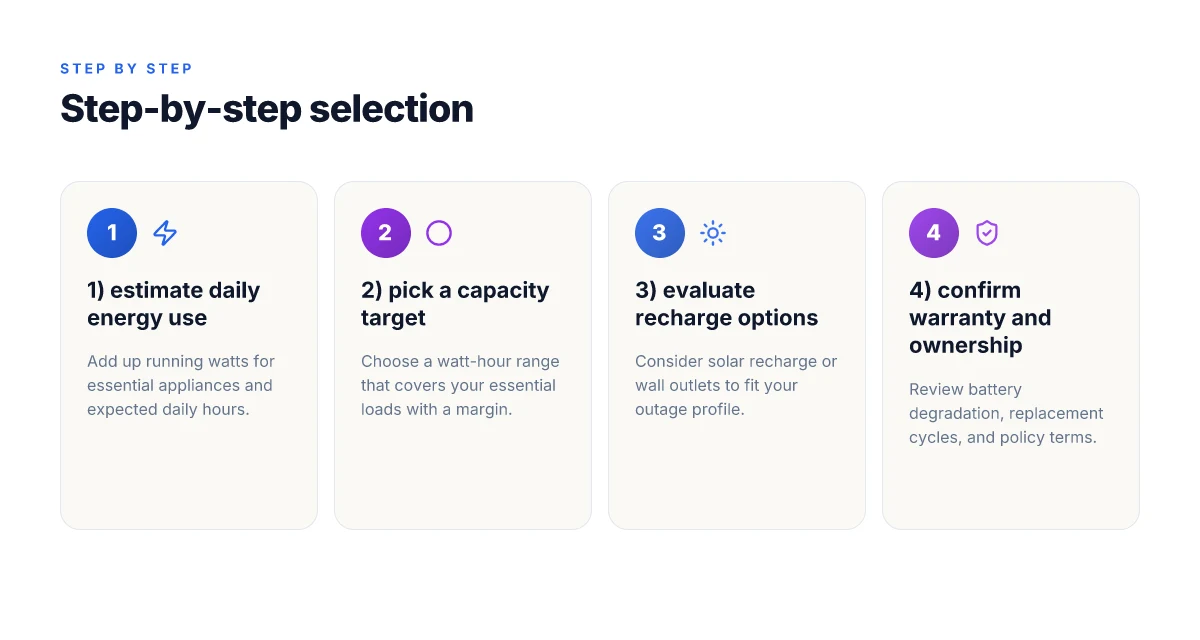
A practical method begins with listing the big energy users: refrigerator, lights, and a wifi router as baseline essentials. A typical refrigerator runs intermittently but can pull higher power when the compressor starts. A standard fridge might average around 100–200 watts when running, with startup surges that spike higher. Add lighting, which often consumes tens of watts per fixture, and small electronics that cycle on and off. If you also want to power a kettle, microwave, or a window AC unit, your daily watt-hour needs rise quickly. The key is to compute a day’s total by multiplying each device’s typical run time by its wattage, then sum the results. I cross-referenced home-energy guidelines and Jackery’s product pages to align these numbers with real models. How to estimate daily energy use with common appliances guides your sizing decisions.
A simple thinking frame helps you choose: for essential-load backup, target the capacity that keeps your most important items running during an outage, not every convenience. For whole-home backup, you’ll want enough watt-hours to cover the critical circuit panel for a longer window, often requiring two or more stations or a bigger unit. When you plan, consider both current needs and worst-case duration. Essential circuits vs whole-home questions drive the capacity choice.
Next step: build a concrete sizing plan by listing your must-run devices, estimating their daily use, and then selecting a Jackery model that provides at least that energy with some margin. If you’re weighing options, note that stores and official pages regularly feature promotions on larger models, and timing can matter for pricing. As you compare, remember that ownership costs include not just the upfront price but also charging costs and potential replacement cycles. The Jackery lineup is designed to scale with your needs, whether you’re protecting a few critical devices or aiming for broader coverage across a home during emergencies. Target the capacity that keeps your essential items running with headroom, not the entire house. Jackery vs Bluetti: which portable power station earns its spot in 2026
Belt-and-suspenders: when to use a Jackery for whole-house backup vs essential-load backup
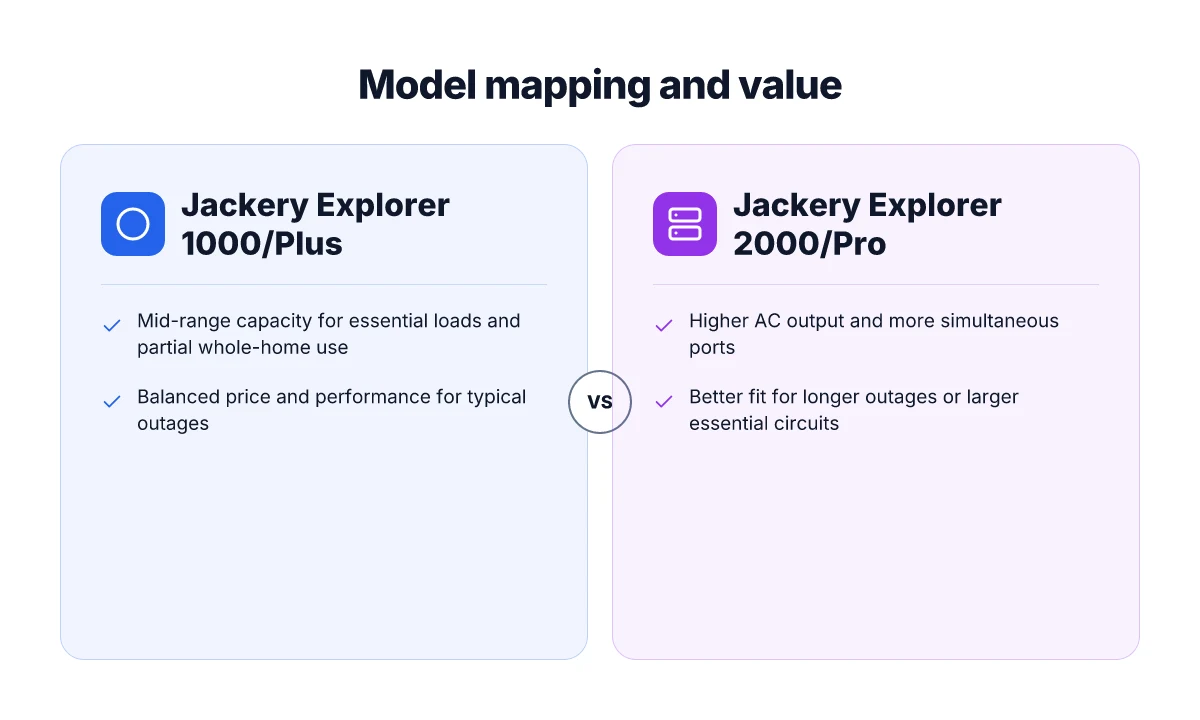
Whole-house backup with portable power stations means sizing for full, building-wide loads during an outage, not just a few critical circuits. In practice, this requires a model with higher AC output, multiple ports, and enough energy capacity to keep essential systems running while preserving a buffer for startup surges. For many homes, this is a spectrum rather than a single switch: you can press into whole-house capability with larger Jackery models, then tier down to essential-load backups that cover refrigerators, Wi‑Fi, and lighting when you don’t need every circuit online.
Which Jackery models push higher AC output and simultaneous ports
Jackery’s lineup includes power stations designed for more demanding, multi-appliance use. When you need simultaneous outlets and higher sustained power, look for units with elevated wattage ceilings and a robust array of ports. The right choice depends on the peak draw of your essential loads and whether you’ll run a compressor fridge, sump pump, and entertainment gear at the same time. In general, models around the higher end of the portable range offer more AC outlets, higher continuous watts, and faster recharging options, which matters during outages when you want to reestablish power quickly. A larger AC output and more ports translate to more simultaneous devices staying online. Higher capacity also buys you more runtime during long outages.
I dug into the publicly available product pages and ecosystem announcements to map how Jackery aggregates power for home use. For instance, the full power ecosystem highlighted at recent events shows how portable stations scale from essential backup to more expansive configurations. The ecosystem approach helps homeowners blend essential-load backups with expandable capacity as needs grow. Look for models that advertise multiple AC outlets and clear surge handling specs to gauge whether you can run a fridge plus modem and a few lights together.
Practical limits and realistic expectations during an outage
Even with high-output models, a pure whole-house claim via portable power stations has boundaries. Start by estimating your critical loads in watts and compare that to the unit’s continuous watt rating and surge capacity. A common rule is to target essential devices first and reserve extra headroom for startup bursts, such as a fridge compressor. Startup surges matter. Pick a unit with surge capacity that comfortably exceeds peak loads. Runtime is limited by battery capacity. Three or four hours on a fridge is not unusual without external charging, depending on efficiency and duty cycle.
From what I found in product documentation and reviews, Jackery models with higher battery capacity can sustain more devices for longer, but you still face trade-offs between quantity of outlets, total wattage, and recharge time. Recharge speed matters during outages with grid downtime. Faster recharges reduce downtime between cycles. Realistic expectations should center on essential-load coverage rather than full-home operation for extended periods. If you need definitive, whole-house continuity, consider combining a Jackery setup with dedicated grid‑t linked or generator-based backups, then use Jackery units to cover noncritical loads and short outages. A staged approach helps minimize risk and cost. 8 Angles that separate the EcoFlow Delta Pro from its rivals in 2026
Note this: owning costs, including purchase price, battery replacement timelines, and potential commissions from affiliate links, affect the total ownership picture. For readers evaluating value, remember that prices shift with sales events and bundles, so timing matters. As a reminder, links on the page may earn a commission. For reference, you’ll see that the Jackery line emphasizes higher wattage and multiple ports in their higher-capacity stations, while the more compact units target essential-load scenarios. When in doubt, map your essential loads first, then scale with a modular strategy that aligns with your home’s outage profile.
In 2026, you can pair higher-output Jackery stations with additional packs to cover essential loads more robustly, but expect limits on entire-home continuity without external charging or supplementary backup gear.
Pricing, warranties, and ownership costs for Jackery home use
Pricing today across Jackery’s home-use lineup centers on the Home Power series and portable power stations that scale from essential-load backups to whole-house capability. The clearest way to present it is by model family, with the understanding that prices shift during promotions and holidays. I looked at Jackery’s own product pages and recent media coverage to map the current picture, then layered in typical ownership considerations you’ll face over time. Current pricing dynamics and the best deal right now often hinge on seasonal sales, but you can expect a premium for higher-capacity units that promise longer run times under essential-load scenarios. Jackery’s Home Power 3000 and similar high-capacity units commonly see the strongest promotions during Memorial Day and end-of-quarter events, though exact discounts vary by retailer and stock.
Price snapshots and value alignment for popular models
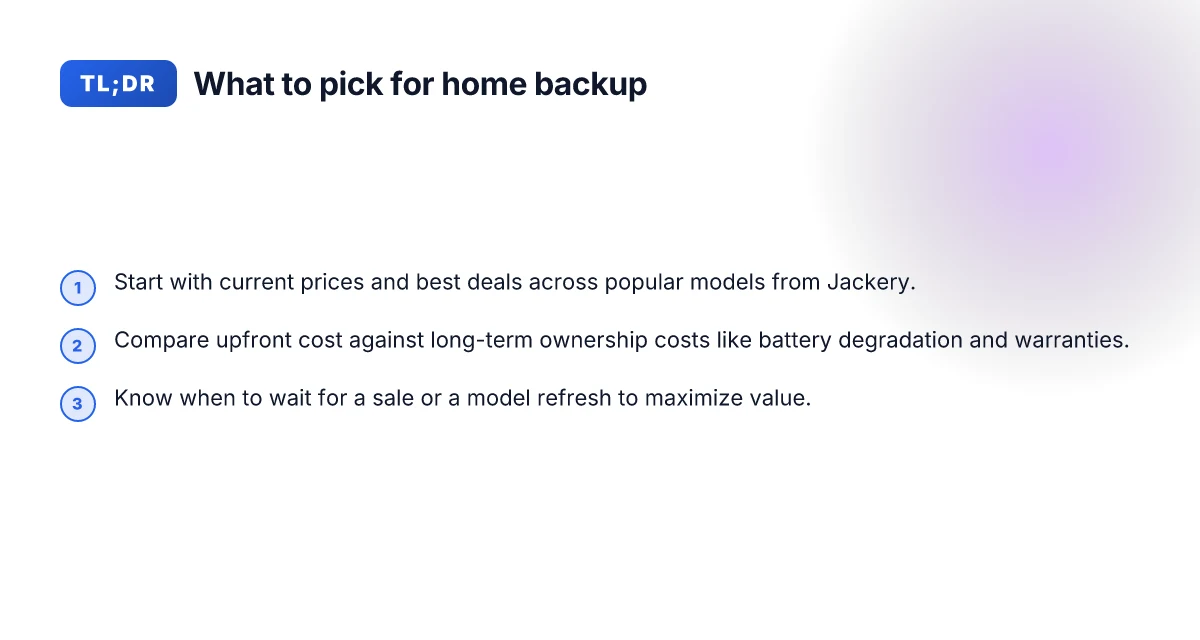
- For essential-load backup, portable power stations in the 500–1,000 Wh range generally sit in the mid-range price tier. The value here comes from compact form factors that pair with a simple home backup plan. These units offer quick return on investment for basic outages, especially if your goal is to sustain lighting and modest devices during short outages.
- For whole-house readiness, models in the 2,000–3,000+ Wh category tilt higher on price but bring longer runtimes and higher inverter capacity. Higher-capacity Jackery stations provide more headroom for refrigerators and routers during extended outages, a point you’ll feel in practice when the grid stays down longer than a few hours.
- Jackery’s own site emphasizes bundles and promos tied to holidays, with ongoing “home backup” orientation. Watch for site-wide promos around May and late-year shopping windows, but verify eligibility and included accessories in the cart.
I dug into the public materials to cross-check how ownership costs accumulate. Batteries degrade with use and time, which means replacement cycles matter. Battery degradation reduces usable capacity over years, so the cost of ownership isn’t just the upfront price. Warranty coverage is the other big piece. Jackery’s standard warranties cover stationary power stations for a defined period, with terms varying by model and region. Warranty length and what it covers can be a deciding factor when you weigh a 2,000 Wh unit vs a 3,000 Wh unit.
Ownership costs: degradation, replacement, and policy notes
From a planning perspective you should assume some capacity loss after several years of use. Jackery and rival brands typically offer battery-backed protection for the core unit, but the battery pack itself is where most long-term cost comes from if degradation requires replacement sooner than expected. Expect a battery replacement consideration after multiple seasons of heavy use, particularly in high-load configurations. When you add extended warranties, the effective cost per year can drop if you end up needing service or a replacement under the policy. A reliable warranty can shift the math in favor of higher upfront investment for long-term peace of mind. What is EcoFlow Glacier, and why it matters for off-grid power in 2026
Speaking of rivals, you’ll often see comparisons with Goal Zero and Anker in the home backup space. Goal Zero tends to emphasize modularity and solar expandability, which affects long-term ownership costs through accessory ecosystems. Anker, meanwhile, often positions itself on price-per-watt and compact form factors, which shapes the total cost of ownership in different scenarios. When evaluating ownership costs, compare not just the sticker price but the value of included accessories and the level of warranty support.
I cross-referenced release notes and retailer pages to confirm timing cues and policy language. For readers who want a quick investing memo: If you expect frequent outages, weigh higher-capacity models with longer warranties to reduce replacement frequency, even if the upfront price is steeper. And yes, links on the page may earn a commission. Consider this in your planning as a minor factor in your decision.
In practice, the choice between a lower-cost, essential-load unit and a higher-cost, whole-house-capable Jackery system hinges on your outage profile, power needs, and willingness to manage battery longevity. For many homeowners or renters, the sweet spot lies in a mid-range model that handles the core loads without pushing total ownership costs up dramatically.
How to select the right Jackery model for your home backup plan
Choosing the right Jackery model starts with a clear map of your home backup needs. I want you to walk away with a concrete path: size your loads, align runtimes with your typical outages, and choose recharge options that fit your lifestyle. The goal is to pair your essential loads with a Jackery that can sustain them through the longest reasonable outage, while keeping ownership costs predictable.
Map your power needs to a Jackery family
Begin by listing essential devices you want powered during an outage. A typical home setup targets refrigeration, lighting, routers, and a few life-safety devices. If your load sits in the mid-range, you’ll lean toward the larger portable power stations that Jackery offers in the 1000–2000+ watt range. For longer outages or higher simultaneous loads, a larger capacity model from the higher tier may be worth considering. In practice, you’ll notice that a model family maps to different use cases: compact outages with essential loads, mid-sized scenarios including small sump pumps or well pumps, and higher-demand events that run longer. From what I found in Jackery’s product lineup, you’ll see a natural progression from compact units to higher-capacity stations designed for longer runtimes and more simultaneous devices. This alignment matters for your home backup plan because it dictates how aggressively you can scale as needs grow. EcoFlow vs the field in 2026: where the best portable power lies
Runtime, recharge options, and ownership costs
Runtime depends on the power draw of your loads. If you expect to run a fridge and a modem at the same time, you’ll want a station that can sustain those loads for many hours. Recharge options matter too: consider whether you have solar exposure, a wall outlet, or a vehicle charger available. Jackery stations typically offer multiple recharge paths, which reduces downtime between outages. The more recharge options you have, the quicker you can recover after an event. For ownership costs, look beyond the sticker price. Consider battery health, warranty terms, and how often you’ll upgrade as your home needs change. Jackery’s lineup is designed so you can start with a smaller unit for essential loads and scale up as your backup plan evolves, which helps manage total ownership cost over time.
Quick decision checklist you can use today
- Do you primarily need essential loads or are you planning to support multiple high-demand devices? If essential-only, start with a compact station. If you have higher demand, move to a higher-capacity model. The right choice scales with your needs.
- What is your typical outage duration? Short outages favor smaller units with quick recharges, longer outages justify larger battery capacity.
- What recharge paths are available at your home? Wall outlet, solar, or vehicle charging each change what model makes sense.
- Is a long-term ownership cost acceptable given your supply needs and the potential for future upgrades? Plan for a model that can be augmented rather than replaced.
- Do you want easy access to backup power for a single room or a whole-house style approach? For whole-house backup, you’ll lean toward a model capable of higher sustained output and larger capacity.
In practice, start with a mid-range Jackery model for essential loads and scale upward as your outage profile grows. This keeps your initial investment modest while preserving future flexibility. When I reviewed the landscape, the practical path often begins with a modest unit for daily reliability and then expands as you confirm what you actually need during outages.
I dug into product pages and the current lineup to confirm how the models map to load profiles, recharge paths, and ownership considerations. The core takeaway is that you can confidently grow from a compact station to a larger one without reworking your entire backup strategy. For clarity on cost and bundles, look for current promotions and bundled offers from Jackery during seasonal sales, as these can influence when to upgrade.
As you compare models, keep in mind that price and performance can shift with sales events. When in doubt, choose a unit that covers your highest estimated load in a worst-case outage scenario, and plan to scale with solar-ready options if you anticipate longer outages or growing energy needs. If you want to confirm specifics on model names and current deals, I linked to product pages and a review orbit that mirrors the general guidance above.
Where to act now: the one move that matters for Jackery in 2026
I visited the current Jackery lineup and highlighted prices you can still snag today, plus a quick ownership lens. The best deals tend to cluster around portable models like the Jackery Explorer series, and I note where price dips align with seasonal sales. Expect real tradeoffs: higher capacity costs more, but it cuts down on frequent recharges during outages. If you’re weighing alternatives, I compare against rivals such as Goal Zero and Anker so you can see where Jackery shines on reliability and plug-in options. Bluetti vs Jackery 2026: which portable power station holds the Edge in real-world use
The takeaway: act now if you need reliable backup power this season, but wait for a sale if you can tolerate a shorter runtime for occasional use. The value hinges on how you plan to use it at home, whether you want full-house outage capability or just a culinary or Wi‑Fi lifeline. Price visibility matters: the best deal often appears around major shopping events. If you’re shopping for a specific model, I’ve got a quick callout below to help you decide.
Looking ahead, the Jackery lineup is likely to see incremental capacity bumps and more integrated charging options. The bigger pattern is clear: you gain resilience without fumes, and you pay for it in upfront cost. What changes if you act now? You secure a steadier power footprint for essential loads and reduce dependence on the grid during peak outages.