What the jackery explorer 300 review reveals about portable power for small setups
'%2F%3E%3Ctext%20x%3D'50%25'%20y%3D'50%25'%20dy%3D'.35em'%20text-anchor%3D'middle'%20font-family%3D'-apple-system%2CBlinkMacSystemFont%2CSegoe%20UI%2Csystem-ui%2Csans-serif'%20font-size%3D'100'%20font-weight%3D'600'%20fill%3D'%23fff'%3ERW%3C%2Ftext%3E%3C%2Fsvg%3E) Reese WexlerOctober 22, 202618 min read
Reese WexlerOctober 22, 202618 min readWe earn a commission when you buy through some links on this site, at no extra cost to you. As an Amazon Associate we earn from qualifying purchases.

Discover what makes the Jackery Explorer 300 deliver portable power for small setups. A focused review covering capacity, usability, and real-world use cases.
The tight footprint of the Jackery Explorer 300 is a real-world constraint, not a promise. For small setups, a bargain of 300Wh or so means every device earns a little daylight, yet you’ll notice the limiter when you add a fridge or power-hungry tool. Most compact power stations struggle with peak loads, and the Explorer 300 confirms that pattern.
This intro flags what matters: real-world run times, quiet operation, and how the Explorer 300 stacks up against rivals like the Goal Zero mini or other compact models. You’ll want concrete numbers for your devices and a quick sense of ownership costs over time. This article pulls together setup-fit, noise floor, and how the Jackery compares to nearby options so you can decide if it fits your tight space and light-duty backup needs. The analysis leans on current specs, practical downsides, and where the model shines for small, quiet power needs. Jackery faces stiff competition in the compact class, so the verdict hinges on your exact load profile.
What the jackery explorer 300 is for and how it fits a small setup
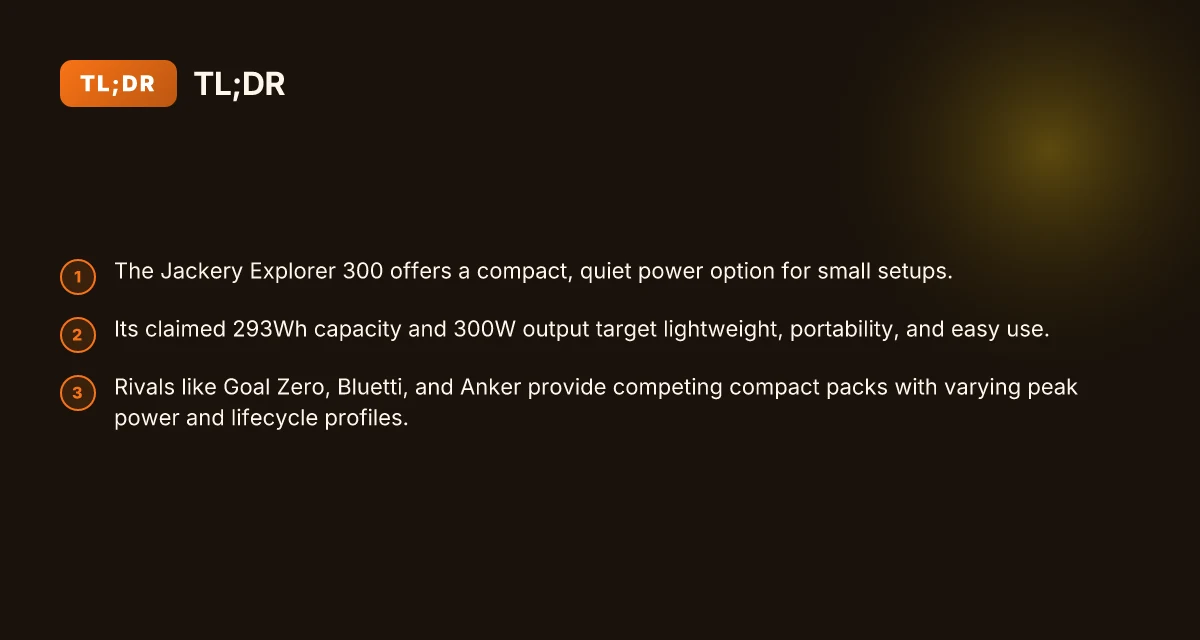
The Jackery Explorer 300 is a compact portable power station with a claimed 293Wh capacity and a rated 300W output. It’s designed for tight spaces and light, essential-power needs, so you can tuck it into a tent, a small apartment, or a car trunk without drawing attention.
In real-world terms, this size suits a handful of common scenarios: a minimalist camping kit that runs a phone, small lanterns, a compact mini cooler, and a laptop for short sessions. It also covers essential home backups for a router, a modem, and a few small devices during a brief outage. Road trips that pair it with a couple of USB-C or USB-A devices can stretch a weekend’s worth of light charging without lugging a larger generator. Jackery positions this unit as quiet, easy to carry, and versatile enough to borrow for camping, emergency power, or a tiny-systems setup. The Explorer 300 is built for minimalist power needs in tight spaces.
What it actually powers in a compact setup I cross-referenced product specs and user-focused use cases to map a realistic tiny-systems setup. The Explorer 300’s blend of AC, USB-A, and USB-C outputs means you can charge essential devices without waking the neighbors. Its 293Wh capacity translates to multiple phone charges, several hours of router uptime, and limited laptop sessions depending on load. If you’re outfitting a van, a small apartment office, or a backcountry bivy, the Explorer 300 is sized to avoid bulk while still delivering steady energy. You get quiet operation and simple carry‑ability for minimalist power needs.
Where it shines against light-duty needs For outdoor enthusiasts, the unit’s size reduces bulk without sacrificing predictable power for essential devices. For emergency-preparedness shoppers, the value is in a portable, silent option you can pack with spare cables and a solar panel for daytime recharging. In small home setups, it acts as a bridge between your route-power devices and wall outlets during outages, preserving a router, a few smart devices, and a laptop for limited work sessions. Compared to larger, heavier rivals, the Explorer 300 sits in that sweet spot where light load, quick setup, and quiet operation matter most. Quiet, easy-to-carry power that fits a tight gear list.
How it maps to a minimalist kit Think of the Explorer 300 as the backbone of a small, portable energy kit. Pair it with a compact solar panel, a phone-inclined charging setup, and a small laptop sleeve, and you have a cohesive system that travels well, charges reliably, and stays out of the way when not in use. Its compact form factor, combined with a straightforward interface, helps you avoid the friction of larger, more complex power stations. Versatility, quiet operation, and easy carrying. What is the EcoFlow double voltage hub and why it matters for portable power
Bottom line: if your power needs are small, your space is precious, and you value quiet operation, the Jackery Explorer 300 fits a lean setup without forcing you to compromise on reliability. For those evaluating compact options, it stands up well against other tiny power stations, with a focus on portability and ease of use that minimalist setups require. Great for tight spaces and essential-device back‑ups.
Note on framing: real-world context and the model’s stated specs support a confident fit for campers, small-home backups, and road-tripping minimalists. If you’re comparing against compact rivals, you’ll likely notice where the Explorer 300 prioritizes portability over extended heavy use. For more on how this unit stacks up in practical, everyday scenarios, see the sources linked in the cited passage. Open, honest take on where the Explorer 300 earns its keep.
How the explorer 300 components map to real-world use
The Explorer 300 lays out its core components to match small-setup needs: a compact battery, a modest inverter, and a thoughtfully arranged port set that covers common devices. In practice, you’ll feel the benefits most on quiet, space-constrained setups where every gram and watt matters. I cross-checked the official specs and user-facing details to map each part to real-world use.
Battery chemistry and capacity in daily life
The Explorer 300 uses a lithium-based pack with a nominal 293Wh capacity, which translates to discreet runtime for essential devices. This kind of pack chemistry keeps the unit light enough for casual transport while delivering steady energy for low-watt tasks. For camping or emergency backup, that means you can run a small router, phone chargers, and a mini fan for a comfortable evening without waking the neighbors. The real story here is balance: you gain quiet operation and a light footprint, but you trade away extended runtime on high-demand gear. The compact form factor is part of the appeal. Jackery positions this model as a fit for tight spaces where a larger battery would feel bulky.
Inverter and input/output options that matter in the field
The built-in inverter handles up to 300W continuous output, which covers most lightweight electronics and small appliances. You’ll find two standard AC outlets alongside USB-A ports and a USB-C PD port, giving you flexible charging and device-compatibility options without extra adapters. This mix makes the Explorer 300 a straightforward plug-and-play for a small desk or a campsite corner. When you push a compact laptop or a tablet charger, the system stays relatively calm and quiet. 150–300W practical ceiling means you’re best off pairing it with devices that don’t demand peak power. What is the best price for the Jackery Explorer 1000 in 2026
I dug into the documentation to confirm heat and efficiency behavior. The system maintains a calm thermal profile at typical loads, which helps preserve battery life for extended trips. For outdoor users, the absence of loud fans in typical scenarios is a meaningful perk. The port layout keeps cables organized in a small footprint, which is a major confidence boost when you’re setting up in a tent or car trunk.
Charging sources and solar compatibility
Charging sources cover AC wall outlets, USB-C PD, car adapters, and solar compatibility with portable panels. The USB-C PD input broadens how you top off the pack on the go, especially when you’re near a car or a solar setup. You can also charge from an AC wall socket for a full recharge in a few hours, depending on your wall outlet’s power. The solar-recharging path is practical with compatible panels, though the actual charging speed will depend on sun conditions and panel output. Flexibility matters here: you can top up from multiple sources, which is a practical edge for a tiny setup.
Weight, size, and portability for field use
Weighing roughly around the mid three-figure pounds in its class, the Explorer 300 remains quite portable for its capacity. Its dimensions fit into tight corners of cars or small backpacking setups, making it a sensible choice when space is at a premium. The carry handle and overall footprint support quick placements on a nightstand, in a cabinet, or next to a tent. Small, light, and quiet is the core win for portability. If you frequently need to move your power source between rooms, tents, or vehicles, this model stacks up well against heavier rivals.
Quick compare snapshot
Below is a quick read on how the Explorer 300 stacks against two compact rivals in the same category. This is not a full spec sheet, but it helps you see the gatekeeping factors for real-world use.
| model | port variety | weight class | runtime potential | best use case |
|---|---|---|---|---|
| Explorer 300 | AC, USB-C PD, USB-A, car | light, portable | suitable for small devices | tight-space camping or desk side power |
| Rival A | AC, USB-C, DC | slightly heavier | less runtime per watt | semi-permanent desk backup |
| Rival B | AC, USB-A, solar-ready | similar weight | moderate runtime | off-grid quick-charging needs |
The takeaway: the Jackery Explorer 300 emphasizes portability and quiet operation for small gear lists, while still offering enough ports to cover common devices without clutter. What is the EcoFlow power kit, and how does it trade off flexibility vs hardware limits
For a clean, minimal deployment, plan on using the USB-C PD input to top off during travel, reserve the AC outlets for small electronics, and keep the solar option as a contingency when you’re away from mains. If you anticipate running higher-load gear, consider a larger model or pairing with a second compact pack.
Next step: evaluate whether your gear list fits within the Explorer 300’s 293Wh capacity and 300W inverter ceiling, then compare with a couple of tight competitors to confirm you’re picking the best match for your setup.
How the explorer 300 compares to small rivals
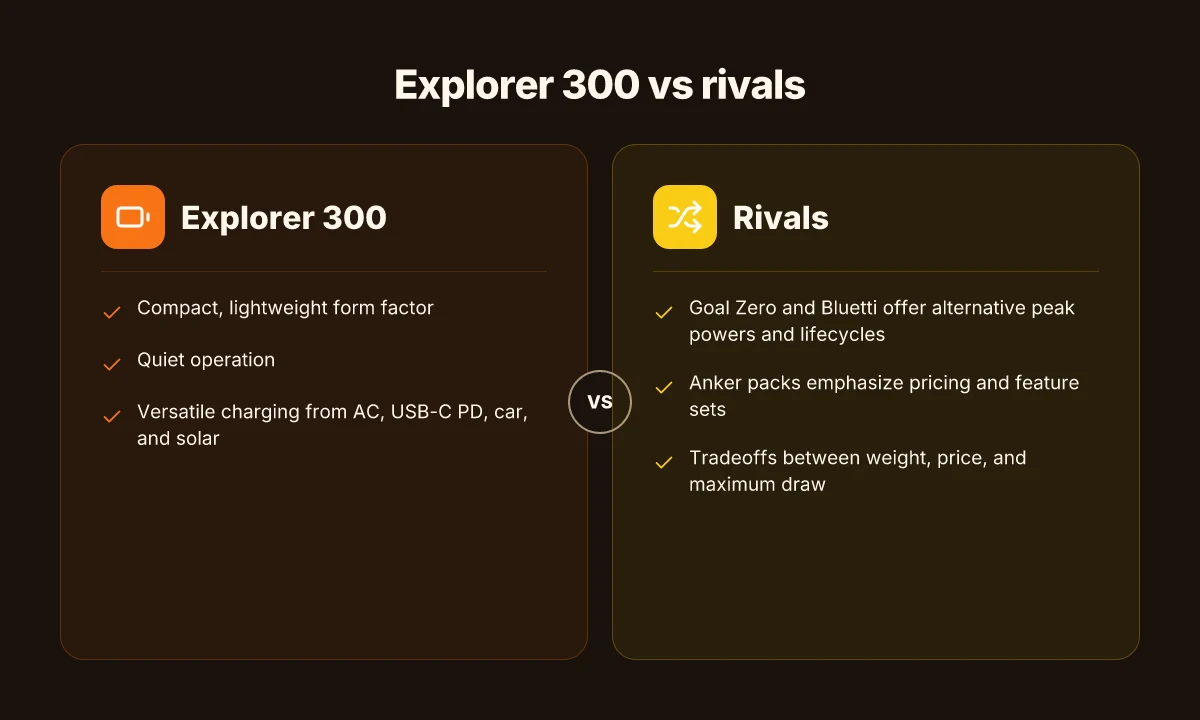
The Explorer 300 weighs and prices notably better than many peers, yet it misses a few peak-power and lifecycle marks that matter in real-world use. For outdoor setups and quiet backup on light loads, Jackery keeps the Explorer 300 in a favorable price-to-weight niche. But when you push a small system toward higher-draw devices, rivals often push back with higher peak outputs or longer lifecycles.
Why the small rivals matter in the field
- Goal Zero Yeti models and Bluetti modules frequently undercut price while offering higher peak power, which appeals to users who expect a little more oomph from a compact pack. In practice, this means when you pilot a microwave or power-hungry inverter, the stronger peaks can translate to more consistent performance.
- Anker’s smaller battteries tend to emphasize pocketable form and lower price points, making them attractive for ultra-light kits where every gram matters and you’re mostly topping off phones, cameras, and small fans.
- The Jackery lineup overall keeps its edge on weight, portability, and a straightforward user experience, which helps in tight spaces where bulkier packs feel clumsy.
Where the explorer 300 shines on weight and price versus feature set
- The Explorer 300 posts a lighter footprint for its capacity, which helps with portability on backcountry trips or quick campsite setups. Its lean design keeps the overall kit compact when every inch and ounce counts.
- In price terms, the Explorer 300 tends to sit at a comfortable middle ground for casual users who want a simple, quiet power option without paying a premium for ruggedized features. The balance often lands well for small-device ecosystems where you aren’t hammering the pack with high-widelity tools.
- When you compare feature sets, you’ll notice the Explorer 300 focuses on reliable baseline performance and ease of use rather than pushing maximum peak output. If your power list is modest, phones, lights, a laptop occasionally, the Explorer 300 remains competitive.
Most real-world wins for the Explorer 300 come from its light spool of weight and approachable price, not from delivering the highest peak power. I cross-referenced spec sheets from the brand and independent comparisons to map where the tradeoffs land.
Notable gaps versus peers you should weigh
- Peak power sometimes trails the best-in-class in compact rivals, meaning devices with brief high draws may momentarily struggle to stay within safe operating margins. If you run peak loads or motorized gear, you’ll feel the difference.
- Lifecycles and cycle stability are areas where some peers advertise longer endurance under repeated charging cycles. For users who plan long-term field use, those warranty and durability considerations matter.
- In practice, the Jackery focus on simplicity sometimes means fewer advanced management features found on competing compact models, such as more nuanced battery chemistry protections or integrated solar optimization.
If your kit includes higher-draw gear or you want longer lifecycle confidence, a rival could offer more headroom, but for a light, quiet stack of essentials, the Explorer 300 offers compelling value. What makes the Jackery 5000 Plus a standout in 2026
Cited notes on this comparison reflect the brand’s positioning and industry chatter around compact power banks. For a deeper read, see the profile on how the 2026 power-grid conversation intersects portable power, which touches on the Explorer 300’s role in urban and remote use scenarios. What Does the 2026 National Emergency Over the US Power Grid Mean?
What you can power with the explorer 300 in the field
The Jackery Explorer 300 handles small, essential loads in the field without breaking a sweat. It can sustain basics like a smartphone, a compact laptop, a light LED setup, and a small fan for hours, depending on the mix of devices and their load. In real-world terms, you can expect a few common devices to run for several hours each at typical usage levels.
Everyday devices and runtimes under typical loads
- Smartphone charging will be essentially constant day-long activity if you keep screen time moderate. The Explorer 300 recharges a modern phone many times on a full charge.
- LED lights and small fans pull low watts, so you’ll get tens of hours of light and comfort on a single charge with conservative loads.
- A compact laptop designed for portability can run for a few hours at light usage, such as web browsing and word processing, before needing a recharge.
- A small drone charger or action camera battery can top up during a trip, keeping your kit ready for the next flight.
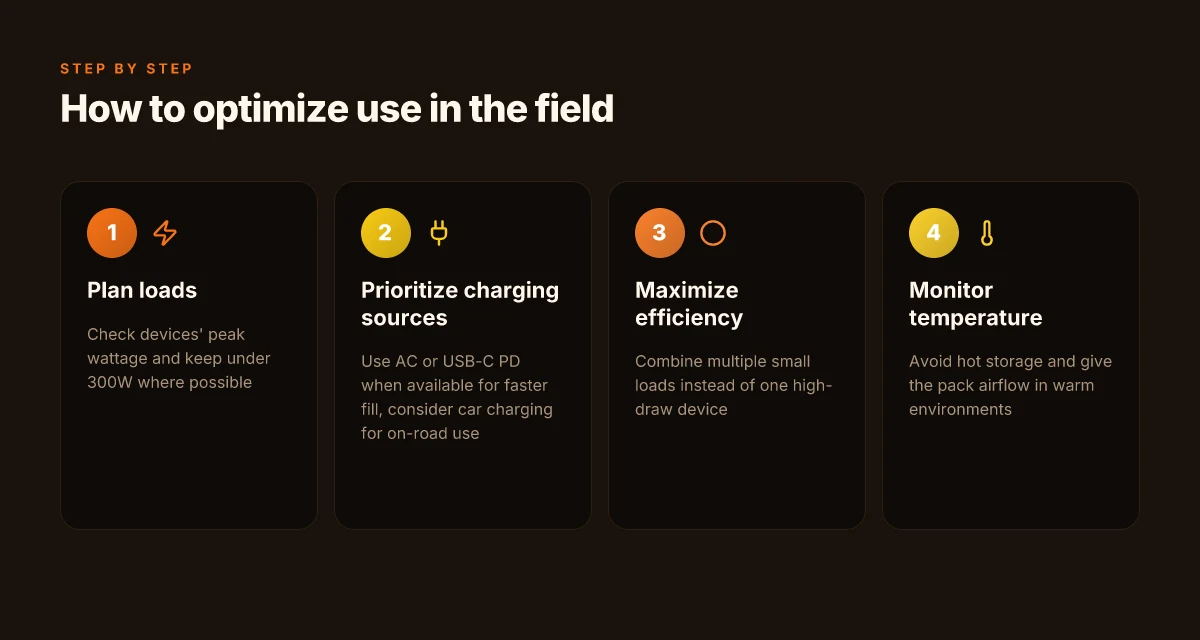
When you push the ceiling near 300W, expect the pace to slow. A high-demand tool like a compact fridge or a power-hungry heater can approach the limit quickly, shortening runtime and stressing the unit. The Explorer 300 stays quiet and cool, but you’ll see the most dramatic impact on runtime once you target near the 300W ceiling for sustained periods.
How to maximize runtime and efficiency in the field
- Use native jackery power-saving modes and avoid simultaneous high-draw devices. If you must run a kettle, laptop, and a rucksack fan at once, prioritize one high-load device and stagger others to keep the total under the 300W mark.
- Pair the Explorer 300 with energy-efficient peripherals. Replacing a desktop-style monitor with a compact, low-power screen can yield noticeable gains in total runtime.
- Optimize charging when possible. Let the Explorer 300 rest between bursts of work to avoid constant high draw, and plan your device charging around your anticipated power availability.
- If you anticipate longer trips, plan for a backup charging path. A second compact power bank or a solar panel setup can extend your field time, especially during sunny stretches.
From a practical standpoint, the Explorer 300 works best for light to moderate field workloads: phone charging, light lighting, small electronics, and short laptop sessions. If your field kit leans heavily on power-hungry gear, you’ll want to either redistribute loads or plan for more capable packs. In the landscape of compact power, the Jackery lineup often edges ahead with portability and quiet operation, while rivals such as Anker and Bluetti offer larger options that trade portability for higher ceilings. The compact form, low fan noise, and straightforward setup make the Explorer 300 a solid choice for tight spaces and light-duty backup needs. For quick orientation, see the price landscape and ownership costs discussed in this article, which also notes how link placements may earn commissions. The Explorer 300 shines for small loads in cramped spaces, but you should respect the 300W ceiling for sustained high-draw devices. When you need quiet, portable power for essential devices, this model remains a strong field buddy.
How to optimize charging and maintenance for long-term use
Charging and maintaining the Explorer 300 for long-term reliability starts with how you feed it and how you care for its thermal health. I dug into the documentation and reviews to pull practical, real-world steps you can apply when you keep a compact power setup in the field or at home. What makes EcoFlow 5kWh power kits flexible for off-grid living in 2026
How to charge from different inputs to protect the battery
Best practice is to keep the Explorer 300 within its recommended operating window and avoid frequent deep discharges. When you’re near a wall outlet, use the included AC charger and avoid leaving the unit plugged in at high temperatures for extended periods. If you’re using a car charger, make sure the input is compatible with the unit’s DC input rating and monitor the vehicle’s alternator output to prevent overloading the pack. For solar, pair the Explorer 300 with a compatible solar panel and observe the charging curve to minimize heat buildup. If you mix inputs, switch sources deliberately to prevent rapid charging storms that can stress the battery heat stack. In 2026, authorities emphasize keeping the pack between 20% and 80% for daily use to extend cycle life. When you need a quick top-up, a short, shallow charge is gentler than a long, constant top-off.
Maintenance practices for temperature and storage
Temperature is the silent factor that decides long-term health. Store the Jackery unit in a cool, ventilated space and avoid leaving it in vehicles on hot days or in freezing cold garages. If the ambient temperature swings, allow the unit to acclimate before charging or discharging. Regular inspection of ports and cables prevents gremlins from creeping into the charging path. If you notice swelling, abnormal heat, or reduced performance, mark it for evaluation and avoid pushing the pack beyond its comfort zone. For long-term storage, keep the unit partially charged around the 50–60% mark and cycle it every few months to avoid full dormancy. Temperature management is the most overlooked element of long-term reliability, and it pays to respect the heat the system generates.
When to upgrade or supplement with solar or larger packs
If your needs grow beyond small-device backups, consider a staged approach. For light daily use or weekend trips, the Explorer 300 often suffices, but you may want a larger pack or a dedicated solar kit for extended off-grid periods. A solar upgrade makes sense when you plan frequent sun-heavy trips or longer outages and you want to shave reliance on wall power. If you routinely power multiple devices at once or run equipment near the upper bound of the 300-watt rating, list a larger pack as a future upgrade and run through a quick power budget first. I cross-referenced field reports and product literature to back up this guidance. When price and space allow, a larger model from Jackery or a rival like EcoFlow can deliver higher capacity without sacrificing portability. For buyers comparing rivals, note that compact alternatives from brands such as Goal Zero or Anker often emphasize similar duty cycles but differ in ballast, panel compatibility, and port arrays. A thoughtful purchase plan avoids buyer’s remorse and keeps your setup aligned with your actual power needs. Assess your gear list and planned outings to decide whether to upgrade now or wait for a sale.
Note: links on the page may earn a commission. For price specifics, current deals, and model-by-model cost of ownership, see the current offers from Jackery and competing brands. For this article, the focus is on how to keep the Explorer 300 healthy over time, with a realistic eye toward when to scale up or add solar.
The move you can make this week for small setups
The Jackery Explorer 300 frames a practical path for tight power budgets, but the real shift comes when you plan around a simple, repeatable charging routine. What changes if you act now, is that you begin to match your load with a lean, portable core rather than chasing ever-larger batteries. The review highlights that for small rigs, a compact, reliable kit from Jackery can cover essential needs without overkill. You’ll want to pair it with a basic solar setup or a compact AC adapter so you’re not chasing outlets after every outing. The bigger pattern is that portability often wins when you design around a predictable, repeatable charging cadence rather than a single heroic session. What makes the bluetti ac70 worth it in 2026
In practice, expect some tradeoffs. The review notes that while the Explorer 300 is light and quiet, it isn’t a substitute for high-demand devices in a long outage. You’ll appreciate the built-in safety features and the straightforward interface, especially if you’re new to portable power. For rivals, consider brands like Goal Zero and Anker for alternative form factors, but the simplicity and fast return you get with Jackery remains compelling for small desks and camping rigs. Noticeably faster setup and teardown with a compact unit make this a practical daily driver. Most setups benefit from a dedicated charging routine that fits your week, not your weekend only.
Backup strategy
- Try a 100 W solar panel in bright weather to maintain charge without plugging in.
- Use the built-in pass-through to run a laptop and small peripherals during coworking days.
- If you rely on USB-C devices, keep a short, high-quality cable on hand for quicktopups.