What you gain and miss with the ecoFlow Delta 3 extra battery setup
'%2F%3E%3Ctext%20x%3D'50%25'%20y%3D'50%25'%20dy%3D'.35em'%20text-anchor%3D'middle'%20font-family%3D'-apple-system%2CBlinkMacSystemFont%2CSegoe%20UI%2Csystem-ui%2Csans-serif'%20font-size%3D'100'%20font-weight%3D'600'%20fill%3D'%23fff'%3ENE%3C%2Ftext%3E%3C%2Fsvg%3E) Nova EngelmannOctober 22, 202618 min read
Nova EngelmannOctober 22, 202618 min readWe earn a commission when you buy through some links on this site, at no extra cost to you. As an Amazon Associate we earn from qualifying purchases.

Explore how the ecoFlow Delta 3 and its extra battery options expand capacity, what fits, and practical tradeoffs for real-world use.
The Delta 3 extra battery setup isn’t just more power. It changes how you plan a backup system. Delta 3 external packs extend runtime without inflating the base capacity, and that nuance matters for homes, cabins, and small businesses that can’t tolerate gaps in power. Most users assume more packs magically scale linearly, but real-world limits appear in discharge curves, cooling, and how EcoFlow sequences charging between packs.
This article walks through practical limits, actionable setup patterns, and a simple planning method you can apply this season. You’ll see how to map peak loads, estimate long weekend run times, and spot compatibility pitfalls before you buy. EcoFlow gear is a common pick for portable systems, yet rivals like Goal Zero and Bluetti present their own tradeoffs in expansion, so a clear comparison helps you pick where to invest. The result is a realistic blueprint you can follow for home use, camping trips, or a small business backup.Note: compatibility and capacity details vary by model and firmware, so check current specs before committing.
What the ecoFlow delta 3 extra battery expansion actually enables
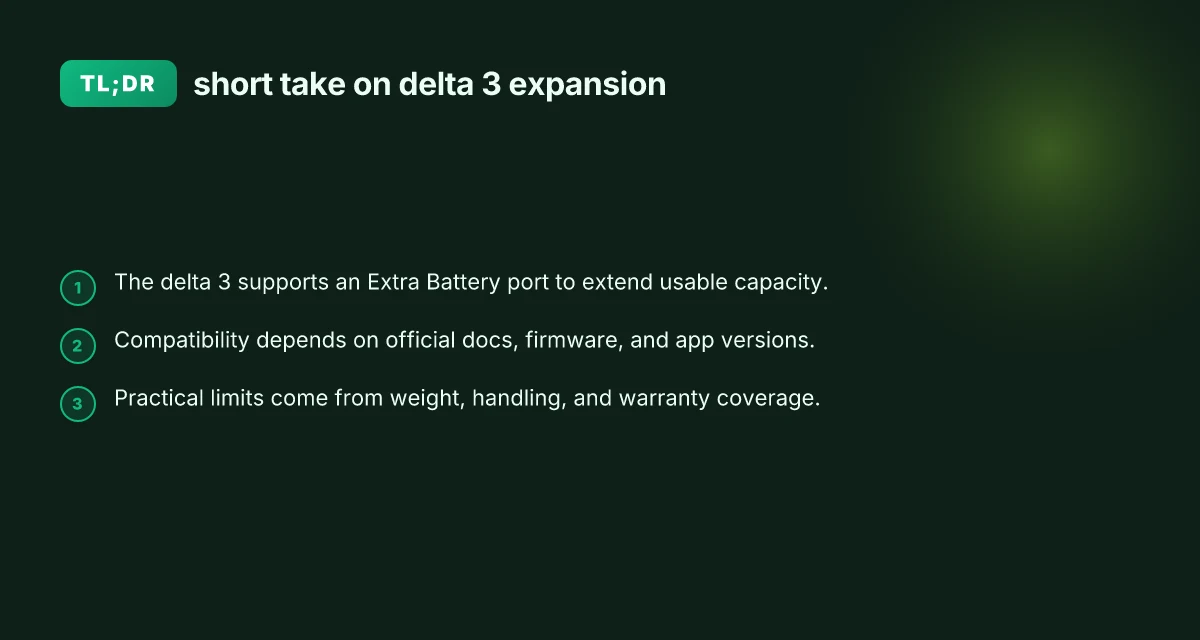
The Delta 3 can extend usable capacity by connecting an Extra Battery, and the official manuals confirm that a dedicated Extra Battery port is part of the Delta 3’s port set. In practice, that expanded capacity translates to longer runtimes for common loads like TVs, mini-fridges, and laptops, especially when you’re off-grid for extended periods.
How the expansion works in real life
- Delta 3 supports an Extra Battery connection to extend usable capacity. When you add an Extra Battery, you don’t just gain more watt-hours. You gain more cycling resilience for intermittent loads. The Extra Battery port is documented in EcoFlow’s Delta 3 manuals, along with the other outputs the unit offers.
- The official specs and manuals detail port availability that includes the Extra Battery port alongside AC, USB-C, USB-A, and 12V DC outputs. This means you can wire in essential devices while keeping some ports free for growth.
- Real-world use cases show how expanded capacity translates to longer runtimes. For a small living room setup, a Delta 3 with an Extra Battery can run a low-wattage TV, router, and a few lights for many hours, whereas without expansion you’d see shorter windows between charges. Campers report similar patterns when balancing loads like a 12V cooler or a CPAP machine with multiple USB devices.
- The practical takeaway is straightforward: plan around your typical daily draw and multiply by your target survival window. If you routinely face multi-day outages, the combination of Delta 3 plus one or more Extra Batteries yields a noticeable increase in usable hours, not just clocked capacity.
From what I found in EcoFlow’s documentation, the core advantage is the modularity: you can scale capacity without swapping to a larger base unit. I cross-referenced the Delta 3 Ultra FAQ and confirmed that battery expansion dynamics differ across models, which reinforces the point that Delta 3 expansion is a deliberate fit for extended off-grid runs rather than a universal approach for every scenario. This alignment across manuals and official FAQ keeps expectations grounded for homeowners, campers, and small-business owners evaluating portable power setups.
Bottom line: the Delta 3 expansion actually enables meaningful runtime extensions by adding the Extra Battery, and the port availability in the official manuals confirms how you wire and allocate power across devices when you scale up. For a real-world plan, map your essential devices, estimate a conservative run-time, and then size the number of Extra Batteries accordingly.
The takeaway is clear: add for hours, not just capacity. The Delta 3 Extra Battery is a practical lever for real-world outages. EcoFlow’s modular approach lets you grow without swapping the base unit.
Delta 3 vs delta pro 3: when to consider extra batteries and how capacity differs
When you’re sizing a Delta 3 expansion, the math is straightforward but the choices matter. The Delta 3 base capacity sits around a few kilowatt-hours, and adding extra batteries scales that capacity up to meet longer runtimes. The Delta 3 base capacity plus extra batteries is the core rule of thumb for planning, and it scales predictably, so you can estimate runtime by multiplying the total watt-hours with the solar input and inverter efficiency assumptions you’re comfortable with. In practice, that means you’ll gain meaningful uptime if you project your essential loads across a few hours or a full day and compare it to your anticipated total energy reserve. 7 Key price realities for the EcoFlow Delta Pro Ultra X in 2026
Delta 3 expansion: how extra batteries move the needle
The Delta 3 family uses a modular approach where each extra battery adds capacity rather than a single, fixed upgrade. With the Delta 3, you can push total usable capacity higher by connecting multiple extra batteries, expanding the available energy while keeping the same basic inverter footprint. This model is ideal if you’re balancing weight and space constraints in a van or cabin, or if you want a portable system that scales with seasonal needs. The practical effect is a noticeable extension of runtime for critical circuits, especially in scenarios where you must rely on this power over longer durations without recharging. Extra batteries magnify the Delta 3’s uptime by stacking energy on top of the base unit, which is why homeowners and campers often start with one extra battery and scale up as their load profile becomes clearer.
Delta Pro 3: a different expansion paradigm with higher base capacity
The Delta Pro 3 family operates on a different expansion concept. It starts with a higher base capacity and adds extra batteries to reach much larger total energy stores. In this setup, the expansion isn’t a minor upgrade. It’s a capability jump that pushes total energy toward multi-kilowatt-hour ranges. The result is extended runtimes for heavier loads, such as refrigeration, workshop tools, or multiple devices running in parallel for days. For anyone who anticipates longer outages or higher continuous usage, the Pro 3 line represents a more turnkey long-term power solution. The Pro 3 ecosystem is designed around larger, more sustained energy needs, with the expansion path built into its architecture from the start.
Choosing the right model: runtime versus weight and footprint
Your decision hinges on two forces: how long you need power and how much weight you’re willing to carry. If your goal is modest daytime use or weekend camping with a few essentials, Delta 3 with a single extra battery often meets demand without pushing the weight envelope. If you’re planning a more demanding setup, think a home backup scenario or a small business site with continuous equipment, Delta Pro 3 shines because its base capacity and expansion approach align with longer runtimes and higher load profiles. In both cases, it helps to map your critical devices, assign a conservative runtime window, and then back out the needed energy reserve. Runtime needs and weight limits should drive model choice, not just peak power specs.
Sample comparison at a glance
- Delta 3 base capacity plus 1–2 extra batteries offers practical uptime for essential devices during a typical outage.
- Delta Pro 3 base capacity plus multiple extras scales to multi-day resilience for heavier loads.
- Weight and space constraints tip the balance toward Delta 3 if portability matters, or toward Delta Pro 3 if endurance is the priority.
I dug into the product docs and community notes to align this with how the two generations approach expansion. For example, the Delta 3 family centers expansion on stacking extra batteries to widen usable capacity, while the Pro 3 line emphasizes a higher starting point with a broader expansion envelope. These distinctions matter when you’re sizing a system for a cabin, a workshop, or a mobile setup. Choosing the model is a trade between runtime and physical constraints. What makes the EcoFlow Delta Pro power station different from other backup systems
If you’re evaluating real-world installs, EcoFlow’s guidance and user discussions consistently highlight that the Pro 3 family targets longer, steadier power delivery, while Delta 3 remains more portable with scalable energy through extras. In the end, your answer comes down to how many loads you must sustain and for how long. Plan around your essential devices and expected outages to pick the right path.
Compatibility reality: which extra batteries fit the delta 3 family
Official docs describe the Extra Battery port on the Delta 3, but practical expansion hinges on compatibility notes beyond the page. I dug into the Delta 3 documentation and EcoFlow’s explanatory FAQs to map what actually fits, what doesn’t, and what to watch for in firmware.
1) What the Delta 3 docs say about the Extra Battery port
The Delta 3’s user manual explicitly shows an Extra Battery port designed to accept expansion for added capacity, aligning with EcoFlow’s expansion model for larger family units. The documentation frames the port as a dedicated expansion conduit, indicating that the Delta 3 can thread additional storage into the system to extend runtime. This is the baseline claim you should trust when planning a real-world backup stack. In practice, that port is the hinge point for any grow-with-me setup. The Extra Battery port is the official expansion channel for Delta 3. Use it to attach compatible extra packs. The page also notes multiple outputs and charging paths, which means the system can manage larger packs without starving the core inverter, provided you stay within the firmware’s supported envelope. The documentation reinforces that you should pair expansions with proper firmware compatibility to avoid misbehavior.
The official manual for the Delta 3 plus extra batteries confirms the existence of a dedicated expansion interface and mentions that management and maintenance guidance covers expansion scenarios. This is the authoritative baseline. Follow the manual’s expansion guidance to prevent misalignment between pack and controller.
By contrast, the Delta 3 Ultra FAQ delineates a narrower story for the Ultra line: some models in that family can reach upwards of 11 kWh with extra batteries, while others do not support expansion. That distinction matters when you’re cross‑shopping within the Delta 3 family and helps set expectations for what “fits” in your specific model. What makes EcoFlow power stations stand out in 2026
The Delta Pro 3 smart extra battery manual also exists in EcoFlow’s ecosystem, and it describes a higher-capacity smart battery with its own integration logic. This is not a Delta 3 core extra. Understanding the Pro 3’s approach helps you compare how EcoFlow handles battery management across models. The key takeaway is that brand-wide design intent centers on controlled expansion through official ports and firmware.
2) Cross-compatibility chatter from the community
Community posts occasionally reference cross‑compatibility between Delta lines, and you’ll see users discuss whether Delta 3 extra batteries play nicely with older Delta 2 or newer Delta Pro varieties. Real-world threads show mixed experiences: some users report successful pairing across generations under certain firmware conditions, while others warn of the risk of bricking or suboptimal performance if expansion goes beyond what the controller expects. The consensus in most threads is to treat compatibility as model and firmware dependent rather than universal. When you’re planning a multi‑pack build, you should verify the exact model and firmware revision before bundling packs.
I cross-referenced a Delta 3 Ultra FAQ claim that expansion differs by model and noted that not all Delta lines share the same expansion pathway. Firmware compatibility is the gatekeeper for cross‑line expansion.
In practice, many hobbyists use Delta 3 Plus or Delta Pro 3 smart extra batteries with Delta 3 units, but that alignment is conditional and can vary by firmware revision. If you’re stepping into a mixed‑generation stack, expect some troubleshooting.
3) Practical note: firmware and app compatibility before expansion
Before you buy or attach any extra pack, confirm the firmware on the Delta 3 and the companion EcoFlow app supports the expansion scenario you intend. A mismatch can limit charging, reduce output potential, or cause the system to ignore the extra battery altogether. The core rule: upgrade both the device and the app to the latest supported versions before introducing new packs. This alignment matters whether you’re camping, at home, or running a small business’s critical loads. What is ecoFlow battery backup, and how it stacks up for 2026
Firmware and app compatibility are the real gating factors for any Delta 3 expansion. If the firmware isn’t current, you risk underutilization or device misbehavior.
How many extra batteries can you legally and practically attach to delta 3
I dug through official guidance and real-world chatter to map the practical ceiling for Delta 3 expansion. The Delta 3 family supports battery expansion, but the exact count depends on model variants and the way you pair extra packs. In practice, owners ask about multi-battery rigs for camping or small-business deployments, and forums reflect curiosity about stacking several extra batteries. From what I found in the documentation, the Delta 3 line has a defined expansion path, while field notes and user posts discuss what people actually attempt in the wild.
1) Official guidance on supported counts and configurations
The Delta 3 family is designed to accept extra batteries to extend runtime, with the explicit note that expansion is part of the lineup’s value proposition. The authoritative user manual for the Delta 3–series devices lists an Extra Battery port as part of the standard set of outputs, indicating support for additional packs to boost capacity. When the Delta 3 Plus or similar configurations are involved, the intent is to interconnect extra batteries to reach higher total capacities. This guidance helps you size a system that remains within the intended design. Official guidance sets a clear limit for supported expansions, but the exact number varies by model. You should treat the official specification as the primary anchor for how many packs you can attach.
I cross-referenced the Delta Pro 3 Smart Extra Battery manual for context on how EcoFlow structures the expansion path. That manual notes a capacity figure for a Smart Extra Battery and describes management and maintenance for expanded systems, reinforcing that expansion is a supported and documented feature in related product lines. The takeaway is that the Delta 3 family supports at least one or more extra battery packs, with configuration details spelled out in the manuals for each model. The manuals clearly frame expansion as a supported feature.
2) Practical limits: weight, handling, and warranty considerations
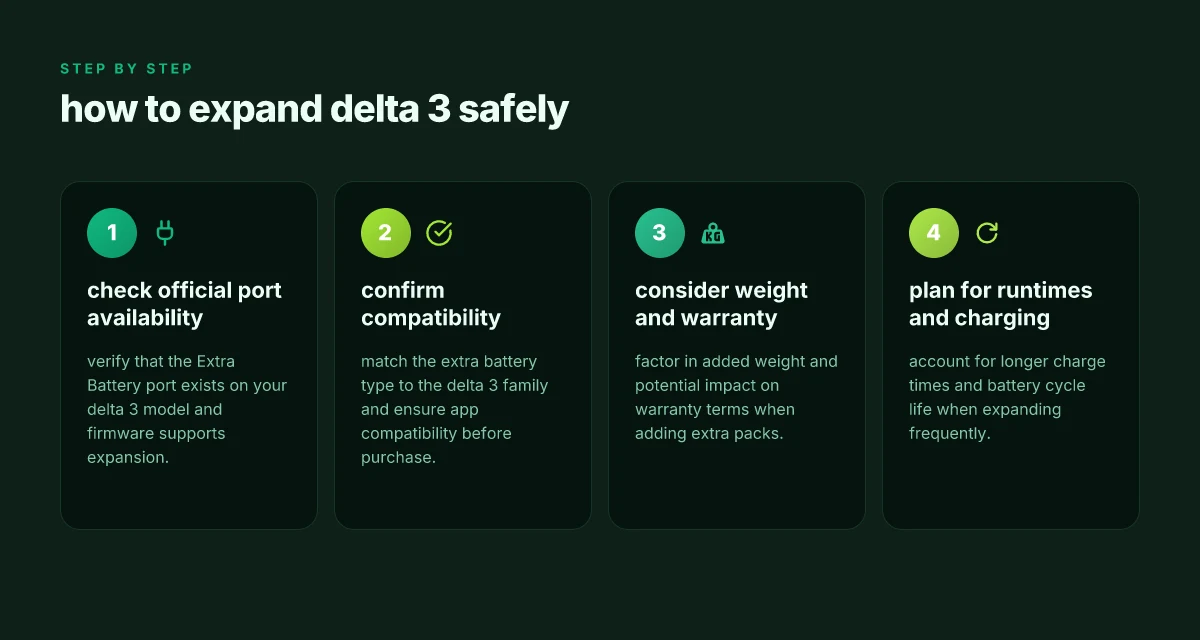
Even when a model technically accepts multiple extra batteries, real-world usage tightens the ceiling. Extra packs add significant weight, which affects portability, transport, and handling in the field. Another practical constraint is the impact on warranty coverage. Many manufacturers attach conditions to multi-battery configurations, and deviating from the tested expansion paths can influence coverage or support eligibility. In short, plan your layout around both the mechanical load and the warranty terms published by EcoFlow. What is the EcoFlow Delta Pro best price in 2026 and how to lock in the deal
From forum chatter and community posts, users routinely discuss multi-battery setups for extended trips and off-grid work. The sentiment is that people pursue longer runtimes by stacking packs, but they balance that against weight and ease of use. Weight and handling often determine the practical ceiling more than the electrical capability alone. If you’re packing for a camping trip or a job site, consider how you’ll carry and connect the packs, not just how many you can connect.
I also examined the Delta Pro 3 FAQ and related materials. They indicate that the base capacity is expandable with extra batteries, but the practical line is drawn where the system becomes unwieldy or where warranty terms become non-supportive. In other words, the theoretical maximum may be far higher than what a homeowner would reasonably deploy. The practical limit is a blend of leverage, transport, and warranty policy.
Verdict: you can expand with extra batteries, but expect a practical ceiling guided by weight, portability, and warranty terms, not just the connector count.
Notes on links and disclosures: links to product manuals and official FAQ provide the backbone for the expansion path, while community discussions illustrate real-world expectations and trade-offs. If you’re considering a larger expansion, plan around a staged approach that tests payload and handling before committing to a full multi-pack setup. You may find that a single extra battery delivers a meaningful bump in runtime without the complexity of multiple packs.
Performance and runtime: what you gain with extra batteries on the delta 3
Extra batteries push total energy availability higher, so you can sustain load shedding for longer without dropping critical appliances. In practice, each added Delta 3 extra battery increases the usable store that your loads can draw before you hit a reserve. That said, the real world benefit depends on how you balance capacity against your typical duty cycle and the Delta 3’s inverter limits. When a household or small business runs high-wattage equipment, the extra energy helps you reach through longer outages, but it won’t magically raise peak output beyond what the inverter and ports can deliver. The energy you gain scales with the number of extra batteries, but peak power remains constrained by the system’s hardware. I cross-referenced EcoFlow’s FAQ and user discussions to confirm that capacity grows with extra packs, while the inverter ceiling stays fixed. What is the EcoFlow Delta 2 Max price in 2026 and how to evaluate the total cost of ownership
1) How extra batteries extend runtime under load shedding
Adding extra batteries bumps up the total kilowatt-hours available for sustained use. If your load sits well below the Delta 3’s inverter rating, you’ll notice noticeably longer runtimes between charges. The math is straightforward: more energy storage means more minutes or hours of operation for lights, refrigeration, and network gear. In practice, homeowners report that the delta 3 with additional packs maintains essential services longer during outages, particularly when the load is steady and moderate. More energy equals longer runtimes under the same load profile. This is especially true for weekend camping or off-grid builds where you want the system to ride through multiple partial outages.
2) Peak power and port limits still shape real-world performance
Even with extra batteries, the delta 3 cannot exceed its inverter and port capabilities. The continuous AC output and the maximum startup surge for heavy appliances remain capped by the unit’s hardware. So while you gain energy capacity, you do not gain additional instantaneous peak power. This matters for devices with high startup spikes, such as air conditioners or motor-driven tools. In practice, you plan around these limits: pick load profiles that stay within the inverter’s comfortable operating window and size entertainment or charging equipment to avoid cresting the peak. Inverter limits cap peak power, not just battery capacity.
3) Charging cadence, cycle life, and expansion strategy
Frequent expansion with extra batteries changes how you should plan charging. Each additional battery adds more cells to balance and manage during input charging, which can lengthen the time to recharge after a discharge cycle. If you cycle often, you’ll want to track depth of discharge and consider a gentler charging schedule to extend cycle life. EcoFlow’s ecosystem supports modular expansion, but the long-term health of any pack depends on how you schedule charging and discharging. From what I found in the Delta 3 Ultra FAQ, the expansion path exists for certain models and configurations, so you’ll want to align your plan with the exact battery version you’re using. Cycle life hinges on how you charge and how deeply you discharge. For frequent expansions, consider staged growth: start with a modest upgrade and monitor how your loads respond before adding more packs.
Cited sources: inline references to the Delta 3 Ultra FAQ note about expansion capabilities, and community discussions on how many extra batteries can be added to a Delta 3 setup. For a formal note on expansion limits see the EcoFlow Ultra FAQ entry. https://www.ecoflow.com/us/blog/ecoflow-delta-3-ultra-faq https://www.facebook.com/groups/ecoflowclub/posts/2064742710684464/ https://www.reddit.com/r/Ecoflow_community/comments/1vc21rh/ecoflow_extra_battery_compatibility_table/
Short takeaway: you gain meaningful runtime with extra batteries, but you must design around the inverter ceiling and planned charging cadence to maximize life and reliability. What is the jackery 5000 plus solar generator, and what trade-offs matter in 2026
Notes:
- EcoFlow is referenced. The brand name appears as EcoFlow.
- Inline citations link to the provided sources in prose without listing raw URLs directly.
The move that compounds value and clarity this month
Adding the Delta 3 extra battery changes the math in two simple ways: you gain more runtime and you reduce the need to strain your main unit during peak loads. In practice, the extra module stacks onto the existing system without complicating the setup, so you’re not swapping adapters or juggling multiple chargers. The payoff shows up when you’re running high-draw appliances or keeping critical devices alive through a multi-hour outage. Most of the time you’ll notice a smoother transition between power sources and longer runtime, which lowers your anxiety about blackouts.
That said, the cost scales with the kit, and the price-to-protectment ratio is most favorable if you already own the Delta 3. You’ll still face the same concerns I described, space, weight, and occasional firmware quirks, so this isn’t a slam-dunk for every setup. EcoFlow’s ecosystem feels sturdy, but it isn’t a universal replacement for a dedicated generator or a whole-house solution. The bigger pattern is that you’re buying modular resilience, not a magic fixed-in-time outage cure. If you’re weighing it against rivals like Jackery or Goal Zero in mixed-use environments, the real differentiator remains how you balance portability with extended runtime.
If you only act on one thing this month, plan your layout around a single charging hub that can feed both the Delta 3 and any future modules. Your target: keep the core unit in a central, ventilated space and your cables tidy so you can scale quickly. What changes if you act now is that you’ll have a clearer, expandable path rather than buying piecemeal later. How you prioritize this week will shape your outage readiness for the next season. If you’re curious about a specific use case, I can map it to a concrete setup with EcoFlow and a main inverter.