With Edge VPN what is protected
 Nova Engelmann8 min read
An in-depth look at what Microsoft Edge Secure Network Protects and where gaps may exist, plus a VPN alternative recommendation.
Microsoft Edge includes a built‑in feature often described as a VPN, called Edge Secure Network. It promises to encrypt supported traffic, mask your IP address, and reduce IP-based tracking, all while staying integrated into the Edge browser. But what exactly is protected, and what isn’t? Below is a practical guide to understanding Edge’s built‑in protection and how a third‑party VPN like ZoogVPN fits into the picture.

What Edge Secure Network protects by default
- Encrypted traffic for supported sites and services
- Edge Secure Network uses a VPN backend to encrypt traffic entering the edge network from the browser for sites that leverage HTTPS or the encrypted tunnel.
- IP masking within Edge
- Your visible IP address can be hidden from websites you visit, at least for traffic routed through Edge’s network.
- Reduced exposure to some tracking
- By routing traffic through a different exit IP, some forms of IP-based tracking and geolocation matching may be less effective.
Important nuance: scope is browser-traffic only
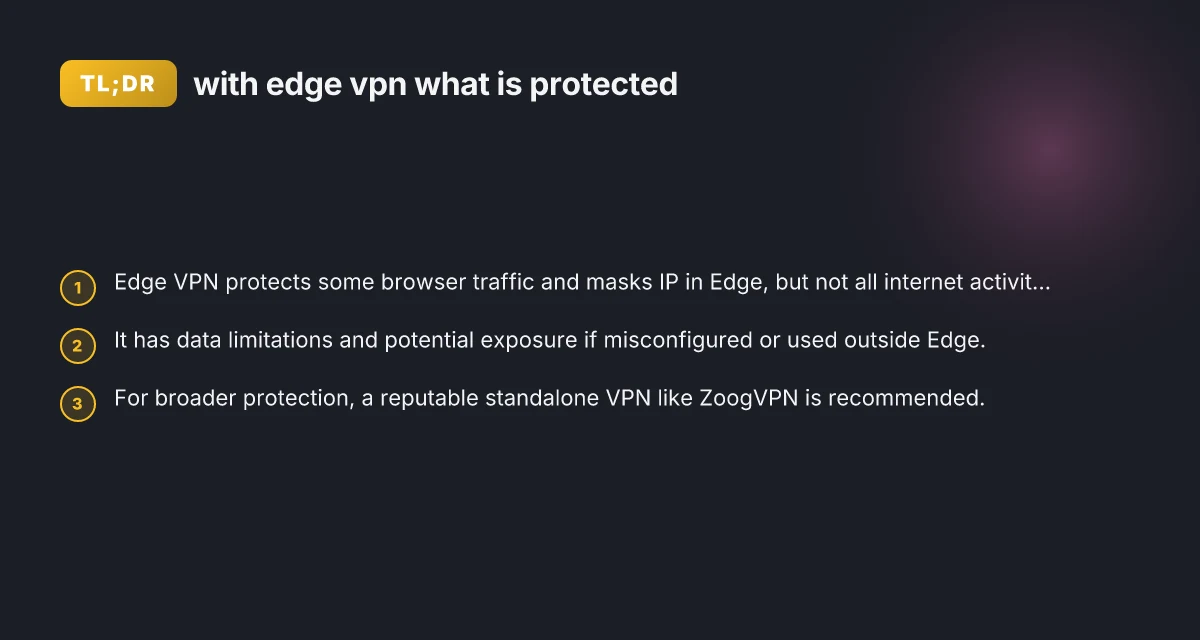
- Edge Secure Network is integrated with the Edge browser. It does not automatically protect other apps on your device.
- Any traffic from non‑Edge apps or browsers (Chrome, Firefox, or native apps) may bypass Edge’s VPN, depending on how the feature is configured.
What is not protected by Edge Secure Network
System-wide or device-wide protection
Other applications still send traffic directly to the internet, potentially exposing IP, location, or unencrypted data if the site doesn’t use HTTPS.
All browsing activity
While Edge can mask IP for traffic routed through the Secure Network, you may still leak data through:
WebRTC IP leaks in some configurations Why my kaspersky VPN is blocked by virgin media
DNS requests if the DNS resolver isn’t fully tunneled
Flows outside Edge, like apps or background services that don’t route through the VPN
Data caps and provider-level data collection
Microsoft’s Edge Secure Network has known constraints in data limits, and there are debates about what data Microsoft may log or collect during VPN use.
Common questions and practical considerations
- Is Edge Secure Network free?
- Edge’s built‑in Secure Network is offered without a separate subscription in some Edge builds, but features and availability can vary by region, version, or enterprise policy.
- How much traffic is protected?
- The protection typically covers traffic routed through Edge that uses the Secure Network tunnel. It does not automatically wrap every device or program.
- Could my real IP still be exposed?
- Yes, in certain scenarios: misconfigured settings, WebRTC leaks, DNS leaks, or traffic from non‑Edge applications may reveal your real IP.
- Does Edge VPN log my activity?
- Privacy specifics can change with updates. Some users report data‑collection concerns or policy changes. Check the latest terms from Microsoft for current details.
How Edge Secure Network compares to a standalone VPN
To make sense of Edge’s protection, a side‑by‑side look at what a standalone VPN typically offers can be helpful. The table below compares Edge Secure Network with a popular independent solution like ZoogVPN. Why mozila VPN is capping the speed up stairs but not down stairs
| Feature | Edge Secure Network | ZoogVPN (standalone) |
|---|---|---|
| Scope of protection | Browser traffic in Edge; may not cover non‑Edge apps | System‑wide protection when installed; all apps and browsers routed through VPN |
| Data handling | Privacy terms vary by Microsoft; potential data collection by service | Clear privacy policies; often no‑logs options, transparent data practices |
| Data caps | Historically has limits; check current terms | Typically unlimited or clearly defined data plans with no concealment |
| DNS and WebRTC leaks | Possible leaks if misconfigured; DNS behavior depends on tunnel | Built‑in protections to minimize DNS and WebRTC leaks; adjustable settings |
| Platform support | Edge browser on Windows, macOS, Android, iOS varies by version | Cross‑platform support (Windows, macOS, Linux, Android, iOS) |
| Customization | Simplified toggle within Edge; limited control | Extensive options: server locations, protocols (OpenVPN, WireGuard, etc.), kill switch, split tunneling |
Real‑world usage scenarios
- Casual browsing in Edge
- If you primarily browse in Edge and want a quick privacy layer for a set of sites, Secure Network offers convenience without leaving the browser.
- Public Wi‑Fi and sensitive sites
- For sensitive tasks (banking, healthcare portals) on shared networks, a standalone VPN with a trusted provider may offer stronger and more consistent protection across all apps.
- Multi‑device households
- If family members use other devices or browsers, a standalone VPN provides a uniform layer of protection across all network traffic, not just Edge.
Security and privacy trade‑offs to consider
- Browser‑bound vs. device‑bound protection
- Edge Secure Network is browser‑bound. Standalone VPNs cover the whole device and all network traffic.
- Data governance and transparency
- Microsoft’s data practices with Edge Secure Network may evolve. Third‑party VPNs typically offer explicit privacy policies and, in some cases, audited no‑logs assurances.
- Performance and reliability
- Both options can affect speed and latency. VPN servers, encryption, and routing paths influence performance. Edge’s solution leverages Microsoft infrastructure, while ZoogVPN uses its own network of servers.
- Feature depth
- Standalone VPNs often offer advanced features: kill switch, split tunneling, multiple protocols, DNS protection, and app‑level controls. Edge Secure Network emphasizes simplicity and convenience within Edge.
A practical recommendation: why ZoogVPN is a strong fit
If your goal is broader, more consistent protection across devices and scenarios, a trusted standalone VPN like ZoogVPN is a strong choice. Here’s why:
- Comprehensive coverage
- ZoogVPN routes all traffic on the device through a secure VPN tunnel, not just browser traffic in Edge.
- Flexible security options
- Multiple protocols (including WireGuard) for a balance of speed and security. Customizable settings like kill switch and split tunneling.
- Clear privacy posture
- ZoogVPN publishes its privacy policy and, in some regions, may offer audited no‑logs assurances. It’s easier to verify what data is or isn’t collected when using a third‑party service.
- Ease of use
- Cross‑platform clients for Windows, macOS, Linux, Android, and iOS. Simple server selection and reliable connections.
If you decide to pair Edge Secure Network with ZoogVPN, you can get layered protection: edge browser privacy within Edge, plus system‑wide protection from ZoogVPN when you’re using other apps or devices. That approach can offer best of both worlds: quick, convenient protection inside Edge for everyday browsing, plus robust, full‑device privacy when you need it.
Quick usage tips for better protection
- Test for leaks
- After enabling Edge Secure Network, run a quick DNS and IP leak test for Edge to see if your real IP is exposed through WebRTC or DNS requests.
- Use ZoogVPN for full coverage
- Install ZoogVPN on your devices for system‑wide protection, especially on public networks or when using non‑Edge browsers and apps.
- Review privacy settings
- Periodically check Edge’s privacy settings and Microsoft’s terms regarding Edge Secure Network to stay informed about data handling.
- Keep your software updated
- Ensure Edge and any VPN apps stay current with security patches and feature updates.
Final recommendation
For straightforward, browser‑level privacy within Edge, Edge Secure Network provides a convenient layer of protection. If you want broader, predictable protection across all apps and devices, using ZoogVPN (zoogvpn.com) as your primary VPN is the stronger, more flexible choice. You can start with Edge for quick privacy on Edge‑driven tasks, and rely on ZoogVPN when you require comprehensive, system‑wide protection and greater control over your network security.
| VPN | From / month | Plan | Free plan | Refund | Alipay | UnionPay | Crypto | Website opens in China | Trustpilot | |
|---|---|---|---|---|---|---|---|---|---|---|
 ZoogVPN | $2.49/mo | 27 months: $59.99 | Yes | 7 days | ✓ | ✓ | ✓ | ✓ | ✓ Yes (2.5 s) | 4.2/5 (195 reviews) |
 NordVPN | $3.49/mo | 27 months: $94.23 | No | 30 days | ? | ✗ | ✓ | ✓ | ✗ Blocked | 4.2/5 (51,628 reviews) |
 ExpressVPN | $3.00/mo | 28 months: $84 | No | 30 days | ✗ | ✗ | ✓ | ✗ | ✗ Blocked | 4.4/5 (29,706 reviews) |
 Surfshark | See site | See site | No | 30 days | ✗ | ✗ | ✗ | ✓ | ✗ Blocked | 4.3/5 (31,823 reviews) |
 Proton VPN | $2.99/mo | 12 months: $35.88 | Yes | 30 days | ✗ | ✗ | ✗ | ✓ | ✓ Yes (2.5 s) | 2.1/5 (1,040 reviews) |
 Astrill VPN | $12.50/mo | 24 months: $300 | No | See site | ✗ | ✗ | ✗ | ✓ | ✗ Blocked | 1.3/5 (110 reviews) |
 Private Internet Access | $2.03/mo | 40 months: $81.2 | No | 30 days | ✗ | ✗ | ✗ | ✗ | ✗ Blocked | 4.2/5 (11,033 reviews) |
 CyberGhost | $2.19/mo | 28 months: $61.32 | No | 45 days | ✗ | ✗ | ✗ | ✓ | ✗ Blocked | 4.0/5 (24,178 reviews) |
 PureVPN | $1.69/mo | 60 months: $101.55 | No | 31 days | ? | ✗ | ✗ | ✓ | ✓ Yes (2.6 s) | 4.4/5 (17,994 reviews) |
 AdGuard VPN | $2.99/mo | 24 months: $71.76 | Yes | 30 days | ✓ | ✗ | ✓ | ✓ | Official site blocked; our special link opens (2.3 s) | 4.3/5 (290 reviews) |
 Mullvad | $5.61/mo | €5/mo | No | 14 days | ✗ | ✗ | ✗ | ✓ | ✗ Blocked | 3.2/5 (192 reviews) |
 Windscribe | $5.75/mo | 12 months: $69 | Yes | See site | ✗ | ✗ | ✗ | ✓ | ✗ Blocked | 4.7/5 (13,355 reviews) |
 StrongVPN | See site | See site | No | 30 days | ✓ | ✗ | ✗ | ✗ | ✗ Blocked | 4.4/5 (2,695 reviews) |
 LightXtreme 闪连 | $7.08/mo | 12 months: $84.99 | Yes | 30 days | ✓ | ✓ | ✓ | ✓ | ✓ Yes (2.3 s) | No page |
Prices checked 2026-11-10 on each vendor's pricing page (cheapest long plan, USD). Check the vendor's checkout for the final price.
Payment methods checked 2026-11-10 on each vendor's payment pages: all 14 take cards and PayPal; ✗ = not listed, ? = the vendor's own pages disagree.
China access: whether the official website opens from mainland China networks (tests the website only, not the VPN connection). Last checked 2026-11-11 04:07 Beijing time.
Trustpilot score and review count checked 2026-11-10.