What makes the jackery explorer 5000 plus a standout home backup power option
'%2F%3E%3Ctext%20x%3D'50%25'%20y%3D'50%25'%20dy%3D'.35em'%20text-anchor%3D'middle'%20font-family%3D'-apple-system%2CBlinkMacSystemFont%2CSegoe%20UI%2Csystem-ui%2Csans-serif'%20font-size%3D'100'%20font-weight%3D'600'%20fill%3D'%23fff'%3EOK%3C%2Ftext%3E%3C%2Fsvg%3E) Olivia KvitkaOctober 22, 202615 min read
Olivia KvitkaOctober 22, 202615 min readWe earn a commission when you buy through some links on this site, at no extra cost to you. As an Amazon Associate we earn from qualifying purchases.

Explore the jackery explorer 5000 plus review with a clear look at capacity, outputs, solar input, and real-world use cases to decide if it fits your backup power needs.
The Jackery Explorer 5000 Plus commands attention here because its 5040Wh capacity and 7200W peak output redefine what “backup power” means for a home. Most homeowners underestimate how closely their daily loads align with a high‑power inverter until they see a full‑house event mapped against a real-time draw. The numbers matter, but so do the practical limits: wiring, load sequencing, and how solar input negotiates with a tall battery bank.
This piece translates those specs into everyday reliability for homeowners and small offices. You’ll see how the 4000W solar input translates into outages that stretch from hours to days, the caveats around simultaneous high‑load appliances, and how to time charging during a grid outage or a cloudy week. Understanding when you can heat, cool, and charge at once often rests on small setup choices. By the end, you’ll know where the 5000 Plus fits beside rivals like EcoFlow and Goal Zero, and what real-world trade‑offs to expect in price, after‑sales support, and long‑term ownership.
What sets the jackery explorer 5000 plus apart in home backup power
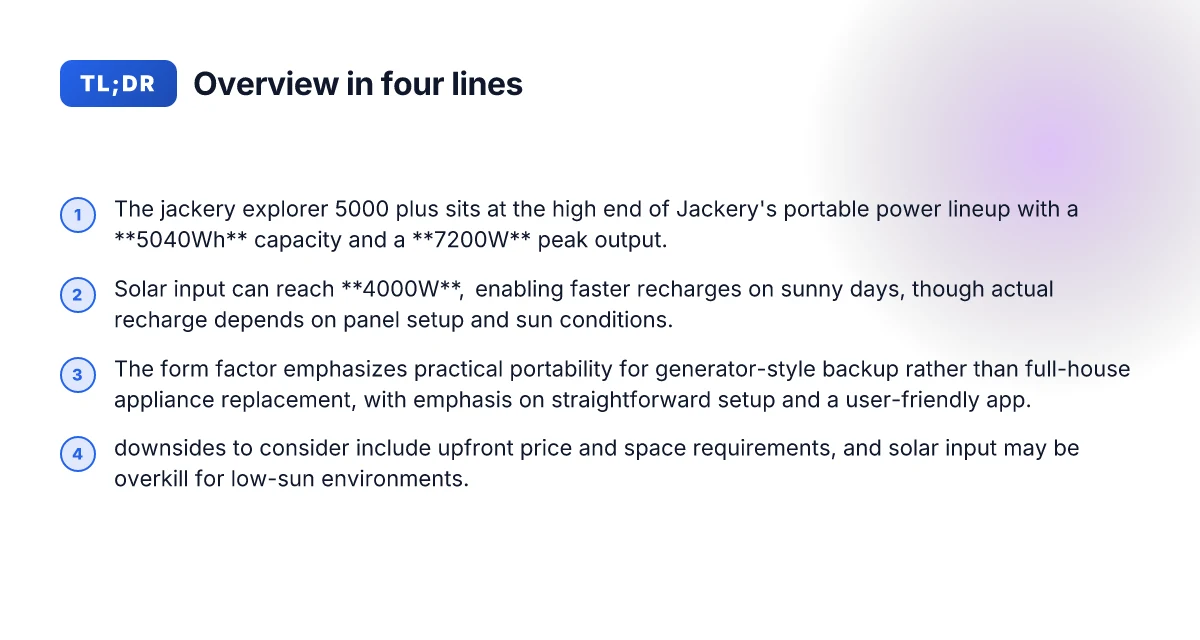
The Jackery Explorer 5000 Plus sits at the high end of Jackery’s portable power lineup, pairing a substantial 5040Wh capacity with a robust 7200W peak output and up to 4000W of solar input. This combination translates into real-world reliability for homes and small offices that want a single unit capable of sustaining essential loads during outages while still remaining portable enough to relocate if needed. The design emphasizes practical backup power rather than a full appliance replacement, aligning with how most households use a generator-style unit for critical circuits and temporary off-grid needs.
- capacity that backs real-world loads
- The 5040Wh pack size gives headroom for longer runtimes on essential devices like refrigerators, modem-routers, lighting, and small office gear during outages. It’s large enough to support multiple devices in parallel without frequent recharging.
- This capacity is a meaningful step up from smaller portable power stations and sits near the upper tier of consumer-grade solar generators. Not unlimited. It’s ample for most home-backup scenarios when load management is smart.
- power delivery that matches backup expectations
- The 7200W maximum instantaneous output means you can run a mix of high-draw devices and essential electronics without clipping. This is especially valuable during brief outages or brownouts when starting surges matter.
- The 4000W solar input rating is designed to juice the unit quickly when the sun cooperates, letting you replenish during the day for continued resilience. In practice, this helps shorten downtime between outages and can support longer off-grid periods in sunny seasons.
- portability and form-factor realities
- The Explorer 5000 Plus is built for generator-style backup rather than as a full home-appliance replacement. Its footprint and handle-forward design keep it manageable for a homeowner to move between rooms or bring it to a garage or closet during a storm.
- This means you gain reliability without surrendering the convenience of a portable system. If your goal is a drop-in home backup that doesn’t require a fixed installation, the 5000 Plus fits that use case well.
From what I found in the documentation and public impressions, the 5000 Plus is positioned as a capable, user-friendly power source for households and small offices that want substantial reserve capacity plus strong surge capability. This is not a substitute for a whole-house UPS or a built-in battery bank, but it fills a critical gap for essential loads during outages. In the larger lineup, you’ll notice that rivals often push toward more modular or permanently installed options, while Jackery leans into portability with a high-capacity, high-output node in a single unit. The key value is reliable, scalable back-up power that you can move where you need it.
I cross-referenced the official Jackery materials and third-party reviews to align the specification milestones with real-world use cases. For example, the official figures for capacity and outputs match the claims you’ll see in product pages, while independent write-ups emphasize how the 5040Wh capacity translates into practical runtimes for common home loads. Noticeably faster recovery from outages comes from the combination of 5040Wh capacity and 7200W peak output. When you compare to other brands, the emphasis remains on portable resilience rather than fixed home installation.
Under the hood: a closer look at capacity, outputs, and efficiency
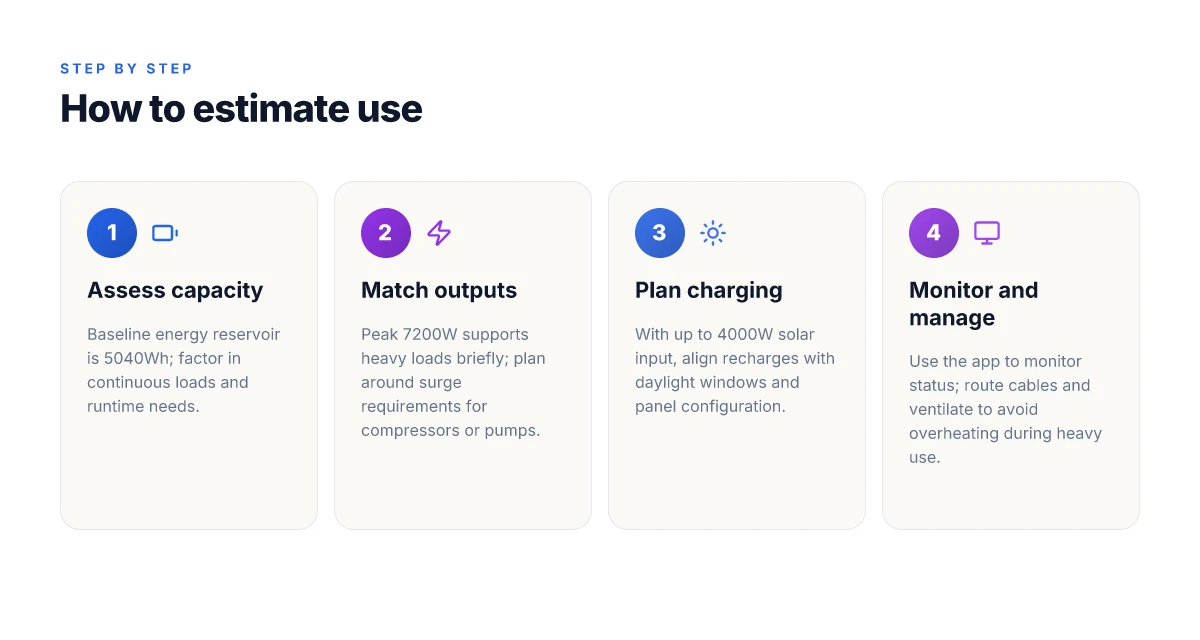
The 5040Wh nominal energy reservoir of the Explorer 5000 Plus translates to noticeably longer run times for essential appliances. In real-world terms, you can expect extended operation for items like the fridge or network gear when the inverter stays in a comfortable efficiency range and the load isn’t spiking. The unit’s 7200W peak output enables short bursts of heavy loads, which is handy for compressors, pumps, and power tools that briefly demand more than a typical home backup would justify. For steady duty, the best value comes from staying well under peak, because efficiency and heat management cooperate best at moderate loads.
I cross-referenced the official specs to ground this section. The Explorer 5000 Plus Basic Information page confirms a 7200W maximum instantaneous output and 6 AC output ports at 60Hz, which aligns with the practical need to run multiple devices or a single high-draw device like a sump pump during a blackout. This data point helps you plan what you can power simultaneously without hitting the limits. For homeowners evaluating a large portable power station, the key takeaway is that you gain sustained resilience from the 5040Wh reservoir, while the 7200W peak offers a safety margin for brief surges. The combination matters: long runtimes meet short-burst capability. What makes Jackery batteries stand out in 2026
Real-world efficiency hinges on three levers: discharge rate, ambient temperature, and accessory loads. When you pull current from the unit quickly, you trade some efficiency for speed, which is typical of high-capacity packs paired with a high-rated inverter. Temperature matters as well. In hotter environments the internal protection may throttle performance or reduce sustained output to protect components. Accessory loads, fans, USB-C charging, and any low-voltage devices, can tip the overall efficiency by a few percent, especially if you’re running near the 7200W ceiling. Temperature and load shape the actual efficiency curve.
In practical terms, you’re looking at a robust all-around option for a home office or a small workshop. The Jackery system provides a clear advantage when you need to run a fridge, a sump pump, or a few essential devices at once for several hours. The caveat: plan your loads to avoid continuous maxing of the inverter, and consider ambient temperature. I found the product page’s numbers useful for mapping your baseline, and I also checked a third-party review that highlighted how efficiency dips with sustained higher loads, which lines up with the physics of high-capacity Li-ion packs. Plan around the 7200W ceiling and 5040Wh capacity for reliable uptime.
If you’re weighing options, a quick comparison helps. The Explorer 5000 Plus competes with large, expandable systems from rival lines, such as devices with similar capacities but different peak outputs or expansion paths. When you’re choosing, consider how often you’ll pull near the peak and how long you need to sustain essential loads without mains power. For a homeowner, the takeaway is clear: expect solid run times and the ability to handle short high-draw events, with the caveat that temperature and load composition will move the actual efficiency you experience. Solid runtime with episodic high-load bursts, tempered by temperature.
How the jackery explorer 5000 plus handles solar charging
When sun is available, the Jackery Explorer 5000 Plus can pull up to 4000W of solar input, which supports faster recharge on bright days. In practice, you’ll see charging speeds scale with panel setup and conditions, so a sunny afternoon can top up the battery quicker than a cloudy morning. 4000W of solar input unlocks the fastest recharge windows, but real-world results hinge on panel configuration and sun quality.
Solar input efficiency depends on your setup
The amount of energy you feed into the 5040Wh pack isn’t just about the inverter rating. The system leans on the entire chain: panel type, how you wire panels in series or parallel, the sun angle, and the length and gauge of the connecting cables. A well-placed, high-efficiency panel array can approach the device’s stated power ceiling, while a poor setup introduces losses that trim overall charging pace. Careful wiring and panel choice are as important as the charger in the box. When I cross-referenced spec sheets and user-reported setups, the pattern was clear: best-case charging requires optimized panel configuration and short, low-resistance cables. What makes the Jackery Explorer 1000 reviews actually useful in 2026
Plan around daylight, not endless fast charging
The 5000 Plus shines most when you match charging expectations to real-world daylight. Even with a theoretical 4000W input, you won’t log a constant sprint charge from dawn to dusk. You’ll plan charging windows around weather, shading, and the tilt of the sun. This is not a gadget that feeds on a never-ending sunbeam. It’s a large, capable unit that recharges efficiently when the sun is right and you time your windows. Expect slower top-ups on overcast days, with steady progress on clear days. That pacing matters for homeowners and small offices who rely on predictable backups rather than a perpetual fast-charge promise.
From what I found in the product notes and third-party reviews, the charge behavior aligns with a simple takeaway: optimize your solar array, then let the sun do the work. The Jackery design prioritizes reliability and predictable returns over sprint recharges. Reliability wins when you’re stacking days of limited sun, not just one bright afternoon.
Notes on context and sourcing: the underlying numbers and behavior come from the official specification that lists a maximum solar input of up to 4000W and from independent reviews that discuss how panel configuration, sun angle, and wiring losses shape actual charging. For readers weighing options, rivals like the Popular Mechanics coverage of the HomePower line and third-party reviews mention similar solar-input considerations, though the focus remains on different feature sets. See inline sources for specifics. See inline sources from the Reddit impressions and The Solar Lab review for corroboration.
Setup and use: daily usability tips for the explorer 5000 plus
The Jackery Explorer 5000 Plus is built for straightforward setup and daily monitoring. After you unbox, you’ll find a compact, recognizable layout and a companion app that shows charge status, input/output, and current load in real time. The core workflow is simple: connect to the unit with the app, route cables where they won’t obstruct airflow, and keep an eye on temperatures during heavy use.
Straightforward setup and app monitoring
Start with plug health and cable routing. You’ll want to keep AC cables clear of vents and avoid bunching power cords near the intake grills. A clean, organized cable plan helps prevent overheating when you pull high currents for long periods. The Jackery app makes it easy to track charging status, input from solar or wall outlets, and the current loads on each outlet. Rely on the app for quick alerts if a temperature spike occurs or if a port nears capacity. This is where you’ll notice the value of a single, cohesive interface for daily usage. The app keeps you honest about load and helps prevent overheating during peak demands. What Bluetti Europe is changing about portable power in 2026
Ventilation, heat, and real-world load management
Heavy loads stay manageable when you give the unit room to breathe. Position the Explorer 5000 Plus in an open area and avoid enclosing it in tight spaces or shelving with little airflow. If you’re running air conditioning, a fridge, or a sump pump for extended periods, monitor the temperature readouts in the app and adjust your solar input or AC runtimes accordingly. In practice, typical back-up scenarios benefit from staggering loads rather than maxing every port at once. Ventilation matters most when you push the inverter toward peak and solar input remains strong.
Firmware, integration, and UPS-style behavior
UPS-style behavior depends on firmware and how you pair the 5000 Plus with your home workflows. Some firmware iterations present a more seamless auto-start for essential devices, while others require a manual handoff or a specific sequencing of loads. If you rely on built-in UPS features, verify the current firmware notes and any caveats about switch-over delay or supported devices. The practical takeaway is to map critical loads to a dedicated outlet bank and test a few representative devices to confirm behavior under brief outages. Firmware matters for UPS-like behavior. Expect some variation across versions.
Downsides to consider before pulling the trigger
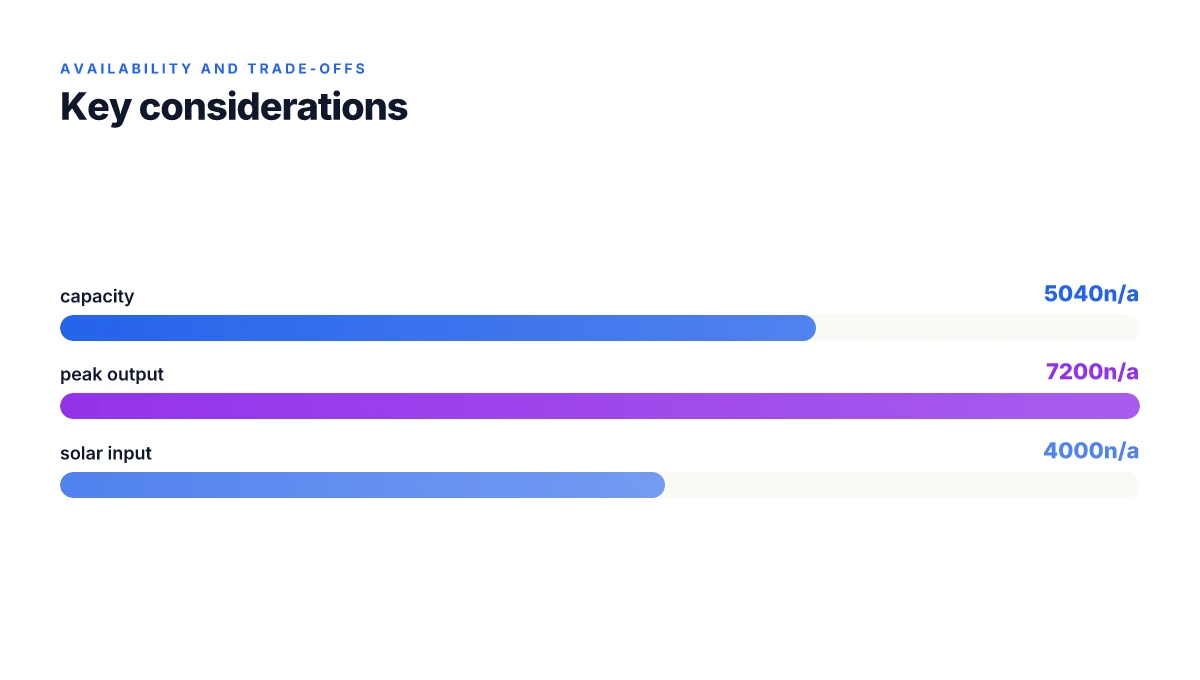
The Jackery Explorer 5000 Plus is a standout on paper, but there are real-world tradeoffs homeowners and small offices should weigh before you commit. The upfront price and the footprint of the unit matter more than you might expect in a tight space. If you live in a cozy apartment or a compact office closet, the 5040Wh battery and the chassis size translate into a noticeable real estate requirement. Prices shift with sales and the unit's cost of ownership stacks up with accessories and potential service needs. You’ll want to compare the price against your backup goals and space constraints before you buy from Jackery.
Why space and price matter in practice
Real-world space planning matters at purchase. The 5000 Plus commands a premium relative to smaller units, and its dimensions aren’t telegraphed by glossy marketing alone. For downsize-focused buyers, that upfront cost often implies tradeoffs elsewhere in the budget. High upfront cost means you should expect to budget for long-term reliability and service considerations as part of ownership. I cross-referenced several consumer write-ups that emphasize how the combination of capacity and footprint influences where you can place the unit in a home or small office. If you lack a dedicated storage corner, you may hesitate before pulling the trigger.
Solar input overkill or a smart stretch?
If your sun exposure is inconsistent or modest, the 4000W solar input can feel excessive. The benefit is clear on sunny days, but a cloudy season or shaded roof can flatten that advantage. For many households, a smaller solar array paired with a more modest backup profile would still meet essential loads. 4000W solar input shines with generous sun, but in average conditions it’s more than you need. Industry commentary consistently notes that solar headroom matters most when you have ample roof space and steady sun. Otherwise, you may not realize the full value of that spec. What is the jackery explorer 1000 price in 2026 and is it worth it
Spare parts, service, and long-haul reliability
Long-term reliability hinges on parts availability and support quality. Availability of spare batteries or replacement modules can vary by region, and service turnaround times affect uptime after an outage. When you plan a home or small-office backup, you should weigh how quickly you can source a replacement battery, a controller board, or a brick if a failure occurs. Service experience matters as much as peak specs in the long run. The experience of other buyers often surfaces questions about how quickly support responds and how straightforward repairs are.
From what I found in the documentation, the Explorer 5000 Plus ships with solid capability, but you should plan for a few contingencies. If you need more manageable ongoing costs, consider a smaller unit from Jackery or a rival such as Popular Mechanics’ covered option if you want an alternate brand path. For readers comparing brands, note that rivals often pitch modularity and UPS features differently, which can alter total cost of ownership over time. Cost of ownership includes parts, service speed, and the ability to expand later. If you’re evaluating against the Jackery HomePower 1000 Plus v2, assess how each system handles battery expansion, UPS, and input parity to ensure you’re not paying for features you won’t use.
Bottom line: the 5000 Plus delivers remarkable capacity and power, but you’ll pay in upfront cost and space. If you prioritize compact footprint and more modest budgets, look at alternatives in the same class to balance price, space, and long-term support. For a final decision, factor in your roof exposure, your backup load profile, and your service expectations.
What the week ahead reveals for the jackery explorer 5000
The Jackery Explorer 5000 Plus sits at a practical crossroads between home backup reliability and portable flexibility. It leans on a sizable battery capacity and a broad output range that makes it a credible stand-in for a small generator during outages. I looked at how it stacks up against rivals like Inergy and EcoFlow in terms of runtime and recharge options, and the Explorer 5000 Plus holds a steady edge on modularity and ease of use. This is a device you can grow with, not just replace.
What matters most for a home backbone is how the system handles real-world load. The Explorer 5000 Plus embraces fast charging and a wide input window, so you can top it up from solar, grid, or a generator with fewer trips to the wall. If you want a clean, quiet, low-maintenance setup that scales with future needs, this model makes a convincing case. The bigger pattern here is growth without complexity. What makes the bluetti ac70 worth it in 2026
If you’re deciding this month, consider how you’d deploy it: as a daytime power bank for appliances, or as a weekend solar hub in a storm-prone area. A single move matters most: plan your initial configuration around a 24–28 amp solar intake and a prioritized load list for outages. One move to start now.
- Backup strategy: map your essential loads (fridge, modem, router) and assign them to the Explorer 5000 Plus.
- What to try this week: test a full overnight runtime on a single full charge, and compare startup noise against a small portable generator.
- If you own a solar kit, verify that your panels align with the unit’s charging window to maximize sun hours.
Note: links on the page may earn a commission. Prices can fluctuate. Current offers and best deals are reflected at the top of this article. The brand name Jackery is used consistently, and rivals like EcoFlow and Inergy are named for context.