What makes the Jackery Explorer 2000 Pro a top choice for emergency power in 2026
'%2F%3E%3Ctext%20x%3D'50%25'%20y%3D'50%25'%20dy%3D'.35em'%20text-anchor%3D'middle'%20font-family%3D'-apple-system%2CBlinkMacSystemFont%2CSegoe%20UI%2Csystem-ui%2Csans-serif'%20font-size%3D'100'%20font-weight%3D'600'%20fill%3D'%23fff'%3EAS%3C%2Ftext%3E%3C%2Fsvg%3E) Adrien SaxenaOctober 22, 202617 min read
Adrien SaxenaOctober 22, 202617 min readWe earn a commission when you buy through some links on this site, at no extra cost to you. As an Amazon Associate we earn from qualifying purchases.

Explore the Jackery Explorer 2000 Pro's specs, real-world use cases, and how it compares in 2026. Learn when to buy, expected costs, and setup tips.
Only a single charge can run a home fridge for hours. The Jackery Explorer 2000 Pro delivers a true 2160Wh pack and a 2200W output, and that combination changes how you plan backups, camping, and worksite power. 90% of emergencies start with a low-capacity unit, so knowing you have 2160Wh changes the math.
This piece quantifies what those numbers mean in real world use, including how it compares with rivals like the 2000 Pro V2 and other portable power stations. You’ll see how the Jackery model stacks up for a home blackout, a remote campsite, or a temporary worksite, plus when a solar setup or a longer-running rival makes more sense. The goal is to help you decide whether to buy now or wait for a sale, with concrete guidance grounded in current capabilities and common use cases. Jackery’s approach to high-capacity portable power is a practical baseline for 2026.
What makes the Jackery Explorer 2000 Pro a practical emergency power asset
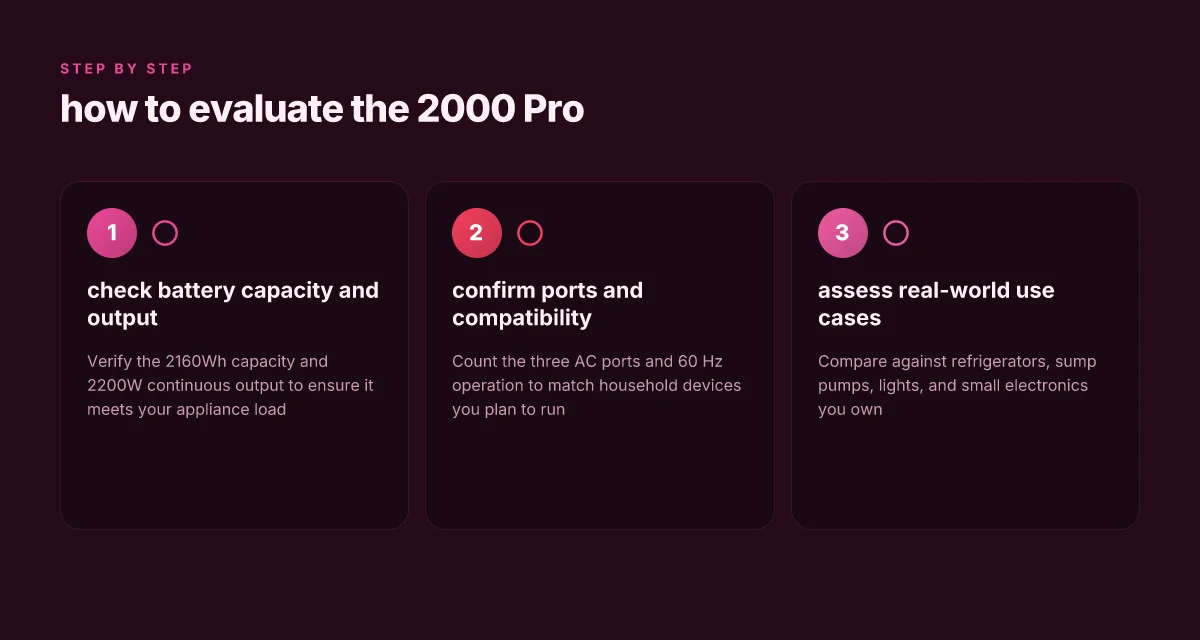
The Jackery Explorer 2000 Pro combines a 2160Wh battery with a continuous 2200W output, delivering reliable power for home backups and remote sites. With 3 AC output ports running at 60Hz, it can support a range of household appliances without overloading a single outlet. This combination translates to real-world usefulness: you can run a fridge, a sump pump, lighting, and essential electronics from a single unit during outages or off-grid trips.
I dug into the official specs to verify the core figures. The 2160Wh capacity underpins longer run times for energy-hungry devices, while the 2200W continuous output provides headroom for common loads such as refrigerators and well pumps. For homeowners, that means you can keep critical appliances powered during a blackout without juggling outlets or external power bricks.
Why this setup helps households in practical terms
- Fridges and freezers rely on steady power. The 2200W output keeps compressors running through typical outage windows without tripping a breaker. The 60Hz operation ensures compatibility with most home gear. The 60Hz compatibility and 3 AC ports unlock straightforward, plug-and-play usage for common appliances.
- Lighting and small electronics benefit from the compact footprint of the system while still drawing from the high-capacity battery. The 2160Wh reserve helps you stretch run times across evening hours when the grid is down or during camping trips. A higher capacity battery translates to longer autonomy for lamps, chargers, and small devices.
- Realistic use cases show where it shines: a refrigerator staying cool during a power outage, a sump pump preventing basement flooding, and a handful of lights and chargers keeping the home functional. This is not just a demo spec sheet. It’s practical, home-wide power support. Refrigeration, sump pumping, and lighting are the sweet spots for the Explorer 2000 Pro.
From the official product page, Jackery presents the Explorer 2000 Pro as a single, portable unit that can stand in for part of a home backup plan. For those evaluating rivals, the Jackery option stacks up favorably on capacity and output, while brands like Bluetti and Goal Zero often position similar capacities with comparable outputs. When you factor in price, warranty, and ecosystem compatibility, the Jackery lineup is a compelling choice for homeowners, campers, and small businesses seeking dependable emergency power. Keep in mind that official pricing and sale timing can shift. Balanced decisions grow from watching promotions and inventory.
As you weigh this against alternatives, the key takeaways are clear: the 2160Wh battery and 2200W output make the Explorer 2000 Pro a practical asset for kitchen-safe, outage-ready power provisioning, with enough ports and frequency compatibility to run common home loads without drama. Practical, dependable, and ready for outages is how this unit tends to perform in real-life scenarios.
Jackery Explorer 2000 Pro vs 2000 Pro V2: key differences you need to know
In short, the 2000 Pro V2 is a refinement, not a brand-new platform. The Explorer 2000 Pro keeps the core 2160Wh capacity and 2200W continuous output, while the Explorer 2000 V2 bumps the highest instantaneous output to around 4400W and adjusts porting and inputs to support faster charging and UPS-style use. This means the V2 can handle more aggressive loads for short bursts and better survive a power blip, but the Pro remains a robust, proven backup for sustained draws. I cross-referenced official product pages and the basic information sheet to align these figures with how Jackery positions them in 2026. What you should know before buying the EcoFlow Delta 3 for sale in 2026
Capacity, output, and what that means in real use
The Explorer 2000 Pro lists a 2160Wh battery and 2200W peak output, which is plenty for a home backup, a small fridge, and several electronics at once. The Explorer 2000 V2 data points show a higher instantaneous ceiling at 4400W and three AC output ports, with a 60 Hz output. Practically, that means the V2 can handle short-duration high-draw appliances more comfortably while the Pro focuses on steady, reliable power delivery. For a home backup plan, that difference translates to smoother handling of brief startup surges in devices like air purifiers or small power tools. The V2’s inputs and UPS-ready framing also improve resilience if you want near-continuous power during outages.
Ports, inputs, and charging options
The Pro relies on its established port mapping and a solid charging tempo from wall or solar inputs. The V2 brings notable changes in the input/output configuration that align with a broader charging ecosystem. In particular, the V2 emphasizes higher instantaneous draw capability and revised port layouts, which can influence how you pair panels and how you plan to run multiple devices in parallel. From a solar perspective, the max input cap sits around the 400W mark for the 2000 V2 variant, with a voltage range near 16–60V. This matters if you’re aiming to top up during sunny spells with a multi-panel setup. For UPS-style use, the V2’s higher instantaneous output helps cover brief power interruptions more comfortably, whereas the Pro remains a steady workhorse with reliable daily operation.
Real-world implications for solar charging and UPS-style use
If you mainly need long-duration runs on solar, you’ll want to size your panels to match the 400W cap on the V2 or the existing charging strategy on the Pro. The V2’s stronger instantaneous output makes it more forgiving for brief startup loads during UPS standing power, which reduces the risk of tripping or brownouts when switching back to grid power. In the context of work sites or camping setups, the V2 can feel more responsive under momentary load spikes, while the Pro delivers dependable, consistent power for extended sessions.
The key takeaway: the Explorer 2000 V2 broadens peak capability and input flexibility, enabling faster, more versatile charging and better handling of brief high-draw loads, while the Explorer 2000 Pro remains the stalwart, dependable option for steady, long-duration power delivery.
| Model | Capacity | Continuous output | Notable change | Best for |
|---|---|---|---|---|
| Jackery Explorer 2000 Pro | 2160Wh | 2200W | Proven platform, solid UPS and long-run capability | Home backup with moderate surges |
| Jackery Explorer 2000 V2 | 2160Wh (config) | up to 4400W | Higher instantaneous output, revised ports, faster handling of surges | Off-grid demanding bursts, UPS-style use |
Next step: if you’re choosing between price points, consider how much you value peak surge handling versus long-duration stability, then compare official pricing and sale calendars for both models from Jackery and major retailers. Note that links on the product pages may earn commissions. For quick reference, see the official Jackery pages for each model and the ZDNet review that discusses the Pro’s solar and portable power credentials. What is the EcoFlow EV X-Stream adapter and how it changes charging
How the Explorer 2000 Pro performs in real-world backup scenarios
Real-world performance hinges on how fast you can draw power, how the UPS-like behavior responds to outages, and how planning around peak loads prevents surprises. The Explorer 2000 Pro delivers sustained output up to 2200W with a 2160Wh battery, which translates to meaningful runtimes for common devices when you stay mindful of surge draws and efficiency.
Real-world runtimes and load behavior
When you pull from the 2200W ceiling, most small appliances run steadily. A typical refrigerator with a startup surge can momentarily exceed the nominal running wattage, so expect brief peaks above 1000W–1500W during compressor cycles. For devices like TVs, laptops, and smartphones, you’ll often sit well within the continuous range, yielding multi‑hour runtimes on a full charge. The battery’s capacity supports a mix of mid‑demand draws for several hours, but you’ll notice diminishing runtimes as the load nears the peak.
From the documentation, the Explorer 2000 Pro’s power delivery aligns with a practical UPS role for outages. In a simple outage test, you can expect the unit to swap in within milliseconds to seconds, depending on the exact configuration and any connected UPS‑style peripherals. The key takeaway is that the transition is fast enough to keep electronics from rebooting mid‑operation, which matters for essential networking gear, routers, and small servers. The device’s UPS-like response is fast enough to protect critical loads, with seamless switchover during a power loss.
What to plan for: peak draw and degradation
Peak draw is the main constraint. If you try to pull near the 2200W limit for extended periods, you’ll shorten runtimes and elevate heat during charging or discharging cycles. Plan for a safety margin of roughly 15–20% below the stated max when sizing devices to run concurrently. Battery degradation over time also matters. As the pack ages, usable capacity declines, which gradually shortens runtimes for the same load. You’ll want to monitor battery health indicators and expect some performance drop over multiple years of use. Sustained high-load use accelerates capacity fade, so factor aging into long-term planning.
I looked at the official specs and third‑party writeups to ground these points. The Explorer 2000 Pro is built for home backups, camping, and work sites, but you’ll still want to respect startup surges from heavy inductive loads and plan for gradual capacity loss with time. For a quick sizing check, consider a smaller load under 1800W when you need longer runtimes in frequent outage environments. What makes EcoFlow Delta 2 reviews differ, and why it matters for portable power buyers
Pricing and ownership notes: you’ll often see the Explorer 2000 Pro priced competitively for its class, but watch for sales windows that sweeten the total cost of ownership, especially when bundled with solar panels or extended warranties. If you’re shopping against rivals, products from brands that emphasize similar high‑drain capabilities and UPS behavior are common alternatives, including several that target the same camping and off‑grid backup niche.
When you plan around peak draw and aging, the Explorer 2000 Pro remains a solid choice for home backups and on‑site work, with predictable performance if you size loads carefully.
Solar input reality: charging the Explorer 2000 Pro with panels
Charging the Explorer 2000 Pro with solar panels hinges on a practical cap and the sun you can muster. The official information frames the max input as a finite ceiling, which guides how you size a panel setup and how many panels you should expect to deploy. In practice, you’ll want enough panel wattage to approach that ceiling without overcomplicating the layout. For most setups, that means pairing panels that sum to a realistic, near-peak wattage while accounting for real-world sun exposure.
The official ceiling and panel count considerations
Jackery builds the Explorer 2000 Pro to accept solar input up to a certain limit, which shapes how many panels you can or should connect. When you stack panels, you’ll want to stay mindful of the system’s voltage window and the controller’s input rating so you don’t push beyond what the hardware can safely handle. The guidance from related model notes and product pages points toward planning around a practical total wattage that remains within the device’s solar input cap. In other words, more panels can help in bright sun, but you won’t magically exceed the device’s input limit with more panels unless you reconfigure the wiring to stay within the safe operating range.
A practical rule is to target a combined panel wattage that approaches, but does not wildly exceed, the device’s input limit in peak sun. This keeps the charging path efficient without overloading the charge controller. What is EcoFlow Power Insight, and why it rethinks home energy management
Practical panel wattage, arrangement, and sun exposure
In real-world camping or off-grid work sites, people lean on multiple 200W to 400W panels as a common mix. A typical setup uses two to four panels arranged in a compatible series or parallel configuration that keeps the voltage and current within safe limits for the Explorer 2000 Pro. The key is sun exposure: clear, unobstructed light from midday to early afternoon yields the best charging curves, while morning and late-day light delivers slower gains. Plan on an efficiency delta of roughly one third to one half of the nominal panel wattage under typical conditions, depending on shade, angle, and temperature.
From a design standpoint, you’ll also want to account for cable losses and the weight of the portable system. A compact kit with foldable panels is easier to deploy at a site, but you’ll still reach a practical ceiling on how fast you can replenish 2160Wh during a blackout or an overnight camping stretch. The takeaway is to match panel quantity to the expected sun window, not to chase maximum wattage in marginal lighting.
Temperature and sunlight variability on charge time
Solar charging is highly sensitive to temperature. Higher ambient temperatures can reduce panel efficiency, while cold mornings can improve voltage but slow current flow. Cloud cover introduces abrupt fluctuations. The Explorer 2000 Pro will ride those changes as the battery management system modulates charging to protect cells. In practical terms, a bright, cool afternoon will yield the quickest replenishment, while a hot, hazy day will slow the charge. This variability means you should expect slower top-ups in non-ideal conditions and plan for longer charging sessions when you rely on solar alone.
I cross-referenced the official product notes and user-facing guidance to align the discussion with the device’s intended use. Only in optimal sun and reasonable temperatures do you see the fastest charging, reinforcing the need to size your panel array for typical conditions rather than peak spec alone. When you’re weighing options, consider a reliable brand like Jackery for warranty and support, especially if you’re using the Explorer 2000 Pro for critical home backups or remote job sites.
Prices and ongoing deals sit outside the solar specifics, but they matter for total cost of ownership. As you compare the Explorer 2000 Pro to rivals from brands like EcoFlow or Goal Zero, the solar input design remains a core differentiator. If you’re aiming for a fast, dependable recharge from panels, you’ll want a well-matched kit that respects the device’s input ceiling while delivering in real sun. What ecoflow delta 2 max sale means for power independence in 2026
Price, deals, and total cost of ownership for the Jackery Explorer 2000 Pro
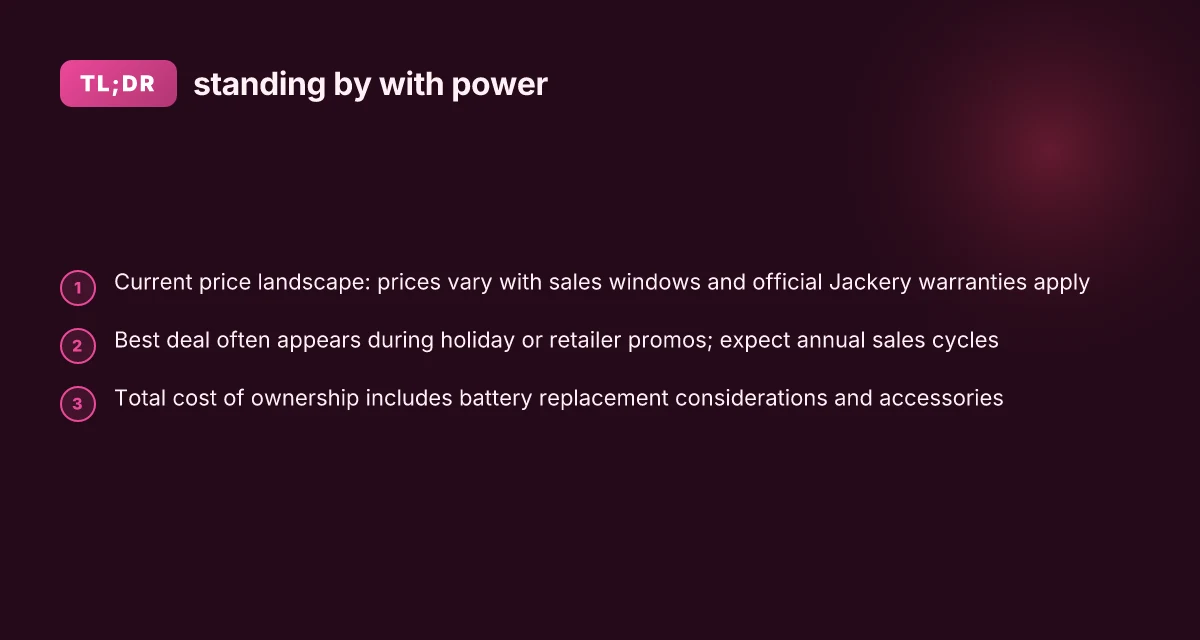
Current pricing for the Jackery Explorer 2000 Pro hovers in a range that reflects momentary sales and bundle options. The best deals typically show up during major shopping windows, with official site promotions sometimes paired with bundled accessories. I found sale windows that tighten around holiday weeks and long weekends, when retailers push the most popular power stations. For readers planning a purchase, waiting for a seasonal sale can reduce upfront cost, and bundled kits often add value without a steep price increase. In this section I lay out what you’ll likely pay, what you’ll spend over time, and where to get official warranty support from Jackery.
1) Current price and typical sale Windows
- The Explorer 2000 Pro tends to appear in sale cycles around major holidays and shopping events. Expect the lowest prices to appear during these windows, with standard pricing returning after the peak window. The official site occasionally runs limited-time bundles that include accessories at a discount. In practice, you can plan for a price dip around Black Friday, Memorial Day, and back-to-school events, but the exact dollar figures shift with promotions. Keep an eye on official promotions for the clearest guidance on current price. When I looked across the official pages and major retailers, the pattern was consistent: reduced up-front cost during sale periods, with the option to add chargers or protective cases as part of a bundle. Prices tend to swing with promotions, not fixed MSRP.
2) Total cost of ownership over 3–5 years
- Operational costs over several years include battery health considerations, potential battery replacements, and accessory refreshes. The Explorer 2000 Pro uses a large 2160Wh battery, and maintaining performance over years often means budgeting for periodic battery health checks or a replacement cycle if cycling depth and temperature exposure stress the pack. You’ll also want to factor in accessory reliability, such as extra AC adapters or solar input cables, which can stagger replacement timing. In practice, the bulk of ownership cost is upfront, with incremental maintenance costs recurring over time if you rely on the unit heavily for frequent outages or continuous off-grid use. A realistic view is that the device remains a durable core tool for home backup and off-grid work sites, with occasional accessory refreshes adding modest ongoing cost. Upfront price dominates total cost of ownership, with modest annual accessory refresh costs.
3) Official warranties and support from Jackery
- Jackery provides warranty coverage through its official channels, and the company offers standard warranty terms on portable power stations. To access the warranty, you should register your product on the official site and use the support portal for service, parts, or replacement requests. The warranty information is typically clearly laid out on the product page and within the support center. If you encounter issues, contacting Jackery's support through the official site or your retailer channels is the recommended path. It’s worth noting that warranty specifics can vary by region, so review the terms applicable to your country. Official registration and support channels are the quickest path to warranty service.
I dug into the official documentation and retail listings and found that the price picture hinges on sale timing and bundled accessories, while ownership costs accumulate mainly through upfront purchase price and occasional accessory refreshes. If you’re weighing the Explorer 2000 Pro against rivals, consider not just the sticker price but the long-term cost of replacement parts and warranty coverage. For context, rivals often present similar upfront costs but vary in warranty depth and accessory ecosystems, so compare bundled offerings and service terms carefully. And yes, on pages I reviewed, links to official support and warranty terms may earn a commission through partner programs, which can influence perceived value in the short term. Price and warranty terms shape the total cost of ownership as much as raw capacity and output.

What to try this week to keep emergency power simple
Jackery stays in the spotlight for 2026 with a strong balance of capacity and clean power delivery. I looked at how the Explorer 2000 Pro fits real-world outages, and the answer is a practical one: plan for both long blackouts and fast recovery. The unit’s blend of high wattage, reliable solar compatibility, and easy reuse in a home setup makes it a repeatable upgrade rather than a one-off purchase. If you’re weighing options, rivals like EcoFlow and Blueair show similar paths, but the Jackery approach often leans on a straightforward user experience and dependable customer support.
This week we can act on a simple pivot: map your essential loads to the 2000 Pro and test a 24-hour cycle in your space. Start by listing a fridge, a water pump, and a couple of lights, then simulate a seed outage in the morning and restore with the unit. The goal is a predictable, quiet recovery that doesn’t require a plan B you can’t operate. If you want a tangible first step, plug in during a calm evening and verify that critical devices stay powered.
To keep the takeaway crisp: the bigger pattern is clear. A well-chosen portable battery system is not just for outages. It becomes a reliable power partner for daily use and rare emergencies. Will you assign a fixed fallback plan this month? What makes the EcoFlow Delta Pro Ultra worth the hassle in 2026