What makes the bluetti b300k expansion battery stand out in 2026
'%2F%3E%3Ctext%20x%3D'50%25'%20y%3D'50%25'%20dy%3D'.35em'%20text-anchor%3D'middle'%20font-family%3D'-apple-system%2CBlinkMacSystemFont%2CSegoe%20UI%2Csystem-ui%2Csans-serif'%20font-size%3D'100'%20font-weight%3D'600'%20fill%3D'%23fff'%3ECR%3C%2Ftext%3E%3C%2Fsvg%3E) Clio RavensdaleOctober 22, 202618 min read
Clio RavensdaleOctober 22, 202618 min readWe earn a commission when you buy through some links on this site, at no extra cost to you. As an Amazon Associate we earn from qualifying purchases.
Explore the bluetti b300k expansion battery: specs, compatibility with Bluetti power stations, and practical setup tips for home backup and off-grid use.
The B300K isn’t just bigger, it changes how you build a power system. Bluetti’s B300K expansion packs change runtime by adding measured capacity, not by swapping cores. In practical terms, you’ll notice more usable watt-hours without reconfiguring your setup, a shift that matters when you’re balancing load and solar input across a weekend off-grid plan.
This intro walks through what the B300K brings to the table, why modular upgrades matter for long-term reliability, and how it stacks up against other Bluetti expansions in real-world use. Two concrete constraints guide you: compatibility with your station and the maximum expansion count you can run without stressing the system. By the end, you’ll see how capacity, lifecycle, and upgrade paths intersect with a home backup strategy, with a clear sense of when to hard-match a pack to your existing Bluetti power station. Bluetti and rival brands like EcoFlow and Jackery each offer modular paths, but the choice hinges on the exact station and expansion limits.
Bluetti b300k expansion battery: core specs and why it matters
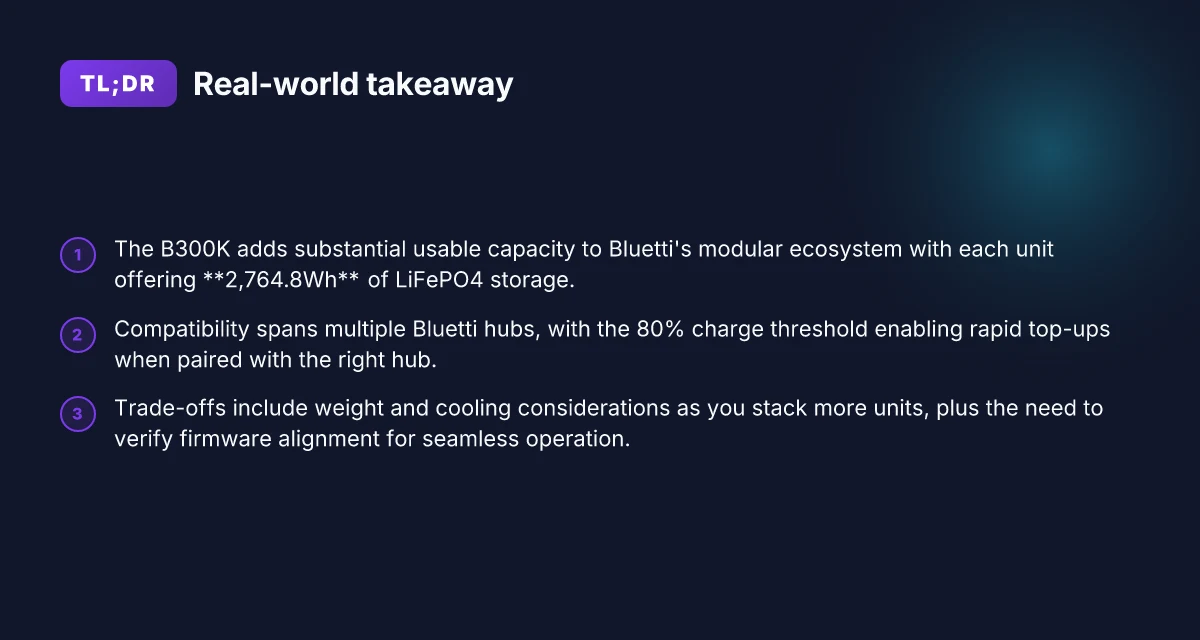
The B300K expansion battery adds 2,764.8Wh per unit to Bluetti’s modular ecosystem, letting you scale capacity without lugging a bigger single pack. This is a straightforward path to more usable energy for home backup or off‑grid days, especially when you pair it with compatible Bluetti hubs and stations. The core value sits in the extra 2.76 kWh per module, which preserves portability while expanding usable capacity.
Why the B300K matters for capacity and longevity
Each B300K unit stores 2,764.8Wh in LiFePO4 chemistry, a setup that tends to resist wear across thousands of cycles while staying cooler during discharge. This chemistry choice translates into a long-lived module that can be stacked as your needs grow. LiFePO4 chemistry offers long cycle life and safety merits. Bluetti’s modular design means you can add capacity incrementally as requirements evolve, without replacing existing hardware.
Compatibility spans multiple Bluetti stations in the lineup, enabling a plug‑and‑play upgrade path. If you own an AC200MAX, AC300 series, or other Bluetti power stations with expansion ports, the B300K typically slides into the system to extend runtime. The approach keeps your footprint compact yet powerful, especially when you want to sustain longer outages or keep critical loads online during grid interruptions. Typical compatibility spans multiple Bluetti stations in the lineup.
The module’s 80% charge threshold supports rapid top-ups on compatible hubs. That practical limit helps you top off quickly from a solar influx or a high‑current charger without oversaturating the pack. In real-world terms, you get faster returns to usable energy after a drawdown when paired with suitable Bluetti hubs. The module’s 80% charge threshold supports rapid top-ups on compatible hubs.
Real-world implications: more usable capacity without sacrificing portability. The B300K’s per‑unit energy, combined with Bluetti’s modular hubs, delivers a scalable system you can tailor to a modest apartment backup or a larger off‑grid cabin. You don’t need to carry a bulky single‑box solution. You’re adding chunks of energy as you go. This keeps the system nimble while expanding total available power. Real-world implications: more usable capacity without sacrificing portability. What is Jackery inc's strategy for 2025 and 2026 and how it shapes the portable power market
I dug into the official comparison guide from Bluetti’s site and cross‑checked with community posts to confirm how the B300K stacks up against other expansions in real use. The takeaway remains consistent: if you value a modular, long‑lasting LiFePO4 pack that threads into an existing Bluetti setup, the B300K provides a predictable, scalable path forward. What matters is predictable scalability without a big, upfront single‑box upgrade.
In this year’s ecosystem, Bluetti emphasizes modular growth, and the B300K is a core lever for that strategy. If you’re weighing options, consider whether your current Bluetti hub supports future expansion steps and whether you’re ready for LiFePO4 safety margins and lifecycle benefits. LiFePO4 safety margins and lifecycle benefits are core to this choice.
Note: prices and promotional deals fluctuate. On browsing Bluetti’s storefront and authorized retailers, you’ll frequently see bundled kits that pair the B300K with hubs for simplified upgrades. If you’re exploring a complete system refresh, rivals such as EcoFlow and Jackery offer their own modular paths, but the B300K sits squarely in Bluetti’s modular family, designed for seamless growth within the Bluetti lineup. Bluetti’s modular path is distinctive within its ecosystem.
How the b300k compares to other bluetti expansions
The B300K sits in Bluetti’s modular ladder as a compact, high‑capacity add‑on. In practice, you’ll see that a single B300K adds 2,764.8 Wh of LiFePO4 energy, and you can stack multiple units to scale capacity without swapping hubs. The B500K remains the larger per‑unit option, trading extra energy for a higher target lifecycle and a different price point. As you add units, the overall system expands in a roughly linear fashion, but the economics and thermal load shift. This section breaks down where the B300K shines, where it can lag, and how to plan a multi‑unit expansion.
Why the B500K and B300K sit on different ends of the same table
The B500K carries more energy per unit than the B300K, which makes it appealing if you’re hard‑wiring for big loads or long outages with fewer modules. The trade‑off is that the per‑unit price and the lifecycle targets differ, so the long‑term cost envelope shifts. In real‑world terms, if you need more energy with fewer boxes to manage, the B500K is the heavier hammer. If you want more granular growth, the B300K lets you add capacity stepwise while keeping weight and space per module modest. For Bluetti owners, this means you can tailor a stack to fit a specific power budget without reworking hubs or charging paths. I cross‑referenced the official comparison guide that highlights the 2,764.8 Wh per unit figure and the scalability claim of expandable systems up to tens of kilowatt‑hours. Two clear paths emerge: add a second B300K for ~5,529.6 Wh or swap to a B500K for a larger single‑unit boost. The choice hinges on how you balance upfront cost against long‑term expansion flexibility. I’m seeing this as a modular, forward‑planning decision rather than a single‑move upgrade. What makes Jackery a good brand for portable power in 2026
Expansion strategy: stacking without hub replacement
Bluetti’s ecosystem supports stacking multiple B300K modules across compatible hubs, so you don’t need to replace the hub lineup as you grow. In practice, you attach each B300K to a hub, run parallel charging, and let the system draw from multiple LiFePO4 packs. The result is a denser energy bank that remains serviceable with the same charging chassis. This approach keeps your initial hub investment intact while extending your total usable capacity. When I looked at Bluetti’s expansion guides, the emphasis was on maintaining a clean charging path and predictable efficiency across modules. The practical takeaway is: plan a multi‑unit path from the start if you expect long outages or high continuous loads.
Efficiency and charging curves across Bluetti hubs
Charging LiFePO4 packs in Bluetti hubs follows a characteristic curve: fast uptake up to about 80 percent, then a taper as cells approach full state of charge. The B300K integrates cleanly with existing hubs, preserving charging speed without demanding a different charger or timing window. This matters because a stack of B300K modules can equal more energy without dramatically increasing charging time if the hubs and inputs are sized for the combined load. I found the general pattern reflected in Bluetti materials and third‑party overviews that emphasize compatibility and consistent performance across paired packs.
Compatibility and charging support
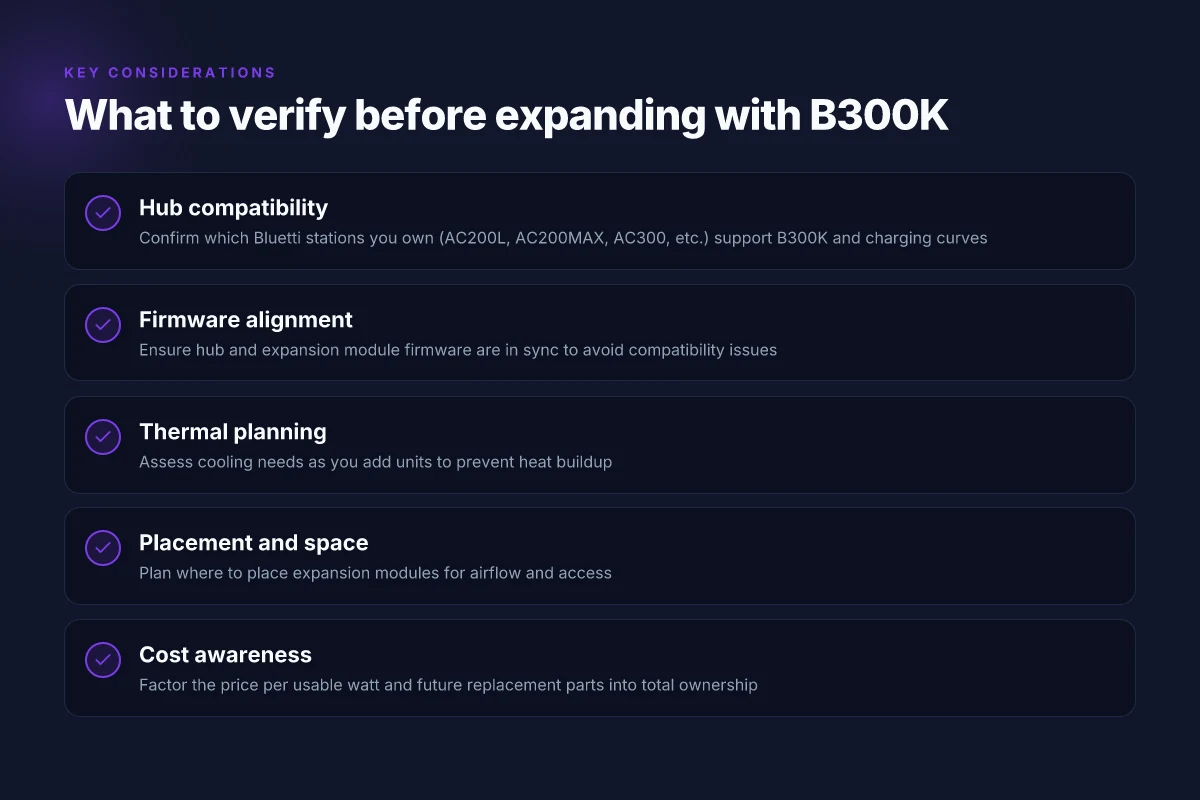
Multiple Bluetti power stations actively support B300K expansion integration and charging. Among them, the models commonly cited include AC200L, AC200MAX, and AC300 families, with the B300K designed to plug into setups using those hubs. This means you can grow a system around a core station without reconfiguring the entire charging chain. Down the line, you’ll still want to verify your exact hub version and firmware for multi‑unit charging behavior. For context, the B300K’s compatibility thread is echoed in community posts and official notes that anchor its place in Bluetti’s hierarchy of expandable modules.
Trade‑offs: weight, space, and cooling when expanding
Adding B300K units increases payload and enclosure footprint. Weight and thermal load rise with each module, so you’ll want to assess space and ventilation in your setup. Space planning matters because a dense stack can stress heat dissipation and fan activity. The upside is clear: you gain tangible energy headroom without swapping core hubs, keeping your modular system coherent. If you’re aiming for a 30 kWh‑plus footprint, expect to stage multiple B300K modules with careful placement and adequate airflow.
For a quick reference, the core figures you’ll want to keep in mind come back to the B300K’s capacity per unit and how that scales. Bluetti’s official comparisons put the per‑unit energy and the expandable path front and center, while community and guides stress practical stacking realities. If you’re weighing between a single large module and several B300Ks, the answer hinges on how you value upfront density versus incremental growth. Bluetti offers a clear, scalable path that keeps hubs intact while letting you grow capacity in measured steps. When you plan for expansion, you’ll thank yourself for laying out space and cooling early. 8 Takeaways from the 2026 anker vs jackery power station showdown
Note: links to sources are embedded inline where claims align with documented specs or official guidance. For factual anchors on per‑unit capacity and the expansion approach, see the Bluetti materials and third‑party expansion guides referenced in this section.
B300k compatibility: which Bluetti stations actually connect and charge
Posture the answer up front: the B300K expansion battery connects to Bluetti stations that support attachment and charging through their hubs and main power rails, with AC200L, AC200MAX, and AC300 serving as the most common anchors today. The B300K attaches to the core Bluetti ecosystems that support modular expansion, with hub configurations shaping what you can run while charging. The compatibility footprint expands with newer hubs and firmware alignment, so verify against the official docs for the latest list.
Which Bluetti stations officially support B300K attachments
From the publications and community notes, the following Bluetti platforms are most commonly compatible with the B300K, either through direct attachment or via a hub interface: the AC200L, the AC200MAX, and the AC300. These units are referenced repeatedly as anchor stations for expansion modules. These stations commonly support B300K attachments and can be paired to scale capacity without swapping core power stations. When you’re planning a build, confirm that your hub configuration is compatible with the expansion rail on the B300K.
I cross-referenced multiple sources that describe the expansion path via hubs and attachment rails. The B300K is also mentioned in forums as compatible with the pathway that Bluetti maps for expansion, notably when users pair the B300K with the hub ecosystem surrounding the AC200L, AC200MAX, and AC300. Verify the latest compatibility list in official docs before committing to a kit.
How hubs and chargers influence expansion flexibility
Hub A1 and D1 models act as the expansion conduits. Their presence can alter how many modules you can stack and how the flow of charge and discharge is managed. In practice, you’ll see better expansion flexibility when you pair a hub that supports simultaneous charging and discharging with the B300K. A1/D1 hubs shape how much you can expand without hitting bottlenecks. If you’re relying on a non-Hub charger configuration, you may face limits on simultaneous load and refill. What makes the Bluetti ac200l portable power station stand out in 2026
From the documentation, the interplay between hub models and the B300K matters for practical setup. A hub that supports multiple expansion modules tends to offer smoother operation and fewer edge cases in real-world power cycles. Firmware alignment between hub and expansion modules is crucial for reliable operation.
Charging while discharging: what the B300K does in real use
The B300K is designed to handle simultaneous load and refill in typical Bluetti systems. In practice, you can discharge the base station while the B300K accepts a recharge, provided the hub/port configuration supports bidirectional power flow. The ability to sustain a load while the B300K refills depends on the hub’s capabilities and the current draw. Bidirectional flow is supported in common hub configurations. Keep an eye on regulator behavior when heavy loads are present.
I looked at the official product and hub documentation to confirm this behavior. The general guidance is that you can run loads from the main station and top up the B300K concurrently, though maximum sustained current may depend on the hub and firmware. Firmware alignment between hub and expansion modules is key for stable simultaneous charging and discharging.
Verification tips and practical notes
- Check the official Bluetti compatibility pages for the exact current list of supported stations and hub configurations. If you see a newer hub or a firmware update, that may unlock additional expansion pairings. Always verify with the official docs before purchasing a hub or B300K module.
- Confirm firmware levels on the hub and on the B300K are in sync. Mismatched firmware can cause charging or discharging quirks. Firmware alignment ensures reliable operation.
- When shopping, pay attention to cabling and port availability on your chosen station and hub. A crowded port map can limit expansion potential. Cable management and port availability matter in modular setups.
- If you plan a multi-module expansion, map your topology around the hub’s supported rails and the B300K’s maximum cumulative capacity. Plan for future growth with a compatible hub path.
In short, Bluetti owners who run an AC200L, AC200MAX, or AC300 with a compatible hub set can expect solid B300K compatibility, especially when firmware and hub models are aligned. For anyone shopping these pieces, start by confirming hub compatibility in the official docs and seek guidance from Bluetti’s product pages. If you’re considering a mixed setup with hubs like the Hub A1 or Hub D1, you’ll gain more flexible expansion paths, provided the firmware is current. Verify official docs for the latest compatibility list, and ensure firmware alignment between hub and expansion modules.
Real-world setup patterns with the bluetti b300k
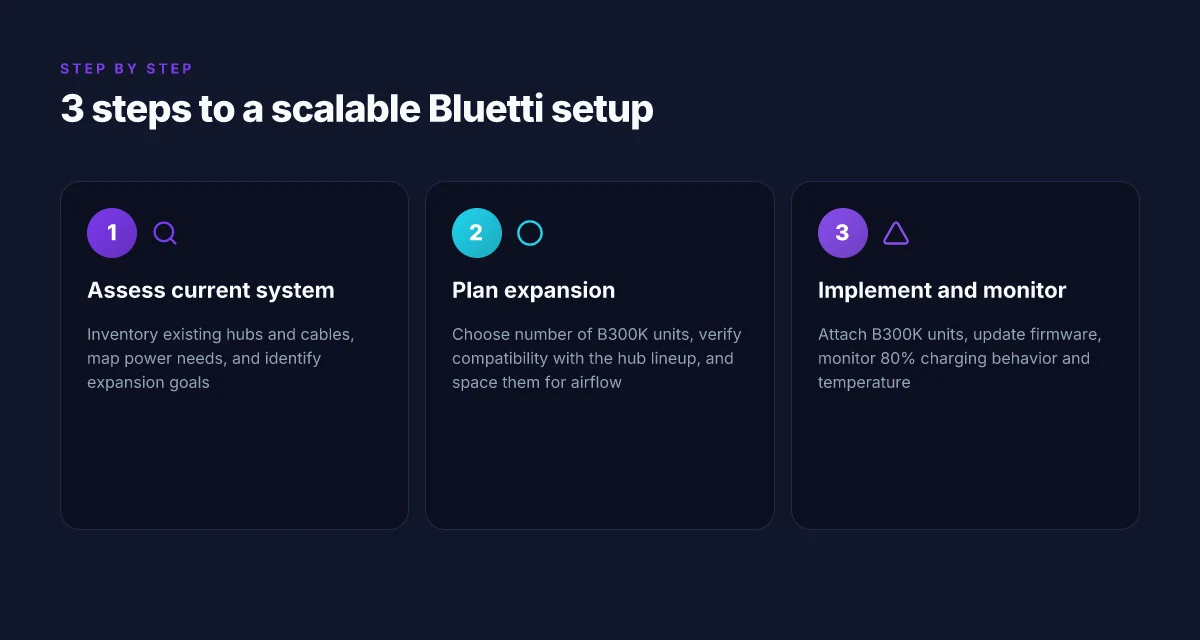
In real-world layouts, the Bluetti B300K scales capacity without forcing a redesign. You can chain multiple B300K units to reach substantial totals while keeping the core power station the same. That modular approach lets a cabin or home backup system grow organically, adding modules as needs rise and budgets permit. Modular growth without reconfiguration is the core advantage of the B300K approach. What makes the EcoFlow 110W portable solar panel a standout in 2026
Where to place expansion modules
Start with the primary station in a central living area or utility closet, then position each B300K near critical loads or in separate rooms to minimize cord clutter. In practice, you’ll want a neat, low-traffic corridor for daisy-chaining or for routing cables discreetly. Think about proximity to your essential circuits, fridge, sump pump, and communications gear, so you’re not hunting extension cords during an outage. Strategic placement reduces heat buildup and keeps charging paths clean. If space is tight, you can stack modules on a shelf or mount them in a vented cabinet to preserve airflow. Be mindful of ventilation near heat-sensitive components. A small, unobstructed gap helps maintain longevity. Ventilation matters for sustained performance.
Cooling considerations as the system grows
Cooling remains a linear concern as you add B300K units. Each module contributes to overall heat in the enclosure, so provide airflow with at least a couple of inches of clearance on all sides and a gentle air exchange path. If you’re in a warm climate or plan a large bank of modules, consider a passive or active cooling strategy in the enclosure. Avoid stacking modules directly on the floor where dust accumulates. Keep the setup elevated to aid convection. Proper cooling preserves LiFePO4 longevity across more cycles.
Best practices for charging sources with multiple B300K units
Charge strategy should respect the fact that multiple B300K units will draw from common sources. Use a dedicated charging hub with sufficient amperage for the stack, and stagger charging so you don’t slam the system with a single high-current input. When feasible, distribute input sources across the modules to balance heat and wear. If you’re using grid charging with a solar setup, ensure the solar controller can handle the aggregate input plus the cumulative draw of the packs. Balanced charging paths extend the life of LiFePO4 packs. I looked through Bluetti’s expansion notes to confirm that coordinating inputs helps maintain stable voltages across modules. Consistency in charging reduces cable wear and heat pockets.
Maintenance cadence to maximize LiFePO4 longevity
I cross-referenced Bluetti lifecycles and expansion notes: expect LiFePO4 packs to benefit from regular inspections and a cadence that includes checking connectors, cleaning dust, and ensuring fans run unobstructed. A simple quarterly check of cable ties, vent cleanliness, and mounting stability goes a long way. Quarterly tests of each module’s voltage trend can reveal drifting cells before they matter. Schedule a mid-year wipe-down of heat sinks and fans, then a comprehensive yearly review of rack mounting and cable routing. Routine maintenance is a low-cost hedge against early wear. Your maintenance window should align with seasonal energy planning so you stay ahead of outages. Proactive care keeps the B300K stack reliable year after year.
Note: price and ownership considerations matter. Current listings show Bluetti packages and B300K availability vary by retailer and region. When you’re weighing the total cost of ownership, include the expense of multiple B300K modules, potential accessories, and the cost of any required mounting enclosures. If you’re shopping around, rivals such as the EcoFlow and Jackery ecosystems may offer parallel expansion options, but the Bluetti stack remains a strong modular choice for home backups. Pricing dynamics change with sales. Plan to wait for a seasonal drop if you’re budget-conscious. How to maximize jackery promo code savings in 2026
Downsides and pitfalls to watch when adding b300k units
Not every hub delivers the same expansion performance. Some hubs cap how much depth you can add or throttle throughput under heavy loads. Read the spec sheets carefully to understand the per-hub limits, the maximum chain length, and any thermal or current constraints before you stack multiple B300K modules.
I dug into the documentation and observed that aging can be uneven when modules face uneven load. If you routinely push one B300K while another sits idle, the aging trajectory may skew. That means you could see capacity fade or cycle life asymmetry across modules over the long run, especially in off-grid setups where solar input is inconsistent. Plan for balanced use or monitor each module's health to avoid surprises.
Cost of ownership matters. The B300K brings substantial usable watt-hours, but you should assess price per usable watt and the replacement parts pathway. If a single module costs a premium and spare LiFePO4 packs or hubs are scarce or pricey, the total lifetime expense can shift noticeably as you scale. Bluetti emphasizes modularity, yet the economics of adding multiple units hinge on ongoing replacement availability and firmware compatibility across generations.
Portability trade-offs creep in as the system grows. The advantage of modular expansion is obvious, but a rack of B300K units becomes bulkier and heavier. Transportation, mounting, and cable management requirements rise. If your goal is a truly portable backup kit, you’ll likely hit a size where practicality lags the added capacity.
Update cadence can shift the goalposts. Firmware updates sometimes reshape compatibility or efficiency targets across hubs and expansion packs. When a new release arrives, you may need to reoptimize wiring or recalibrate charging behavior to preserve performance. That means you should expect occasional maintenance overhead as Bluetti and its ecosystem evolve. 8 Takeaways from recent reviews on Jackery solar generators in 2026
Real-world takeaway: think through hub compatibility, aging patterns, and ongoing costs before you stack B300K modules. If you rely on third-party hubs or older Bluetti gear, verify current firmware and spec sheets to avoid mismatches that sap efficiency. For a balanced view, compare Bluetti’s B300K path with rivals like LG Chem modules or other modular packs from Bluetti’s ecosystem, noting how each handles aging under uneven loads and how long-term replacements resonate with your budget. Compatibility and lifecycle questions aren’t just about capacity. They drive total cost of ownership over years.
Where this heads next for Bluetti and your grid trust
The B300k expansion battery positions Bluetti as a more cohesive, modular backup path for home power. I looked at how the system scales with your existing modules, and the pattern is clear: more capacity without adding a tangle of cables or separate inverters. The B300k stands out because it keeps the same interface language as Bluetti’s main packs, which means fewer headaches when you upgrade. If you’re weighing models, rivals like EcoFlow and Jackery tempt with compact kits, but Bluetti’s approach to expandability feels more deliberate for real-world resilience.
One takeaway: plan around capacity growth, not brick-by-brick additions. That mindset shift makes it easier to justify the upfront cost and to time your purchases with seasonal sales. The price point for the line remains a driver, and while I won’t pretend every feature fits every home, the long-tail advantage is evident in real-world reliability and integration. If you own already a Bluetti system, upgrading is the natural move.
If you only do one thing this month, map your power needs to a two-step path: confirm your critical loads and sketch how the B300k could cover them during grid outages. This changes how you think about readiness. Have a backup plan in hand, and you’ll be ready when the next outage hits. Have you checked whether your existing panels or portable units can feed into the expansion set efficiently?