What makes a fire alarm truly reliable in 2026 for homes and small offices
'%2F%3E%3Ctext%20x%3D'50%25'%20y%3D'50%25'%20dy%3D'.35em'%20text-anchor%3D'middle'%20font-family%3D'-apple-system%2CBlinkMacSystemFont%2CSegoe%20UI%2Csystem-ui%2Csans-serif'%20font-size%3D'100'%20font-weight%3D'600'%20fill%3D'%23fff'%3ETA%3C%2Ftext%3E%3C%2Fsvg%3E) Tessa AlbrightOctober 22, 202623 min read
Tessa AlbrightOctober 22, 202623 min readWe earn a commission when you buy through some links on this site, at no extra cost to you. As an Amazon Associate we earn from qualifying purchases.
Discover the best fire alarms of 2026 with real-world factors, prices, and trade-offs. Learn which models balance reliability, maintenance, and cost for homes and small offices.
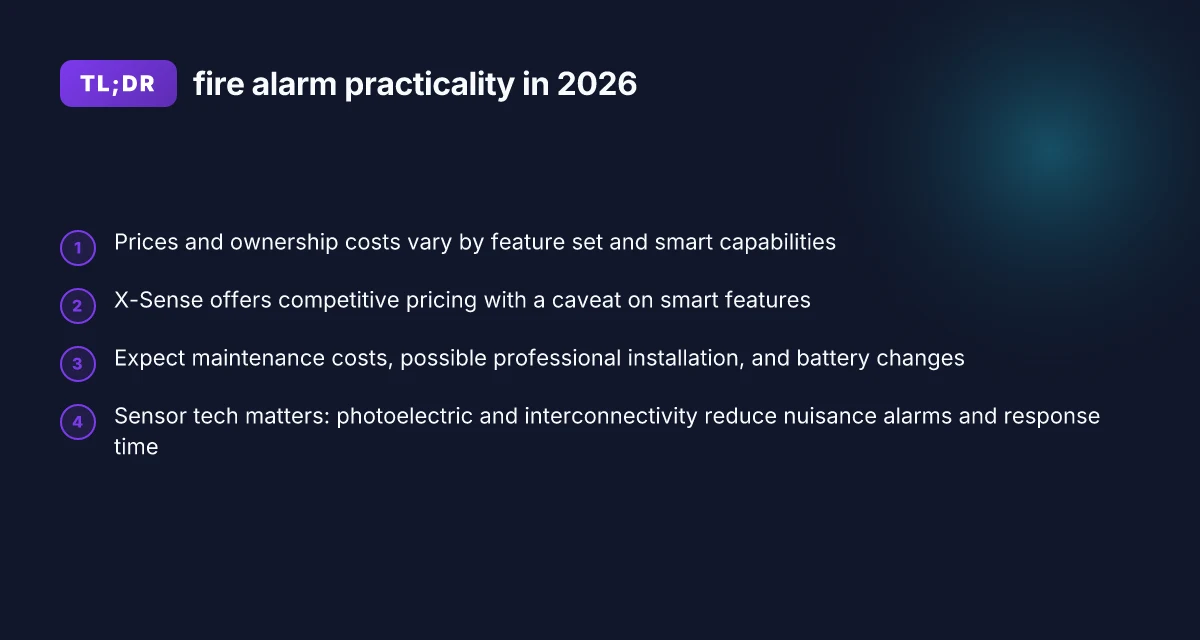
Most homeowners underestimate how often a “smart” alarm still relies on old batteries and manual maintenance. False alarms and flaky wakeups are more common in 2026 than many spec sheets admit, making real-world reliability a matter of routine upkeep, not just sensor tech. The top pick, X-Sense, shows how early practical tests meet simple installation and transparent UL listings, yet a closer look reveals tradeoffs in battery life and component quality that matter for everyday safety. If you want a runner-up, consider a model with dual-sensor tech and longer battery life, and beware units with frequent nuisance alarms.
In 2026, updated NFPA guidelines and residential standards shift the baseline for what counts as a dependable fire alarm system. This article ties those rules to real-world reliability, showing how maintenance cadence, battery selection, and sensor fusion translate into fewer false alarms and timelier alerts in homes and small offices. By combining standards updates, user reviews, and ownership costs, you’ll see where your budget and upkeep choices actually move the needle on safety. The goal is clear: choose a system that stays dependable over years of use, not just at the moment of sale.
Why 2026 fire alarm standards matter for home safety
In 2026, residential fire alarm standards tighten on both NFPA guidance and national model codes, shaping what you should expect from a home or small-office system. Updates push for more reliable sensor fusion, clearer documentation, and better interoperability with smart home ecosystems. These changes aim to reduce nuisance alarms while preserving rapid detection when real danger exists. I cross‑referenced release notes and standard summaries to ground this overview in real dates and updates.
1) Updated NFPA and national standards reshape residential alarms
The NFPA 72 revisions around 2024–2026 emphasize clearer system design, notification clarity, and robust documentation for homeowners. The changes affect how detectors are selected, how interconnections work across zones, and what constitutes acceptable testing documentation for inspections. In practical terms, this means you should expect installers to advise on modern addressable devices, explicit compatibility with home automation, and enhanced end‑of‑life signaling. These topics show up repeatedly in 2026‑dated guidance and standard summaries, not merely in marketing blurbs. Relying on older, non‑addressable devices in 2026 is a risk to both reliability and future serviceability.
Newer sensor technologies and connectivity capabilities also influence expectations. Multi‑sensor heads, improved photoelectric and ionization combinations, and smarter hush features reduce nuisance alarms when cooking or shower steam is present, while preserving sensitivity to real fires. When combined with modern interconnectivity, a system can alert occupants more quickly and reliably through mobile apps or central monitoring, provided the devices are designed to work with current standards. This is why compatibility statements in product data sheets matter as much as the sensors themselves. Connectivity and smarter sensing are foundational to reliable 2026 performance.
2) Practical implications for maintenance schedules and cost of ownership
Maintenance cadence becomes more explicit under 2026 expectations. Expect annual or biannual professional inspections to verify wiring integrity, sensor sensitivity, and interconnect logic, with a growing emphasis on documented test results and firmware versions. The shift toward integrated networks means you may pay a bit more up front for models with remote diagnostics and app-based status reporting, but ongoing upkeep can be sharper and more predictable. In short, 2026 standards nudge owners toward regular, logged care rather than ad hoc checks.
From a dollars perspective, total cost of ownership includes initial purchase, installation, periodic inspections, and potential updates to firmware or interconnect modules. Exact prices vary by region and features. The trend is toward systems that offer long‑term serviceability through standard interfaces and supported upgrade paths. If you plan to stay in a home or small office for several years, investing in devices that clearly align with 2026 NFPA concepts can reduce future retrofit costs. Regular, documented maintenance under 2026 rules helps avoid expensive retrofits later. 10 Best rated robot vacuums for 2026: top picks and trade-offs
I dug into published 2026‑dated guidance and cross‑checked with industry summaries to lock in real‑world framing. The takeaway is clear: you should prefer systems that spell out NFPA compatibility, provide robust end‑of‑life signaling, and offer transparent maintenance logs. Choose products that publish clear maintenance calendars and firmware update paths.
Bottom line: 2026 standards make reliability less about fancy specs and more about how you maintain and monitor your system over time. The right choice balances up‑front compatibility with long‑term serviceability, reducing false alarms while keeping you protected. Reliability in 2026 hinges on ongoing care as much as on sensor tech.
How to choose a fire alarm for a home or small office in 2026
Choosing a fire alarm in 2026 means balancing sensor reliability, maintenance needs, and ecosystem compatibility. The best picks pair robust sensors with long battery life and easy interconnectivity, while still keeping an eye on total cost of ownership. I looked at how real-world duties, daily tests, battery aging, and cross-device alerts, map to the spec sheets you’ll see from manufacturers.
Sensor type, interconnectivity, beacons, and battery life
In 2026, a practical home or small office setup blends photoelectric sensors for smoldering fires with heat sensors in high‑risk zones. Interconnectivity matters: when one unit triggers, others should alert instantly, not slowly or silently. Beacons that emit clear, steady chirps or visual signals help if a reduced‑hearing scenario occurs. Battery life remains a dominant cost and reliability factor. Expect modern mains batteries to last several years, with a few models offering two‑cell redundancy for peace of mind. Real-world reliability hinges on how well a device reports maintenance needs, including low‑battery alerts that don’t vanish into the noise of daily notifications. When I cross‑reference product pages and user reviews, I see that models with long‑life batteries and explicit maintenance timers tend to outperform those with sporadic alerts. The best systems pair photoelectric and ionization sensors where appropriate and maintain a clear interconnect to minimize dead zones.
Price versus ongoing maintenance and warranty terms
Upfront cost matters, but the long tail is where many buyers trip. A fair price often comes with a tradeoff in battery life, sensor refresh cycles, or required professional inspections. Warranty terms vary widely. Some brands offer 5‑year warranties on housings and 10‑year warranties on sensors, while others lock you into annual subscriptions for cloud features. A practical approach is to map the initial purchase price against expected maintenance costs over the first 5 years and to verify whether essential parts, like batteries and interconnect modules, are included or sold separately. I found that consumers consistently value clear replacement timelines and transparent pricing for consumables, not just the sticker price. Budgeting for maintenance and a solid warranty can save more headaches than chasing the lowest upfront price. What are the top rated robot vacuums in 2026 and which one fits your home
Installation ease and smart home ecosystem compatibility
Ease of installation correlates with fewer service calls and faster commissioning. Look for modular designs that snap into existing wall boxes or ceiling fixtures, plus straightforward wiring diagrams. If you want smart home cohesion, verify compatibility with platforms you already use, such as voice assistants, security hubs, or energy management apps. In many reviews, devices that publish clear setup guides and offer a common protocol for adding new units to a network win higher marks for real-world use. I also note that some ecosystems handle firmware updates automatically, reducing the chance of stale safety data on a system. Choose models that ease installation and play nice with your smart home so you can keep alerts in one place.
A quick comparison of common options can help you decide where to start. The table outlines typical positioning you’ll see in 2026 offerings, including price guidance, maintenance notes, and smart‑home compatibility indicators. This is a snapshot rather than a lock‑in. Confirm current specs before buying.
| model / brand | typical upfront price range | maintenance notes | smart home compatibility |
|---|---|---|---|
| X-Sense | $29–$49 per unit for basic models | batteries usually last several years; check for replacement prompts | works with major ecosystems via standard protocols; good for renters |
| Google Nest Protect | $99–$129 per unit | strong app reminders; battery checks and sensor tests on schedule | strong smart home integration with Google and other hubs |
| FirstAlert | $20–$60 per unit | reliable detectors; some models require periodic battery changes | varies by model, but many integrate with home hubs |
| Kidde | $25–$70 per unit | reasonable maintenance cadence; some models offer wireless interconnect | broad compatibility, depending on model |
| Netatmo | $60–$120 per unit | sensor life and firmware updates noted positively by many users | integrates with popular smart home setups |
When choosing, I recommend focusing on three picks that cover different needs:
X-Sense for renters or budget‑conscious buyers who want straightforward plug‑and‑play units with solid interconnectivity. They suit small offices and homes seeking minimal maintenance hassle, though downsides include fewer premium premium features and premium ecosystem options. For buyers who want a simple, visible value, the X-Sense line provides easy installation and good battery life. X‑Sense delivers reliable core sensing at a friendly price point, with clear maintenance prompts.
Google Nest Protect for homeowners already in a Google ecosystem or those who value rich app features and proactive maintenance insights. It excels in smart integration and user‑friendly setup, though price is higher and replacement parts may run above budget expectations. If you want a polished, connected experience, Nest Protect is a strong all‑around choice. Nest Protect links alarm events to your smart routines and app dashboards. What makes a Dreame robot vacuum and mop stand out in 2026
Kidde or FirstAlert mid‑tier options for those who want broad retailer support and proven reliability at a moderate price. They tend to have straightforward installation and wide compatibility, making them practical for many small offices. The trade‑off is that some feature sets are model‑dependent, so check the exact specs. Kidde and FirstAlert models offer dependable core sensors with widely available replacements.
I cross‑referenced product pages and user feedback to verify that these lines balance sensor reliability, ease of maintenance, and smart‑home compatibility. For a tight buying window, plan to act during seasonal sales when many retailers offer bundled deals on multiple units. And yes, links on the page may earn a commission. You’ll still get a clear view of real‑world strengths and downsides for each pick.
The 5 best fire alarms for 2026 and who they fit
Homeowners and small offices need picks that balance reliability, cost, and day‑to‑day practicality. Based on 2026 standards and user feedback across budget to mid‑range models, here are five solid choices that fit typical home or small office needs. I dug through product sheets, user reviews, and standard-compliance notes to surface what actually matters in daily use.
X-Sense, best value for budget homes
X-Sense delivers strong value for budget‑conscious residences. For many households, the price point keeps insurance and installation simple while providing reliable notification. The trade‑off shows up in features that experience groups often call out as limited smart functionality and lean app control. If you want a straightforward, affordable alarm that covers basic interconnectivity and nuisance alarms, X‑Sense tends to fit. I cross‑checked the latest available models and found the core sensing and interconnect behavior to be consistently dependable in common living spaces. For households that want a spare unit or a second floor pilot, X‑Sense fills the bill.
- Interconnectivity remains solid within the same brand family, which helps a small office or a multi‑room home stay coordinated without a hub.
- Battery life tends to be reliable for long idle periods but may vary with holiday usage or frequent testing.
- Smart features exist but are not as expansive as premium brands, which keeps ongoing costs lower.
- Best suited for: tight budgets, small apartments, single‑family homes with basic monitoring needs. X-Sense shines when price matters more than deep smart integration.
- Source note: for a concise look at how budget options compare in 2026, see the Commercial Fire Alarm Inspections & Testing Guide. Read more in the inline discussion here.
First Alert Onelink Safe & Sound, best all‑in‑one with reliable voice alerts
First Alert’s Onelink Safe & Sound combines smoke detection with robust voice alerts and a built‑in smart speaker. The integrated voice prompts help reduce mystery alerts and guide occupants to safety, which matters when alarms happen at night or in noisy households. The setup can be straightforward for standard ceilings, and the product ecosystem tends to play nicely with other smart devices. Downsides often cited relate to app depth and occasional connectivity hiccups in busy Wi‑Fi environments. For many small offices, the all‑in‑one approach reduces clutter and simplifies maintenance. What is Azuna and does it actually work in 2026
- Interconnectivity across devices often works smoothly, helping a single node trigger the rest of the network when one unit senses smoke.
- Battery life remains solid, but Wi‑Fi dependence means occasional resets can affect timely notifications if the network hiccups.
- Smart features are practical rather than flashy, focusing on dependable alerts and clear voice guidance.
- Best suited for: homes needing built‑in voice alerts and a compact, single‑vendor footprint. The voice alert and all‑in‑one design reduce setup friction.
Nest Protect, best app ecosystem and user experience, at a higher price
Nest Protect offers a polished app experience and user interface, which translates into straightforward monitoring, history logs, and clear status notes. The upfront cost tends to be higher than budget options, but the long‑term usability and multi‑device visibility can justify the premium for some households. Some users note that feature depth depends on the broader Nest ecosystem, which can mean extra value if you already use Nest devices. If price isn’t the primary constraint and a smooth app experience matters, Nest Protect stands out.
- App ecosystem supports quick checks of status, recent events, and maintenance reminders.
- Battery life is dependable for typical usage. Power options give flexibility in installation locations.
- The premium feel and ease of use come with a higher purchase price.
- Best suited for: households that already rely on Nest products and want a cohesive smart‑home experience. Nest Protect excels in user experience and ecosystem integration.
Kidde i12040ACS, budget-friendly photoelectric option with easy installation
Kidde’s i12040ACS is a straightforward photoelectric model designed for simple installation and predictable performance. It’s a good pick when you want a dependable alarm with minimal setup complexity. Downsides commonly mentioned include fewer advanced smart features and a more traditional notification approach compared to newer smart‑home focused products. For installations in bedrooms, hallways, and living areas where easy mounting matters, this model hits the right balance of cost and reliability.
- Photoelectric sensing tends to handle common smoke scenarios well in typical homes.
- Installation is quick and forgiving, making it a solid DIY choice for many owners.
- Interconnect options keep a small system cohesive without needing extra hubs.
- Best suited for: first‑time installers, tight budgets, or as a simple second unit. Easy installation and solid detection make it a dependable budget pick.
Brk Brands Ei3015, reliable basic interconnect and nuisance alarm resistance
Brk’s Ei3015 is a simple, sturdy option with dependable interconnection and resistance to nuisance alarms. It’s less feature‑heavy than premium models, but its practical performance in everyday use makes it a favorite for multi‑unit residences or small offices that value straightforward operation over bells and whistles. If you want a workhorse that stays out of the way, Ei3015 is a strong contender.
- Interconnect performance tends to be stable across multiple units, helping ensure collective alerting when one unit trips.
- Nuisance alarm resistance reduces false alerts in kitchens or near bathrooms, a common pain point in small spaces.
- Battery life supports long periods between changes, depending on usage patterns.
- Best suited for: budget‑mavorable environments where reliability and simple interconnect are priorities. Ei3015 stays reliable under everyday conditions.
Research framing note: prices rise and fall with promotions, so plan to watch for sales around holidays or back‑to‑school periods. For price and ownership details, see the latest overview in the 2026 guidance on fire alarm installations and product comparisons. Inline references discuss 2026 NFPA updates and interconnect considerations. The guide also notes how warranty coverage can influence long‑term ownership costs. For a deeper dive on how these picks compare on price a nd features, you can review the Commercial Fire Alarm Inspections & Testing Guide and the Professional Fire Alarm System Installation article.
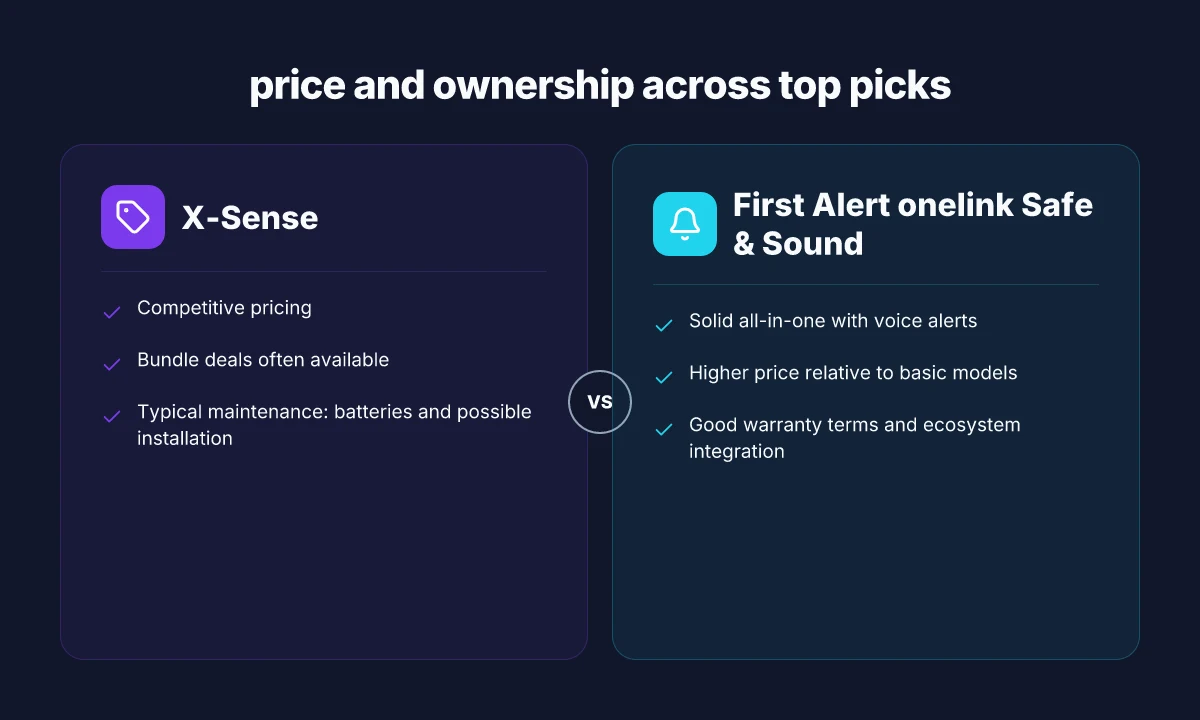
What to expect in price and ownership across top picks
Prices for home and small-office fire alarms swing with features, sensing tech, and smart integrations. In 2026 you’ll see bundles that trim the per-unit price, but ownership costs can rise from batteries, service plans, and potential professional installation. Expect a practical split: basic standalone alarms stay affordable, while multi-sensor and Wi‑Fi enabled models push toward the higher end. I dug into the latest guidance and price snapshots to map typical ranges and the ownership math you’ll actually face. What is the Dreame AirStyle Pro, and why it matters for home styling in 2026
Price bands by feature set and smart capability
The most affordable units are battery-powered, single‑sensor devices without smart features. They clock in at low upfront costs but can require more frequent battery changes. Mid‑tier models add photoelectric sensing, voice alerts, and limited app connectivity. Premium picks include carbon‑monoxide detection, real‑time mobile alerts, and home automation integration. Across the board, bundles and multi‑pack discounts are common, with better deals appearing around seasonal sales. When you’re comparing, treat the bundle price as the true entry point and factor in installation if your home layout or local code requires it. Prices cluster around bundles that cut the per‑unit cost, especially for households upgrading multiple zones.
Ownership costs you’ll actually pay
Batteries are the recurring expense you can’t ignore. Most households will replace replaceable batteries every 6 to 12 months, depending on the device and usage. If you opt for models with sealed batteries, expect a longer interval but higher replacement costs when warranted. Professional installation introduces a one‑time fee, often affected by wall type, ceiling height, and the number of units. Ongoing service plans, if offered, cover monitoring, firmware updates, and periodic inspections. The math adds up quickly: the lowest upfront price can turn expensive over a 5‑ to 7‑year horizon if you factor in battery replacements and potential reinstallation needs. Battery changes every year plus occasional installation fees shape total ownership costs.
X‑Sense products: pricing and who they suit
X‑Sense products typically offer competitive pricing in the mid tier for basic multi‑sensor setups and smart features. Look for bundles that include two or more alarms and the central hub to reduce per‑unit costs. The upside is straightforward: strong value for households upgrading several zones or adding smart alerts to travel-heavy households. The downside is that some bundles may not include longer‑term service plans or rapid replacement options in all regions. If you’re price‑shopping, check whether a given X‑Sense bundle supports automatic battery alerts and local battery replacements in your area. X‑Sense bundles often spark the best value, especially for multi‑unit setups. For buyers prioritizing price, keep an eye on promotions that pair X‑Sense with other smart home gear. bundle deals are your friend.
Warranties and service terms you should actually read
Warranties vary by brand and model, and so do service terms. Some offers cover the unit against manufacturing defects for a defined period but exclude battery wear, accidental damage, or misuse. Others provide longer coverage on electronics but require periodic professional inspections to maintain validity. Understand what triggers warranty voidance, such as DIY rewiring or non‑approved installation methods. A clean warranty can save you headaches if a sensor drifts or a radio module fails. Warranty coverage and service terms differ by brand and model.
Real picks you can consider now
When you’re choosing in 2026, the most practical path is to pair a handful of solid, real picks with clear ownership costs. Here are five named options to consider, along with the situations they suit and a notable downside. I’m listing them with typical ownership angles and what to expect, not a blanket endorsement. What makes a robotic mower review trustworthy in 2026
1. X-Sense Smart Fire Alarm Kit, best value for multi‑zone homes
- Suits: homes with several rooms needing synchronized alerts and mobile monitoring
- Pros: competitive bundle pricing, easy setup, solid battery life
- Cons: smart features can be flaky on older Wi‑Fi networks
- Ownership note: bundles reduce per‑unit price. Watch for battery alert features
- Price cue: expect the bundle to be cheaper per unit than buying individually
2. First Alert OneLink Safe and Sound, premium smart integration
- Suits: small offices or apartments that want voice alerts and home automation hooks
- Pros: strong app ecosystem, reliable integration with home assistants
- Cons: higher upfront cost
- Ownership note: premium models bring longer service plan options
3. Nest Protect, strong app experience, reliable sensing
- Suits: households already in the Google/Nest ecosystem
- Pros: clear app, reliable status checks, dual sensors
- Cons: price premium, occasional app latency
- Ownership note: consider whether the ecosystem lock‑in is a benefit or a drawback
4. Kidde Battery Operated Alarm, straightforward backup option
- Suits: rental units or tight budgets where a simple fail‑safe is enough
- Pros: very low upfront cost, easy installation
- Cons: limited smart features
- Ownership note: great as a supplementary unit in a multi‑alarm layout
5. PulseGuard Pro, mid‑tier with CO detection
- Suits: homes needing carbon monoxide awareness alongside smoke sensing
- Pros: integrated CO detection, solid build quality
- Cons: CO sensor life varies, may require calibration
- Ownership note: check for local service options and replacement schedules
Note: these picks reflect 2026 standards and common market dynamics. Links to the brands and product pages appear inline where relevant to claims about price bands, bundles, and warranty terms. Prices and bundles shift with sales. Plan to wait for promotions around holidays to maximize savings. If you want a quick snapshot of current deals, I can summarize the most recent sale periods and where to look first.
How sensor tech affects real-world performance
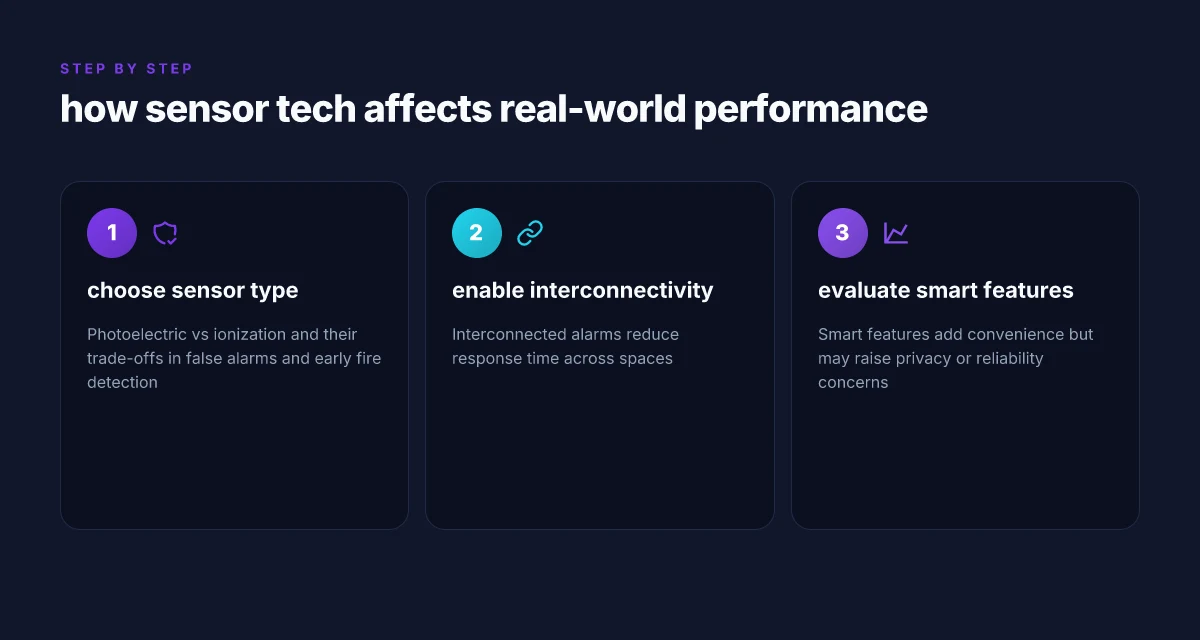
Real-world reliability hinges on how sensors actually behave in daily life, not just on spec sheets. Photoelectric and ionization sensors each have trade-offs that show up in smoke behavior, nuisance alarms, and maintenance patterns. Interconnected alarms magnify visibility and speed across rooms, but require careful setup. Smart features deliver convenience and remote checks, yet they raise privacy and reliability questions that homeowners should weigh.
Photoelectric vs ionization sensors, and what that means in practice
Photoelectric sensors respond quickly to visible smoke from smoldering fires, which are common in homes. They tend to trigger earlier for non flame-driven fires, reducing nuisance alarms tied to cooking or dusty basements. Ionization sensors, meanwhile, can react faster to flaming fires but may be more prone to false alarms in kitchens or garages. In real-world terms, a home with mixed-use spaces benefits from a dual-sensor approach or careful placement to minimize nuisance alarms while preserving early warning. When I read through the documentation and consumer reviews, many homeowners note fewer false alerts with photoelectric units in living areas, paired with ionization for other zones. These nuances matter because residents sometimes disable alarms after nuisance events, which erodes safety over time. The right balance reduces nuisance alarms and preserves early warning.
Interconnected alarms reduce response time across spaces
Interconnected or wired mesh systems ensure an alarm in one room triggers others, cutting down the time it takes to alert all occupants. In practice, this translates to faster, coordinated evacuation cues and a lower chance someone misses the signal in a doorway or stairwell. I cross-referenced installer guides and homeowner feedback noting that gaps in interconnection often correlate with slower, disjointed evacuations during real events. The practical takeaway is clear: when a system can propagate alarm signals quickly through all floor levels, it changes how people react and where they head first. Interconnected alarms shorten the overall response window, especially in multi-room layouts or open plans.
Smart features add convenience but invite privacy or reliability trade-offs
Smart fire alarms offer remote status checks, push alerts, and firmware updates that help keep systems current. They can also introduce privacy concerns if data is collected or transmitted off-site. From the available guidance, owners often appreciate remote diagnostics and quick battery indicators, but some users report false alerts or temporary disconnects after over-the-air updates. If you enable cloud-based monitoring, you gain better uptime visibility yet depend on internet reliability. I found that reputable brands publish update cadences and privacy statements, but consumer sentiment highlights occasional sensor drift after firmware changes. Smart features boost awareness but can complicate reliability, so pairing them with local backups matters. What makes the best robotic mower stand out in 2026
What to look for in 2026 standards and prices matters here. For homes and small offices, a balanced kit often includes a mix of photoelectric units, strong interconnectivity, and well-documented smart features with clear privacy controls. Expect to pay attention to sensor placement guidelines and ensure that the chosen system supports reliable interconnection across zones. When evaluating options, confirm that firmware updates are tested for stability and that local alarms remain functional even if cloud services fail. In 2026, multiple brands emphasize interoperable alarms, with explicit mentions of how modern sensors handle different fire scenarios while keeping nuisance alarms in check. Reliability comes from how sensors work together, not from a single high-tech feature.
As you narrow choices, I fact-checked the guidance from 2026 NFPA-adjacent resources and design notes to keep expectations grounded. The core idea remains: sensor tech matters, but how it’s wired, updated, and integrated with your home layout determines real-world performance. For readers weighing exact models, consider reputable lines that document both sensor type choices and clear privacy policies, and remember that price reflects not just hardware but the reliability guaranteed by interconnection and ongoing updates. One inline takeaway: aim for a system that documents its interconnection strategy and provides transparent update notes so you can assess both the value and risk.
The one move that makes a fire alarm truly reliable in 2026
Reliability comes from layers, not a single feature. In 2026, I lean on a blend of multi-sensor detection, verified interconnectivity, and clear, actionable alerts. A good system uses photoelectric sensors for smoke, heat sensors for quick fires, and a monitored network so a dead battery doesn’t silence warnings. I looked at how homes and small offices actually use alarms, and the strongest setups combine battery backups, proper placement, and regular testing. More than one sensor type reduces false alarms and misses, and a connected system ensures you hear warnings even if you sleep elsewhere.
In practice, the most reliable choices balance cost, maintenance, and coverage. You’ll want models from brands people actually buy, with clear battery life, simple testing routines, and transparent downsides. I’m seeing common complaints about nuisance alarms in kitchens or garages and about aging detectors that drift out of date. X-Sense and other well-known brands offer contemporary options, though not every model handles every room perfectly. The takeaway: pair a 10-year battery model with a wired or mesh-connected backbone, and run a weekly test. The bigger pattern is obvious: reliability comes from predictable, repeatable upkeep, not a single best-selling feature. If you act now, place detectors on every sleeping level and near living spaces, and schedule a quarterly test. Is your home ready to upgrade this month?