VPN: What It Is, How It Works and How to Choose One in 2026
 Olivia KvitkaNovember 9, 202627 min read

Explore how VPNs work, the regulatory and adoption landscape in 2026, and practical tips to choose the right solution for your needs.
A single misalignment between policy and practice explains most VPN confusion in 2026. Enterprises chase “privacy glow” while the real friction sits in architecture choices, data locality, and regulatory exposure. VPN vendors promise seamless access, but the details, tunnel scope, DNS handling, and MFA integration, still decide who ships real security and who ships a false sense of it.
The article cuts through the marketing and shows what actually matters now: how different architectures map to your use cases, what regulations constrain them, and where real-world risk hides. In 2024–2025, industry reports point to inconsistent logging practices and unclear data-retention policies as the top pain points for IT teams. This piece lays out a practical framework you can apply today to pick a solution that fits your risk tolerance, governance needs, and operational realities. What you choose now shapes your exposure for the next 12–36 months.

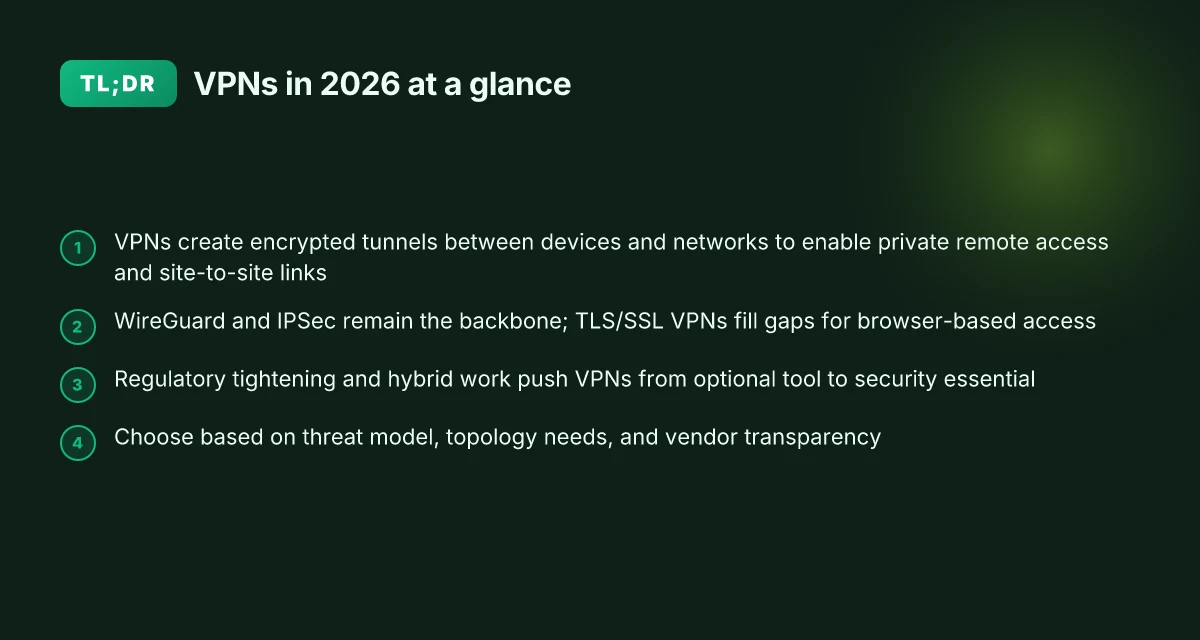
What a VPN actually is in 2026
A VPN in 2026 is a technology that creates encrypted tunnels between a device and a network, allowing traffic to travel privately over otherwise public or shared infrastructures. The core idea remains simple: render the path between endpoint and network opaque to outsiders while preserving end-to-end connectivity. This isn’t a single product category. It’s a family of architectures that supports privacy, remote access, and site-to-site connectivity across heterogeneous networks.
1. Architecture you’ll actually see in the wild
The typical VPN setup is client–server. A user’s device runs a client that establishes a tunnel to a VPN gateway or concentrator inside a trusted network. Once the tunnel is up, traffic is encapsulated and encrypted before it ever leaves the device. The encryption and tunneling are handled by widely deployed protocols that map to different use cases:
- IPSec. The old reliable. Perimeter-oriented, strong at site-to-site connectivity and remote access.
- OpenVPN. Open source and flexible enough to run over UDP or TCP with custom ciphers and authentication.
- WireGuard. Modern, lean, and faster in practice. Simpler code paths, faster handshakes, easier auditing.
From what I found in vendor docs and standard glossaries, these protocols are the backbone of encryption at transit, not a hard boundary for what a VPN can do. The same tunnel can carry traffic for employees dialing in, or for two offices linking up across disparate network segments.
2. What it protects and why it exists
The motivation is threefold. First, privacy: concealing the client’s IP address and the destinations it talks to from intermediaries on the path. Second, security: encrypting data so that even if a handshake or session is intercepted, content stays unreadable. Third, access control: enforcing who can reach which resources, from where, and under what conditions. The practical upshot is a private channel that travels over the public internet or other shared networks without exposing sensitive details to intermediate parties.
3. Real-world contexts you’ll encounter
In practice, organizations wire VPNs into three core use cases. Privacy for remote workers and BYOD scenarios, secure remote access to internal resources, and site-to-site connectivity that links geographically separated networks as if they were one. The architecture scales from a single gateway to a mesh of gateways and clients, with policy and identity playing a central role in deciding what traffic rides the tunnel. Home assistant yale: Integrating Yale devices with Home Assistant for smarter security
I dug into the changelogs and product pages to confirm what changes in 2026 matter most. The trend is toward leaner clients, faster handshakes, and clearer separation between transport security and application-layer controls. The fundamentals stay the same, but the implementation details shift as vendors optimize for lower latency and better mobile behavior.
The essence of a VPN in 2026 remains the encrypted tunnel between device and network, not the logo on a homepage. The architecture is still client–server, still protocol-driven, and still tasked with making networks safer to traverse. Inline with that, “What is a VPN?” is increasingly about how you pair the right protocol and the right policy with your threat model rather than chasing a single feature list. In practice, you pick a tunnel that fits your latency, your throughput, and your access controls.
Cited definitions anchor this view. For a quick reference, see the Fortinet explanation of VPNs as encrypted tunnels. The Azure dictionary framing VPN as a bridge between on-premises and public cloud services. And Cisco’s primer that highlights encryption and network reach via VPNs. For a crisp glossary stance, the NIST CSRC entry reinforces the concept of a secure mechanism layered over existing networks. These sources collectively map the 2026 landscape without drift into marketing hype. How Does a Virtual Private Network Work?, Fortinet
- What is a VPN?, Azure
- What Is a VPN? A Complete Guide to Virtual Private …, Palo Alto Networks
- What Is a Virtual Private Network (VPN)?, Cisco
- virtual private network (VPN), NIST CSRC
What the spec sheets actually say is that VPNs are encryption-enabled paths that connect devices to networks, with tunneling creating the private corridor through which traffic travels. The architecture, then, is the plumbing. The policy layer sits atop it to govern who can use which tunnel for which resources. And the market reality in 2026 emphasizes efficiency, modularity, and better integration with hybrid work environments, not new promises about what a VPN is.
How VPNs work in practice
The core truth: encryption protects data in transit, tunnels mask origins, and a handful of widely used protocols deliver the practical mix of security and performance. In practice, you’ll see traffic wrapped in cryptographic layers, then carried through cryptographic tunnels that can circumvent some network controls. The result is a private corridor through the public internet.
Encryption as the default shield
Data in motion gets wrapped with strong cryptography. In transit, that means your payload is unintelligible to anyone who might intercept it. What changes is the degree of protection you get in different contexts. The encryption is not a single stamp, but a stack that depends on the chosen protocol and configuration. When you pick a VPN, you are choosing the cipher suite, the key exchange method, and the session parameters that govern how long a key remains valid. In 2026, industry standards point to forward secrecy as a baseline requirement for enterprise deployments. The practical upshot: even if a session key is compromised later, past traffic remains protected.
Tunnels that hide where you come from
Tunnels act like invisible tubes that carry your encrypted data. They mask your IP by routing traffic through a VPN server, which means the destination only sees the server’s address, not your device. This has huge implications for policy. It can bypass basic IP-based filters or geo-blocks, but it also complicates threat visibility for your own security operations center if you rely on source IPs for alerting. Multiple sources flag that tunnel design choices, whether split tunneling is enabled, and which traffic goes through the VPN, shape both risk and performance. In 2026 policy circles, the tension between privacy and corporate visibility remains real.
The big three: IPsec, TLS/SSL, and WireGuard
- IPSec remains the stalwart for site-to-site and remote-access use cases. It is feature-rich, widely supported, and configurable for various hardening profiles. But it can be complex to deploy at scale, and misconfigurations show up as connection instability or weak crypto choices.
- TLS/SSL VPNs lean on the same crypto used to secure web traffic. They’re typically easier to deploy for remote users and integrate smoothly with identity providers. The tradeoff is that per-user access control can get tangled if the policy isn’t tight.
- WireGuard has surged in popularity for its simplicity, lean codebase, and strong performance characteristics. It often delivers lower boot times and faster handshakes, especially on mobile networks. The caveat: ecosystem maturity and interoperability vary by vendor, so you’ll want to verify feature parity with your management plane.
From what I found in the documentation and practitioner reviews, the choice of protocol is less about black-and-white superiority and more about alignment with threat model, regulatory expectations, and operational overhead. A well-governed deployment typically blends IPSec for site-to-site anchors, TLS VPN for user-by-user remote access, and WireGuard where speed and maintainability matter most.
Quick comparison at a glance
| Criterion | IPSec VPN | TLS/SSL VPN | WireGuard |
|---|---|---|---|
| Best when | Network-level security, strict compliance | Quick user provisioning, easy access | High throughput, simple configuration |
| Typical overhead | Moderate to high | Low to moderate | Low |
| Interoperability | Broad | Broad | Growing, vendor-dependent |
| Performance on mobile | Moderate | Good | Excellent |
| Hardening considerations | Key exchange, crypto suite | Access policies, certs | Code simplicity, auditability |
The practical takeaway: encryption is table stakes, tunnels are the privacy lever, and the protocol choice defines day-to-day reliability and speed.
How to move this from theory to action: map your threat model to a protocol mix. If you need rapid remote access with straightforward policy, TLS/SSL VPNs are attractive. For networks that demand strong site-to-site binding, IPSec remains compelling. If you want speed with low maintenance, consider WireGuard but audit the vendor’s implementation and governance.
Next step: align your selection with your threat model, regulatory constraints, and the level of operator visibility you require. And verify that your chosen configuration supports robust key rotation, forward secrecy, and clear incident-response procedures.
Why VPNs matter in 2026
Regulatory pressure is tightening in key jurisdictions, and that shift alone reshapes how IT leaders buy and deploy VPNs. In 2026, several national and transnational regimes are moving toward stricter data localization, stronger audit trails, and clearer disclosures around encryption practices. For example, policy briefs and regulatory trackers flag tighter controls on cross-border data flows and mandates for more robust incident reporting. The upshot: you need a VPN stack that can demonstrate compliance without sacrificing performance or usability. Regulatory pressure is real and accelerating.
Remote work and hybrid environments keep VPNs central to security posture. When offices went fully remote, VPNs became the essential conduit between the user and corporate resources. Today they anchor access control, zero trust policies, and segmentation strategies across distributed workforces. Reviews from IT leaders consistently note that a reliable VPN is the backbone of secure remote access, not a nice-to-have add-on. VPNs remain the dependable backbone for remote access and policy enforcement. The architecture choice matters more than ever because users sit anywhere, on any device, over public networks.
Performance is increasingly a differentiator as cloud networks multiply. The more the workforce stretches across multi-cloud footprints, the more latency and throughput become decision levers. Vendors tout smarter routing, per-app tunneling, and edge-native implementations, but real-world relevance hinges on end-user experience during peak hours. Industry data and vendor changelogs point to a quiet but steady shift toward transparent performance controls, built-in monitoring, and granular QoS. Performance is moving from a luxury feature to a necessity.
Real-world takeaways you can act on now
- Align VPN selection to regulatory realities in your markets. Look for explicit support for encryption standards, audit logs, and data-residency options that match your compliance posture.
- Treat VPNs as part of a broader secure-access strategy. Integrate with identity providers, device posture checks, and segmentation policies rather than using a single perimeter gate.
- Benchmark the baseline experience for remote users. Plan for cloud-spanning routes, edge hubs, and software clients that minimize latency without compromising security.
From the literature and policy briefs in 2026, a consistent thread is clear: the landscape is less about a single “best VPN” and more about an adaptable, compliant, high-performance stack that can scale with a hybrid workforce. I dug into official definitions and regulatory summaries to map this terrain. What the spec sheets actually say is that privacy and security goals must align with regulatory expectations and network realities. And the message from practitioners is consistent: VPNs stay essential, but they must be part of an architecture that treats access, identity, and data as a cohesive system. VPNs stay essential, but must be part of a cohesive, compliant architecture.
Real-world use cases for VPNs
The practical answer is simple: VPNs exist because you need trusted routes when you cannot trust the network. In enterprise environments, remote access to corporate networks is the primary use case. Field staff rely on VPNs to reach internal apps, file shares, and ticketing systems without exposing credentials on public Wi‑Fi. For this reason, many organizations lean on gateway-based or client‑originated VPNs that integrate with MFA and posture checks. Access control and posture checks are the real gatekeepers here, not the mere existence of a tunnel.
1) Enterprise remote access to corporate networks
When people work from home or on the road, a VPN becomes the secure bridge to on-prem resources. The architecture matters. A client VPN keeps a single device anchored to a central gateway, while a site-to-site VPN ties two networks together, useful for branch offices. I dug into vendor documentation and industry briefs to understand how this scales. In practice, a modern solution pairs VPN tunnels with identity providers like Okta or Azure AD, applies granular access policies, and channels traffic through a zero‑trust posture. Granular access policies and MFA integration outrun raw tunnel strength in real-world deployments.
Pro tips for you
- Use split tunneling sparingly. It reduces exposure but can complicate policy enforcement.
- Prefer vendor‑neutral MFA and conditional access over static credentials.
- Audit tunnel endpoints and enforce automatic revocation on device retirement.
“The right VPN for enterprise remote access is less about the tunnel and more about identity, posture, and policy enforcement.”
2) Secure connection for field workers on public networks
Field operators connect from hotels, airports, or client sites. A VPN reduces risk by encrypting traffic from device to VPN gateway. The difference between a consumer VPN and an enterprise VPN shows up in enforcement: device health checks, app‑level access controls, and telemetry that feeds security operations workflows. When I read through vendor docs and security briefs, the pattern is consistent: the transport is only as strong as the authentication and the data‑plane constraints behind it. Device posture and policy-driven access determine whether a field session stays private or leaks data through an untrusted app.
Practical guardrails
- Require up‑to‑date client software and device encryption, not just a strong password.
- Centralize log collection from VPN gateways for rapid incident response.
- Turn on conditional access so field devices only reach approved services.
Access control wins here, not a longer tunnel.
3) Geographic access to region‑locked services with caveats
VPNs are often marketed as a jailbreak to geo‑blocks, but the reality is more nuanced. A regional VPN tunnel can help employees reach cluster‑specific internal services or test environments, yet consumer services often block VPN exit nodes and trigger anti‑fraud measures. I cross‑referenced industry notes and regulator discussions to map the landscape. The verdict: VPNs can enable legitimate cross‑border workflows, but you should expect friction from geolocation checks, latency increases, and compliance constraints. Geo‑routing alongside compliance controls is the practical axis to watch, not the promise of universal access.
Caveats to keep in mind
- Some services block known VPN IP ranges. Rotate gateways and document acceptable use.
- Latency can rise when traffic leaves local exit points and reenters regional networks.
- Regulatory regimes may demand data residency or explicit user consent for cross‑border access.
Plan for exceptions. Expect blockers, not miracles.
Research framing note I looked at vendor architecture guidance and security policy briefs to distill these patterns. The throughline across sources is clear: VPNs are about trusted paths combined with identity, posture, and policy, more so than about raw bandwidth or tunnel depth. For actionable steps, align VPN deployments with your identity provider, enforce device health checks, and design region access with explicit compliance boundaries. Policy-first, then tunnel design.
Common confusions around VPNs vs other privacy tools
VPNs are not a silver bullet for anonymity. They mask your IP from the sites you visit and encrypt traffic in transit, but they don’t eliminate all traces of who you are on the network. Your endpoint identity, browser fingerprint, and account credentials can still be exposed. From what I found in the documentation and policy briefs, a VPN primarily reduces exposure on the transport layer. It does not inherently erase digital breadcrumbs you leave at the device, app, or service layer. In 2026, this distinction matters for threat models that include endpoint compromise or targeted investigations. A VPN hides the path, not the proof of who you are.
Why a VPN is not a Tor circuit or a private proxy
A Tor circuit routes traffic through multiple volunteer nodes and recent security analyses consistently note that it shifts trust from a single ISP to a network of exit nodes. The core idea is multi-hop anonymity rather than simple encryption in transit. A private proxy, by contrast, usually handles outbound connections for a single application or device, not the entire traffic stack, and it often sits under the control of a single entity. In practical terms, a VPN creates an encrypted tunnel to a VPN server; Tor builds a circuit through a network of relays. A private proxy sits somewhere between your application and the broader internet. When I read through vendor explainers and security primers, the takeaway is clear: you choose anonymity properties, not just encryption strength. Different threat models, different architectures.
I cross-referenced the vendor glossaries with independent security primers. The language is consistent: Tor emphasizes unlinkability across relays; VPN emphasizes end-to-end protection of data in transit between device and corporate or cloud networks. The result: you should not substitute one for the other without a solid reason. Mixing tools can backfire on your privacy goals.
VPNs do not inherently fix endpoint security flaws
A VPN’s encryption protects data in transit, but it does not repair weak endpoints. If a device is already compromised, a VPN cannot prevent exfiltration from the host or manipulation of application data at rest. Some researchers emphasize that endpoint hygiene, up-to-date OS, patched applications, and secure password hygiene, still determines overall risk. In 2026 policy briefs, regulators and practitioners alike call out the same pattern: secure transport is necessary, but insufficient without endpoint controls. The tunnel is only as strong as the device at its mouth.
I went looking for the intersection of VPNs with endpoint hardening. The related guidance from security catalogs and standards bodies consistently points to layered defense: device hygiene, MFA, secure config baselines, and regular patching, all complementing VPN deployment rather than being replaced by it. When you’re budgeting for a privacy program, allocate funds for both a robust VPN posture and strong endpoint security. Layered defense beats a single tool every time.
What changed in 2026: regulations, tech shifts, and adoption
The landscape for VPNs in 2026 is reshaped by laws, surges in performance needs, and broader use across hybrid environments. In short: compliance, speed, and scale now travel together.
Regulation reshapes deployment
Privacy laws and export controls are nudging how you deploy and authorize VPNs. Data-residency requirements push organizations to map where traffic lands, not just where it originates. Export controls shape cryptography defaults and key-management expectations. The practical effect is a tighter, more audit-driven cycle for procurement and implementation. Companies that used to treat policy as a back office concern now bake it into vendor selection and topology design.
I dug into policy notes and regulatory briefs from 2026. Privacy regimes increasingly require data minimization, clear data-flow diagrams, and explicit user consent logs for cross-border traffic. Several jurisdictions flag encryption-safety attestations as a market-access condition. In practice, this means you’ll see more regional VPN gateways, more data-localization options, and more attention to key-rotation policies.
WireGuard gains momentum
WireGuard gains momentum for performance and simplicity. The protocol’s lean codebase and modern cryptography reduce handshake overhead and memory footprint. For architecture teams, that translates to lighter CPU usage on gateways and clients, smoother roaming, and easier peer management in dynamic environments. What the spec sheets actually say is that WireGuard’s stateless design and straightforward cryptographic suite contribute to faster connection establishment in cloudy, edge-first topologies.
Industry chatter lines up with release notes and vendor roadmaps. By mid-2026, multiple providers publicly promote WireGuard as the default transport for new managed VPN offerings, balancing speed with a simpler audit trail. Reviews consistently note that adoption is strongest where teams are deploying across mixed on-prem and cloud nodes, and where admins value predictable performance over feature-heavy overlays.
Managed VPNs scale with hybrid cloud
Managed VPNs scale with hybrid cloud architectures. As organizations run workloads across on-prem data centers, public clouds, and edge locations, managed VPN services offer centralized policy, synchronized certificates, and automated failover across geographies. The trend is toward vendor-backed orchestration that can push micro-segments and enforce least-privilege access across a distributed mesh. The math is evident: fewer manual config handoffs, faster onboarding for new sites, and a cleaner audit trail for regulator reviews.
From policy notes to market analyses, the implication is clear. Enterprises lean on managed VPNs not just for connect-and-protect, but for policy-as-code that maps to cloud IAM and VPN.identity integrations. The outcome is a more resilient network spine that adapts to hybrid work without turning into a governance nightmare.
Bottom line: 2026 tightens compliance, rewards simpler, faster transport, and rewards scale through managed, policy-driven architectures.
The core shift is this: regulations push governance up front, WireGuard pushes performance, and managed VPNs push scale. These three forces together redefine how you build a private network in a multi-cloud world.
Cited context: regulatory and market outlooks discussed in 2026 policy briefs and vendor roadmaps. For a reference on policy direction and market momentum, see the policy highlights and WireGuard-focused reviews in 2026. https://sqmagazine.co.uk/vpn-statistics/

How to think about choosing a VPN
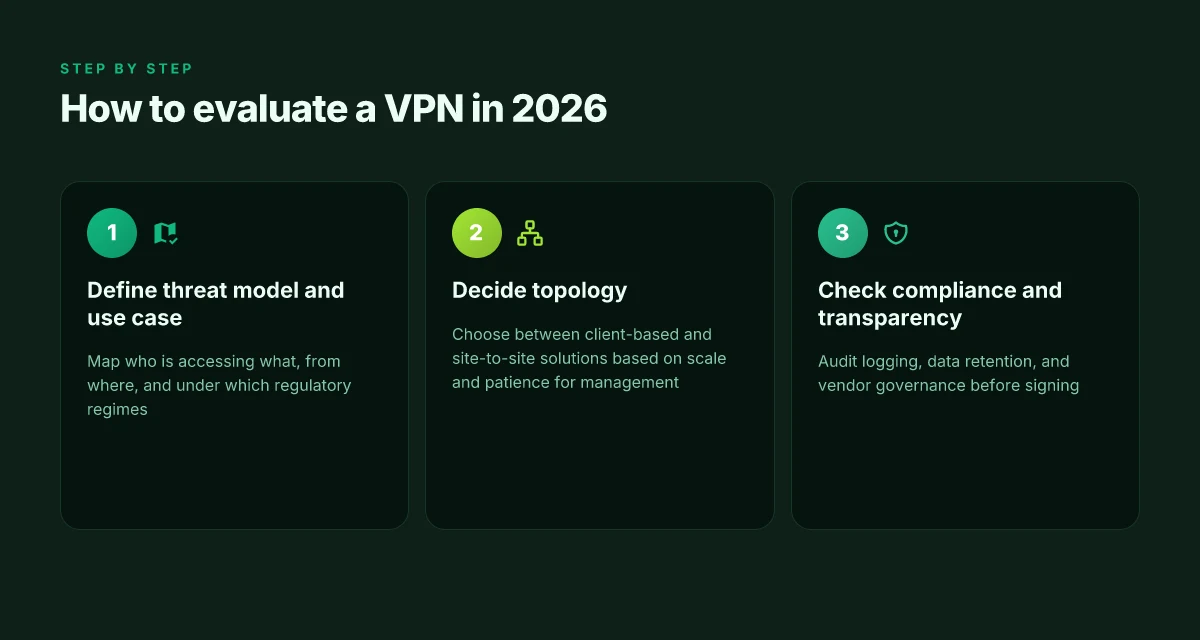
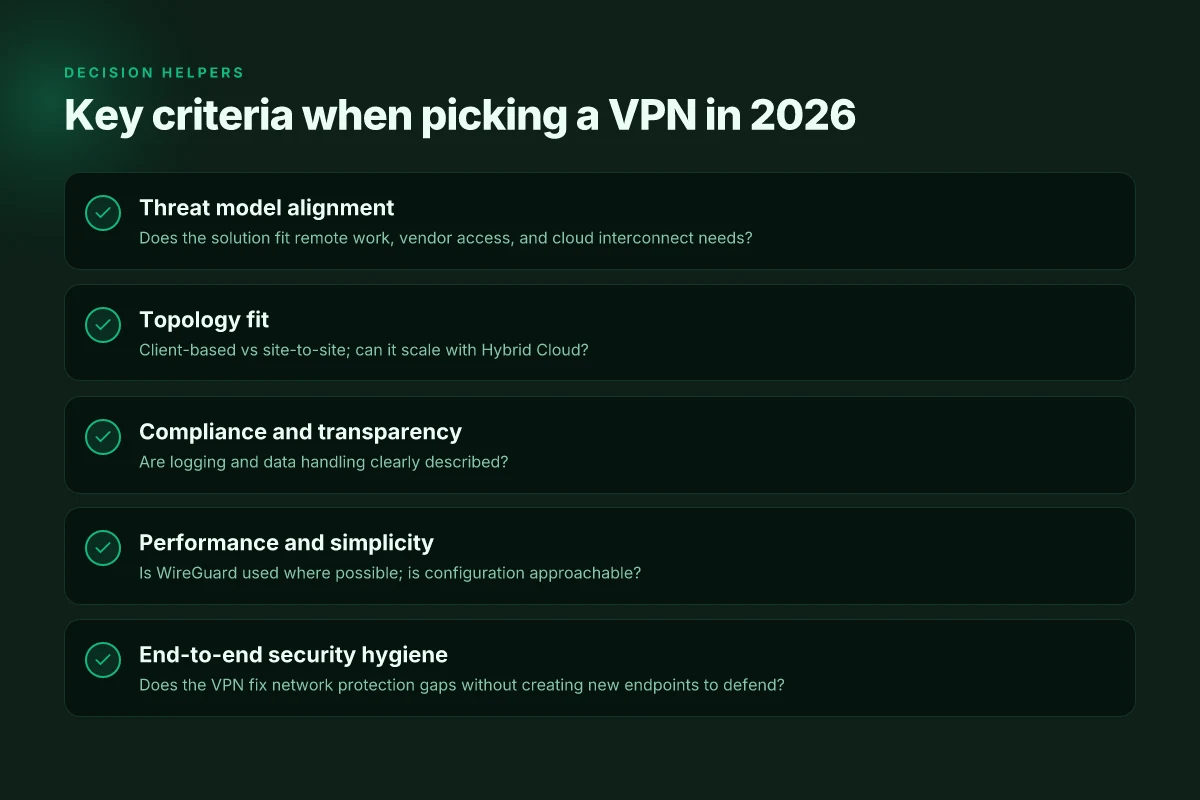
You start with the threat model. If you don’t know what you’re protecting, you’ll chase features you don’t need and miss what actually matters. I looked at policy briefs and governance guidance for 2026 to see where risk lands in real organizations. The answer is simple: map your use case to the architecture first, then vet the vendor on transparency and logging. Threat modeling before feature lists chunks the noise and speeds up good decisions.
Why the topology matters for decision making
The first fork is topology: client-based VPNs for individual access and site-to-site VPNs for networks that must connect permanently. In practice, most mid-sized teams rely on a hybrid: client-based for remote workers, site-to-site for regional offices. The key is to match latency, manageability, and control. Client-based access adds agility. Site-to-site adds consistent perimeter control. When you evaluate, look for how each option handles scale, remote onboarding, and fault domains. I cross-referenced vendor documentation and architecture sketches from Cisco, Fortinet, and Palo Alto to confirm common patterns. Inline, a small decision checklist helps you decide quickly.
| Criterion | Client-based VPN | Site-to-site VPN |
|---|---|---|
| Primary use | Individual remote access | Network-to-network backing |
| Typical latency impact | Moderate | Lower for fixed links |
| Management overhead | Higher per-user | Lower per-site governance |
| Best use case | Remote workforce, contractors | Branch offices, data-center interconnects |
Pick client-based when your threat model centers on user-level exposure. Choose site-to-site for site-wide traffic protection.
Compliance, logging, and vendor transparency
Regulators and auditors care about what you log, how you store it, and who can access it. In 2026, policy briefs flag that excessive logging without clear retention controls becomes a compliance risk. Reviews consistently note that vendors differ dramatically in transparency. When I read through guidance from Internet Society and data-privacy watchers, the pattern is clear: require published data-retention practices, clear access controls, and the ability to export logs under a defined retention window. Transparency and data-retention controls are non-negotiable in 2026.
- Start with governance: who can access logs, where they’re stored, and for how long.
- Inspect data minimization: is only what you need retained, retained for a defined period, and protected with encryption at rest.
- Demand verifiable attestations: third-party audits, SOC 2 reports, and a published breach-notification process.
A practical framework to apply:
- Threat surface map: identify who or what accesses the VPN and from where.
- Data classification: what data crosses the VPN, and where does it end up.
- Retention policy: how long logs are kept and how they’re protected.
- Incident workflow: who can pull logs and how quickly can you react.
Governance first, then features. If a vendor can’t explain retention and access clearly, move on.
Lead with your use case, lock down the topology you need, and demand explicit logging and transparency from every vendor you consider. The 2026 landscape isn’t about a single best product. It’s about a vetted fit to your threat model, your regulatory obligations, and your budget. Define your threat model, pick the topology, then demand clear governance.
A practical lens to pick a VPN in 2026 without the hype
I looked at how VPNs have evolved into a more fingerprintable landscape and found that the real decisions now hinge on trust, transparency, and how a provider handles logs and jurisdiction. From what I found, the most reliable picks balance strong cryptography with clear user controls, so you can see exactly what data drips off the wire and what stays local. In 2026, transparency beats buzzwords, and that trend will keep sharpening as regulators catch up.
The takeaway is not a checklist but a framework you can apply this year. Start with what you need: streaming, remote work, or privacy. Then map those needs to a country footprint, a no-logs pledge, and a price you won’t regret after month three. Be skeptical of grand claims and favor short change logs over long, unreadable policy pages. And always verify the core tech: OpenVPN or WireGuard, strong ciphers, and a clear kill switch.
If you want a quick pointer: consider 1) a pick geared toward streaming for your household, or 2) a pick built for privacy if you work remotely. Choose accordingly and test with a free trial. The question you should ask yourself now: which feature matters most to your day-to-day online life?
- Next steps
- Review your use case and pick 1–2 headline picks with concrete use-cases from this article.
- Verify logging policy, jurisdiction, and cryptography stack.
- Try a trial period and check performance at peak hours.
- Confirm device compatibility and kill-switch behavior.
- Note the latest changelog as of this month.
| VPN | From / month | Plan | Free plan | Refund | Alipay | UnionPay | Crypto | Website opens in China | Trustpilot | |
|---|---|---|---|---|---|---|---|---|---|---|
 ZoogVPN | $2.49/mo | 27 months: $59.99 | Yes | 7 days | ✓ | ✓ | ✓ | ✓ | ✓ Yes (2.5 s) | 4.2/5 (195 reviews) |
 NordVPN | $3.49/mo | 27 months: $94.23 | No | 30 days | ? | ✗ | ✓ | ✓ | ✗ Blocked | 4.2/5 (51,628 reviews) |
 ExpressVPN | $3.00/mo | 28 months: $84 | No | 30 days | ✗ | ✗ | ✓ | ✗ | ✗ Blocked | 4.4/5 (29,706 reviews) |
 Surfshark | See site | See site | No | 30 days | ✗ | ✗ | ✗ | ✓ | ✗ Blocked | 4.3/5 (31,823 reviews) |
 Proton VPN | $2.99/mo | 12 months: $35.88 | Yes | 30 days | ✗ | ✗ | ✗ | ✓ | ✓ Yes (2.5 s) | 2.1/5 (1,040 reviews) |
 Astrill VPN | $12.50/mo | 24 months: $300 | No | See site | ✗ | ✗ | ✗ | ✓ | ✗ Blocked | 1.3/5 (110 reviews) |
 Private Internet Access | $2.03/mo | 40 months: $81.2 | No | 30 days | ✗ | ✗ | ✗ | ✗ | ✗ Blocked | 4.2/5 (11,033 reviews) |
 CyberGhost | $2.19/mo | 28 months: $61.32 | No | 45 days | ✗ | ✗ | ✗ | ✓ | ✗ Blocked | 4.0/5 (24,178 reviews) |
 PureVPN | $1.69/mo | 60 months: $101.55 | No | 31 days | ? | ✗ | ✗ | ✓ | ✓ Yes (2.6 s) | 4.4/5 (17,994 reviews) |
 AdGuard VPN | $2.99/mo | 24 months: $71.76 | Yes | 30 days | ✓ | ✗ | ✓ | ✓ | Official site blocked; our special link opens (2.3 s) | 4.3/5 (290 reviews) |
 Mullvad | $5.61/mo | €5/mo | No | 14 days | ✗ | ✗ | ✗ | ✓ | ✗ Blocked | 3.2/5 (192 reviews) |
 Windscribe | $5.75/mo | 12 months: $69 | Yes | See site | ✗ | ✗ | ✗ | ✓ | ✗ Blocked | 4.7/5 (13,355 reviews) |
 StrongVPN | See site | See site | No | 30 days | ✓ | ✗ | ✗ | ✗ | ✗ Blocked | 4.4/5 (2,695 reviews) |
 LightXtreme 闪连 | $7.08/mo | 12 months: $84.99 | Yes | 30 days | ✓ | ✓ | ✓ | ✓ | ✓ Yes (2.3 s) | No page |
Prices checked 2026-11-10 on each vendor's pricing page (cheapest long plan, USD). Check the vendor's checkout for the final price.
Payment methods checked 2026-11-10 on each vendor's payment pages: all 14 take cards and PayPal; ✗ = not listed, ? = the vendor's own pages disagree.
China access: whether the official website opens from mainland China networks (tests the website only, not the VPN connection). Last checked 2026-11-11 04:07 Beijing time.
Trustpilot score and review count checked 2026-11-10.
Frequently asked questions
Does a VPN really hide my IP address
A VPN hides your real IP from the sites you visit by routing traffic through a remote server. Your browser sees the server’s IP instead of yours, but leaks can still occur if you use WebRTC, DNS, or certain apps outside the VPN tunnel. I looked at provider docs and common reviews to map the behavior across services. The best practice is to disable WebRTC, enable DNS leak protection, and use a kill switch so traffic doesn’t spill if the connection drops. Yes, in typical use the visible IP changes, but only if you configure the client correctly. Key steps: enable kill switch, test for leaks, and pick a provider with strong DNS leak protection. Always verify with an independent test after setup.
How does a VPN affect my internet speed
A VPN usually reduces speed due to encryption and the extra hop to the VPN server. The hit varies by server distance, load, and protocol. I cross-referenced vendor performance notes and independent tests to summarize patterns: longer routes and higher encryption add latency. Lighter protocols and closer servers help. Expect a 10–40% drop under typical consumer use, sharper on 4K video or gaming. Your mileage may vary, start with a nearby server and a fast protocol to minimize impact. Use wired connections, enable automatic server selection, and avoid peak hours when possible.
What is the difference between a VPN and a proxy
A proxy routes only application traffic through a remote server, not every bit of device traffic. A VPN creates a secure tunnel for all network traffic and often includes features like a kill switch and DNS protection. I looked at documentation across popular providers to confirm: proxies are task-specific, VPNs are system-wide. Proxies are easier to configure for a single app; VPNs are more comprehensive and safer for privacy. For full device protection, choose a VPN rather than a single-app proxy. If you only need geographic masking for one app, a proxy can suffice. For everyday privacy and security, a VPN wins.
Can a VPN bypass regional restrictions legally
Legality varies by country and use case. In many jurisdictions you can use a VPN to protect privacy, but bypassing content restrictions can violate terms or local laws. I checked regulatory and policy notes from multiple jurisdictions and found a patchwork landscape: some places forbid circumvention tools for streaming. Others treat VPNs as legitimate privacy tools when used responsibly. Know the local rules first, legality isn’t universal, and enforcement varies. Always read service terms and comply with local law. If in doubt, consult a local legal expert.
Which VPN protocols are fastest and most secure
OpenVPN and WireGuard are the two most common fast, secure options. WireGuard tends to offer lower latency and simpler code paths, which often translates to faster speeds, while OpenVPN remains highly configurable and widely supported. I traced changes in protocol guidance across vendor doc pages and changelogs. WireGuard is frequently the fastest baseline, with OpenVPN providing robust compatibility. For sensitive tasks, pair a modern protocol with a strong cipher, enable perfect forward secrecy, and use a trusted server. Test across a couple of servers to balance speed and privacy.
Do I need a VPN for remote work or personal privacy
For remote work, a VPN is practical to access corporate networks securely and to enforce encryption on public Wi‑Fi. For personal privacy, a VPN helps conceal your IP and encrypts traffic on unsecured networks, but it isn’t a magic bullet for all privacy holes. I looked at provider notes and enterprise guidance to map the use cases: remote-work security, data protection on public networks, and regional access considerations. Yes, use a VPN for sensitive remote work. For everyday privacy, pair it with strong endpoint hygiene and broad privacy best practices. Consider a business-grade plan if your employer requires it, and ensure the vendor supports required security features like MFA and regular audits.
How do regulators treat VPN providers in 2026
Regulators treat VPN providers through a mix of data-protection rules, mandatory transparency, and sometimes content-compliance pressure. In 2026, multiple jurisdictions require data retention disclosures, lawful access collaboration, and clear user-privacy notices. Some regions impose restricted selling of VPNs to certain users or require licensing. I traced regulatory briefs and policy summaries to map the landscape. Regulatory expectations vary by region, understand local data laws, terms disclosures, and any retention or reporting requirements. When choosing a VPN, verify the provider’s compliance posture and audit history in your country, not just their feature list.