NordVPN for Windows: a comprehensive guide to using NordVPN on Windows PCs
 Clio Ravensdale10 min read
A thorough, beginner-friendly guide to installing, using, and optimizing NordVPN on Windows devices.
NordVPN for Windows: how to get the most from a Windows PC or laptop
If you’re looking to shield your Windows internet activity, NordVPN for Windows is designed to be user-friendly while offering strong security features, fast servers, and easy setup. This guide walks you through downloading, installing, configuring, and making the most of NordVPN on Windows 10 (64-bit) and Windows 11. Whether you’re aiming to access geo-restricted content, protect public Wi‑Fi usage, or simply keep your data private, NordVPN on Windows is built to cover those needs with a straightforward workflow.

NordVPN for Windows vs other Windows VPNs – feature comparison
| Feature | NordVPN Windows app | ExpressVPN Windows app | Surfshark Windows app | CyberGhost Windows app |
|---|---|---|---|---|
| Platform compatibility | Windows 10/11 | Windows 10/11 | Windows 10/11 | Windows 10/11 |
| Kill switch | yes | yes | yes | yes |
| Split tunneling | yes | yes | no / limited | yes |
| Obfuscated servers | yes | limited | no | yes / available in some plans |
| Streaming support | yes | yes | yes | yes |
| P2P support | yes | yes | yes | yes |
| Number of simultaneous connections | 6 | 5 | 7 | 7 |
| App interface complexity | moderate | simple | simple | simple |
| Price per month (standard plan) | mid-range | premium | mid-range | mid-range |
| Free trial / money-back guarantee | 30-day money-back guarantee | 30-day money-back guarantee | 30-day money-back guarantee | 45-day money-back guarantee |
Compiled November 2026; check the provider's site for current details.
Getting NordVPN on Windows: quick start
What you’ll need
- A Windows 10 (64-bit) or Windows 11 PC
- A working internet connection
- A NordVPN account (you can start with a trial or subscription)
How to download and install
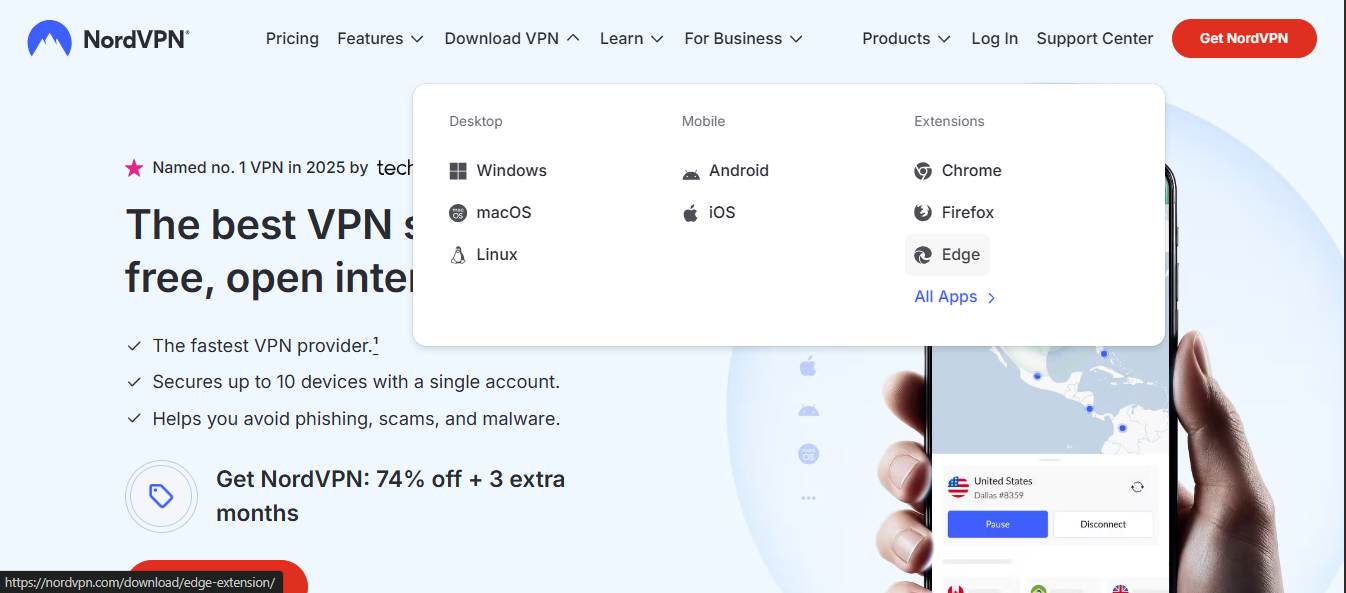
- Go to NordVPN’s official download page for Windows.
- Download the installer file.
- Run the installer and follow on-screen prompts.
- Open the app and log in with your NordVPN credentials.
First connection
- After logging in, you’ll see a map-style or list-style server interface.
- Choose a server location based on your goal (speed, privacy, or streaming).
- Click Connect. The app will establish a VPN tunnel and route traffic through the selected server.
Understanding the Windows NordVPN app interface
What you’ll see
- A prominent Connect button to quick-connect to a recommended server.
- A list or map of servers organized by continent and country.
- Quick access to specialty servers (Double VPN, Obfuscated servers, P2P optimized servers) depending on your plan.
- A settings menu with security, protocol, and feature options.
Key settings to customize
- Protocols: OpenVPN (UDP/TCP) or WireGuard-based NordLynx for speed and compatibility.
- Kill Switch: Keeps your data offline if the VPN drops.
- CyberSec: Blocks malicious sites and protects against intrusive ads.
- Auto-connect: Start the VPN on system startup or unlocks networks automatically.
Getting started on Windows – quickstart steps and options
| Step | NordVPN action | Alternative approach | Time required | Notes |
|---|---|---|---|---|
| 1 | Install from official site | Use Microsoft Store (not recommended) | 5–10 min | Run installer, allow permissions |
| 2 | Log in or create account | Use guest mode (not supported) | 2–5 min | Email verification needed |
| 3 | Connect to a server | Manually pick country | 1 min | Use Quick Connect for auto pick |
| 4 | Enable kill switch | Skip if not needed | 0 sec | Optional, recommended |
| 5 | Test IP leak | Use external checker | 2 min | Verify VPN active |
Compiled November 2026; check the provider's site for current details.
Improving speed and reliability on Windows
NordVPN is designed to be fast, but speeds vary by server, network region, and device capability. Here are practical steps to optimize performance on Windows:
Choose the right protocol
- NordLynx (WireGuard-based) typically offers faster speeds and lower latency than OpenVPN.
- If you experience instability on NordLynx, try OpenVPN (UDP) for stability, then switch back as needed.
Select nearby or specialized servers
- For streaming, pick a server in or near the country where the content is hosted.
- For gaming or low latency tasks, nearby servers usually perform best.
- If you’re on restrictive networks (like some university or corporate networks), try Obfuscated servers to bypass traffic shaping.
Enable Kill Switch and CyberSec
- Kill Switch ensures that if the VPN disconnects, traffic stops rather than leaks your IP.
- CyberSec can help protect against risky domains and some malware-infected sites, which is especially useful on shared networks.
Check for Windows updates and app updates
- Keeping Windows updated helps with compatibility and security.
- NordVPN app updates can introduce performance improvements and new features.
NordVPN on Windows for streaming and work
Streaming
- Many users connect to servers in regions where streaming libraries are available.
- If a service detects VPN usage, switch to a different server in the same region or another server that’s known to work with the service.
- Use the Quick Connect feature to try a nearby server first, then test a few alternate locations if needed.
Work and security
- For work-related tasks, a VPN can add a layer of privacy on public networks.
- If your organization uses strict VPN policies or split tunneling is required by your IT team, review the app’s settings to align with company policy.
- Split tunneling lets you choose which apps use the VPN tunnel and which bypass it, helpful for local network access or certain software.
NordVPN features for Windows users
Security and privacy
- Military-grade encryption keeps data private in transit.
- No-logs policy (subject to NordVPN’s published statements) helps with user privacy.
- Kill Switch and CyberSec enhance protection on Windows.
Networking and compatibility
- Dedicated Windows app ensures a smooth user experience on both Windows 10 and Windows 11.
- Compatibility with common browsers and apps reduces conflicts during use.
Special server options
- Double VPN: routes traffic through two VPN servers for extra privacy (may impact speed).
- Obfuscated servers: designed for restricted networks and censorship environments.
- P2P servers: optimized for file sharing and torrenting on compatible plans.
Troubleshooting common Windows issues with NordVPN
Connection issues
- Ensure the app has the latest update and Windows is up to date.
- Try a different server location if a single server isn’t connecting.
- Check your firewall or antivirus settings to ensure NordVPN isn’t blocked.
Login problems
- Verify your NordVPN credentials and account status.
- If you’ve forgotten your password, use the recovery process from NordVPN’s site.
Netflix and streaming blocks
- Some streaming services actively block VPN IPs. Switch to another server in the same region or enable NordLynx if you were using OpenVPN.
- Check for service-specific advice from NordVPN support or their knowledge base.
NordVPN vs other Windows VPNs: a quick comparison
| Feature | NordVPN for Windows | Typical competitor VPNs |
|---|---|---|
| Platforms | Windows 10 (64-bit), Windows 11 | Windows 10/11, sometimes older versions |
| Protocols | NordLynx (WireGuard), OpenVPN | OpenVPN, sometimes WireGuard, IKEv2 |
| Kill Switch | Yes | Often Yes, sometimes limited |
| CyberSec | Yes | Not always included |
| Specialized servers | Double VPN, Obfuscated, P2P | Varies by provider |
| Streaming compatibility | Strong across major services (varies by region) | Varies; some providers block streaming |
| App quality on Windows | Consistent, user-friendly | Varies; some have clunky UI |
If you’re evaluating options for Windows, NordVPN’s Windows app is designed to blend ease of use with robust features, making it a solid choice for both new VPN users and power users who want control over protocols and server selection.
Practical tips for Windows users: getting the most out of NordVPN
- Use NordLynx by default for speed, but switch to OpenVPN if you need compatibility with certain networks or apps.
- Keep CyberSec enabled for an extra layer of protection, especially on unfamiliar networks.
- Turn on Kill Switch to prevent IP leaks if the VPN connection drops unexpectedly.
- Test multiple servers in quick succession when you’re seeking the best balance of speed and reliability for your use case.
- If you’re on Windows 11, explore any OS-specific optimizations or power settings that could affect VPN performance, such as the Windows Defender firewall rules or power-saving modes.
NordVPN Windows app interface vs functionality map Best VPN for PC
| Area | Description | Quick action | Availability | Notes |
|---|---|---|---|---|
| Main panel | Server list / Quick Connect | Click server | Yes | Fast connect |
| Map view | World map server locations | Click country | Yes | Visual aid |
| Settings | Protocols, kill switch, auto-connect | Adjust controls | Yes | Expert options |
| Connections | Active sessions | View/manage | Yes | Multi-device indicator |
| Help & support | Help center / chat | Open support | Yes | 24/7 |
Compiled November 2026; check the provider's site for current details.
Is NordVPN free for Windows?
There is no perpetual free version of NordVPN. NordVPN offers paid plans with a range of features designed to protect privacy and secure connections. Some pages mention “free” options on the path to subscription, but the core service is a paid subscription. Always verify pricing and promotions on the official NordVPN site to avoid misleading offers.
Common questions about NordVPN for Windows
- Is NordVPN compatible with Windows 11? Yes. NordVPN provides a Windows app compatible with Windows 10 (64-bit) and Windows 11.
- Does NordVPN work with Netflix on Windows? It can, but streaming protection depends on the server and service. If one server is blocked, try another server in the same region or switch to NordLynx.
- Can I use NordVPN on multiple devices? Yes. NordVPN licenses typically cover multiple devices, including Windows PCs, but check your plan’s device limit.
Recommendation: should you use NordVPN for Windows?
If your goals include privacy, security on public networks, and reliable access to geo-restricted content, NordVPN for Windows offers an approachable, well-supported experience. The Windows app is designed for ease of use, with powerful options available for advanced users. Start with a straightforward setup: install the Windows app, log in, and connect to a nearby server using NordLynx for speed. Enable Kill Switch and CyberSec if you want extra protection without a lot of fiddling. When streaming or accessing region-locked content, test a handful of nearby servers to find the best balance of speed and access. For users juggling work and privacy on Windows, NordVPN provides a practical, feature-rich option that scales from simple daily use to more nuanced networking needs.
| VPN | From / month | Plan | Free plan | Refund | Alipay | UnionPay | Crypto | Website opens in China | Trustpilot | |
|---|---|---|---|---|---|---|---|---|---|---|
 NordVPN | $3.49/mo | 27 months: $94.23 | No | 30 days | ? | ✗ | ✓ | ✓ | ✗ Blocked | 4.2/5 (51,628 reviews) |
 ExpressVPN | $3.00/mo | 28 months: $84 | No | 30 days | ✗ | ✗ | ✓ | ✗ | ✗ Blocked | 4.4/5 (29,706 reviews) |
 Surfshark | See site | See site | No | 30 days | ✗ | ✗ | ✗ | ✓ | ✗ Blocked | 4.3/5 (31,823 reviews) |
 CyberGhost | $2.19/mo | 28 months: $61.32 | No | 45 days | ✗ | ✗ | ✗ | ✓ | ✗ Blocked | 4.0/5 (24,178 reviews) |
 ZoogVPN | $2.49/mo | 27 months: $59.99 | Yes | 7 days | ✓ | ✓ | ✓ | ✓ | ✓ Yes (2.5 s) | 4.2/5 (195 reviews) |
 Proton VPN | $2.99/mo | 12 months: $35.88 | Yes | 30 days | ✗ | ✗ | ✗ | ✓ | ✓ Yes (2.5 s) | 2.1/5 (1,040 reviews) |
 Astrill VPN | $12.50/mo | 24 months: $300 | No | See site | ✗ | ✗ | ✗ | ✓ | ✗ Blocked | 1.3/5 (110 reviews) |
 Private Internet Access | $2.03/mo | 40 months: $81.2 | No | 30 days | ✗ | ✗ | ✗ | ✗ | ✗ Blocked | 4.2/5 (11,033 reviews) |
 PureVPN | $1.69/mo | 60 months: $101.55 | No | 31 days | ? | ✗ | ✗ | ✓ | ✓ Yes (2.6 s) | 4.4/5 (17,994 reviews) |
 AdGuard VPN | $2.99/mo | 24 months: $71.76 | Yes | 30 days | ✓ | ✗ | ✓ | ✓ | Official site blocked; our special link opens (2.3 s) | 4.3/5 (290 reviews) |
 Mullvad | $5.61/mo | €5/mo | No | 14 days | ✗ | ✗ | ✗ | ✓ | ✗ Blocked | 3.2/5 (192 reviews) |
 Windscribe | $5.75/mo | 12 months: $69 | Yes | See site | ✗ | ✗ | ✗ | ✓ | ✗ Blocked | 4.7/5 (13,355 reviews) |
 StrongVPN | See site | See site | No | 30 days | ✓ | ✗ | ✗ | ✗ | ✗ Blocked | 4.4/5 (2,695 reviews) |
 LightXtreme 闪连 | $7.08/mo | 12 months: $84.99 | Yes | 30 days | ✓ | ✓ | ✓ | ✓ | ✓ Yes (2.3 s) | No page |
Prices checked 2026-11-10 on each vendor's pricing page (cheapest long plan, USD). Check the vendor's checkout for the final price.
Payment methods checked 2026-11-10 on each vendor's payment pages: all 14 take cards and PayPal; ✗ = not listed, ? = the vendor's own pages disagree.
China access: whether the official website opens from mainland China networks (tests the website only, not the VPN connection). Last checked 2026-11-11 04:07 Beijing time.
Trustpilot score and review count checked 2026-11-10.