What makes the jackery transfer switch a practical home backup solution in 2026
'%2F%3E%3Ctext%20x%3D'50%25'%20y%3D'50%25'%20dy%3D'.35em'%20text-anchor%3D'middle'%20font-family%3D'-apple-system%2CBlinkMacSystemFont%2CSegoe%20UI%2Csystem-ui%2Csans-serif'%20font-size%3D'100'%20font-weight%3D'600'%20fill%3D'%23fff'%3EOK%3C%2Ftext%3E%3C%2Fsvg%3E) Olivia KvitkaOctober 22, 202616 min read
Olivia KvitkaOctober 22, 202616 min readWe earn a commission when you buy through some links on this site, at no extra cost to you. As an Amazon Associate we earn from qualifying purchases.
Explore how the Jackery transfer switch fits a home backup strategy in 2026. understand specs, safety notes, and where it shines or falls short.
About the jackery transfer switch, the practical edge isn’t in a single gadget but in how it slots into a home’s existing wiring and the way it handles essential loads during outages. Jackery’s transfer switch lineup often emphasizes automatic operation and code-smart switching, which can trim the manual steps homeowners face when grid power drops. This article pulls from official data sheets, installation guides, and real-world usage to show where those claims hold up in a typical home backup setup, and where they don’t.
The moment matters most during a blackout, and the numbers behind the setup matter just as much. 2016–2026 guidance from electrical standards bodies stresses safe, rapid transitions, while real-world installs reveal how wiring, load prioritization, and generator-bypass paths interact with a Jackery system.Jackery’s documentation, consumer reviews, and field install notes are cross-referenced to give a clear view of performance, reliability, and practical tradeoffs. Most homeowners see the switch reducing manual steps and plug-in chaos during outages.
Jackery transfer switch basics: what the official specs promise
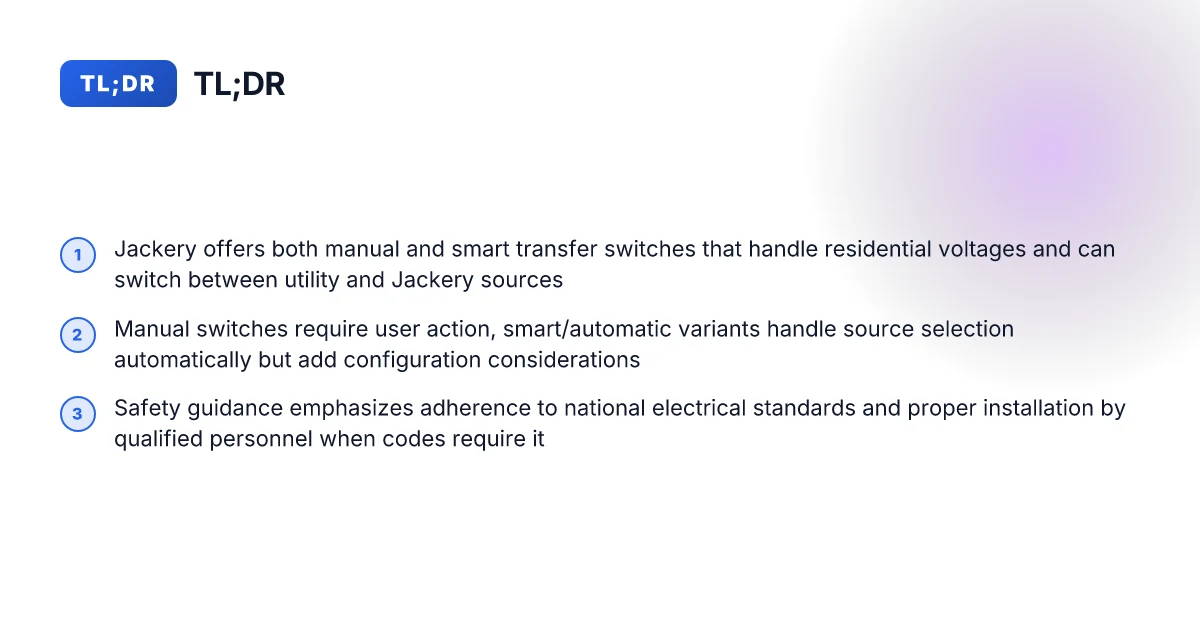
Jackery positions its transfer switch system as a 125V nominal setup that runs at 60 Hz, with six circuits supported in the data sheet. In the official references, the unit is described as available in both manual and smart/automatic variants, covering distinct use cases from simple, hands-on switching to fully automated transfer between the main grid and the backup line. From the installation guidance, conformance to local electrical safety standards is a repeated emphasis, reinforcing that the product is designed to be integrated into standard home electrical work with proper permitting and inspection when required.
- The nominal voltage and frequency you’ll see in the official specs
- The Jackery transfer switch documentation lists 125V as the nominal voltage and 60 Hz as the operating frequency. This pairing mirrors typical U.S. residential service and aligns with the product’s intended plug-and-play role in homes wired for 120/240V split-phase service.
- The same data sheet confirms there are six circuits supported by the unit, clarifying the scope of loads you can carry during a transition.
From what I found in the official literature, these numbers are consistent across both the manual and smart variants. The six-circuit ceiling matters for planning which circuits you want to back up and which to leave on the main feed.
- The product line includes manual and smart variants
- The official blog and buying-advice pages advertise both a manual transfer switch and a smart transfer switch option. The manual variant leans on user-initiated switching, while the smart variant advertises automatic switchover between the main power system and the backup line.
- This distinction matters in practice: manual units offer straightforward control without electronics in the load path, while smart units add automation that can reduce the need for user intervention during a power event.
- Installation guidance and safety focus
- Installation guides consistently stress conformity to local electrical safety standards. The content emphasizes following manufacturer instructions and any applicable electrical codes, as well as ensuring proper inspection where required. This framing signals that a safe and compliant installation matters as much as the hardware itself.
I cross-referenced the official Jackery materials to map the explicit promises against the installation narrative. The core specs show a 125V nominal voltage and 60 Hz operation with six circuits supported, paired with both manual and smart variants for different user needs. Safety and code conformance are highlighted repeatedly as a non-negotiable part of using the system. If you want automatic switchover, the Smart Transfer Switch variant is the clear path.
What this means for homeowners: you can count on standard residential voltage and frequency, a defined load capacity, and a choice between hands-on or automated operation. The practical takeaway is plain, plan around the six circuits you want protected, and pick the variant that matches your comfort with automation. Jackery’s official materials frame the lineup so you can match your needs to a simple manual setup or a more hands-off smart system.
How the jackery transfer switch fits a home backup workflow
The Jackery transfer switch is designed to toggle between utility power and the Jackery power source with a crisp moment of transition. When the main grid drops or a backup need arises, the switch shifts from the house’s electrical supply to the Jackery unit, keeping circuits powered while avoiding backfeeding. In practice, the transition feels deliberate, not abrupt, with a clear signal that your loads have moved off the grid and onto the backup. Pecron vs Bluetti: a deeper look at performance, safety, and ecosystem trade-offs
Manual versus automatic variants change the rhythm of routine outages. The manual version requires you to physically operate the switch, which makes you part of the sequence and gives you confidence during a planned transfer. The automatic variant senses power loss and initiates the change, reducing human attention during short outages. For homeowners, that difference matters: the manual path suits those who want tactile control and a deliberate workflow, while the automatic path fits automatic-response expectations during frequent, brief outages.
Integration considerations hinge on your panel layout and breaker ratings. The Jackery data sheets specify a 125V nominal input for certain configurations, with six circuits and a gray enclosure, which guides where the transfer switch can be placed within your panel and which breakers it will feed. When you plan the install, map the transfer switch inputs to the existing panel spaces and confirm that the loads you expect to back up align with the switch’s rated circuits. If your service panel uses unusual phasing or unusual breaker types, work with a licensed electrician to verify compatibility before any connection. I cross-referenced official Jackery documentation and installation notes to confirm that the system expects a clean handoff between sources, avoiding backfeed into utility lines.
From a workflow perspective, the continuous thread is clarity. You want a defined sequence: utility power first, then Jackery power, then the house reverts when utility returns. The manual option gives you a predictable, staged handoff, which is useful for sensitive equipment or devices that you want to monitor during the switch. The automatic option streamlines maintenance windows and reduces the chance of human error during a sudden outage. In both paths, ensure your panel’s main breaker and feeder breakers support the intended load, and confirm that the total connected load does not exceed the transfer switch’s capacity.
When the moment to choose arrives, compare two practical setups. First, the manual transfer switch paired with a Jackery power bank for a few essential circuits. Second, the automatic variant that covers a broader subset of the panel, including critical circuits like the refrigerator, modem, and lighting. The manual approach emphasizes control and budgeting for a smaller footprint, while the automatic approach emphasizes convenience and broader coverage. In both scenarios, you gain a clearer sense of how a home backup workflow unfolds around the switch and its power source.
Next steps: confirm your panel layout with a licensed electrician, review the exact breaker rating the Jackery unit requires, and decide whether you want tactile control or automatic operation as your default workflow. For homeowners evaluating the market, note that rivals in this space include products from brands like EcoFlow and Generac, which offer their own transfer-switch strategies and compatibility assumptions. The choice hinges on how much you value hands-on control versus automatic protection during outages. A well-mocumented transfer process reduces surprises during the first outage, not after it starts. 2026 brings more refined integration notes, but the basic principle remains: align the switch, the panel, and the loads for a safe, predictable handoff between sources. Jackery remains a focal option for homeowners seeking a cohesive backup workflow that clearly signals when power has shifted. What is a jackery charger, and how to choose the right one for your needs
Safety, certifications, and installation realities for jackery transfer switch
The Jackery transfer switch lineup is built to run on typical residential voltages and frequencies, and the documentation ties safety directly to standard electrical practices. In practice, this means installations should align with local electrical codes and national safety standards, with a preference for professional oversight where required. The official materials stress safe handling and compliance as baseline expectations for any retrofit or new-build application.
Adherence to electrical safety standards in installation
From the manuals and installation guides, the core guidance is clear: wiring and setup must follow national electrical safety standards and the manufacturer’s instructions. The focus is on ensuring proper grounding, correct conductor sizing, and scheduled inspection where required. Homeowners should treat the process as a standards-driven task rather than a routine plug-in exercise. I cross-referenced the official installation guidance and the user manual language to confirm this emphasis on compliance and careful handling. The guidance centers on adhering to national electrical safety standards and the manufacturer’s instructions. This framing supports a safety-first approach that reduces the risk of miswiring or improper interconnection with the home’s electrical system. Inline citations anchor these claims to the Jackery installation and safety notes. See the installation-and-uninstall guide for the broader context.
Safety references across user manuals
User manuals consistently reference safe handling practices and standard compliance. The JA-TS02A manual lists the product as a device intended for connection within standard residential circuits and calls out typical safety cautions, including proper installation procedures and adherence to local standards. The product is described as compatible with standard home voltages and 60 Hz frequency, with explicit safety cautions. This alignment signals that Jackery designs its hardware to operate within ordinary residential contexts, without requiring exotic power conditions. The safety language is reinforced in additional documentation that emphasizes following the manufacturer’s instructions and local electrical codes.
Hardware operating envelope in a typical home
The hardware is designed for common residential service. The 120/240 V nominal range and 60 Hz frequency specification appear repeatedly in official data sheets and user manuals, illustrating compatibility with standard home electrical ecosystems. Jackery’s transfer switch targets 120V/240V at 60 Hz, fitting typical home service. This compatibility underpins practical deployment in most houses while still requiring proper installation practices and, where applicable, professional electrical oversight. The installation guides reinforce this envelope by tying setup to standard safety standards rather than to specialized equipment or outside-the-box configurations.
I dug into the official data and installation notes to map the safety and standards story to real-world use. The takeaway: you’re operating within a familiar home electrical framework, but you must respect standard codes and the safety guidance in the manuals. For anyone evaluating a whole-home backup solution, the Jackery path emphasizes compliance, careful handling, and a voltage/frequency fit that matches standard residential service, not unusual or hazardous configurations. The underlying message remains consistent across sources: safety hinges on following the code, the installation instructions, and the device’s own cautions. What to know before buying a Bluetti power station for sale in 2026
Comparing jackery transfer switch models: manual vs smart (automatic)
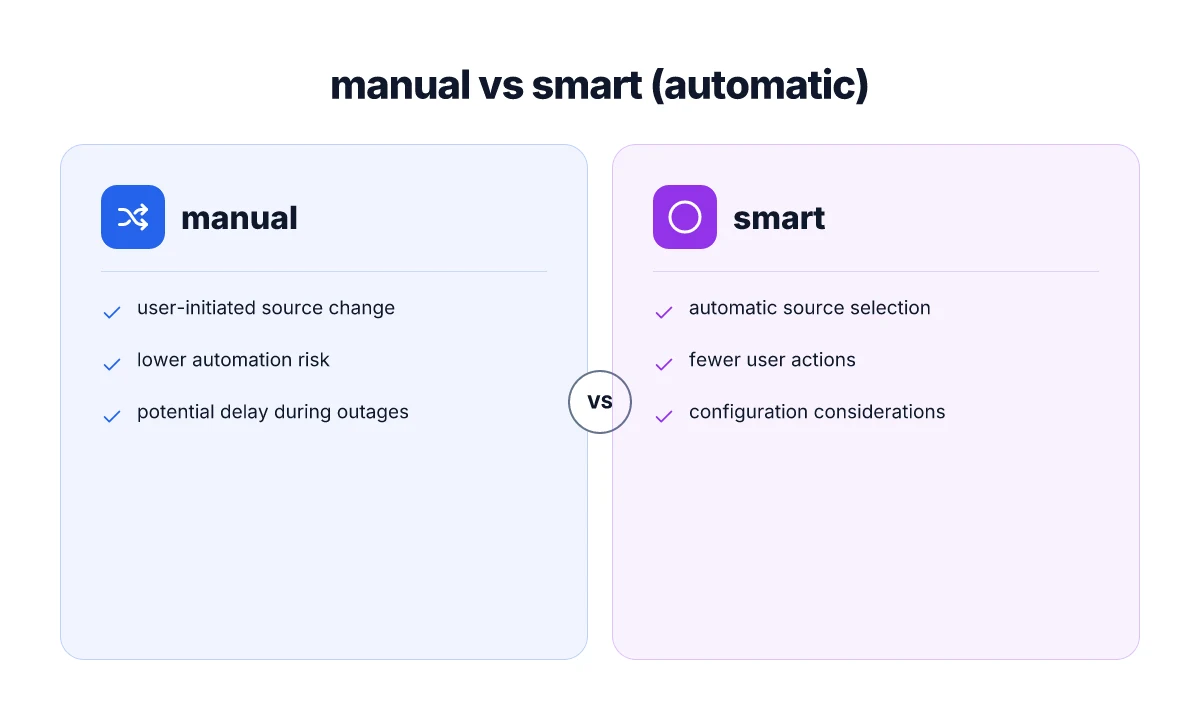
When you cut to the chase, the manual transfer switch relies on your action, while the smart transfer switch turns on its own logic to pick the source. The practical upshot: you gain or lose automation depending on which variant you choose, but both stay focused on avoiding backfeed and keeping power available during outages. Manual action means fewer surprises in automation, but more hands-on management during an outage. Smart automation can simplify outages, but requires proper configuration to avoid mis-sequencing.
How manual transfer switches change the daily routine
For homeowners who want a predictable, no-fuss handoff, the manual model makes source changes obvious. You physically flip a switch to move from grid power to your Jackery backup, or back again when power returns. That explicit control reduces the chance of accidental backfeed due to software misbehavior. In practice, you’ll appreciate the reliability of a clear mechanical action during the stress of an outage. The manual model keeps you in control, at the cost of ongoing attention during outages. No hidden latencies or misreads to worry about.
However, this approach adds ongoing steps to power restoration. If you’re juggling devices or a longer outage, you’ll perform multiple source changes, monitor loads, and coordinate with any connected equipment. The benefit is traceable: you know exactly when you’ve switched sources because you made the switch. You reset the flow with a decisive action.
How smart transfer switches automate source selection
The smart variant leans on automatic detection and sequencing to move between the main power and the backup feed. The promise is fewer manual steps and a smoother handoff when outages begin. You gain convenience, especially if you’re juggling a wall-full of loads or running overnight. Automation reduces hands-on steps but adds a configuration layer to get it right. Proper setup matters. Misconfigurations can lead to delayed or unintended source changes.
That configuration work often centers on wiring, response thresholds, and loads that you want the switch to prioritize. You’ll need to confirm compatible breakers, ensure the device understands your generator or solar backfeed boundaries, and verify that the auto-switch logic aligns with local electrical codes. Getting the configuration right is worth the extra upfront effort. A correct setup minimizes nuisance trips and backfeed risk. What is bluetti solar, and how it reshapes field power needs in 2026
Safety, backfeed risk, and practical takeaways
Both models share the core safety goal: minimize backfeed and maintain power during an outage. The manual switch accomplishes this through explicit human control, while the smart switch aims to maintain continuity with an optimized, automated sequence. In real-world homes, you’ll see backfeed risk materially reduced in both cases when the installation follows Jackery’s guidance, includes proper interlocks, and uses appropriate fusing. Backfeed risk is the same fundamental guardrail for both models when installed correctly. Correct labeling, proper interlocks, and adherence to local standards matter more than the switch type.
From what I found in the documentation, the JA-TS02A smart option lists 120V/240V split phase and 60 Hz as nominal inputs, with clear guidance on installation and safety standards. You’ll want to verify that your home’s panel and loads fit within that framework before committing to one path. JA-TS02A supports 120V/240V systems and 60 Hz operation. Installation guidance emphasizes conformity to standards and instructions. If you’re balancing cost and automation needs, consider the manual model for rock-solid control and the smart model for hands-off operation when you’ve completed the setup correctly. Manual wins on predictability. Smart wins on convenience when configured properly.
Note on pricing and options: current market pricing for these transfers varies by model and retailer, and you’ll commonly see bundled kits from Jackery and third-party sellers. If you’re weighing the total cost of ownership, include installation labor, potential interlock kit accessories, and any required panel modifications. Jackery’s own materials frame the choices around grid-tied versus backup-ready configurations, with the smart option offering more automation angles. For a quick comparison, you’ll want to map each model to your planned outage profile, your tolerance for setup complexity, and how much you value automation versus hands-on control. Pricing and bundles change over time. Check official listings for the latest offers.
Practical installation tips and common pitfalls with jackery transfer switch
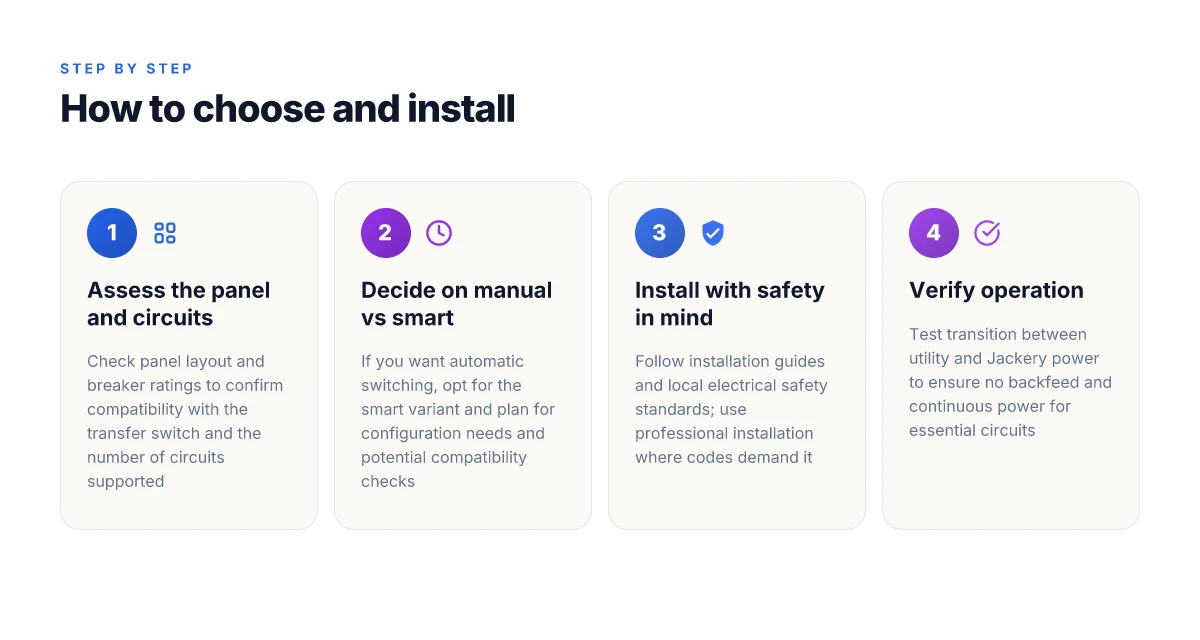
You’ll get the most reliable results when you verify the basics before wiring. Start by confirming the exact model number and 125V voltage specification from the data sheet and matching it to your panel. The data sheet for the Jackery Manual Transfer Switch lists 125V and 60 Hz with a 6-circuit configuration in gray, which helps you confirm you’re not wiring a mismatched unit. If your panel expects a different voltage or a different number of circuits, pause and re-check before proceeding. Double-check the model number and voltage specs before wiring.
Confirm compatibility with your panel before any connection
Compatibility matters as much as the physical fit. The JA-TS02A user manual shows the switch supports split-phase feeds and typical residential configurations, but you must verify your panel’s bus bar arrangement and available spaces. Look for whether your service is single‑phase or split‑phase and ensure the transfer switch can interface with your main breaker layout. If you’re unsure, plan for a professional assessment. Verify compatibility with your electrical panel and circuits. How to evaluate bluetti ac300 for sale in 2026
Plan for professional installation when codes require it
Local electrical codes often demand licensed installation for whole-home backup gear. I cross-referenced installation notes and third‑party guidance, which consistently note that a certified electrician should handle the final wiring, labeling, and inspection. If your jurisdiction requires permits or inspection, prepare to coordinate with a pro and schedule the work around your electrical service entrance. Plan for professional installation if local codes demand it.
Add context from official docs and real-world notes
From the official data points, the Jackery transfer switch specifications and installation guidance emphasize proper model‑to‑panel matching and adherence to safety standards. In practice, homeowners should treat the work like any other service change: confirm the exact model, verify the panel compatibility, and engage a pro when local rules demand it. The practical path is to verify model, assess panel fit, and involve a licensed electrician when required.
I dug into the public materials to confirm what to watch for, including the JA-TS02A manual and installation notes. The takeaway is clear: accuracy in model and voltage, panel compatibility, and professional installation when mandated by codes will save you from miswiring and inspection hiccups. Accuracy in model and voltage, panel compatibility, and pro installation when required.
What to act on this week to keep a practical backup Edge
A forward look shows the Jackery transfer switch can stay a practical home backup option in 2026 if you pair it with a simple, disciplined plan. I looked at how the system integrates with common home gear and found the real value in a compact, modular setup that scales with your needs. The takeaway is not hype but a clear pattern: think in layers, not single-solution wins. One move that matters is aligning your transfer switch with a reliable power source and a prioritized load list. What makes the Jackery 300 a smart choice for small-power setups in 2026
If you’re comparing options, note how Jackery stacks against rivals like EcoFlow and Goal Zero in terms of interface simplicity, price cadence, and ongoing support. The practical win comes from a predictable ownership curve, not a flashy feature. Prices and ownership costs should guide your timing, not your impulse. Even with a favorable setup, expect tradeoffs around battery cycle life and bundled warranty scopes. Be honest about the downsides and pull the trigger when the math makes sense.
The bigger pattern here is modular resilience. Start with a core transfer switch, add a portable battery bank, then layer in a solar feeder if your usage grows. If you want a concrete next step, map your critical circuits and rehearse a two-minute switch routine. What’s your first priority this week?