How to install and use urban vpn chrome extension for basic ip masking and easy online privacy
 Tessa AlbrightUpdated 10 min read
How to install and use urban vpn chrome extension for basic ip masking is a quick, practical guide you can follow in minutes. Quick fact: a Chrome extension like Urban VPN adds a layer of IP masking so websites can’t see your real IP address, helping you browse more privately and access geo-blocked content. In this guide, you’ll get a step-by-step setup, best practices, troubleshooting tips, and real-world examples to get the most out of Urban VPN. Think of this as a friendly walkthrough to keep your online activity a bit more private without turning you into a tech expert overnight.
| VPN | Obfuscation | From / month | Plan | Free plan | Refund | Alipay | UnionPay | Crypto | Website opens in China | Trustpilot | |
|---|---|---|---|---|---|---|---|---|---|---|---|
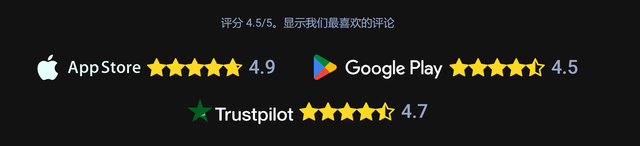
 NordVPN | Turn on manually Obfuscated Servers / NordWhisper | $3.49/mo | 27 months: $94.23 | No | 30 days | ? | ✗ | ✓ | ✓ | ✗ Blocked | 4.2/5 (51,628 reviews) |
 Surfshark | ✓ On by default Camouflage, with OpenVPN | See site | See site | No | 30 days | ✗ | ✗ | ✗ | ✓ | ✗ Blocked | 4.3/5 (31,823 reviews) |
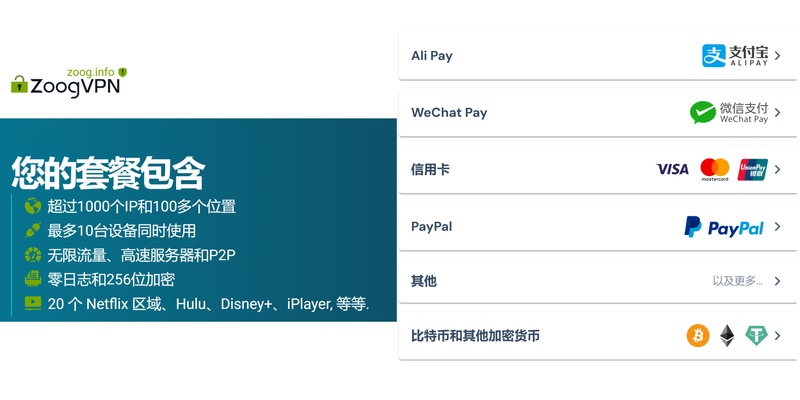
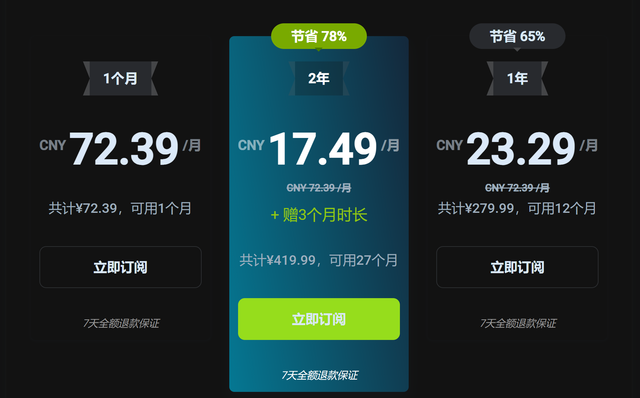
 ZoogVPN | Turn on manually Shadow | $2.49/mo | 27 months: $59.99 | Yes | 7 days | ✓ | ✓ | ✓ | ✓ | Official site blocked; our special link opens (4.4 s) | 4.2/5 (195 reviews) |
 ExpressVPN | ✓ On by default all servers | $3.00/mo | 28 months: $84 | No | 30 days | ✗ | ✗ | ✓ | ✗ | ✗ Blocked | 4.4/5 (29,706 reviews) |
 Proton VPN | Turn on manually Stealth, free plan too | $2.99/mo | 12 months: $35.88 | Yes | 30 days | ✗ | ✗ | ✗ | ✓ | ✗ Blocked | 2.1/5 (1,040 reviews) |
 Astrill VPN | Turn on manually StealthVPN / OpenWeb | $12.50/mo | 24 months: $300 | No | See site | ✗ | ✗ | ✗ | ✓ | ✗ Blocked | 1.3/5 (110 reviews) |
 Private Internet Access | Turn on manually Shadowsocks, OpenVPN only | $2.03/mo | 40 months: $81.2 | No | 30 days | ✗ | ✗ | ✗ | ✗ | ✗ Blocked | 4.2/5 (11,033 reviews) |
 CyberGhost | Turn on manually selected servers | $2.19/mo | 28 months: $61.32 | No | 45 days | ✗ | ✗ | ✗ | ✓ | ✗ Blocked | 4.0/5 (24,178 reviews) |
 PureVPN | Turn on manually switch to OpenVPN | $1.69/mo | 60 months: $101.55 | No | 31 days | ? | ? | ✗ | ✓ | ✗ Blocked | 4.4/5 (17,994 reviews) |
 AdGuard VPN | ✓ On by default TrustTunnel | $2.99/mo | 24 months: $71.76 | Yes | 30 days | ✓ | ✗ | ✓ | ✓ | Official site blocked; our special link opens (3.7 s) | 4.3/5 (290 reviews) |
 Mullvad | Turn on manually QUIC / Shadowsocks / LWO | $5.61/mo | €5/mo | No | 14 days | ✗ | ✗ | ✗ | ✓ | ✗ Blocked | 3.2/5 (192 reviews) |
 Windscribe | Turn on manually Stealth / WStunnel | $5.75/mo | 12 months: $69 | Yes | See site | ✗ | ✗ | ✗ | ✓ | ✗ Blocked | 4.7/5 (13,355 reviews) |
 StrongVPN | Turn on manually Scramble, OpenVPN TCP | See site | See site | No | 30 days | ✓ | ✗ | ✗ | ✗ | ✗ Blocked | 4.4/5 (2,695 reviews) |
 LightXtreme 闪连 | Not listed | $7.08/mo | 12 months: $84.99 | Yes | 30 days | ✓ | ✓ | ✓ | ✓ | ✓ Yes (3.5 s) | No page |
Prices checked 2026-11-10 on each vendor's pricing page (cheapest long plan, USD). Check the vendor's checkout for the final price.
Obfuscation checked 2026-11-14 on each vendor's site and help center: "on by default" = nothing to set; "turn on manually" = switch protocol or mode in settings; "not listed" = the vendor describes no obfuscation.
Payment methods checked 2026-11-10 on each vendor's payment pages: all 14 take cards and PayPal; ✗ = not listed, ? = the vendor's own pages disagree.
China access: whether the official website opens from mainland China networks (tests the website only, not the VPN connection). Last checked 2026-11-18 01:02 Beijing time.
Trustpilot score and review count checked 2026-11-10.
Introduction: quick-start guide to Urban VPN on Chrome
- What you’ll get: basic IP masking, access to international servers, and a simple toggle to connect or disconnect.
- Why it matters: hiding your IP can deter tracking, reduce targeted ads, and help you bypass annoying geo-restrictions on streaming services or news sites.
- What we’ll cover: installation steps, configuration tips, everyday use cases, speed considerations, and a handy FAQ to clear up common questions.
Where Urban VPN fits in your privacy toolkit How to download and install the nordvpn app on windows 11 and other essential VPN tips
- IP masking vs. full VPN: Urban VPN focuses on masking your IP for basic privacy and unlocking some geo-blocked content, not end-to-end encryption or complete anonymity.
- Browser extension limits: Extensions operate within your browser and may not cover background apps or other devices connected to your network.
- Safety and trust: Use reputable extensions from credible sources, and keep permissions to a minimum to protect your data.
Part 1: Quick start — installing Urban VPN Chrome extension
Step 1: Open Google Chrome and go to the Chrome Web Store
- In the address bar, type chrome.google.com/webstore and hit Enter.
- In the search bar, type “Urban VPN” and press Enter.
Step 2: Add the Urban VPN extension to Chrome
- Find the Urban VPN extension in the results and click Add to Chrome.
- A pop-up will ask for permissions. Read them quickly: you’ll typically see access to tabs and data on websites you visit. If you’re comfortable with that, click Add extension.
Step 3: Confirm installation and pin the extension
- After installation, you should see the Urban VPN icon in the top-right corner of Chrome.
- Click the puzzle piece icon Extensions and pin Urban VPN to keep it visible on your toolbar for easy access.
Step 4: Sign up or sign in Nordvpn App Not Logging In Fix It Fast Step By Step Guide: Quick Troubleshooting for NordVPN Login Issues
- Open the Urban VPN extension by clicking its icon.
- You’ll have options to sign in or create an account. If you already have an account, log in; otherwise, you can often start with a free plan or trial depending on current offers.
- Pro tip: check for any promo codes or affiliate links that might be active, but always verify legitimacy before entering payment details.
Step 5: Choose a server and connect
- In the Urban VPN UI, you’ll see a list or a world map of server locations.
- Pick a country close to you for better speed, or select a location unlocks the content you’re chasing e.g., streaming libraries.
- Click Connect. The extension will show a status indicator once you’re connected.
Step 6: Verify your IP is masked
- To verify, visit a site like whatismyipaddress.com or ipinfo.io. You should see a different IP and location than your real one.
- If you’re not seeing a change, disconnect and reconnect, or try a different server.
Part 2: Using Urban VPN for basic IP masking everyday usage
- Quick switch: Use the connect/disconnect toggle to turn masking on or off as needed.
- Choosing servers: For best performance, pick a nearby server. If you’re trying to access a region-locked service, select a country where that service is available.
- Streaming and browsing: Urban VPN can help bypass some regional blocks, but streaming quality varies by server load. If you’re buffering, switch servers or try a different time.
Common use cases
- Bypassing geo-blocked content: Access libraries or websites that restrict by country.
- Protecting on public Wi-Fi: Mask your IP on shared networks to reduce tracking.
- Light privacy for ad targeting: Reduce the likelihood of location-based ads, though digestible tracking can still occur.
Part 3: Tips for maximizing privacy and performance Where Is My Location How To Check Your IP Address With NordVPN: A Simple, Clear Guide
- Use HTTPS whenever possible: Even with a VPN, always look for HTTPS to protect data in transit.
- Limit extensions with broad permissions: Only enable Urban VPN when you need it; disable or remove other extensions that don’t serve a security purpose.
- Check for DNS leaks: Some VPNs can leak DNS requests. If you want extra assurance, run a quick DNS leak test to see if your requests are being resolved by your VPN’s DNS servers.
- Keep your browser and extension updated: Updates often include security fixes and performance improvements.
- Understand what the extension does: Urban VPN may route traffic through its own servers; be mindful of what data you share and what you’re comfortable with.
Part 4: Performance considerations and real-world data
- Speed expectations: VPNs inherently add some overhead. Expect a 5-40% drop in raw speed depending on server distance, time of day, and network congestion. Pro mode connections or nearby servers can minimize this dip.
- Server load and reliability: Urban VPN traffic can spike; if you notice lag, switch to a less congested server or try off-peak hours.
- Device and browser impact: Extensions can use memory and CPU. If you notice sluggishness, disable other heavy extensions and close unused tabs.
Part 5: Security best practices when using urban vpn chrome extension
- Use a strong account password and enable two-factor authentication if available.
- Review extension permissions regularly and revoke any that aren’t essential.
- Avoid transmitting sensitive information while connected to untrusted servers or free networks.
- Keep backups of your important data and have a plan to disable masking if you suspect a security issue.
Part 6: Alternatives and complementary tools
- Desktop VPNs: A full VPN app on your computer may offer stronger encryption, kill switches, and system-wide protection.
- Privacy-focused browsers: Consider browsers with built-in privacy features and tracking protection.
- Ad and tracker blockers: Pair Urban VPN with a reputable ad blocker to reduce profiling on pages you visit.
Part 7: Troubleshooting common issues
- Connection failures: If you can’t connect, try a different server or check your internet connection. Restart the browser and the extension, then retry.
- Slow speeds: Switch to a nearby server, pause other bandwidth-heavy activities, or try a different time of day.
- IP not masking: If the IP shown on whatismyipaddress.com doesn’t change, disconnect and reconnect, clear browser cache, or try a different server location.
- Website still blocked: Some sites use advanced anti-VPN techniques. Try a different server or temporarily disable the VPN to see if it’s a blocking issue.
User experience stories Urban vpn google chrome extension a complete guide to faster, safer browsing
- Quick setup with a friend: “I opened Chrome, added Urban VPN, picked a nearby server, and watched a show I couldn’t access before. It was that simple,” says one user.
- On-the-go privacy: A student used Urban VPN during library Wi-Fi sessions to stay private without affecting their overall browsing experience.
Part 8: SEO-friendly optimization tips for your video and blog post
- Target keywords: How to install and use urban vpn chrome extension for basic ip masking, urban vpn chrome extension setup, urban vpn ip masking, chrome vpn extension tips.
- Include long-tail variations: how to install urban vpn chrome extension, how to use urban vpn for basic ip masking, urban vpn chrome extension guide.
- Use structured data: add timestamps for sections like installation, setup, troubleshooting, and FAQ to improve video SEO.
- Encourage engagement: ask viewers to like, subscribe, and leave questions in the comments about specific sites or regions they’re trying to access.
Useful URLs and Resources
- Urban VPN official site - https://www.urbanvpn.com
- WhatIsMyIP - https://www.whatismyip.com
- DNS Leak Test - https://www.dnsleaktest.com
- Chrome Web Store - https://chrome.google.com/webstore
- Privacy and online safety tips - https://www.onlinesafety.org
- NordVPN affiliate - https://go.nordvpn.net/aff_c?offer_id=15&aff_id=132441
- IP location lookup - https://ipinfo.io
- Surfshark VPN blog - https://surfshark.com/blog
- Mozilla Privacy Guide - https://foundation.mozilla.org/en/privacyeverywhere/
FAQ: Frequently Asked Questions
Is Urban VPN safe to use with Chrome?
Urban VPN is generally safe for basic IP masking in Chrome, but it’s important to understand that extensions have access to data on the websites you visit. Use trusted sources, check permissions, and avoid sending sensitive information while connected.
Will Urban VPN hide my real IP completely?
It masks your IP from websites you visit, but it doesn’t provide end-to-end encryption for all apps on your device. For sensitive tasks, consider a full VPN app or additional privacy tools. Speedtest vpn zscaler understanding your connection speed
Can I use Urban VPN for streaming?
Yes, you can sometimes access geo-blocked streaming content, but performance depends on server load and distance. If a server is slow, switch to another location.
Does Urban VPN keep logs?
Most VPN services claim they don’t log traffic, but policy specifics vary. Always check the current privacy policy and terms of service to understand data retention practices.
How do I know which server to choose?
Start with a server close to your real location for best speed. If you’re bypassing geo-restrictions, pick the country where the content is supposed to be available.
Can I use Urban VPN on devices other than Chrome?
Urban VPN also offers apps for mobile devices and desktop platforms. Check their official site for supported platforms and installation steps.
What if I experience IP leaks?
If you suspect leaks, perform a DNS leak test and ensure the extension is configured properly. Disable other network-related extensions that could interfere. Nordvpn extension for edge your quick guide to download install and use: A Complete VPN Guide for Edge Users
How do I uninstall Urban VPN from Chrome?
Open Chrome, go to Extensions, find Urban VPN, and click Remove. You can also disable it if you want to test without it.
Does Urban VPN slow down my internet?
Some slowdown is common with any VPN due to encryption and routing. Choosing nearby servers and avoiding peak times can help minimize impact.
Is there a free version of Urban VPN?
Many VPNs offer free plans with limited data or speed. Free services may have more restrictions and ads. Consider the paid option if you need more reliable performance.