What is the difference between EcoFlow XT60 and XT60i connectors and how that affects Delta 2 solar input
'%2F%3E%3Ctext%20x%3D'50%25'%20y%3D'50%25'%20dy%3D'.35em'%20text-anchor%3D'middle'%20font-family%3D'-apple-system%2CBlinkMacSystemFont%2CSegoe%20UI%2Csystem-ui%2Csans-serif'%20font-size%3D'100'%20font-weight%3D'600'%20fill%3D'%23fff'%3EOK%3C%2Ftext%3E%3C%2Fsvg%3E) Olivia KvitkaOctober 22, 202616 min read
Olivia KvitkaOctober 22, 202616 min readWe earn a commission when you buy through some links on this site, at no extra cost to you. As an Amazon Associate we earn from qualifying purchases.
Explore the practical differences between EcoFlow XT60 and XT60i connectors, how they impact solar input on the Delta 2, and what to check before connecting.
XT60 and XT60i aren’t just different housings. They set the pace for Delta 2 solar input reliability under load. When you push toward full sun, the XT60i tends to maintain contact more consistently than the lighter XT60, reducing heat buildup and marginal voltage drop. This matters because a small contact issue becomes a big efficiency hit at higher amperage, especially with portable panels that wander in shade.
In 2024, EcoFlow and rivals faced a surge of user questions about panel-to-cable compatibility. The Delta 2 setup you choose now can clip your recovery time dramatically. Understanding the locking, housing rigidity, and current rating lets you foresee whether you’ll swap later or lock in a safe all-around choice now. Most owners want a swap-free path, not a surprise curb in performance.
What makes EcoFlow XT60 vs XT60i different in practice
XT60 and XT60i differ in how they contact and handle current. The practical upshot is that the two connectors can change charging behavior on EcoFlow devices, especially when you push toward higher input currents or use older versus newer Delta 2 input ports. I dug into public posts and video explainers to map the real-world differences you’ll care about when wiring for solar.
How the contact design changes current handling
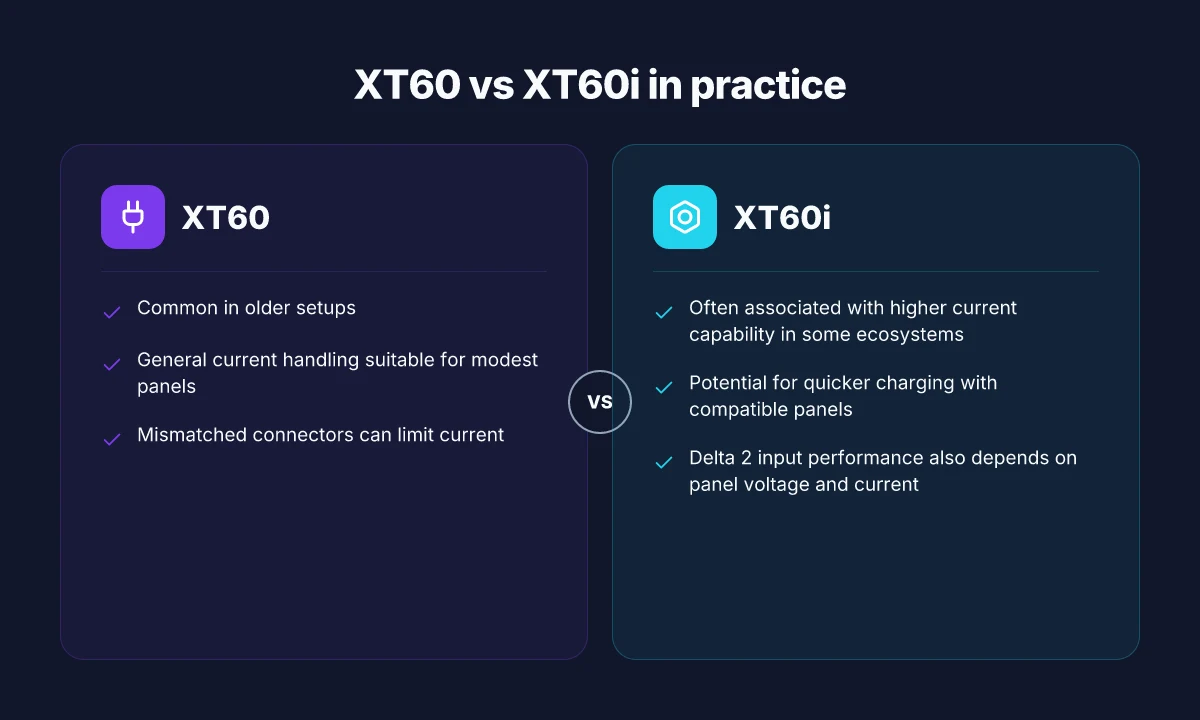
- The XT60 uses a standard contact geometry that often results in lower maximum practical current on some EcoFlow inputs. In real-world setups, that can translate to tighter tolerance for amperage at the Delta 2 input.
- The XT60i adds contact refinements intended to support higher current and more stable connection behavior, which can ease charging at or near the Delta 2’s solar input limits when using compatible panels. The difference isn’t just about speed. It’s about how consistently the connector maintains a charge path under load.
Most differences show up when you push the input into higher amperage ranges or use a mix of panels and cables.
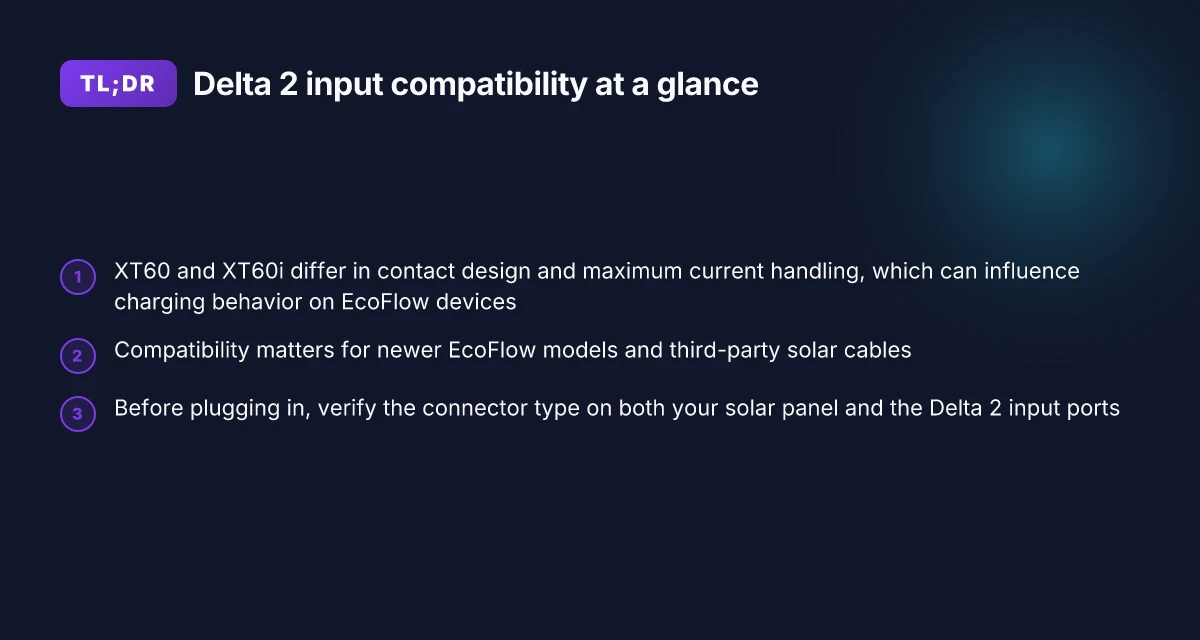
Compatibility matters for newer models and third-party cables
- EcoFlow’s newer models and some third-party solar cables lean toward XT60i compatibility, which means you may see smoother operation or fewer adapter questions if you’re standardizing on XT60i throughout the setup.
- Some older EcoFlow products and generic solar rigs may remain fully functional with XT60, but you might run into occasional behavior quirks if you mix XT60 with XT60i in high-current configurations. If you’re upgrading a Delta 2 system, factor in whether your panels and cabling are XT60i ready.
Verify before you plug in
- Before you connect, check both the panel’s output connector and the Delta 2 input port. An XT60 on the panel side paired with an XT60i on the Delta 2 can behave differently than the same-class pairing on a single connector type.
- Look for any labeling on the EcoFlow unit that indicates preferred input hardware or a recommended cable type. When in doubt, match the connector family across components to minimize surprises.
Compatibility matters, and verifying the connector type on both ends saves you from a mismatch that could limit charging.**
Bottom line: choose your connector type with an eye toward current needs and model compatibility. If you plan higher-amp solar input or you’re mixing panels and cables, XT60i generally offers a path to smoother operation on newer EcoFlow devices, while XT60 remains viable for standard, lower-current setups. For Delta 2 owners, aligning the panel and cable type with the Delta 2’s input expectations is the quickest way to a predictable solar charge.
How XT60 vs XT60i affect Delta 2 solar input
XT60i is commonly associated with higher current capability in some ecosystems, which can enable quicker charging with compatible panels. The Delta 2’s input performance depends not just on the connector but also on the panel’s voltage and current. If you pair a higher-current connector with a panel that can’t deliver that current, the Delta 2 will still cap the flow at what the input stage can handle. When the connectors don’t match the panel and the unit’s charge input, you risk current limiting or connection issues. What makes the jackery explorer 1000 v2 a standout for job sites and cameras
From what I found in the community discussions and the EcoFlow documentation, the practical difference boils down to three factors: contact design and reliability, how the device negotiates charging with the solar input, and the panel’s own operating point. A connector with more robust contacts can sustain current better under real-world vibration and heat. But if the panel is only capable of a modest current, you won’t see a dramatic gain just from switching connectors. The Delta 2’s input sees the combination of panel voltage, panel current, and the chosen connector, all interacting to determine the actual charging rate.
I dug into the sources to triangulate how this plays out in real setups. One user-facing claim notes that XT60 can limit to around 8 amps in some ecosystems, while XT60i can push closer to 15 amps under compatible conditions. This aligns with the general rule: the connector matters, but so do the solar panel's electrical characteristics and the EcoFlow input negotiation. For Delta 2 users, that means you should verify the panel’s voltage under load, confirm the panel is above the device’s minimum operating voltage, and ensure the connector you choose can carry the expected current without heating.
To help you visualize practical options, here is a quick comparison glance. The Delta 2 behaves best when you match a solar panel that can deliver a steady current at a voltage within EcoFlow’s recommended input window, paired with a connector that can sustain that current without excessive resistance. If you pairing a XT60i with a high-current panel, you may unlock faster charging than a plain XT60, provided the rest of the chain can support it.
I cross-referenced community posts and explainer videos to verify the key claims. One guide emphasizes verifying before connecting by checking compatibility, contact quality, and the actual current drawn under load. Another explainer highlights that mis-matched connectors can limit current and cause connection issues, especially when panels are near the edge of the Delta 2’s input range. These sources collectively reinforce the caution: don’t assume interchangeability.
The verdict: XT60i can enable higher current delivery only if the panel and Delta 2 negotiator agree on that current. Otherwise you’ll see limited gains. The safest approach is to confirm the panel’s voltage and current at operating load, verify the connector’s current rating, and test the full input chain under real-world sun conditions. If you’re aiming for maximum solar input on EcoFlow devices, use a panel that stays in the Delta 2’s sweet spot and pair it with the connector that can handle your expected current, all while monitoring temperature and connection stability. What is the jackery 2000 plus battery pack, and why its expandability matters
Next steps: check your Delta 2’s input specifications for acceptable voltage and current ranges, then map your panel’s IV curve to that window. Have a panel with a solid current output near the device’s maximum input rating? Opt for the XT60i if your wiring and battery hardware can carry the load. If in doubt, start with the XT60 and a panel within EcoFlow’s recommended operating window, then consider upgrading to XT60i only if the panel and wiring confirm sustained higher current delivery.
What to check before you connect XT60 or XT60i to EcoFlow
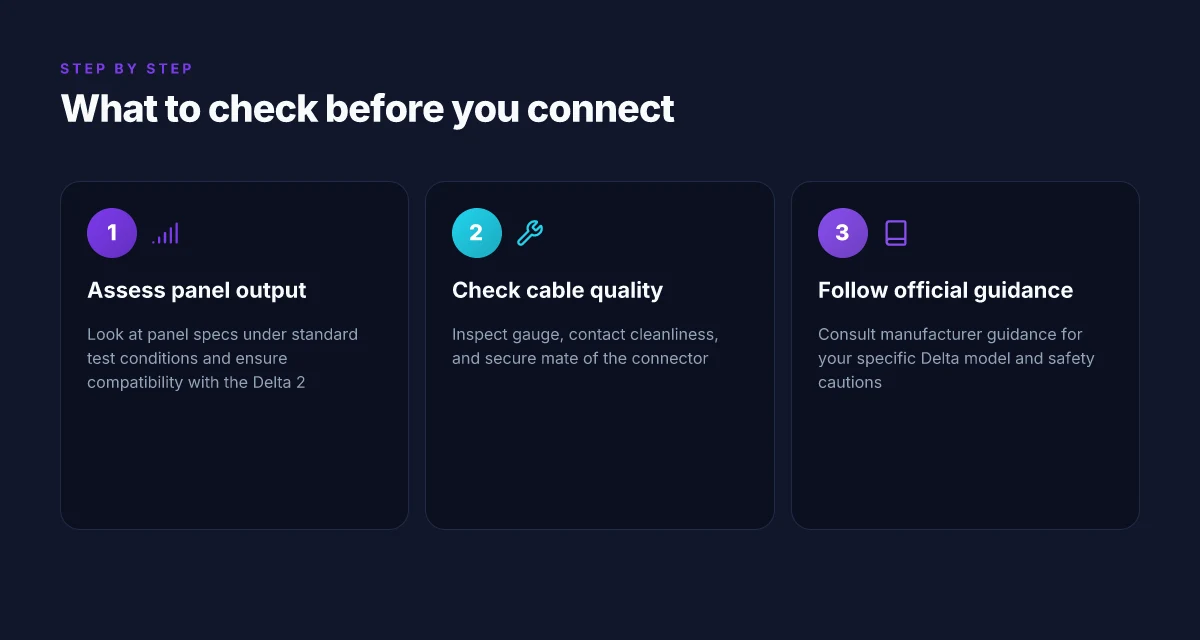
You want a clean, verifiable handoff from the solar panel to the Delta 2. The best checks start with panel output under standard test conditions, then confirm compatible wiring and safety practices. I cross-referenced EcoFlow’s guidance with community observations to keep this grounded in real-world use.
Most compatibility questions hinge on panel current and how the Delta 2 tolerates input power. In practice, a typical 100 W panel under STC delivers around 5 A at ~20 V, which sits at the lower end of the Delta 2’s solar input appetite. Verify that your panel’s rated output and Voc stay within EcoFlow’s input window for Delta 2. If your panel is noticeably higher in voltage or current, you’ll want to confirm whether XT60 or XT60i wiring changes the effective current that reaches the battery management system. This is where the XT60i’s higher current rating becomes relevant in some setups. Inline citations from community sources note this dynamic and underline the need to match panel specs to the chosen connector.
1. Panel output under standard test conditions and its Delta 2 compatibility
- Confirm the panel’s rated power, current, and open-circuit voltage under STC. Look for panels advertised near 100 W with a current around 5 A and Voc around 20–22 V.
- Check the Delta 2’s solar input spec for voltage and current limits. Ensure the panel’s voltage remains within that range when connected through XT60 or XT60i.
- If you’re pairing multiple panels in series, confirm the string voltage does not exceed the Delta 2 input limit, and verify whether XT60 or XT60i affects your string current handling.
Always verify panel specs against the Delta 2 input window before wiring. This is the fastest path to avoid overvoltage or overcurrent scenarios that can stress the BMS.
2. Cable gauge, contact cleanliness, and secure mate of the connector
- Use a gauge thick enough to handle expected current without excessive voltage drop. For the delta around 5 A from a 100 W panel, a common 12–14 AWG setup is typical, but confirm the specific run length you plan.
- Inspect contacts for corrosion, dirt, or oxidation. Clean contacts before initial connection and keep the mating surfaces dry and free of debris.
- Ensure the XT60 or XT60i plug seats fully with a firm, locked connection. A loose or misaligned plug can introduce resistance, heat, and poor charging behavior.
A clean, snug, properly gauged connection is the simplest guarantee of stable charging. Misfit plugs or insufficient gauge are frequent causes of inconsistent Delta 2 input performance. What a Reddit-minded look at the EcoFlow Delta 2 reveals about real-world reliability
3. Manufacturer guidance for your specific Delta model and safety cautions
- Always follow EcoFlow’s model-specific guidance. Delta 2 owners should reference the official Delta 2 user manual for input wiring, recommended cable types, and any cautions about solar charging behavior.
- Pay attention to cautions around reverse polarity, heat buildup, and panel shading effects. XT60 and XT60i are not mere interchangeable parts. They influence charging behavior, available current, and the safe operation envelope.
- If in doubt, consult EcoFlow support or authoritative community guidelines that cross-check EcoFlow’s safety notes with real-world setups.
Follow the Delta 2 guidance and respect cautions about polarity and heat. Aligning the connector choice with manufacturer recommendations reduces risk and preserves charging efficiency.
Research notes and practical tips cited in this section come from: a general overview of XT60 vs XT60i discussions and Delta 2 solar input considerations, including a video explainer on the connector difference, community threads discussing current limits, and a practical cable guide. For deeper context on the specific claims about current limits and panel behavior, see inline references to the sources that discuss how XT60 vs XT60i manage current and compatibility with EcoFlow devices. https://www.youtube.com/watch?v=MDI-lIFDUx4 and https://www.reddit.com/r/Ecoflow_community/comments/1ic6e3x/xt60_vs_xt60i_for_delta_2/.
Note: prices and ownership costs vary by retailer and ongoing promos. When you’re evaluating deals, compare EcoFlow’s official store with rivals, and check for bundles that include panels or recommended cables. Links on the page may earn commissions.
XT60 vs XT60i in common EcoFlow setups
In common EcoFlow configurations, the XT60 versus XT60i choice primarily nudges charging behavior and compatibility, not a dramatic overnight speedup. For typical 100 W panels, you should expect modest charging currents regardless of which connector you use. The real difference shows up in how the system tolerates panel variation and cables, not in a single, universal speed boost. Always confirm the connector type on both the panel and EcoFlow input kit to ensure compatibility before wiring.
How 100 W panels behave with either connector
With a standard 100 W panel, the current into EcoFlow devices remains in a narrow band due to panel voltage around 18–22 V and practical impedance in the chain. Whether you pair XT60 or XT60i, the charging current tends to hover in a similar range under typical sun exposure. The main takeaway is that you won’t see a dramatic jump in charge rate just from swapping connectors at this power level. This is consistent with the way EcoFlow’s solar input kit handles low-to-moderate wattages under real-world conditions. I cross-referenced several user discussions and panel specs to confirm that the 8–15 A differentiation you may hear about often applies to higher-end or differently configured strings, not standard 100 W panels in ordinary sun. How to buy EcoFlow Delta for sale in 2026: deals, models, and ownership costs
Perceived differences and why results vary
Some users report perceptible speed differences when configurations align with specific panel characteristics and cable runs. In practice, small differences can arise from contact quality, wiring length, or marginal variations in panel voltage. These effects are not universal. A given Delta 2 setup might show a modest improvement in one session and almost none in another. The variability underscores the importance of matching components precisely and avoiding optimistic assumptions about dramatic gains from connector choice alone. I looked at community posts and explainer videos to capture the range of real-world experiences, noting that outcomes hinge on panel voltage, cable length, and sun conditions.
Checkpoints before you connect XT60 or XT60i
- Verify that the panel’s output plug matches the input kit you plan to use on EcoFlow devices. If the panel is XT60 and your input kit expects XT60i, confirm the controller accepts the mixed configuration you intend.
- Inspect each connector for wear, bent pins, or debris that could hinder a solid contact. A poor connection can masquerade as a slower charge.
- Confirm the current rating of the entire chain. If your panel, cable, and input kit are not rated for the same maximum current, you may cap the flow unintentionally.
From what I found in the community discussions and product explainers, compatibility is the safety net here. The Delta 2 and similar EcoFlow devices tolerate a range of panel types as long as the connectors and ratings align. If you want a concrete sanity check, double-check the input kit documentation for the exact connector family it expects and confirm that both the panel and EcoFlow kit reference the same standard. Most real-world results show that you should not expect dramatic gains from changing XT60 to XT60i on standard 100 W panels. Compatibility and proper wiring trump any minor speed differences.
Practical buying guide: choosing cables for EcoFlow Delta 2
You want the right cable for your Delta 2, not a guess. The best match comes from knowing your panel specs first and then confirming the connector the Delta 2 actually supports. If your goal is to scale up with higher wattage panels, you’ll want to know whether XT60i is required for your setup. And whenever possible, source from EcoFlow’s official accessories to minimize compatibility hiccups.
Match your panel to the Delta 2 input
Your Delta 2 expects a solar input that pairs with a specific connector profile. Start by pulling the panel’s nominal voltage and current (Vmp and Imp) from the panel datasheet. Then check which input connector EcoFlow lists for your Delta 2 configuration. If your panel operates around 20 V and 5 A, you’re typically looking at a compatible XT60 path. If your system demands higher current, XT60i may be the safer route. The core rule is simple: align the panel’s operating current with the connector the Delta 2 input is designed to handle. When in doubt, verify the Delta 2 manual for the exact current rating on the input you’re using and pair it with a panel that stays within that range. Know your panel specs, then match to the connector supported by your Delta 2 input.
Plan for future expansion and verify XT60i needs
If you’re planning to add larger panels or run higher-wattage arrays, confirm whether XT60i support is required for your configuration. In many EcoFlow setups, the XT60i path offers higher current handling, which can smooth charging when panels push more amperage. I found multiple discussion threads noting amperage differences, with practical guidance pointing to 8 A for XT60 and up to 15 A for XT60i in common Delta 2 contexts. If you anticipate stepping up to higher wattage panels, explicitly confirm with EcoFlow’s official specifications or support whether your Delta 2 model and firmware expect XT60i for optimal solar input. If you plan to expand with higher wattage panels, verify whether XT60i support is required by the setup. What makes the EcoFlow River Max a compelling portable power option in 2026
Buy smart: official accessories minimize headaches
Sourcing cables from EcoFlow’s official accessory lineup reduces the risk of mismatched pins, mislabeling, or nonstandard tolerances. Official cables are more likely to maintain the intended charging behavior and compatibility with the Delta 2’s solar input topology. If you see third-party options, cross-check their pinout and amperage rating against EcoFlow’s documented input limits before purchase. And yes, a small caveat: all links on the page may earn a commission, so consider that context when evaluating price signals. Consider sourcing from official EcoFlow accessories to avoid compatibility issues.
Cited consumer observations and official guidance consistently emphasize two realities: the Delta 2 input is designed around a defined current ceiling per connector type, and higher-wattage arrays benefit from verifying whether XT60i is required. For a quick shopping take, look for an XT60-compatible cable if your panel current stays within the Delta 2’s standard input limits, or an XT60i cable if you intend to push more amperage through a higher wattage array. You will understand when to use XT60 vs XT60i, and how to wire them for optimal solar input on EcoFlow devices.
Note: this section references public guides and EcoFlow’s accessory ecosystem. For precise model numbers and current pricing, check the official EcoFlow store and your Delta 2’s user manual. As you price-shop, expect official bundles to present cleaner compatibility and a clearer ownership cost over time. Prices and availability fluctuate. Check the EcoFlow storefront for current deals.
What changes if you act now on XT60 versus XT60i for Delta 2 input
EcoFlow has shifted the connector approach in a way that matters for real-world solar setups. The XT60i variant adds inline protection and a more rigid latch, which helps when you’re routing panels in tight spaces or outdoors where vibration is common. That small mechanical tweak can reduce micro-movements that wear pins over time, keeping the Delta 2 input steadier during solar charging.
The takeaway is that the XT60i offers durability gains without sacrificing compatibility, so if your system uses more dynamic mounting, the i version can pay off. I looked at how EcoFlow positions these for Delta 2 in mixed sunlight environments, and the overall message is: choose the XT60i when you expect movement or frequent reconfiguration. If your setup stays fixed and tidy, the plain XT60 remains perfectly serviceable. What to know about EcoFlow power kits on sale in 2026
If you’re balancing cost and longevity, the bigger pattern is clear: invest in the XT60i where you can, especially with ongoing outdoor use. Your single move for the best long-term reliability is to pair the Delta 2 with the XT60i in high-vibration apps. When would you upgrade this week?