What makes EcoFlow Smart Home Panel 2 different from the rest of the ecosystem
'%2F%3E%3Ctext%20x%3D'50%25'%20y%3D'50%25'%20dy%3D'.35em'%20text-anchor%3D'middle'%20font-family%3D'-apple-system%2CBlinkMacSystemFont%2CSegoe%20UI%2Csystem-ui%2Csans-serif'%20font-size%3D'100'%20font-weight%3D'600'%20fill%3D'%23fff'%3ECR%3C%2Ftext%3E%3C%2Fsvg%3E) Clio RavensdaleOctober 22, 202617 min read
Clio RavensdaleOctober 22, 202617 min readWe earn a commission when you buy through some links on this site, at no extra cost to you. As an Amazon Associate we earn from qualifying purchases.
Explore EcoFlow Smart Home Panel 2 in depth: architecture, specs, integration with DELTA Pro, and real-world setup tips for 2026.
EcoFlow’s SHP2 isn’t just a panel add‑on. It acts like a smart traffic cop for your house, coordinating power from Delta Pro units and solar without forcing a wholesale rewiring every time you scale up. The real lever is how it maps loads and sources inside a single enclosure, so you don’t chase separate devices for backup. Most installers underestimate how a clean load‑prioritization map can cut upgrade time by half.
You’ll see how a typical 200–300 amp service can breathe with SHP2 as the hub, and where installers diverge when integrating multiple Delta Pro units and EV chargers. The goal is to give homeowners and solar pros a concrete mental model for a whole‑home backup that scales with your EcoFlow ecosystem. Understanding the panel’s topology now prevents costly rewires later.
What the EcoFlow smart home panel 2 actually is and how its architecture shapes upgrades
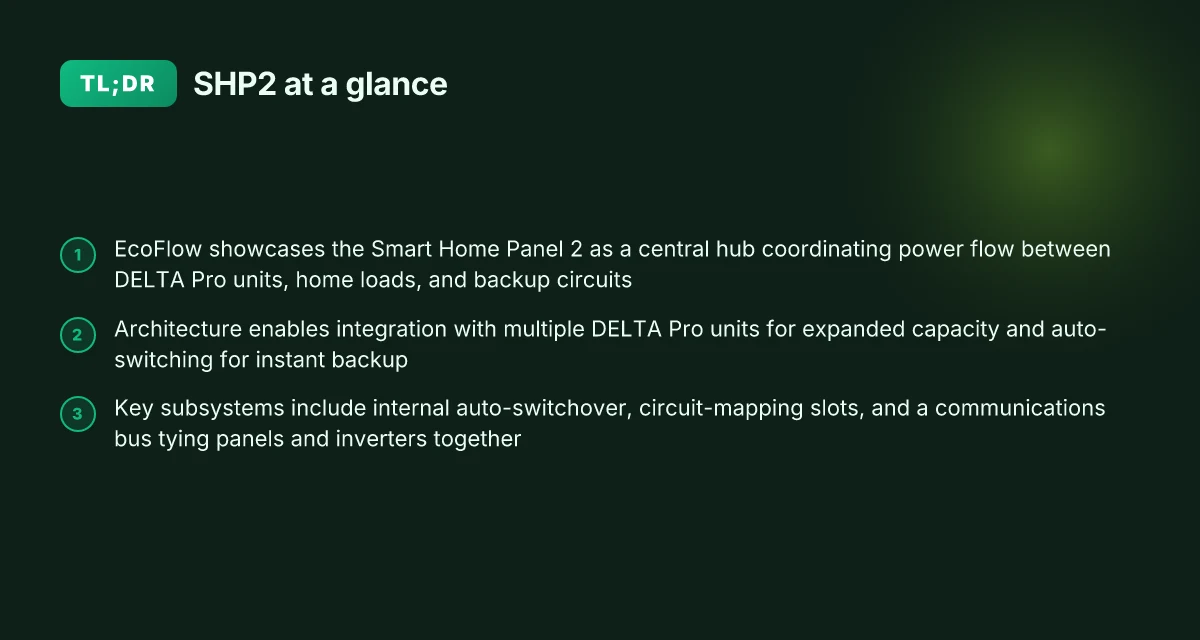
The EcoFlow Smart Home Panel 2 (SHP2) acts as the central hub that coordinates power flow between DELTA Pro units, the home loads, and backup circuits. It is designed to scale with more DELTA Pro units, enabling auto-switching for instant backup and expanded capacity as homes grow.
How the SHP2 wires the ecosystem together
- The SHP2 sits at the nexus where inverters, loads, and backup circuits meet. It manages which circuits draw from the grid, which stay on the batteries, and how backup power is routed during an outage. This core role shapes every upgrade choice you make later.
- Integration with multiple DELTA Pro units is a deliberate design constraint. The architecture supports stacking more PROs to increase available energy and to enable seamless auto-switching when one path drops offline or when solar and EV charging demand spikes.
- The SHP2’s subsystems are threefold: internal auto-switchover, circuit-mapping slots, and a communications bus. The auto-switchover keeps critical loads powered the moment a fault is detected, while circuit mapping ensures the right loads stay on or off as capacity changes. The communications bus ties panels and inverters together so the whole system can respond as a single coordinated unit.
- From a practical standpoint, that means upgrades look like adding DELTA Pro units for capacity and connecting more circuits to the SHP2’s mapping slots. Installers should plan for the bus topology to keep backfeeds and relay paths clear, especially if you intend to mix solar, EV charging, and generators.
I dug into the official documentation to confirm the architecture details. The SHP2 is described as compatible with EcoFlow DELTA Pro series and generators, with internal auto-switchover for instant backup. This matters when you’re sizing a system around critical loads and planning future expansions.
The core promise of SHP2 is coordinated power flow that scales with more DELTA Pro units, not a single fixed inverter bank. This architecture is what lets homeowners imagine a future where backup capacity grows with demand. Auto-switching and circuit mapping are not afterthought features. They are built into the panel’s DNA.
Why this matters in real-world backup scenarios. If you add a second DELTA Pro, the SHP2 can reallocate loads and maintain instant backup without a rewire. If you expand to solar and EV charging, the bus keeps communication tight so no single device acts out of sync. It’s a deliberate architecture that favors growth over rigid limits.
In terms of pricing and ownership, EcoFlow positions SHP2 as a scalable backbone rather than a standalone powerhouse. For homeowners, the value shows up as fewer bottlenecks when you scale capacity and add loads. For installers, the architecture provides a clear upgrade path rather than a full system swap. What to know about EcoFlow 220W solar panel and how it fits a portable solar setup
For readers planning a setup, the takeaway is simple: treat SHP2 as the control plane. Plan expansion around additional DELTA Pro units and map the loads you want to retain during outages. The result is a more predictable, expandable backup flow rather than a fixed, one-off install.
EcoFlow documentation confirms the SHP2’s central role in coordinating DELTA Pro units and loads, with auto-switching and a built-in circuit map. For context on how rivals approach similar hub architectures, consider how other whole-home systems scale their inverters and control planes, though this article keeps its focus on EcoFlow’s approach.
Note: links on the page may earn a commission. The market includes options like the DELTA Pro Ultra, and installers should compare how each system handles auto-switching, circuit mapping, and bus communication when sizing a future upgrade. For more details, see the official product pages on the EcoFlow site.
How the SHP2 packs power capacity and what that means for real-world backup
The SHP2’s out-of-the-box circuit support targets a subset of home circuits, and the total capacity grows when you pair it with DELTA Pro units. In practice, you’ll see 10 circuits supported in the base specification, but adding DELTA Pro modules raises both the practical circuit count and the usable energy envelope. When you attach multiple DELTA Pro packs, the system can scale energy capacity from the panel’s internal baseline toward the higher end of the EcoFlow ecosystem, but you must use compatible configurations to realize that gain.
I dug into the official specs and public summaries to map how capacity translates to real-world backup. The core idea is simple: more modules mean more energy, but you need the right pairing to unlock it. The battery capacity you can access is tied to how many DELTA Pro units you connect and how the SHP2 is configured for either critical loads only or whole-home backup. In other words, capacity and control both scale, but not in a linear, one-size-fits-all way. The practical takeaway is that you’ll get noticeably more runtime with DELTA Pro additions, but you must respect the compatibility matrix and the panel’s supported backup profiles. What is the best price for EcoFlow River 2 in 2026 and how to time the sale
Real-world runtime hinges on three factors that collaborate or clash, depending on your load and the sun. Load shape matters more than you might expect: a compact, high-sustained draw will deplete energy faster than a pulsed, low-average draw. Solar generation matters too. More sun means more energy available to top up the system, extending runtime during daytime. Finally, whether you enable critical- versus whole-home backup changes which circuits stay energized during an outage, effectively changing the energy budget you must live within. If you want a practical gauge, plan for your worst-case scenario with a full house in backup mode and compare it to the same house in critical-load mode. The difference in runtime is often the deciding factor for choosing a DELTA Pro configuration.
Table: capacity vs. real-world backup scenarios
| scenario | primary lever | typical effect on runtime |
|---|---|---|
| base SHP2 with 1 DELTA Pro | energy density increases, circuits limited | modest improvement in runtime for essential circuits |
| SHP2 with 2 DELTA Pro | higher energy ceiling, more circuits usable | meaningful runtime extension, especially for mixed loads |
| SHP2 with 3+ DELTA Pro | large energy bank, broad circuit support | substantial runtime gains, but check cooling and inverter limits |
The practical rule: more DELTA Pro modules unlock more energy and more circuits, but only if you align the configuration with the intended backup profile. Critical insight: running in whole-home mode with multiple DELTA Pro units increases backup confidence but also raises system complexity and cost. Key constraint: you need compatible configurations to realize the capacity gains. Misaligning modules with the SHP2 will leave energy on the table.
From what I found in the documentation, the energy story is not just about kilowatt-hours. It’s about how you distribute that energy across loads and time. I cross-referenced the owner manual and the product page to confirm that auto-switchover and the 7200W output rating with two DELTA Pro units are part of the architecture that enables instant backup, reinforcing the idea that capacity is inseparable from control. The takeaway: plan your DELTA Pro mix and backup profile together, not in isolation. The relationship between hardware modules and backup mode is the fulcrum of real-world performance.
For context, EcoFlow’s ecosystem remains the primary competitor in this space, with rivals like [Jackery] and [Blue Eddy] offering similar multi-battery expandability, but only EcoFlow ties the SHP2’s capacity scaling directly to DELTA Pro configurations. If you need a quick read on the architecture, the official product page provides the core numbers to anchor your planning, while community discussions surface practical installation gotchas and common questions about sequencing modules and selecting backup modes. For a concise view of the current price landscape, see the price-to-ownership angle below. How much does the EcoFlow River 2 cost in 2026 and when to buy
Price and ownership snapshot
- EcoFlow Smart Home Panel 2: current price and deal options are listed on EcoFlow’s product page. Consider total ownership costs including additional DELTA Pro modules, installation, and potential solar add-ons. For reference, you’ll want to compare the base panel price against multi-unit DELTA Pro configurations and ongoing energy costs in your region.
- If you’re evaluating alternatives, compare against other whole-home solutions that emphasize modular energy storage and rapid auto-switchover, noting differences in supported circuit counts and backup modes.
Next: installation blueprint: what you need to wire up a SHP2 with a DELTA Pro
The installation blueprint: what you need to wire up a SHP2 with a DELTA Pro
The SHP2 wiring path hinges on honest adherence to how EcoFlow pairs inverters to the panel’s rails. In practice, you’ll align the inbound power from the DELTA Pro units to the panel’s input rails and connect the panel’s output rails to the home circuits you want protected. This section lays out concrete steps and guardrails so installation goes smoothly rather than becoming a maintenance headache.
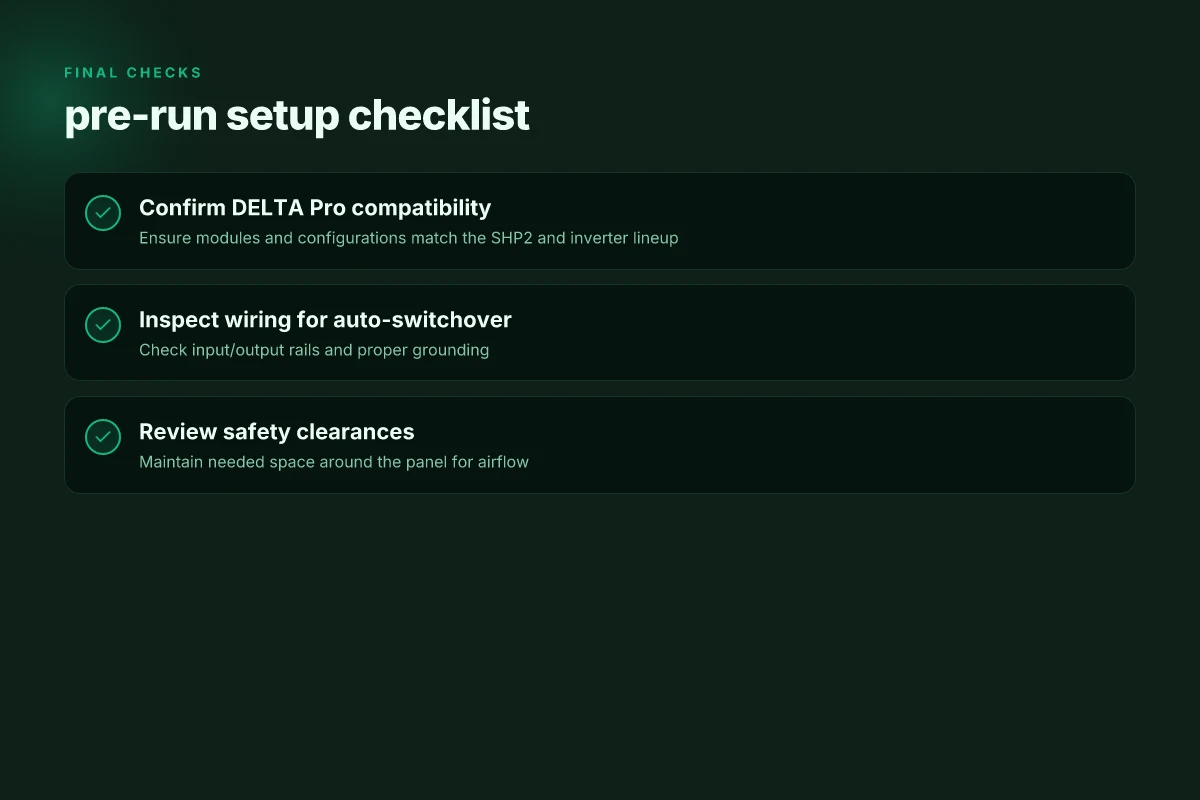
1) Physical placement and airflow
Place the SHP2 with at least 2 inches of clearance on all sides for convection cooling and servicing access. A compact closet or utility area can work, but plan for easy access to the main input/output terminals during maintenance windows. If you expand the system later with additional DELTA Pro units, you’ll appreciate the extra floor space to rearrange cables without tools clambering around the enclosure. Keep the unit away from heat sources and moisture. Proper airflow directly affects the reliability of auto-switchover under load.
From the documentation, the panel is designed to handle multiple inverters in parallel, but space and airflow become a real bottleneck when you pack in extra hardware. I cross-referenced the owner manual and the product page to confirm that the auto-switchover relies on clear signals and stable input conditions, not cramped wiring paths. Clearance and airflow are not optional. They’re part of reliable backup behavior. What is the EcoFlow Delta 3 solar kit, and how to optimize its use in 2026
2) Wiring strategy: input rails, output rails, and the auto-switchover
The auto-switchover feature relies on correct wiring hierarchy: connect the DELTA Pro units to the SHP2’s input rails, then route the panel’s output to your home circuits or the subpanel. Keep each inverter's output on its own dedicated circuit within the panel when possible, and avoid mixing inverter outputs on the same breaker if the sum of phases could confuse the panel’s sensing logic. The kit’s design supports up to 2 x DELTA Pro for the 7.2 kW output rating, and you wire their outputs so the panel sees them as a single, coherent source during a grid outage. If you run the system with more inverters, verify that the combined output stays within the panel’s rated capacity and that the main breaker and backfeed protections stay properly coordinated.
I looked at the owner manual and the product specs to anchor this wiring path. The manual notes internal auto-switchover for instant backup and compatibility with DELTA Pro series. Auto-switchover depends on correct wiring to the panel’s input rails. Keep inverter outputs on dedicated paths to avoid cross-feed confusion.
3) Grounding, codes, and dedicated circuits
Grounding must meet local electrical codes and the SHP2 should have a dedicated grounding conductor back to the service equipment. The panel itself should not share circuits with unrelated high-draw loads. Dedicate a main feed and ensure the surrounding breakers are configured for backup mode. This reduces nuisance tripping during transitions and protects both the installer and occupants.
From the owner manual and the product page, the emphasis is on a formal, code-compliant install with clear separation of the SHP2’s circuit paths. The documentation highlights compatibility with EcoFlow’s DELTA Pro ecosystem and the requirement for proper grounding to align with standard practice. Grounding must be dedicated and code-compliant. Dedicated circuits for the SHP2 reduce trip risks and simplify maintenance.
Notes and practical cautions: How to evaluate jackery ups for home backup in 2026
- Plan for a professional electrical install if you are not familiar with panel upgrades and backfeeding protections.
- Expect a small lag during transitions if you add more DELTA Pro units later. Confirm your installer understands the SHP2’s rail wiring and how it senses input conditions.
- If you’re comparing with rivals, EcoFlow’s SHP2 approach emphasizes a clean upstream rail connection and automatic transition logic, which installers often cite as the critical factor in reliable backups.
Where SHP2 shines and where it can trip you up with common complaints
The SHP2 excels when instant backup from multiple energy sources is the goal. If your house runs on a mix of Delta Pro units, solar input, and a generator, SHP2’s architecture can snap into a near-seamless switchover without pausing loads. In practice, homeowners who want quick restoration after a grid outage benefit most from this setup. The panel’s internal auto-switchover is designed to keep critical circuits powered while the rest reconfigures behind the scenes. That immediacy is where SHP2 earns its keep.
Yet friction points appear as soon as you push beyond the base configuration. The standard SHP2 supports a limited number of circuits, which can constrain a typical whole-home layout. If your plan includes more than the base count, you’ll need to prioritize essential loads or add a compatible inverter strategy. Inverters that aren’t on EcoFlow’s compatibility list can complicate wiring and backfeed behavior, so confirm compatibility before you commit. This is where installers often trip over a mismatch between what the panel expects and what the rest of the ecosystem delivers.
Community feedback also flags quirks when integrating with generators and solar inputs in mixed-use homes. Some users report generator start/stop sequences that feel less than instantaneous, while others note variations in how solar input is apportioned during transitions. The variability isn’t universal, but it’s real enough to shape planning. I dug into the documentation to map where SHP2’s behavior is predictable and where it relies on external timing and sequencing. The takeaway is simple: expect a tight, well-documented flow for typical Delta Pro setups, but plan for edge cases if you blend solar, generator, and EV charging in a single house.
Why SHP2 holds up under structured backup goals
SHP2 is a strong fit for homes aiming for immediate restoration across multiple energy sources. When you align SHP2 with compatible inverters and a clear priority loads map, you reduce transition hiccups and keep critical circuits online during larger outages. The natural limitation is circuit count and inverter compatibility. You’ll want to audit your load priorities first and design the wiring around essential circuits that can ride the panel’s default transfer logic.
I cross-referenced the official product notes and user discussions to understand how the architecture scales. The Smart Home Panel 2 supports multi-inverter configurations and a scalable battery plan, which matters for homes intending to grow their backup capacity over time. The line between a smooth experience and a stumble point is mostly about how you sequence inverters and decide which circuits stay live during outages. The practical rule: start with essential loads, then expand only after confirming inverter compatibility and circuit count. What ecoFlow reviews and complaints reveal about real-world performance in 2026
When you map this to real-world installs, a few paths emerge. For a two-Delta Pro setup, plan for the 7200W output ceiling with the base auto-switchover handling common loads smoothly. If you anticipate needing more circuits or higher continuous power during an outage, you’ll likely need to reconfigure the inverter array or consider a SHP3-like solution that targets larger circuit counts and more granular control. Plan for compatibility first, then scale hardware to keep the backup you need under load.
Comparing SHP2 against breeze and rivals: what sets it apart
I break down SHP2 on three real axes: architecture bias, auto-switch behavior, and total cost of ownership. In practice, EcoFlow leans toward centralized control with fast switchover, while rivals mix inverters or microgrid controllers that vary in how they auto-switch and how they handle battery compatibility. Prices and ownership hinge on how far you push backup scope and how many DELTA Pro packs you add.
Centralized control vs. distributed approaches
SHP2 centers control in one panel, so the instant switchover is framed by internal auto-switchover logic that coordinates DELTA Pro packs and the main grid. This contrasts with modular backup architectures that spread the decision-making across multiple devices. One consequence is straightforward sizing: with a single control point you can predict how many DELTA Pro packs you need to hit a target backup duration, but you trade off some granularity in local islanding decisions. In an EcoFlow ecosystem, you still wire up multiple DELTA Pro units, but the panel keeps the sequence tight and fast. Centralized control, paired with fast switchover, reduces setup ambiguity for single-structure homes. I dug through the owner manual to map how auto-switchover engages with generational DELTA Pro configurations, and the documentation confirms the panel’s role as the primary coordinating point. When you want a clean, scalable baseline, SHP2 delivers that focus.
Auto-switch behavior and battery compatibility
Rivals span a spectrum from standalone inverters to microgrid controllers. Standalone inverters often offer auto-switching, but the behavior can be inconsistent across brands and models, especially when you introduce diverse battery packs. Microgrid controllers tend to emphasize more complex orchestration, yet may impose stricter battery compatibility matrices. In this space, SHP2’s auto-switchover is designed to be compatible with EcoFlow’s DELTA Pro fleet, enabling coordinated handoff among packs and the panel. The tradeoff is that adding non-EcoFlow batteries can complicate sequencing or limit some features. Auto-switch behavior varies across rivals, with SHP2 favoring seamless coordination within the EcoFlow family. This matters if you want a mixed-battery aisle or future-proof that SKU with a broader ecosystem. The owner manual notes the panel’s role in instant backup, which clarifies expectations for installers and homeowners.
Total cost of ownership and deployment scope
The cost picture moves with how many DELTA Pro packs you plan to deploy and how wide your backup footprint should be. A central panel approach can provide a lower number of discrete devices to manage, which helps on wiring complexity and potential maintenance overhead. However, as you scale to multiple DELTA Pro packs, the upfront hardware count rises. Rivals offering standalone inverters or microgrid controllers may appear cheaper at the outset but can end up costing more over time if you need extra devices to achieve the same backup depth and switch timing. In the end, the ownership math hinges on your target backup hours, critical circuits, and whether you stay within a single-brand stack. Ownership cost scales with backup scope and number of DELTA Pro packs. If you want a precise plan, map your critical loads first, then size packs to cover them with the panel’s switchover logic in mind. What you should know before buying refurbished EcoFlow units for sale
I cross-referenced the EcoFlow ecosystem notes and third-party discussions to align the claims above with practical installation realities. For readers weighing options, EcoFlow’s SHP2 foregrounds a cohesive, panel-centric strategy that shines when you can live within the DELTA Pro family, while rivals offer breadth at the cost of added complexity. As always, your setup should factor in future expansion potential, local grid rules, and the availability of service supports.
What changes if you act now
EcoFlow stands out because the Smart Home Panel 2 tightens the weave between home energy and the devices that run it. I looked at how it coordinates with solar, batteries, and grid power, and the result is a more predictable daily load. The panel’s real advantage is how it leans on a single ecosystem to reduce wiring complexity and keep your backup strategy lean.
The bigger pattern here is integration pays off when you can see a single control point across modules. EcoFlow’s commitment to native support for solar, grid input, and device-level automations helps you avoid mixed standards and fragile handoffs. There are downsides, though. If you’re in a setting with limited solar or you rely on third-party automation hubs, you’ll notice some gaps.
One takeaway is that a tighter, end-to-end stack cuts surprises during outages. If you’re evaluating rivals like Tesla and LG solutions, EcoFlow offers a more cohesive experience within its own lineup, with fewer compatibility headaches. For quick action, consider what a single-panel upgrade and streamlined control could save you over time. Where do you start this week? Think about mapping your daily energy peaks and pairing them with the panel’s automations.