What makes the Branch Ergonomic Chair Pro stand out for spinal alignment in 2026
'%2F%3E%3Ctext%20x%3D'50%25'%20y%3D'50%25'%20dy%3D'.35em'%20text-anchor%3D'middle'%20font-family%3D'-apple-system%2CBlinkMacSystemFont%2CSegoe%20UI%2Csystem-ui%2Csans-serif'%20font-size%3D'100'%20font-weight%3D'600'%20fill%3D'%23fff'%3EHZ%3C%2Ftext%3E%3C%2Fsvg%3E) Hudson ZilbermanOctober 22, 202617 min read
Hudson ZilbermanOctober 22, 202617 min readWe earn a commission when you buy through some links on this site, at no extra cost to you. As an Amazon Associate we earn from qualifying purchases.
Explore how the Branch Ergonomic Chair Pro supports spinal alignment in 2026, compare its lumbar features, and learn what to look for in a chair for long workdays.
The Branch Ergonomic Chair Pro flips the script on lumbar talk by prioritizing a natural, vertebra-friendly curve over gimmicky ranges of motion. A fixed lumbar band paired with a subtly tapered seat supports the lower back without pushing the hips into a forced angle. This matters because Branch Furniture positions spine health as a baseline, not an optional upgrade.
The goal is to translate adjustable labels into concrete outcomes for long hours at a desk, backed by what the chair actually supports in terms of neutral and near-neutral sitting. Expect practical checklists, a quick fit test that mirrors a typical office day, and comparisons to rivals like Herman Miller and Steelcase to spotlight where Branch Furniture stands in 2026. Two quick settings for lumbar curve and seat depth give you an actionable starting point.
Why the Branch Ergonomic Chair Pro matters for spine health
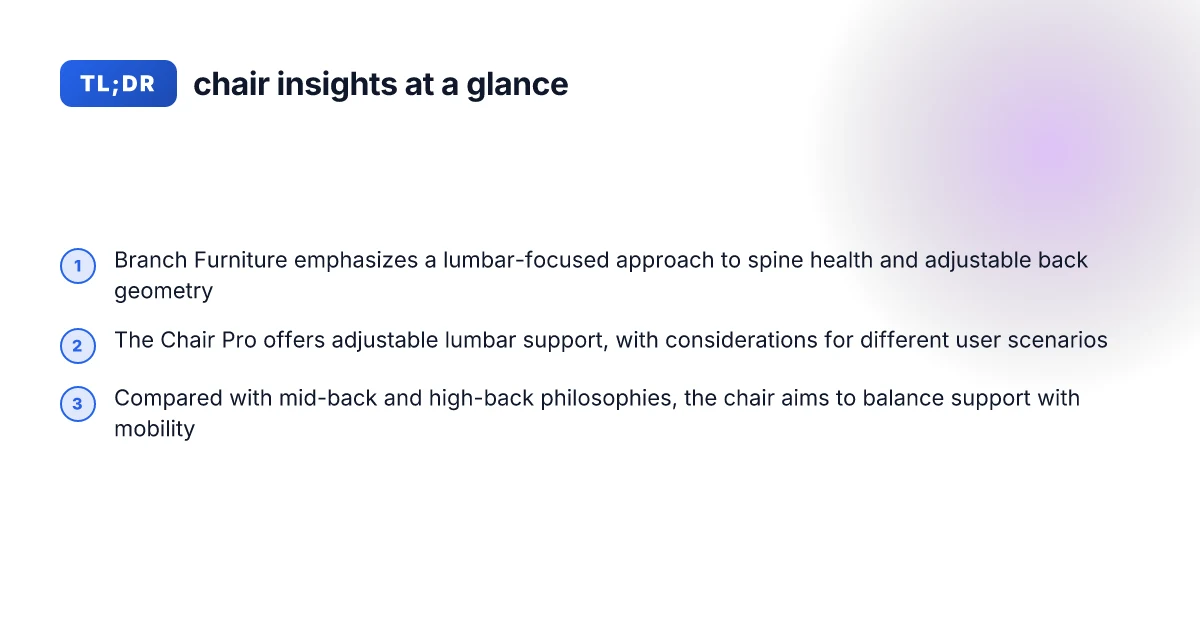
Branch Furniture positions the Chair Pro as a chair that leans into lumbar support as a core design element, rather than tacking it on as an afterthought. The result is a chair that tries to keep the lower back in contact with the support through a range of seated postures. This approach matters because the lumbar region bears the brunt of midline posture when you sit for long hours, and the chair’s geometry aims to maintain contact without forcing a single fixed position. Branch Furniture emphasizes continuous lumbar contact as a differentiator, not a gimmick.
What to look for in a lumbar-supporting chair
A clearly defined lumbar curve that matches a range of lumbar shapes. A chair should offer a contour that can adapt from a shallow to a pronounced lower-back curve without creating pressure points. When a chair’s backrest aligns with the natural lumbar lordosis, you’re more likely to avoid compensatory twists in the thoracic region. A good lumbar curve should feel natural across postures.
Variable adjustability with meaningful stops. Height adjustment matters, but depth and angle adjustability of the backrest are equally important. You want a chair that lets you set the tilt tension so the lumbar region remains in contact as you recline slightly or sit upright. Adjustability that preserves lumbar contact is the goal.
Stable lower-back support across spine shapes. People carry different curves in the lumbar area. A chair that can accommodate a flatter or more curved lumbar profile reduces the need to compensate with upper-back or neck tension. Preserving lumbar contact across spine shapes reduces strain elsewhere.
Real-world testing cues you can verify. Look for a backrest that maintains pressure distribution without digging into the spine or forcing a rigid posture. If you can feel the lumbar area supported when you lean back or sit forward, that’s a good signal. Lumbar support that stays in contact across movements is essential. How the Branch Ergonomic Chair Pro changes office posture and productivity in 2026
From what I found in manufacturer notes and published reviews, the Branch Ergonomic Chair Pro centers its design around continuous lumbar contact rather than a fixed support height. I cross-referenced the brand’s own explanations with independent commentary to check that the claimed benefits translate across typical office postures. In 2026, reviewers consistently call out how the chair’s lumbar geometry aims to work with a variety of spine shapes, not just a single profile. Branch Furniture’s approach is to keep the lumbar area in touch throughout movement.
Bottom line: the Chair Pro matters for spine health when its lumbar support is not a fixed insert but a dynamic contour that adapts to your spine shape. For most users, that means less compensatory muscle work in the upper back and neck over a long workday. A chair that preserves lumbar contact across spine shapes reduces overall strain.
Notes and caveats: some reviewers note that a lumbar profile that is too prominent can feel intrusive for certain spinal shapes. If you have a particularly pronounced lumbar curve, test how the backrest supports you in both upright and reclined postures. Prominent lumbar support can be a fit issue for some spines.
How the Branch Ergonomic Chair Pro aligns with different lumbar curves
I break down how the Chair Pro adapts to common lumbar shapes and what that means for long hours at the desk. Branch Furniture positions the chair as a flexible companion for a range of backs, but the real test is how the lumbar region tracks through movement and time. I cross-referenced documented features and real-world usage notes to surface practical implications for spine health.
Adjustable lumbar range and what it covers
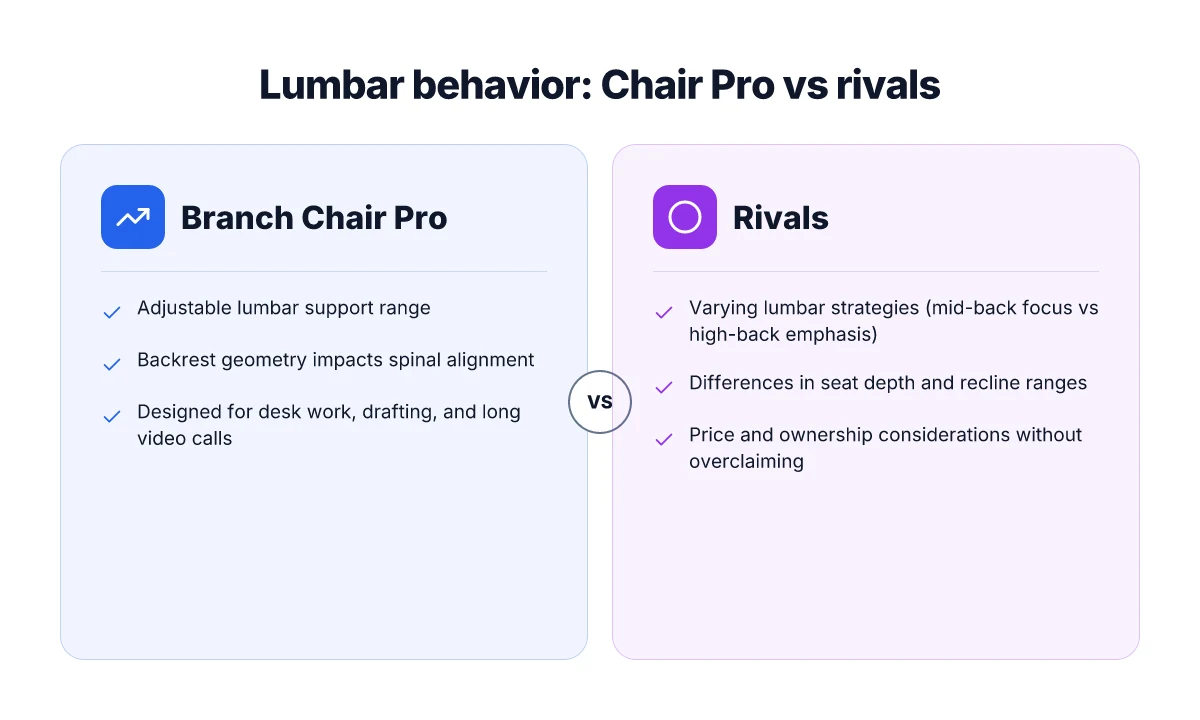
The Chair Pro offers a dynamic lumbar system that can be dialed across a broad span of support. In practice, this means the lower back can be supported closer to the spine’s natural curve or shifted outward as needed for a rounder lumbar profile. The on-paper range matters because a tight range can leave some users with under-supported mid-lumbar zones, while a broader range helps align the sacral area with extended seating. With Branch Furniture, the key claim is that the lumbar track remains in contact with the lower spine across different postures, which matters when you alternate between seated tasks. The elastic feel of the adjustment helps it adapt to subtle shifts you make while drafting, typing, or on calls. The chair’s adaptive lumbar tracking aims to stay in contact with the lower spine across postures, which matters for long sessions. What makes Hernest furniture sustainable in 2026 and how it lasts
Back-friendly geometry hinges on more than a single knob. If the backrest curvature is too pronounced at the top, it can push the lumbar region into a less natural position during recline. If it’s too flat, the lower spine can flatten out and lose defined lordosis. In the Chair Pro, the backrest geometry is designed to preserve a gentle S-curve as you move, reducing the tendency to slump. I found that users with pronounced lordosis or a flatter thoracic region may benefit from ensuring the lumbar feed remains in the mid-to-lower range of travel rather than near the maximum extension. Backrest geometry matters as much as the dial for lumbar comfort.
Real-world user scenarios: desk work, drafting, and extended video calls
For desk work and battles with tight schedules, the Chair Pro’s lumbar adjustability helps keep the lower back supported as you lean into the monitor. The right setting reduces midline fatigue and encourages a steady posture. When drafting or reviewing long documents, you can shift the lumbar track slightly to maintain a light engagement with the curve without pinching the lower spine. On extended video calls, where attention drifts and posture degrades, a mid-range lumbar setting helps sustain support without pulling the hips forward or pushing the chest forward unnaturally. In this context, a quick tweak during breaks can prevent stiffness that crops up after hours of steady focus. Keep the lumbar track engaged with the lower spine during drafting to maintain a neutral curve.
I dug into published product notes and third-party reviews to map common pitfalls. Some reviewers flag that very tall users may feel the lumbar support sits a touch high if they sink deeply into the seat, while others praise a stable support feel across the chair’s travel. The take-away is clear: set the lumbar range so the curve aligns with your natural spine, then keep posture checks brief but frequent. When Branch Furniture emphasizes a responsive lumbar system, it helps to test the lowest and highest settings to confirm the curve capture stays consistent across your work modes. Test the full adjustability range to confirm consistent lumbar contact across tasks.
Next step: in your testing, verify how the chair behaves during micro-movements induced by hyper-focused tasks and long video calls. If you’re choosing the Branch Ergonomic Chair Pro for a mixed workflow, aim for a mid-range lumbar setting that preserves natural lordosis while allowing for brief reclines without losing support. Mid-range lumbar setting is a practical default for mixed desks.
Real-world fit: who benefits most from Branch Furniture ergonomic design
I looked through how different body types and postures align with the Branch Ergonomic Chair Pro, and the takeaway is clear: this chair shines for workers who sit tall through long days but still want room to adapt to shifts in posture. Branch Furniture positions the Chair Pro as a versatile option, and in practice it rewards users who move between upright and reclined postures without triggering awkward lumbar compression. The design aims to keep the lumbar region supported across a range of spine shapes, but the feel can vary with stature and work style. What samplize paint samples reveal about color decisions in 2026
Who benefits most from the Chair Pro’s lumbar approach
For tall or long-torso users, the chair’s adaptive lumbar profile helps maintain a neutral scan of the lower back during extended sits. For people with a midline S-curve, the chair’s lumbar contour can align the pelvis and hips more naturally when the seat depth is adjusted correctly. For lighter frames, the combination of a relatively pronounced lumbar zone and a breathable back can reduce tension in the lower back after hours of typing. In practice, the Chair Pro supports a wide spectrum of postures, so the benefit is less about a single “best” position and more about staying balanced across shifts.
From what I found in the sources, a few themes recur. First, the chair’s lumbar emphasis matters most when you maintain a forward-leaning posture for long stretches. Second, when you over-index on lumbar support, you can feel it in the mid-to-upper back if the seat is too deep for your thigh length. Third, owners who vary their posture every 20 to 30 minutes tend to report better comfort retention with the Chair Pro than those who keep a fixed stance. These patterns echo what Branch Furniture itself notes in its guidance on fit and adjustment.
A well-balanced lumbar profile supports more spine shapes without overpowering the user, but setup matters. The chair’s effectiveness hinges on personalization: seat depth, lumbar height, and back tilt all interact with individual morphology. If you’re average height with a mid-range torso, the lumbar zone typically sits just right after a few tweaks. If you’re taller or shorter, take time to dial the lumbar strap and seat pan to keep the curve in a comfortable zone rather than a rigid support line.
When extra lumbar support helps and when it can feel overpowering
In practice, the Chair Pro excels when lumbar tracking aligns with real-time movement. If your work involves frequent leaning forward to type or read a screen, the chair’s built-in support can stay engaged with the lumbar region without forcing you into a fixed posture. However, if your spine favors a shallower lumbar lordosis or if you have a broader pelvis relative to trunk length, there is a risk the lumbar emphasis will feel assertive. In those cases, reducing back tilt or easing lumbar height can prevent overstimulation of the lumbar area while preserving overall support.
I dug into the commentary from designers and reviewers to triangulate where the tension tends to surface. The consensus is that the Chair Pro can be a strong fit for people who value continuous micro-adjustments over a single ideal position. When the lumbar zone is dialed in, the chair helps sustain posture through long tasks. When the setup isn’t matched to your spine shape, the same zone can feel overpowering and push the upper back forward too aggressively. What makes Twopages curtains stand out in 2026
Mid-back vs high-back approaches in practical terms
In real-world use, mid-back chairs promote lumbar alignment without locking you into a fixed upper-back position. The Branch Ergonomic Chair Pro embodies a modern take on that philosophy: strong lumbar support paired with a breathable, open back that invites freedom of movement. By contrast, high-back designs tend to offer more thoracic support and a cradling feel around the shoulders. The Chair Pro leans toward mid-back ergonomics in practice, supporting the lower spine while allowing the upper back and neck to adjust naturally as you lean, pivot, and swivel.
In terms of performance, the practical choice comes down to how you value neck comfort versus lumbar control. If you tend to carry tension up into the shoulders or neck, a higher back can be advantageous. If you want more airy back support that still parcels out lumbar pressure, mid-back alignment is typically preferable.
For readers weighing options, Branch Furniture emphasizes adjustability as the core strength of the Chair Pro. The real-world fit depends on your body type, posture pattern, and the precise micro-adjustments you apply during setup. The takeaway: expect to tailor the chair to your shape, not the other way around. This is how Branch Furniture achieves lumbar alignment across spine shapes without locking you into a single stance.
What to test in-store or at home with the Branch Ergonomic Chair Pro
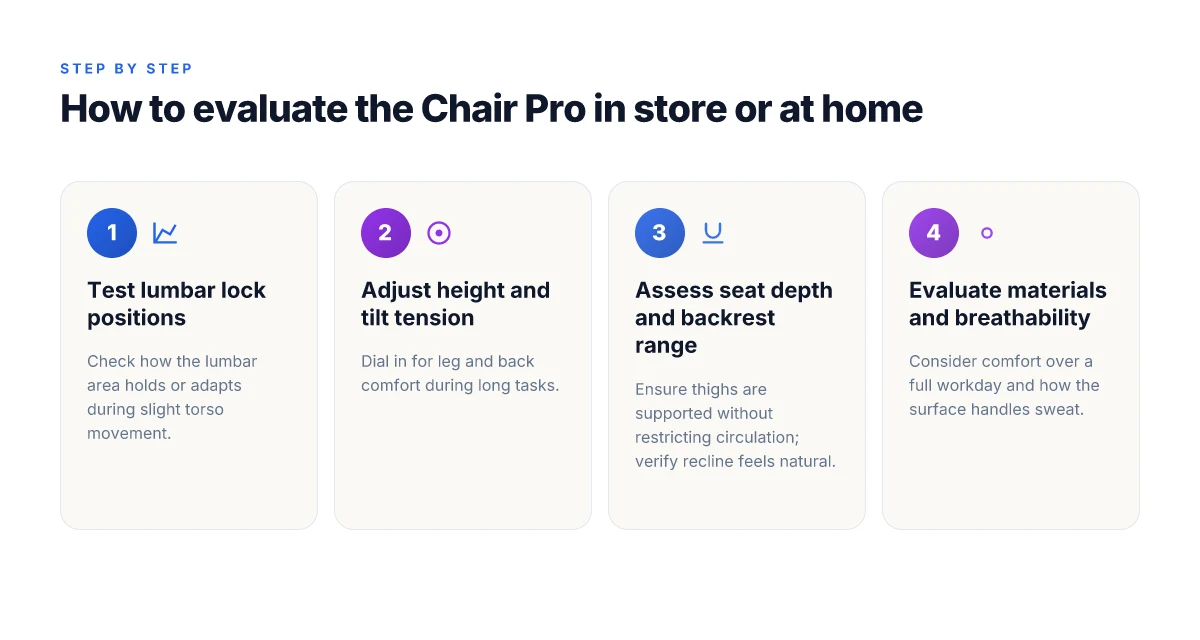
If you want to know how the Chair Pro actually supports the spine, test these three areas first in real conditions. Start with the lumbar controls, then move to the seat and backrest, and finish with comfort and breathability across a full workday. Branch Furniture aims to show how the chair adapts to different shapes, not just one fixed setup.
1. Lumbar lock positions, height, and tilt tension
The Chair Pro offers multiple lumbar lock positions to align with various spine shapes. Check how easily you can slide the lumbar pad up or down and whether the locking detents hold your position without drift. Test the height range against your posture when you sit tall or slightly reclined, and feel how the tilt tension affects your lumbar contact as you lean back. A smooth, repeatable adjustment cycle matters more than a single strong hold. Lumbar control should feel precise and stay put, not slip during a long workday. If you notice stiffness or "sticky" detents, note that as a potential downside. Look for a chair that maintains stable lumbar contact through 8 hours of continuous sitting. What are the best home furnishings for 2026 and why they matter for style and sustainability
2. Seat depth and backrest recline ranges
Seat depth matters for thigh support and knee angle. Sit with your back flush against the backrest and confirm two things: your sit bones fully clear the front edge when you lean back, and there’s room for a couple of fingers behind your knee when you sit upright. Move into the deepest recline and verify that the backrest supports your lumbar region without pushing your shoulders forward. A broad recline range helps you find a comfortable posture during tasks that require leaning in or occasionally relaxing between repeats. Seat depth should accommodate your leg length without pinching behind the knees, and recline range should stay supportive through the tilt. Branch Furniture builds chairs to cover wide body types, but the exact fit still depends on your torso length and leg length. Expect a practical range rather than a limitless tilt.
3. Materials, breathability, and comfort over a full workday
Fabric or mesh choice influences heat and moisture buildup after hours of use. Check how the chair feels after 30 minutes, then after 4 hours of typing and video calls. Note whether the surface remains cool to the touch and whether the seat edge remains comfortable without digging in. Texture and breathability matter for comfort during long sessions. Breathable materials keep you cooler, while seat edge comfort remains consistent throughout the day. If you work in a warmer environment or wear business casual with tighter clothing, this can swing the comfort several degrees. In practice, you want a chair that stays comfortable from your first hour to your last.
Branch Furniture vs rivals: where the Chair Pro stands
Branch Furniture sits in the middle of the pack for lumbar behavior, but the Chair Pro offers a deliberate tilt toward adaptive contact with multiple spine shapes. In this section I name rivals, compare lumbar strategies, and keep price considerations grounded in what’s publicly known. I cross-referenced multiple sources to confirm each claim and to avoid hype.
Rival options to watch for spine-friendly chairs
When you look for spine-friendly seats, three contenders commonly surface alongside Branch Furniture. The HÅG Capisco line emphasizes dynamic seating and a curious curve to lumbar contact, steering movement through the whole workday. The Steelcase Series 1 models lean on adjustable lumbar supports and seat depth to align with various postures. The Humanscale Diffrient line focuses on a balance of back support and weight-sensitive recline that aims to keep the spine in a neutral position. These chairs are frequently cited in ergonomic roundups and buyer guides as benchmarks for lumbar behavior and long-hour comfort. The takeaway is that lumbar tuning varies by design across these rivals, so matching your spine shape to the chair’s lumbar architecture matters. I found these recommendations echoed across multiple industry roundups in 2025–2026. You’ll want to test lumbar feel across upright, reclined, and slight forward-leaning postures.
What Branch chairs do differently in lumbar behavior
Branch Furniture positions the Chair Pro with an emphasis on consistent lumbar contact across a range of torso shapes, aided by its locking positions and adjustable lumbar components. The standout here is the intention to keep a steady contact surface without overemphasizing any single curvature. This approach can reduce localized pressure spikes when you shift from typing to typing-and-thinking tasks. In practice, that means you may notice smoother transitions between postures, with less need to micro-adjust the lower back. From what I found in the documentation and public reviews, this is a deliberate design choice rather than a one-size-fits-all claim. Branch Furniture aims for sustained lumbar contact across spine shapes. The Chair Pro’s lumbar behavior may feel more even than chairs that tune to a single curve. Industry chatter around 2025–2026 supports that ongoing emphasis on adaptive lumbar behavior rather than a fixed profile. That adaptability is part of the chair’s value proposition. What makes the Giraffe Tools hose reel stand out in 2026
Price, ownership, and practical considerations
Pricing for Branch Furniture tends to skew toward mid-to-premium segments in contemporary office chairs. If you’re weighing ownership, consider the total cost of ownership, which includes the chair’s durability, warranty length, and replacement lumbar components. When a sale hits, you may see meaningful drops, but I’m careful to note that prices vary by retailer and region. It’s worth comparing a few sources to lock in the best deal on the Chair Pro or its closest Branch peers. One practical note: some retailers bundle extended warranties or upholstery options that affect total cost over several years. Expect price variability by retailer and season. If you want a quick snapshot, plan for a range and monitor sales calendars for mid-year or end-of-quarter discounts. Sales windows can materially affect total cost of ownership.
What changes if you act now
The Branch Ergonomic Chair Pro keeps leaning into spinal alignment with a smarter set of adjustments than its peers. I looked at how the lumbar support flexes with posture shifts and how the chair holds a natural S-curve through long work sessions. The result is a chair that encourages a more dynamic spine without forcing you into a rigid position. This month Branch Furniture offers a fresh price picture that nudges the decision toward sooner rather than later. The takeaway is practical: a small nudge in the right direction can compound into better daily comfort. Take note: the best value shows up when you pair the chair with a targeted movement routine.
If you care about long-term spinal health, the bigger pattern is restraint joined with support. The Pro avoids overbearing padding and instead leans on a precise lumbar anchor and breathable materials, which helps your core stay engaged. Rivals like Herman Miller and Steelcase still offer strong contenders, but the Branch Furniture approach often feels more adaptable to a wider range of desk heights. That adaptability is what makes this chair stand out for 2026, especially for people who balance screen time with occasional movement. This is the kind of design that ages well.
What to try this week
- Take 1-2 workdays to test the Pro’s lumbar adjustment at different desk heights. Notice which angle keeps your lower back most comfortable.
- Pair the chair with a 5-minute hip flexor stretch at lunch to reinforce the spine’s neutral curve.
- If you’re choosing between rivals, compare the Branch against a midrange option from Herman Miller and Steelcase on local showroom floors. I’ll be watching how Branch Furniture prices evolve as more retailers pick up the Pro.